
4.8
on G2
 Screen Studio
 Vmaker
Screen Studio and Vmaker are both capable screen recorders, but neither was built with enterprise security, compliance, or governance in mind. This comparison examines how each tool holds up when evaluated against real enterprise requirements—and where both fall short.
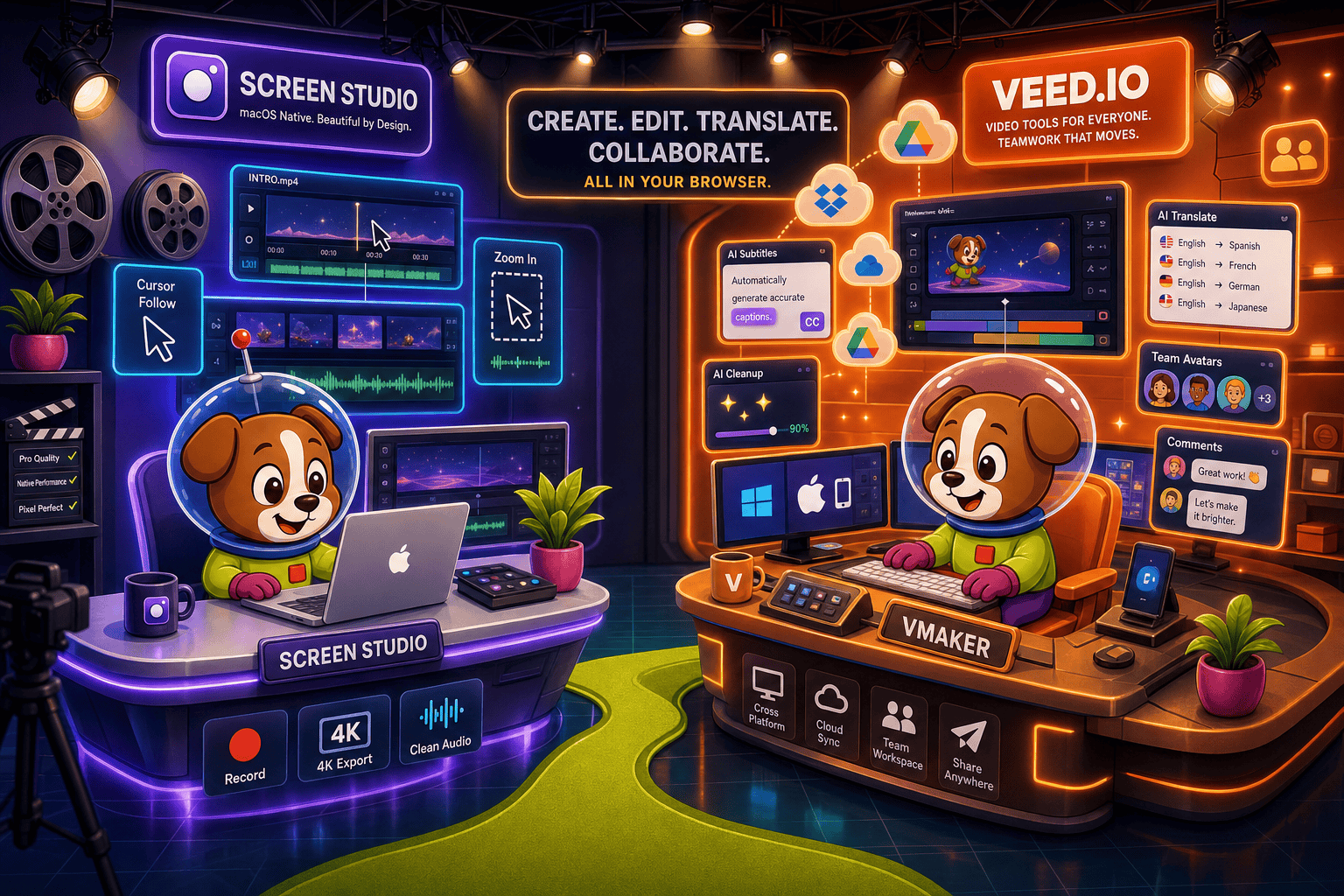
Screen Studio is an exceptional Mac recorder for individual creators and small teams but is not enterprise-ready by any reasonable definition—it lacks SSO, audit logs, team controls, compliance certifications, and cross-platform support.
Enterprise Feature Matrix
A side-by-side comparison of enterprise-critical features including security, compliance, administration, scalability, and support across Screen Studio and Vmaker.
| Enterprise Feature |
Screen Studio
|
Vmaker
|
|---|---|---|
| SSO (SAML / OAuth) | Enterprise plan only (verify) | |
| Role-Based Access Control | ||
| Audit Logs | ||
| Data Residency Options | ||
| SOC 2 Type II Compliance | Verify | |
| GDPR Compliance | Verify | Verify |
| Uptime SLA | N/A (local Mac app) | Verify |
| Admin Dashboard | ||
| Team Workspaces | ||
| Shared Content Library | ||
| Multi-Platform Support (Mac/Win/Linux) | Mac only | Mac, Windows, browser |
| API Access | Verify | |
| Custom Domain | ||
| Dedicated Support / CSM | Enterprise plan only | |
| On-Premises / Self-Hosted Option | ||
| Enterprise Pricing Tier | ||
| Video-to-Docs for Knowledge Management | ||
| Knowledge Base Publishing |
Data as of May 2026. Verify SSO, compliance certifications, API access, and uptime SLA directly with each vendor before procurement. Screen Studio is a local Mac application; cloud-dependent enterprise features do not apply in the same way as SaaS platforms.
Strengths & Weaknesses
Deep Dive
An honest, in-depth analysis across four enterprise readiness dimensions—security and compliance, scalability and performance, administration and control, and support and SLA.
Screen Studio's local Mac architecture is its only security story—recordings never leave the device unless you share a link, which provides no access controls or expiry. There are no verified compliance certifications, no audit logs, and no identity provider integrations. Vmaker takes a cloud-first approach with role-based access and SSO on enterprise plans, but compliance certifications like SOC 2 Type II and GDPR alignment need direct vendor verification. Neither tool offers data residency controls or frame-level content compliance monitoring, making both inadequate for regulated industries handling sensitive internal content.
Screen Studio is a single-user Mac application with no multi-seat management layer. Scaling it across an enterprise means distributing individual licenses with no central oversight, shared libraries, or content governance. Vmaker is designed for teams, with shared workspaces and a cloud-hosted video library that scales more naturally. However, neither tool offers enterprise-grade infrastructure guarantees: Screen Studio has no uptime SLA by nature of being a local app, and Vmaker's SLA terms are not publicly documented. For organizations needing guaranteed availability and documented performance benchmarks, both tools require direct validation before enterprise procurement.
Administration is where the gap between the two tools is clearest. Screen Studio has no admin controls whatsoever—no team management, no content library, no access governance, and no audit trail. Every user operates as an independent instance. Vmaker provides team workspaces, shared content libraries, role-based access control, and an admin dashboard that gives managers visibility into team content. Enterprise plans add SSO for centralized identity management. That said, Vmaker still lacks audit logs, which are a baseline requirement for most enterprise security and compliance audits. Neither tool supports on-premises deployment or custom domain content delivery.
Screen Studio offers no enterprise support tier, no dedicated customer success manager, and no documented service level agreement. Support is limited to standard channels with no priority escalation path. This is a significant barrier for enterprise procurement teams that require contractual support commitments. Vmaker's enterprise plan includes dedicated support and more direct account management, which is a meaningful step up for enterprise buyers. However, SLA specifics—response times, uptime guarantees, escalation paths—are not publicly documented and must be negotiated directly. For mission-critical deployments, both tools require careful due diligence before any contractual commitment.
Our Recommendation
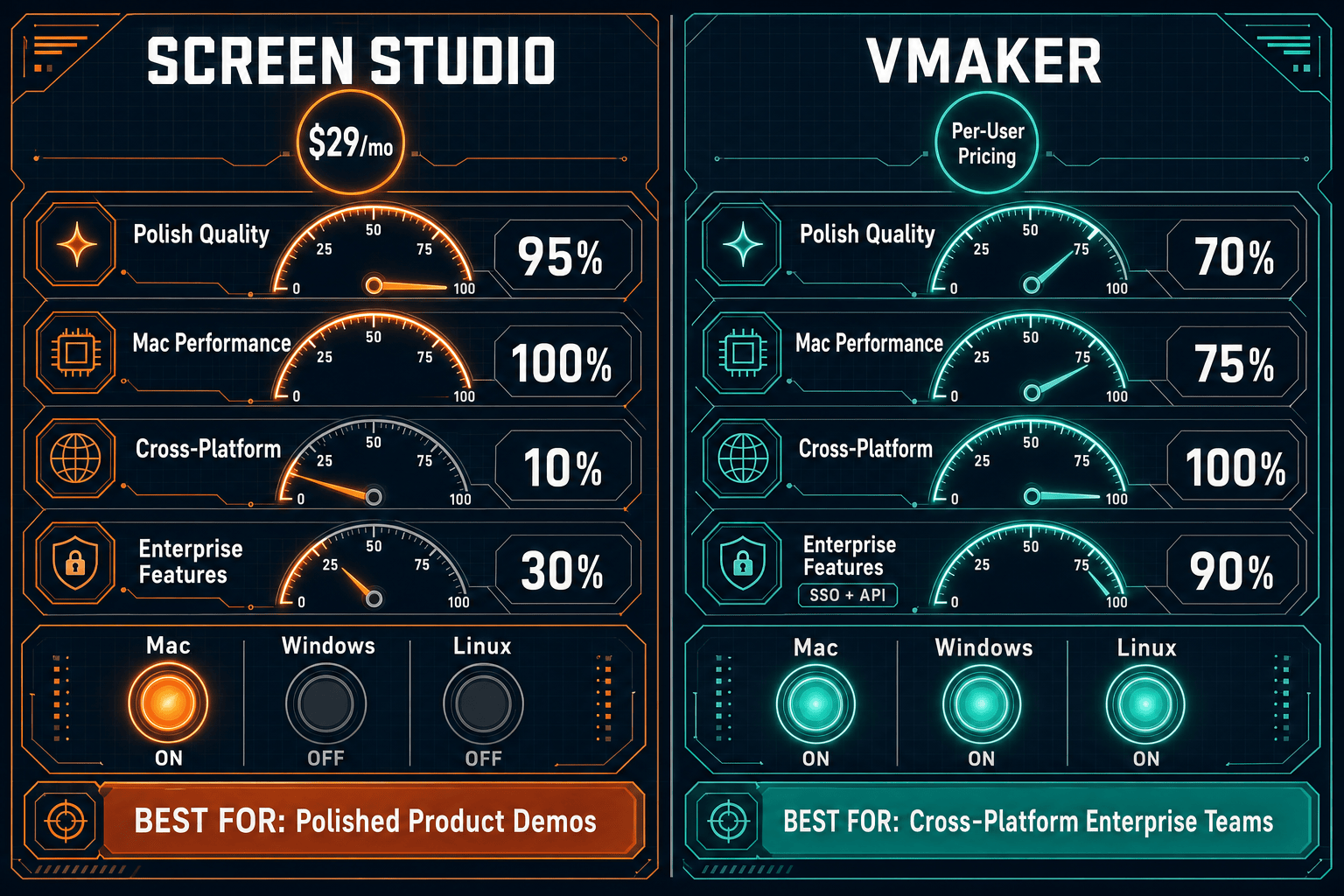
Screen Studio is an exceptional Mac recorder for individual creators and small teams but is not enterprise-ready by any reasonable definition—it lacks SSO, audit logs, team controls, compliance certifications, and cross-platform support. Vmaker is meaningfully more enterprise-capable with team workspaces, RBAC, and an enterprise SSO tier, but still falls short on audit logging, data residency, documented SLAs, and compliance verification that enterprise procurement teams require.
Choose Screen Studio if you need. .
Choose Vmaker if you need. .
Choose Docsie Recorder if you need. .
Winner: Docsie Recorder
Docsie Recorder is the only tool in this comparison that combines a free, open-source cross-platform recorder with a genuine enterprise readiness story. While Screen Studio stops at a polished Mac video and Vmaker stops at a cloud-hosted video library, Docsie Recorder routes every recording into Docsie's Video-to-Docs pipeline—generating structured documentation published into a versioned, access-controlled knowledge base with SSO, audit logs, multi-tenant portal delivery, and documented compliance posture. For enterprise teams that need recordings to become governed, searchable documentation assets rather than isolated video files, Docsie provides the CREATE-to-MANAGE workflow that both competitors fundamentally lack.
Decision Helper
A direct framework for picking between Screen Studio, Vmaker, and Docsie based on your specific needs.
Polished Mac-only product demos with cinematic zoom and motion.
Quick browser screen recording with annotations.

Convert real video into searchable docs, then deploy multi-tenant portals.
Common Questions
Q: Does Screen Studio support SSO or SAML for enterprise identity management?
A: No. Screen Studio has no SSO, SAML, OAuth, or any identity provider integration. It is a standalone Mac application with individual license activation. Enterprise teams requiring centralized identity management cannot use Screen Studio in a governed deployment and would need to evaluate alternatives.
Q: Does Vmaker have audit logs for enterprise compliance?
A: Audit logs are not confirmed on any publicly documented Vmaker plan as of May 2026. Role-based access control and admin dashboards are available on team and enterprise plans, but the absence of verified audit logging is a gap for organizations subject to compliance frameworks like SOC 2, ISO 27001, or internal security audits. Verify directly with Vmaker before procurement.
Q: Can either Screen Studio or Vmaker be deployed on-premises or in a private cloud?
A: Neither Screen Studio nor Vmaker offers on-premises or self-hosted deployment. Screen Studio is a local Mac app distributed via download, and Vmaker is a cloud-hosted SaaS platform. Organizations requiring air-gapped or private-cloud deployments will need to look beyond both tools.
Q: Is there a better alternative to both Screen Studio and Vmaker for enterprise use?
A: Yes. Docsie Recorder is a free, open-source cross-platform recorder (Mac, Windows, Linux) backed by Docsie's enterprise platform, which includes SSO, audit logs, role-based access control, multi-tenant portal delivery, versioned knowledge base management, and documented compliance posture. Unlike Screen Studio or Vmaker, Docsie Recorder converts recordings into structured documentation—Markdown, DOCX, PDF—and publishes them into a governed knowledge base workflow, making it the stronger choice for enterprise teams that need recordings to become auditable, searchable documentation assets.
Q: How do Screen Studio and Vmaker compare on cross-platform enterprise deployment?
A: Screen Studio is Mac-only, which immediately disqualifies it from most enterprise environments that run mixed Mac, Windows, and Linux fleets. Vmaker supports Mac, Windows, and a browser extension, making it deployable across heterogeneous environments. For enterprise IT teams managing diverse device estates, Vmaker is the practical choice between the two—though Docsie Recorder also supports Mac, Windows, and Linux with an open-source codebase that can be audited and validated.
Q: What happens to enterprise content governance when teams use Screen Studio or Vmaker?
A: With Screen Studio, there is no content governance at all—recordings exist as local files or uncontrolled shareable links with no expiry, access tracking, or versioning. Vmaker provides a shared cloud library with role-based access, which is a step forward, but without audit logs or data residency controls, governance remains incomplete. Enterprise teams building internal knowledge bases or customer-facing documentation will find both tools inadequate compared to a platform like Docsie that provides full version control, access governance, and multi-tenant delivery.
Both Screen Studio and Vmaker stop at video. Docsie Recorder goes further—free, open-source, cross-platform recording that converts into structured documentation published into a governed knowledge base with SSO, audit logs, version control, and multi-tenant portal delivery. It is the enterprise-ready recording workflow that neither competitor can offer.
Free to record and export. Video-to-Docs conversion uses Docsie AI credits. No credit card required to get started.