
4.8
on G2
 Screen Studio
 ScribeHow
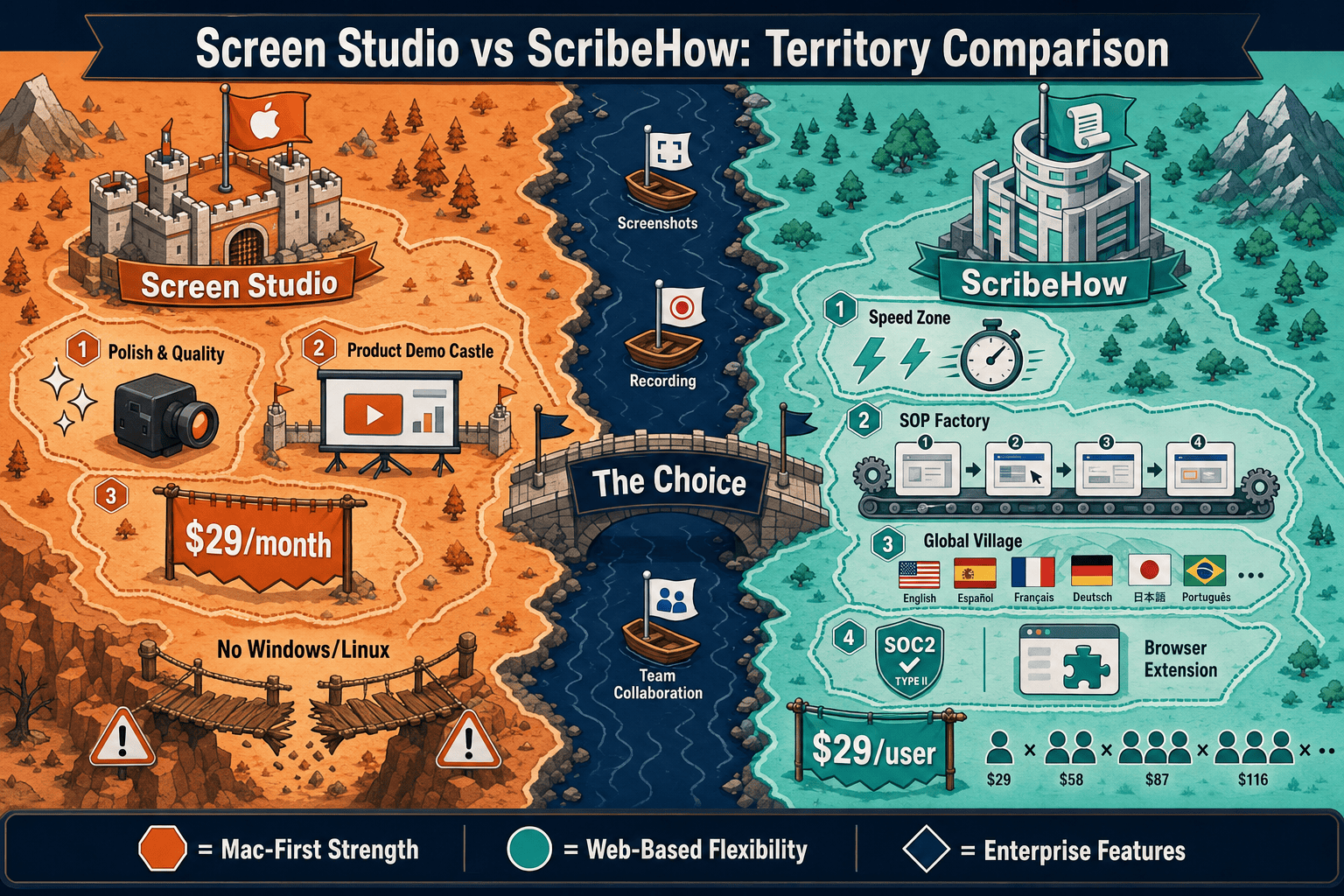
Screen Studio creates polished Mac screen recording videos. ScribeHow auto-captures browser workflows into annotated screenshot guides. They solve different problems—and both leave a gap when your team needs recordings that become structured documentation. Here is an honest head-to-head comparison.
Screen Studio and ScribeHow do not actually compete—they solve fundamentally different problems.
Feature Matrix
A comprehensive feature-by-feature comparison covering recording capabilities, output formats, platform support, documentation workflows, and enterprise readiness.
| Feature |
Screen Studio
|
ScribeHow
|
|---|---|---|
| Free Plan Available | ||
| Starting Price | $9/month (billed yearly) | $0 (Basic) |
| Mac Support | ||
| Windows Support | ||
| Linux Support | ||
| Desktop App | Pro+ only | |
| Browser Extension | ||
| Screen / Window Recording | ||
| Webcam Overlay | ||
| Microphone Audio | ||
| System Audio Capture | ||
| iOS Device Recording | ||
| Automatic Zoom & Cursor Polish | ||
| Visual Effects (backgrounds, shadows, motion blur) | ||
| Crop, Trim, Speed Regions | ||
| Annotated Step-by-Step Screenshot Output | ||
| AI Content Generation | ||
| Video Export (MP4 up to 4K 60fps) | ||
| GIF Export | ||
| PDF Export | Pro+ only | |
| Markdown / DOCX Export | ||
| Shareable Links | ||
| Embeddable Widget | ||
| Team Collaboration | Pro Team+ | |
| Approval Workflows | Pro Team+ | |
| Analytics | Pro Team+ | |
| Knowledge Base Publishing | ||
| Version Control | ||
| Multi-Tenant Portals | ||
| Custom Domain | ||
| SSO (SAML / SCIM) | Enterprise only | |
| SOC 2 Compliance | ||
| GDPR Compliance | ||
| API Access | ||
| Open Source |
Data as of 2026. Based on publicly available vendor documentation. Screen Studio is Mac-only. ScribeHow desktop capture requires Pro or higher. Verify current pricing before purchasing.
Strengths & Weaknesses
Deep Dive
Screen Studio is a native macOS desktop app that records the full screen, specific windows, or iOS devices with a focus on motion quality. It captures webcam, microphone, and system audio simultaneously and produces polished video ready for marketing or demos. ScribeHow works through a Chrome browser extension that auto-detects clicks and screenshots each step as you complete a workflow. It is entirely click-driven—there is no video recording, no audio, and no webcam. If your process lives in a browser and produces screenshot guides, ScribeHow wins on speed. If you need a polished video, Screen Studio wins on quality—but only on Mac.
Screen Studio's strongest differentiator is visual production value. Automatic zoom follows cursor focus, motion blur smooths fast movements, and custom backgrounds frame the recording in a branded environment. Shadows, insets, and spacing controls make videos look professionally edited without a separate tool. Exports reach 4K 60fps. ScribeHow's output is a clean annotated screenshot guide—functional and readable, but not visually customizable beyond basic annotations. It adds numbered steps and callout boxes automatically. The two tools target entirely different output formats, so visual polish comparisons only matter if your team needs video rather than screenshot documentation.
Neither Screen Studio nor ScribeHow includes a knowledge base, version control, or structured documentation management layer. Screen Studio stops at a video file or shareable link. ScribeHow produces a guide that lives in its own workspace and can be embedded or shared, but there is no versioning, no multi-tenant delivery, and no customer-facing portal. Neither tool exports Markdown or DOCX. ScribeHow supports PDF export on Pro plans and integrates with Notion and Confluence as workarounds. Teams that want recordings to become managed, searchable, versioned documentation will hit a hard ceiling with both products.
ScribeHow has a stronger enterprise compliance story—SOC 2, GDPR, HIPAA PHI redaction at Enterprise tier, SAML SSO, and SCIM provisioning. It supports team workspaces, approval workflows, and analytics on Pro Team plans. Screen Studio has no enterprise features: no SSO, no audit logs, no role-based access, and no team collaboration layer. It is a single-user Mac app. However, ScribeHow's enterprise pricing is reported at $18,000+ annually, which creates a significant cost barrier. Neither tool offers API access, custom domain delivery, or multi-tenant portal architecture for serving multiple clients from one platform.
Our Recommendation
Screen Studio and ScribeHow do not actually compete—they solve fundamentally different problems. Screen Studio is the best Mac video recorder for polished product demos and marketing content. ScribeHow is the fastest way to turn browser workflows into annotated screenshot SOPs. If your team needs beautiful video, Screen Studio wins on Mac. If your team needs quick screenshot guides for internal SOPs, ScribeHow wins on speed and compliance. But both tools stop before documentation management begins, and neither works as a cross-platform, open-source recorder that feeds a real knowledge base workflow.
Choose Screen Studio if you need. .
Choose ScribeHow if you need. .
Choose Docsie Recorder if you need. .
Winner: Docsie Recorder
Docsie Recorder is the only free, open-source option in this comparison that covers both the recording quality gap (Screen Studio's Mac-only limitation) and the documentation gap (ScribeHow's zero-video limitation). It records on Mac, Windows, and Linux with zoom, backgrounds, annotations, crop, trim, and GIF/MP4 export—then routes the recording through Docsie's Video-to-Docs pipeline to produce structured documentation published into versioned knowledge bases and delivered through multi-tenant portals. Teams that need video recording AND written documentation AND knowledge base management get all three from one workflow instead of paying for two separate tools that still do not connect to a knowledge base.
Decision Helper
A direct framework for picking between Screen Studio, ScribeHow, and Docsie based on your specific needs.
Polished Mac-only product demos with cinematic zoom and motion.
Browser process capture that auto-generates step-by-step guides.

Convert real video into searchable docs, then deploy multi-tenant portals.
Common Questions
Q: Can Screen Studio create step-by-step screenshot guides like ScribeHow?
A: No. Screen Studio records video and exports it as MP4 or GIF—it does not produce annotated screenshot guides or any text-based documentation. ScribeHow is purpose-built for screenshot step guides captured from browser workflows. If you need both video and annotated steps from the same workflow, neither tool covers that gap on its own.
Q: Can ScribeHow record video or audio like Screen Studio?
A: No. ScribeHow has zero video capability. It captures screenshots as you click through a workflow in a browser, annotates them automatically, and produces a step-by-step guide. There is no video recording, no microphone, no webcam, and no system audio at any plan tier. ScribeHow and Screen Studio produce entirely different output formats.
Q: Does Screen Studio work on Windows or Linux?
A: No. Screen Studio requires macOS Ventura 13.1 or later and is not available on Windows or Linux. ScribeHow works on both Mac and Windows through its Chrome extension and desktop app (Pro+). If your team includes Windows or Linux users, Screen Studio is not an option for those users.
Q: Is there a better alternative to both Screen Studio and ScribeHow?
A: Yes—Docsie Recorder fills the gaps both tools leave open. Screen Studio stops at a polished video file, works only on Mac, and has no documentation output. ScribeHow stops at screenshot guides, has no video capability, and has no knowledge base layer. Docsie Recorder is a free, open-source desktop recorder for Mac, Windows, and Linux that records with zoom, backgrounds, annotations, and GIF/MP4 export—and then converts the recording into structured documentation published directly into Docsie's knowledge base workflow. It is the only tool in this comparison that bridges the recording-to-docs gap across all platforms.
Q: Which tool is more affordable for a small team?
A: ScribeHow has a free Basic plan for browser-only capture, making it accessible with no upfront cost. Screen Studio has no free plan—it starts at $9/month billed yearly or $29/month on a monthly basis. For teams that only need screenshot SOPs, ScribeHow's free tier is sufficient. For teams needing video, Screen Studio's yearly plan is cost-effective for Mac users. Docsie Recorder is free to download and use for recording and export, with Docsie AI credits required only for the Video-to-Docs conversion step.
Q: Can either Screen Studio or ScribeHow publish documentation to a customer-facing knowledge base?
A: Neither tool can. Screen Studio produces a shareable video link at most. ScribeHow produces guides in its own workspace that can be embedded or exported to Notion and Confluence, but there is no customer-facing portal, no custom domain, and no multi-tenant delivery layer. Teams that need recorded content to reach customers through a branded documentation portal need a tool like Docsie that includes both the recorder and the downstream knowledge base publishing workflow.
Docsie Recorder is a free, open-source desktop recorder for Mac, Windows, and Linux. It records polished screen videos with zoom, backgrounds, annotations, and GIF/MP4 export—then converts recordings into structured documentation published directly into Docsie's versioned knowledge base. One workflow covers what Screen Studio and ScribeHow each do separately, plus the documentation management layer neither tool provides.
Free to download and record. Docsie AI credits used only for Video-to-Docs conversion.