
4.8
on G2
 Screen Studio
 ScribeHow
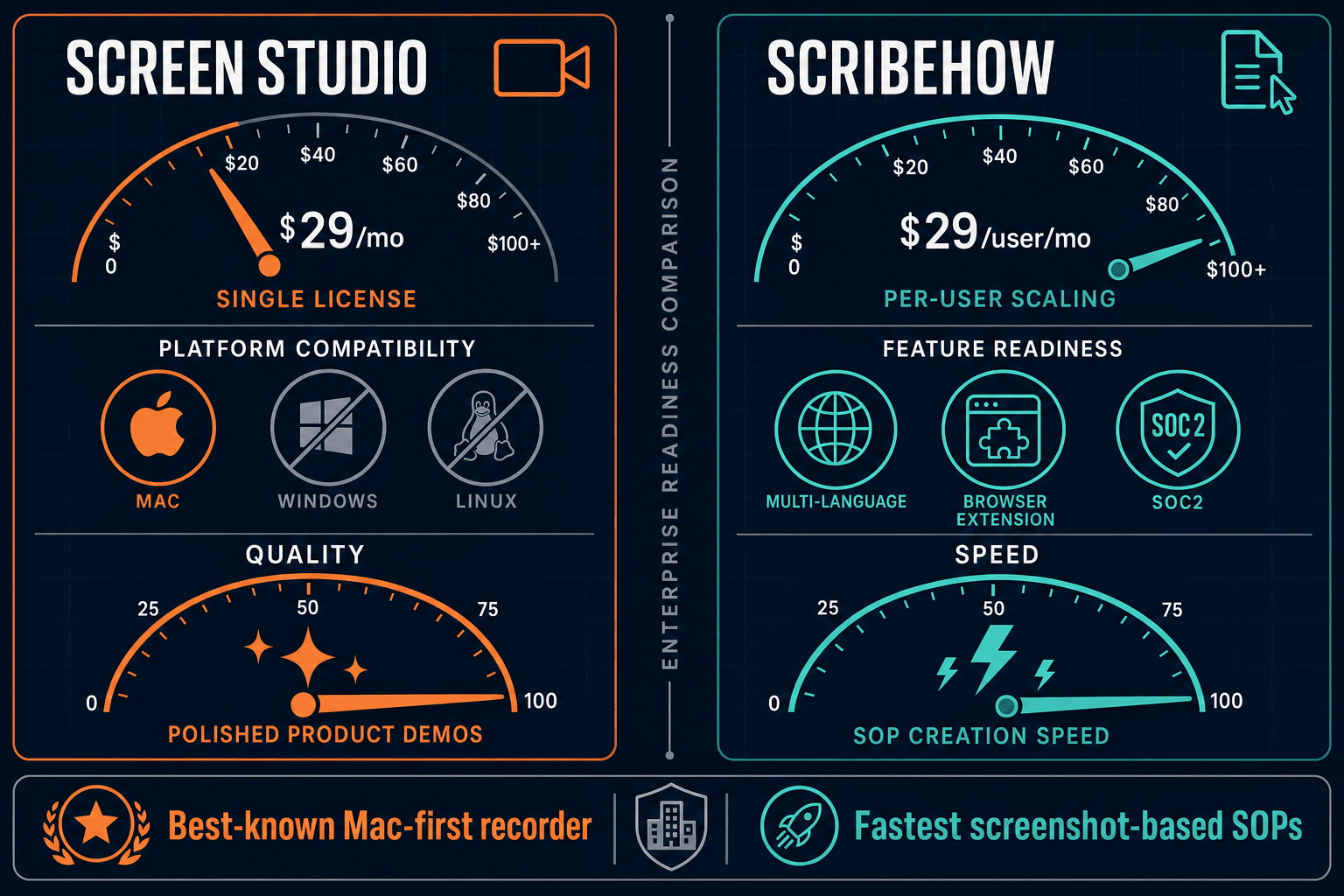
Screen Studio is a polished Mac-only screen recorder with no enterprise features. ScribeHow offers enterprise tiers with SSO, SCIM, and SOC 2 compliance but at steep per-seat costs. Neither is truly built for enterprise documentation at scale — here is how they compare and why Docsie Recorder is the smarter alternative.
Screen Studio is not an enterprise tool — it is a polished Mac recorder designed for individual creators and small teams.
Feature Matrix
A side-by-side comparison of enterprise capabilities including security, compliance, administration, scalability, and support across Screen Studio and ScribeHow.
| Feature |
Screen Studio
|
ScribeHow
|
|---|---|---|
| SSO (SAML) | Enterprise only | |
| SCIM Provisioning | Enterprise only | |
| SOC 2 Compliance | ||
| GDPR Compliance | ||
| HIPAA Support | Enterprise (PHI redaction) | |
| IP Whitelisting | Enterprise only | |
| AI PII/PHI Redaction | Enterprise only | |
| Audit Logs | ||
| Role-Based Access Control | ||
| Data Residency Options | ||
| Dedicated Support / SLA | Enterprise only | |
| Team Workspace | Pro Team and above | |
| Approval Workflows | Pro Team and above | |
| Analytics & Reporting | Pro Team and above | |
| API Access | ||
| Windows Support | ||
| Linux Support | ||
| Custom Branding | Pro and above | |
| Multi-Tenant Portals | ||
| Version Control |
Data as of May 2026. Based on publicly available vendor documentation and pricing pages. Enterprise pricing for ScribeHow reported at $18,000+ annually. Verify current terms before purchasing.
Strengths & Weaknesses
Deep Dive
An in-depth analysis of enterprise readiness across four critical dimensions — security and compliance, scalability and performance, administration and control, and support and SLA.
ScribeHow wins this category outright. It holds SOC 2 and GDPR certifications and provides HIPAA-capable AI PII/PHI redaction at the Enterprise tier — making it viable for healthcare and financial services documentation workflows. It also offers IP whitelisting and SAML SSO for identity control. Screen Studio has no security certifications, no compliance coverage, no SSO, and no audit capability. It is a local Mac app with shareable links — enterprise security was never part of its design. For any regulated industry or compliance-conscious organization, Screen Studio is disqualifying from the start.
ScribeHow scales reasonably for internal process documentation — its Chrome extension and desktop app handle browser and desktop workflow capture, and its team workspace supports multiple contributors. However, its per-seat pricing model ($15/seat with a 5-seat minimum) creates real cost pressure as teams grow, and Enterprise pricing is reported at $18,000+ annually. Screen Studio has no team or multi-user infrastructure — it is a single-user Mac application. There is no concept of shared workspaces, concurrent authoring, or organizational scaling. For enterprise deployments needing hundreds of contributors, neither tool offers a cost-effective or architecturally sound scaling path.
ScribeHow offers the only meaningful administrative controls in this comparison — role-based access control, SCIM user provisioning, approval workflows, and team analytics are available on higher tiers. Administrators can control who captures, reviews, and publishes content. Screen Studio provides none of these controls — there are no user roles, no content governance, no approval flows, and no centralized asset management. Notably, neither tool offers audit logs, data residency configuration, or API access for programmatic administration, which are common requirements in enterprise procurement and IT security reviews.
ScribeHow provides dedicated support and an enterprise SLA at its Enterprise tier — giving procurement teams the contractual guarantees they typically require. For teams below the Enterprise tier, support is standard. Screen Studio offers no published SLA, no dedicated support tier, and no enterprise support path. As a Mac app, its reliability depends on the local device rather than a managed cloud service, which means uptime guarantees are not applicable in the traditional SaaS sense. For enterprise buyers with support requirements, ScribeHow is the only viable option in this comparison, though the price of entry is substantial.
Our Recommendation
Screen Studio is not an enterprise tool — it is a polished Mac recorder designed for individual creators and small teams. It has no compliance certifications, no SSO, no team management, and no documentation governance. ScribeHow is the only enterprise-capable option in this comparison, with SOC 2, GDPR, HIPAA support, SAML SSO, SCIM, and dedicated SLA at its Enterprise tier. However, ScribeHow's pricing is steep, its audit log coverage is absent, it lacks API access, and it cannot handle video content of any kind — leaving significant gaps for teams with broader documentation and delivery needs.
Choose Screen Studio if you need. .
Choose ScribeHow if you need. .
Choose Docsie Recorder if you need. .
Winner: Docsie Recorder
Docsie Recorder is the only tool in this comparison that starts with a free, open-source cross-platform recorder and connects directly into an enterprise-grade documentation platform. Screen Studio stops at polished video for Mac users only. ScribeHow stops at screenshot-based SOPs locked behind steep enterprise pricing with no API and no video support. Docsie Recorder records on any OS, converts recordings into structured docs via the Video-to-Docs pipeline, and routes content into Docsie's MANAGE → DELIVER → LEARN → AUTOMATE workflow — giving enterprise teams version control, multi-tenant portals, SSO, and compliance-ready documentation infrastructure that neither competitor can provide.
Decision Helper
A direct framework for picking between Screen Studio, ScribeHow, and Docsie based on your specific needs.
Polished Mac-only product demos with cinematic zoom and motion.
Browser process capture that auto-generates step-by-step guides.

Convert real video into searchable docs, then deploy multi-tenant portals.
Common Questions
Q: Does Screen Studio have any enterprise security features?
A: No. Screen Studio is a local Mac application designed for individual creators. It has no SSO, no SCIM, no SOC 2 or GDPR compliance, no audit logs, no role-based access control, and no enterprise SLA. If your organization has any compliance, security review, or IT governance requirements, Screen Studio will not pass procurement review. It is simply not built for enterprise deployment.
Q: Is ScribeHow's enterprise tier worth the cost for compliance-heavy teams?
A: For teams specifically needing SOC 2, GDPR, and HIPAA-capable documentation with SAML SSO and SCIM, ScribeHow's Enterprise tier does deliver those capabilities. However, the reported cost of $18,000+ annually is significant, and notable gaps remain — there are no audit logs, no API access, no data residency options, and no video processing capability. Teams should evaluate whether those gaps are acceptable before committing to the price point.
Q: Does either tool offer audit logs for enterprise compliance?
A: Neither Screen Studio nor ScribeHow currently provides audit logs. This is a meaningful gap for enterprise security reviews — audit logs are a standard requirement for SOC 2 Type II compliance programs, regulated industries, and enterprise IT governance frameworks. Organizations that need full audit trail visibility into who created, edited, approved, and published documentation should evaluate alternatives that provide this capability.
Q: Is there a better alternative to both Screen Studio and ScribeHow for enterprise documentation?
A: Yes — Docsie Recorder addresses the core limitations of both tools. Screen Studio is Mac-only and has zero enterprise features. ScribeHow is enterprise-capable but expensive, lacks video support and API access, and cannot deliver customer-facing documentation portals. Docsie Recorder is a free, open-source cross-platform recorder that connects to Docsie's Video-to-Docs pipeline and full enterprise platform — providing version control, multi-tenant portals, SSO, API access, and a complete CREATE → CONVERT → MANAGE → DELIVER workflow without per-seat pricing pressure.
Q: Which tool is better for teams that need to document both software workflows and video-based training content?
A: ScribeHow handles software workflow documentation through its screenshot-based step guides, but it has zero video capability — it cannot process, convert, or manage any existing training video content. Screen Studio produces polished video but has no documentation workflow at all. Neither tool bridges both needs. Docsie Recorder is video-first and connects directly into Docsie's structured documentation platform, making it the only option in this comparison that handles both screen-captured workflows and existing video libraries in a unified enterprise workflow.
Q: How do these tools compare on total cost of ownership for a 50-person enterprise team?
A: Screen Studio has no published team or enterprise licensing, so scaling to 50 users has no clear path. ScribeHow at $15/seat for a 50-person team is $750/month ($9,000/year) on Pro Team, or potentially $18,000+ on Enterprise — before any volume negotiation. Docsie Recorder's recording component is free and open-source with no per-seat fees, and Docsie's platform pricing is workspace-based rather than per-user, making it significantly more cost-effective at team scale while delivering more enterprise capabilities than either competitor.
Docsie Recorder is free, open-source, and runs on Mac, Windows, and Linux. It records and edits screen videos locally, then connects directly to Docsie's Video-to-Docs pipeline to turn recordings into structured Markdown, DOCX, PDF, and published knowledge base content.
Free and open-source recorder core. Video-to-Docs conversion uses Docsie AI credits.