
4.8
on G2
 Screen Studio
 Screenium
Both Screen Studio and Screenium are polished Mac screen recorders, but neither was built with enterprise teams in mind. This comparison evaluates their security, compliance, scalability, and administrative controls — and explains why Docsie Recorder is the stronger enterprise-ready alternative.
Screen Studio and Screenium are both excellent Mac screen recorders for individual users and small creative teams, but neither was designed with enterprise requirements in mind.
Enterprise Feature Matrix
A head-to-head comparison of enterprise-relevant features across security, compliance, administration, scalability, and team management for Screen Studio and Screenium.
| Feature |
Screen Studio
|
Screenium
|
|---|---|---|
| SSO (SAML / OAuth) | ||
| Role-Based Access Control | ||
| Audit Logs | ||
| Data Residency Options | ||
| SOC 2 Compliance | ||
| GDPR Compliance | ||
| Uptime SLA | ||
| Dedicated Support | ||
| Team / Multi-User Management | ||
| API Access | ||
| Custom Domain | ||
| Windows Support | ||
| Linux Support | ||
| Cross-Platform Deployment | ||
| Knowledge Base / Doc Publishing | ||
| Version Control | ||
| Multi-Tenant Portals | ||
| Open Source / Auditable Code | ||
| One-Time / Perpetual Licensing | ||
| Video-to-Docs Conversion |
Data as of May 2026. Features based on publicly available vendor documentation and official product pages. Verify current enterprise offerings directly with each vendor before purchasing.
Strengths & Weaknesses
Deep Dive Analysis
An in-depth look at how both tools measure up across the four enterprise dimensions that matter most to procurement, IT, and security teams.
Neither Screen Studio nor Screenium publishes SOC 2 Type II, GDPR, or HIPAA compliance documentation. Screen Studio stores shareable links on its cloud infrastructure with no stated data residency options, which raises questions for regulated industries. Screenium's local-only architecture means recordings stay on-device by default, giving it a narrow practical edge for data sovereignty — but it offers no formal compliance certifications, security audits, or documented data handling policies. Enterprise procurement teams requiring compliance paperwork will find both tools fall significantly short of industry standards.
Both tools are single-user Mac desktop apps with no multi-user licensing tiers, team seats, or centralized deployment mechanisms. Screen Studio offers shareable video links, which provides minimal collaboration surface, but there is no admin-controlled workspace, no usage analytics, and no way to provision or deprovision users at scale. Screenium is a standalone App Store purchase with no cloud component whatsoever. Neither tool can scale from a single power user to a team of 50 or 500 without purchasing individual licenses per machine and managing them manually — a significant operational burden for IT departments.
Enterprise IT teams expect centralized user management, role-based permissions, and policy enforcement. Screen Studio and Screenium both lack these entirely. There are no admin consoles, no SSO integrations (SAML, OAuth, OIDC, Azure AD, or Okta), no role-based access controls, and no audit logs to track who recorded what and when. Screen Studio's shareable links are ungoverned — any recipient can view them without authentication controls. Screenium has no sharing infrastructure at all. For teams with information security policies or compliance mandates, neither tool provides the administrative baseline required.
Enterprise buyers expect formal SLAs, dedicated account management, and priority support channels. Screen Studio offers standard email or community support with no published uptime SLA for its link-sharing infrastructure. Screenium, distributed through the Mac App Store, relies on Synium Software's general support without any enterprise support tier, dedicated CSM, or priority response commitment. Neither tool offers professional services, onboarding assistance, or enterprise support agreements. Teams evaluating these tools for large-scale deployment should factor in the complete absence of enterprise-grade support structures when calculating total cost of ownership.
Our Recommendation
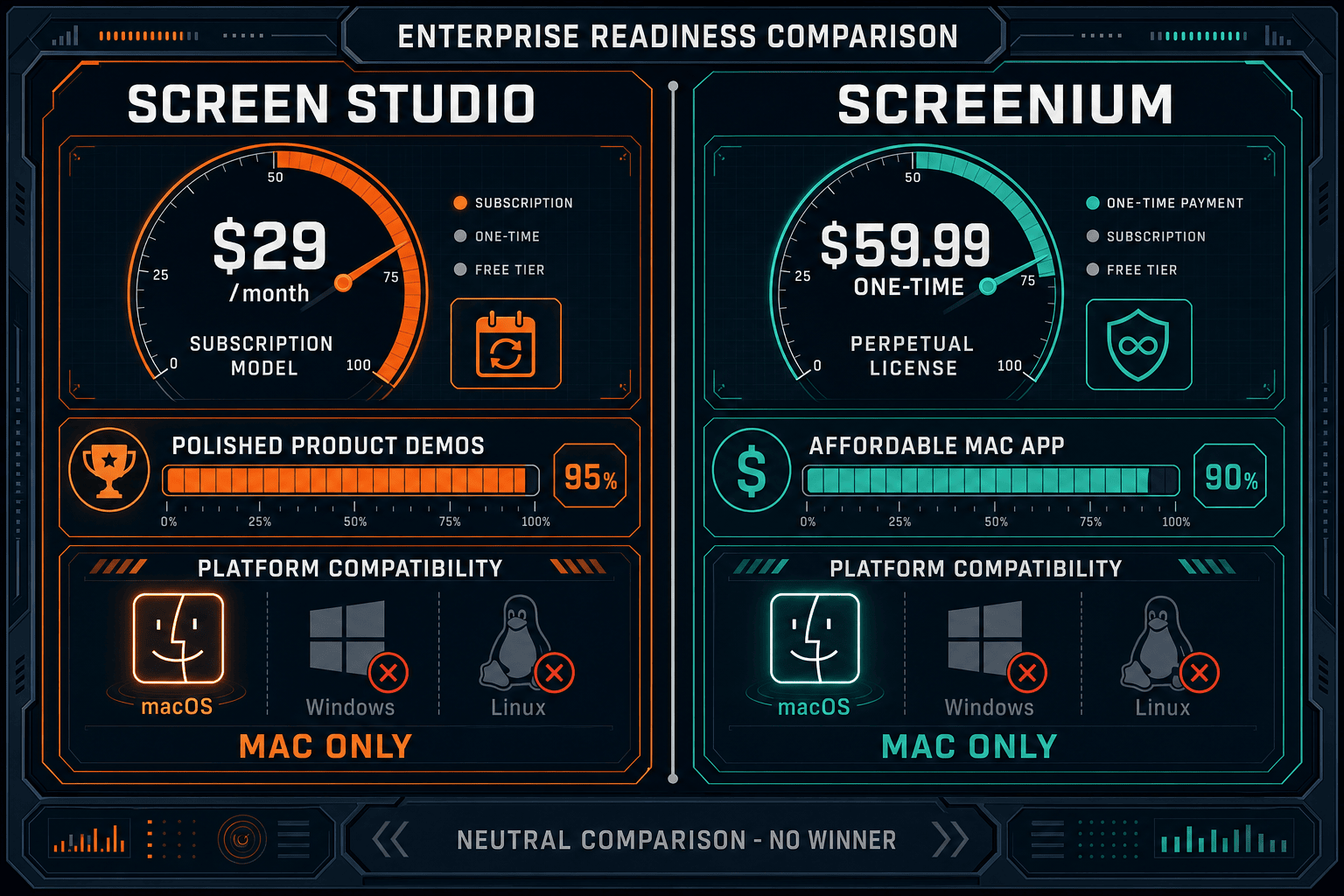
Screen Studio and Screenium are both excellent Mac screen recorders for individual users and small creative teams, but neither was designed with enterprise requirements in mind. Screen Studio wins on recording quality, motion polish, and output options; Screenium wins on pricing model and local data residency simplicity. However, both tools share the same critical enterprise gaps — no SSO, no compliance certifications, no audit logs, no cross-platform support, no team administration, and no API access — making either choice a significant compromise for organizations with real enterprise requirements.
Choose Screen Studio if you need. .
Choose Screenium if you need. .
Choose Docsie Recorder if you need. .
Winner: Docsie Recorder
Docsie Recorder is the only free, open-source option in this comparison that works across Mac, Windows, and Linux, making it deployable across a heterogeneous enterprise environment. Beyond cross-platform recording, it connects directly to Docsie's Video-to-Docs pipeline — so recordings become structured, versioned, searchable documentation rather than standalone video files. The downstream Docsie platform then provides the enterprise capabilities both Screen Studio and Screenium lack entirely — SSO, audit logs, role-based access control, multi-tenant portal delivery, compliance monitoring, and API access — giving enterprise teams a complete CREATE → CONVERT → MANAGE → DELIVER workflow from a single, governed platform.
Decision Helper
A direct framework for picking between Screen Studio, Screenium, and Docsie based on your specific needs.
Polished Mac-only product demos with cinematic zoom and motion.
Mac screen recording app from Synium.

Convert real video into searchable docs, then deploy multi-tenant portals.
Common Questions
Q: Does Screen Studio support SSO or SAML for enterprise identity management?
A: No. Screen Studio does not offer SSO, SAML, OAuth, or any enterprise identity provider integration as of May 2026. It is a Mac desktop app with individual accounts only. Enterprises requiring centralized identity management and provisioning through tools like Okta, Azure AD, or Google Workspace will need to look at alternative solutions.
Q: Is Screenium compliant with GDPR, SOC 2, or HIPAA?
A: Screenium does not publish SOC 2 Type II, GDPR, or HIPAA compliance certifications or documentation. Its local-only recording architecture means user data stays on-device by default, which provides some practical data sovereignty for individual users, but this does not constitute formal compliance documentation that enterprise procurement or legal teams can rely on for vendor risk assessments.
Q: Can IT departments centrally manage or deploy Screen Studio or Screenium across a team?
A: Neither tool offers centralized admin consoles, MDM-compatible deployment packages with enterprise configuration, or bulk licensing management features. Each installation is managed individually. Enterprises with 50 or more users would need to handle license procurement, installation, and updates on a per-machine basis, which creates significant IT overhead and limits policy enforcement.
Q: Do either of these tools offer audit logs for compliance and security monitoring?
A: No. Neither Screen Studio nor Screenium provides audit logs, activity trails, or recording-level access tracking. For organizations that need to demonstrate who created, accessed, or shared recordings — as required under frameworks like HIPAA, SOX, or ISO 27001 — both tools are unsuitable without supplementary logging infrastructure.
Q: Is there a better alternative to both Screen Studio and Screenium for enterprise teams?
A: Yes. Docsie Recorder is a free, open-source cross-platform screen recorder (Mac, Windows, and Linux) that addresses the core limitations both tools share. Unlike Screen Studio and Screenium, Docsie Recorder connects directly to a Video-to-Docs pipeline that converts recordings into structured Markdown, DOCX, and PDF documentation, which is then managed inside the Docsie platform with SSO, audit logs, role-based access control, version control, and multi-tenant portal delivery. Enterprise teams get a governed recording-to-documentation workflow rather than isolated video files with no downstream management.
Q: Which tool is better for a Windows or Linux enterprise environment?
A: Neither Screen Studio nor Screenium supports Windows or Linux — both are Mac-only applications. This makes them unsuitable for enterprises with mixed operating environments or Windows-first IT policies. Docsie Recorder offers native builds for Mac, Windows, and Linux, making it the only option in this comparison that can be deployed across a heterogeneous enterprise fleet.
Screen Studio and Screenium are great for individual Mac users, but enterprise teams need cross-platform recording, SSO, audit logs, compliance certifications, and a workflow that turns recordings into governed documentation. Docsie Recorder is free, open-source, runs on Mac, Windows, and Linux, and connects directly to Video-to-Docs conversion and the full Docsie enterprise knowledge base platform — giving your team a complete CREATE → MANAGE → DELIVER pipeline that neither Screen Studio nor Screenium can provide.
Free Docsie Recorder download requires no account. Video-to-Docs conversion uses Docsie AI credits. Enterprise SSO, audit logs, and portal delivery available on Docsie team plans.