
4.8
on G2
 Screen Studio
 ScreenFlow
Both Screen Studio and ScreenFlow are polished Mac-only screen recording tools loved by creators and educators. But how do they hold up when an enterprise IT or security team asks hard questions about SSO, audit logs, compliance, and centralized administration? This comparison digs into both tools' enterprise readiness and then shows why teams with real governance requirements reach for a third option.
Screen Studio and ScreenFlow are both excellent Mac-native recording tools built for individual creators and small teams.
Enterprise Feature Matrix
A head-to-head look at the enterprise features that matter most to IT, security, and operations teams — including SSO, compliance certifications, audit logs, role-based access, and support SLAs.
| Enterprise Capability |
Screen Studio
|
ScreenFlow
|
|---|---|---|
| Platform Support | Mac only | Mac only |
| Deployment Model | Local Mac app + shareable links | Local Mac app |
| Pricing Model | Subscription ($9–$29/mo) | One-time license |
| Free Trial | ||
| SSO (SAML / OAuth) | ||
| Role-Based Access Control | ||
| Audit Logs | ||
| Data Residency Options | ||
| SOC 2 Compliance | ||
| GDPR Compliance | ||
| HIPAA Readiness | ||
| Uptime SLA | Not applicable | Not applicable |
| Dedicated Enterprise Support | ||
| Centralized Team Administration | ||
| API Access | ||
| Air-Gap / On-Premises Deployment | ||
| Video-to-Docs Workflow | ||
| Knowledge Base Publishing |
Data as of May 2026. Features based on publicly available vendor documentation. Verify current compliance certifications and support plans directly with each vendor before making procurement decisions.
Strengths & Weaknesses
Deep Dive
An honest analysis of how each tool performs across the four enterprise dimensions that matter most to IT, security, compliance, and operations teams.
Neither Screen Studio nor ScreenFlow publishes documented SOC 2, GDPR, or HIPAA compliance certifications. Screen Studio operates as a local Mac app with shareable link hosting whose security posture is not publicly detailed. ScreenFlow stores all recordings locally on the Mac, which limits cloud exposure but also limits any centralized security governance. Both tools are closed-source, preventing independent security audits. Enterprise security teams requiring documented compliance certifications, penetration test reports, or a vendor trust page will find neither tool meets baseline procurement requirements for regulated industries.
Screen Studio and ScreenFlow both run entirely on individual Macs, meaning there is no cloud infrastructure to scale, no uptime SLA to hold a vendor to, and no centralized content delivery layer. For small creator teams this is fine — recordings stay local and fast. For enterprises deploying to dozens or hundreds of employees, there is no fleet management, no centralized software distribution policy (beyond standard macOS MDM), and no shared asset library or collaborative workspace. Both tools were architected for individual creators, and that constraint becomes a scaling ceiling for enterprise rollouts.
Enterprise IT teams expect centralized user provisioning, role-based access control, and usage visibility. Screen Studio offers none of these — there is no team admin dashboard, no ability to revoke access to shared recordings centrally, and no audit log of what was recorded or shared. ScreenFlow similarly has no multi-user administration layer; it is a single-seat desktop application. Neither tool supports SSO via SAML, OAuth, or OIDC, which means IT cannot enforce identity governance or integrate either tool with an enterprise directory like Okta, Azure AD, or Google Workspace for access management.
Screen Studio does not publish a dedicated enterprise support tier, SLA, or guaranteed response time — support appears to be community and standard email-based. ScreenFlow benefits from being a Telestream product, and Telestream does offer support plans for purchase, which gives ScreenFlow a marginal advantage here. However, neither tool provides a named enterprise customer success manager, a contractual uptime SLA, or priority incident response typically required in enterprise procurement. For organizations where downtime or vendor responsiveness carries contractual weight, both tools require significant scrutiny before inclusion in an approved vendor list.
Our Recommendation
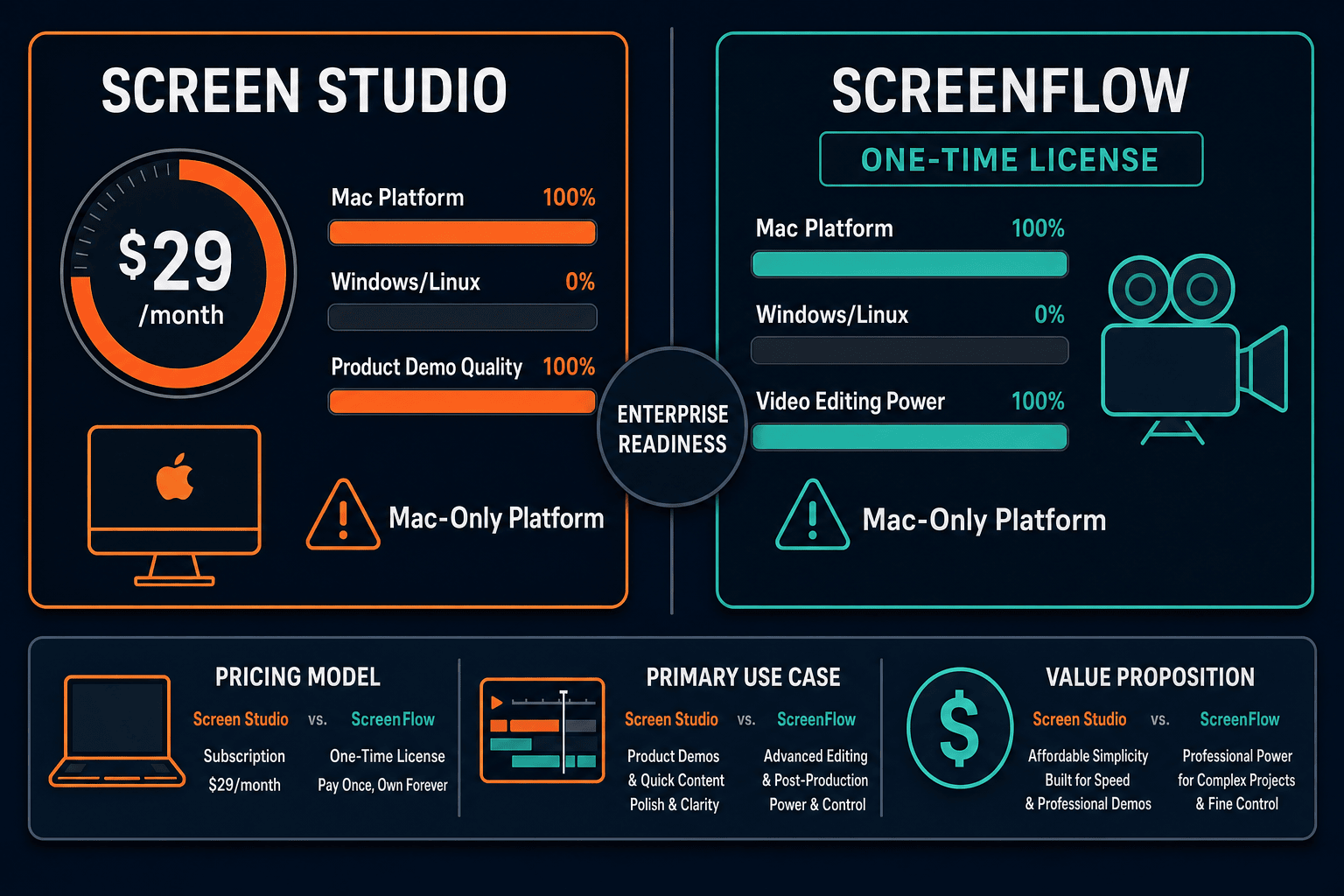
Screen Studio and ScreenFlow are both excellent Mac-native recording tools built for individual creators and small teams. Screen Studio wins on visual polish, automatic zoom, and modern subscription pricing. ScreenFlow wins on editing depth, timeline control, and the stability of a one-time license from an established media software company. However, from an enterprise readiness standpoint, both tools fall short in the same critical areas — neither offers SSO, audit logs, role-based access control, compliance certifications, API access, or centralized team administration.
Choose Screen Studio if you need. .
Choose ScreenFlow if you need. .
Choose Docsie Recorder if you need. .
Winner: Docsie Recorder
Docsie Recorder is the only option in this comparison that addresses the enterprise gaps both Screen Studio and ScreenFlow share. It is free, open-source, and cross-platform — giving security teams an auditable codebase and giving Windows and Linux employees access too. More importantly, recordings flow directly into Docsie's Video-to-Docs pipeline, converting walkthroughs into structured Markdown, DOCX, and PDF documentation that is then managed, versioned, and delivered through Docsie's enterprise-ready knowledge base platform with SSO, audit logs, role-based access control, and multi-tenant portal delivery. Where Screen Studio and ScreenFlow stop at a video file, Docsie Recorder starts a governed documentation workflow.
Decision Helper
A direct framework for picking between Screen Studio, ScreenFlow, and Docsie based on your specific needs.
Polished Mac-only product demos with cinematic zoom and motion.
Pro Mac video editing and screen recording suite.

Convert real video into searchable docs, then deploy multi-tenant portals.
Common Questions
Q: Does Screen Studio support SSO or SAML for enterprise identity management?
A: No. Screen Studio does not offer SSO, SAML, OAuth, or any enterprise identity integration as of May 2026. Each user logs in with an individual account, and there is no way to enforce access through an enterprise identity provider like Okta, Azure AD, or Google Workspace. This is a hard blocker for most enterprise IT departments that require centralized identity governance.
Q: Does ScreenFlow offer any enterprise support SLA or dedicated account management?
A: ScreenFlow, as a Telestream product, does offer paid support plans which provide a marginal edge over Screen Studio's standard support. However, Telestream does not publish a named enterprise SLA, guaranteed response time, or dedicated customer success tier equivalent to what enterprise software buyers typically require. Verify current support options directly with Telestream before including ScreenFlow in an enterprise vendor evaluation.
Q: Are either Screen Studio or ScreenFlow SOC 2 or GDPR compliant?
A: Neither Screen Studio nor ScreenFlow publishes documented SOC 2 Type II or GDPR compliance certifications as of May 2026. ScreenFlow's local-only recording model reduces cloud data exposure, but the absence of a published compliance program means neither tool can satisfy standard enterprise security questionnaires or regulated-industry procurement requirements without significant due diligence risk.
Q: Is there a better alternative to both Screen Studio and ScreenFlow for enterprise teams?
A: Yes — Docsie Recorder is the alternative purpose-built for teams that need more than a Mac-only video output. It is a free, open-source, cross-platform recorder (Mac, Windows, Linux) that connects directly to Docsie's enterprise platform. Docsie provides SSO, audit logs, role-based access control, versioned documentation, and multi-tenant portal delivery — the enterprise governance layer that Screen Studio and ScreenFlow both lack entirely. Recordings also flow into a Video-to-Docs pipeline, converting walkthroughs into structured Markdown, DOCX, and PDF documentation rather than stopping at a video file.
Q: Can Screen Studio or ScreenFlow be centrally deployed to a large enterprise team on Windows?
A: No. Both Screen Studio and ScreenFlow are Mac-only applications and cannot be deployed to Windows or Linux employees at all. There is also no centralized fleet management, MDM-based software deployment profile, or team administration dashboard in either product. Enterprise IT teams deploying to mixed-OS environments will find both tools unsuitable without supplementing them with additional platform solutions.
Q: Which tool has a lower total cost of ownership for a team of 50 employees?
A: ScreenFlow's one-time license model may appear cheaper upfront compared to Screen Studio's $9–$29/month per-user subscription, but both tools require individual Mac licenses per seat with no volume discount transparency published for large teams. Neither tool includes any of the enterprise platform capabilities — documentation management, knowledge base, compliance, or administration — that a 50-person team would also need to procure separately, making the true total cost of ownership significantly higher than the recorder license alone.
Both Screen Studio and ScreenFlow are powerful Mac recorders that stop at the video file. Docsie Recorder goes further — it is free, open-source, and cross-platform, and it connects every recording to a Video-to-Docs pipeline that generates structured documentation published through an enterprise knowledge base with SSO, audit logs, role-based access control, and multi-tenant portal delivery. Record once. Get video, docs, and governed knowledge base content from the same workflow.
Free to download and record. Docsie AI credits used only when converting recordings to structured docs.