
4.8
on G2
 Screen Studio
 Rotato
Both Screen Studio and Rotato produce polished visual content for product and marketing teams, but neither was designed with enterprise IT requirements in mind. This page breaks down how each tool stacks up on security, compliance, administration, scalability, and support—and explains why Docsie Recorder is the more enterprise-ready alternative for teams that need structured documentation alongside their recordings.
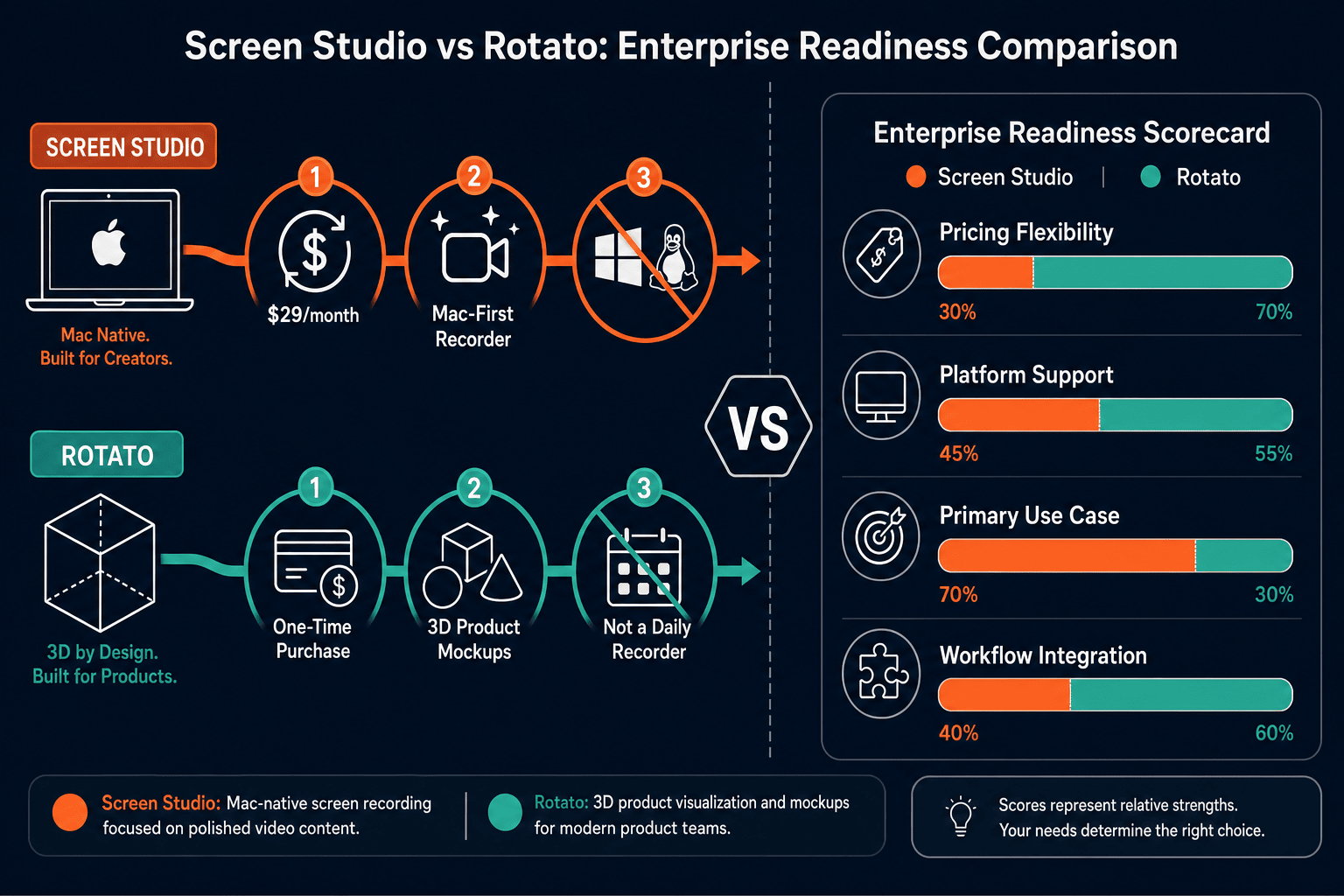
Screen Studio is an exceptional Mac screen recorder for individuals and small creative teams who need polished product demo videos, but it was built for solo creators and has no meaningful enterprise infrastructure.
Enterprise Feature Matrix
A side-by-side look at the enterprise-critical features across security, compliance, administration, scalability, and support for both tools.
| Enterprise Capability |
Screen Studio
|
Rotato
|
|---|---|---|
| SSO (SAML / OAuth / OIDC) | ||
| Role-Based Access Control | ||
| Audit Logs | ||
| SOC 2 Compliance | Not published | Not published |
| GDPR Compliance | Not published | Not published |
| Data Residency Options | ||
| End-to-End Encryption | Local app; verify cloud links | Verify |
| Admin Dashboard | ||
| Team / Multi-User Management | Web plan; verify | |
| Centralized Billing & License Management | Verify | |
| API Access | ||
| Uptime SLA | N/A (local app) | Not published |
| Dedicated Support / CSM | ||
| Priority Support Channel | ||
| Enterprise Contract / MSA | ||
| On-Premises / Air-Gap Deployment | ||
| Custom Domain for Shared Content | ||
| Version Control for Content |
Data as of 2026-05-05. Based on publicly available information from each vendor's official site. Features marked "Verify" should be confirmed directly with the vendor before purchasing for enterprise use.
Strengths & Weaknesses
Deep Dive Analysis
An in-depth look at how both tools perform across the four enterprise readiness dimensions that matter most to IT, security, and procurement teams.
Neither Screen Studio nor Rotato publishes recognized compliance certifications such as SOC 2 Type II, GDPR Data Processing Agreements, or HIPAA Business Associate Agreements. Screen Studio is a local Mac app, so recorded video files stay on-device—which limits cloud exposure but also means no enterprise-grade encryption policies, DLP controls, or data classification. Rotato's web platform introduces cloud storage with unverified security posture. Neither tool offers data residency selection, end-to-end encryption documentation, or a published vulnerability disclosure program. For regulated industries—healthcare, finance, government—neither tool can pass a standard security review without significant vendor clarification.
Screen Studio is a single-user Mac desktop application. There is no multi-seat license management, no concurrent user model, and no cloud infrastructure to scale. Rotato offers a web plan that introduces some multi-user capability, but published performance benchmarks, uptime history, and scalability architecture are absent from official documentation. Neither tool provides a documented uptime SLA, CDN-backed delivery, or load-tested export pipelines for enterprise workloads. Teams attempting to roll out either product to hundreds of users will encounter immediate friction around license management, platform consistency across operating systems, and the absence of centralized provisioning tools.
Enterprise IT teams require admin dashboards, centralized user provisioning, license revocation, and activity monitoring. Screen Studio provides none of these—it operates as a per-user Mac purchase with shareable links as the only sharing mechanism. Rotato's web plan may support basic team collaboration, but no admin console, SSO provisioning, or user lifecycle management is documented publicly. Neither tool supports SCIM for automated user provisioning, role-based access control to restrict content access, or approval workflows for content governance. This makes both tools suitable for individual creators but incompatible with enterprise IT governance standards without significant custom workarounds.
Enterprise procurement typically requires guaranteed response times, a named Customer Success Manager, and a contractual Service Level Agreement. Screen Studio offers standard self-serve support channels appropriate for individual and small-team customers, with no published enterprise support tier. Rotato similarly does not publish a priority support offering, dedicated CSM program, or enterprise SLA. Neither vendor publishes a Trust page with uptime history, incident response procedures, or penetration test results. For enterprise buyers whose procurement process includes vendor risk assessments, both tools will require significant additional due diligence that neither vendor currently facilitates with published documentation.
Our Recommendation
Screen Studio is an exceptional Mac screen recorder for individuals and small creative teams who need polished product demo videos, but it was built for solo creators and has no meaningful enterprise infrastructure. Rotato occupies an even narrower niche as a 3D mockup tool for marketing assets—equally capable within its use case, equally unprepared for enterprise IT requirements. Both tools share the same fundamental enterprise readiness gaps: no SSO, no compliance certifications, no audit logs, no admin controls, and no API access.
Choose Screen Studio if you need. .
Choose Rotato if you need. .
Choose Docsie Recorder if you need. .
Winner: Docsie Recorder
Docsie Recorder is the only free, open-source option in this comparison that runs on Mac, Windows, and Linux, making enterprise-wide rollout feasible from day one. More importantly, it connects directly to Docsie's Video-to-Docs pipeline, turning recordings into structured documentation that flows into Docsie's enterprise platform—where SSO, RBAC, audit logs, version control, multi-tenant portals, and compliance controls already exist. Neither Screen Studio nor Rotato can bridge the gap between content creation and enterprise-grade documentation governance. Docsie Recorder does, by design.
Decision Helper
A direct framework for picking between Screen Studio, Rotato, and Docsie based on your specific needs.
Polished Mac-only product demos with cinematic zoom and motion.
Animated 3D device mockups for marketing videos.

Convert real video into searchable docs, then deploy multi-tenant portals.
Common Questions
Q: Does Screen Studio support SSO or SAML for enterprise identity management?
A: No. Screen Studio does not offer SSO, SAML, OAuth, or any enterprise identity provider integration. It is a per-user Mac application without centralized authentication. Enterprise IT teams that require identity federation through Okta, Azure AD, or Google Workspace cannot provision or deprovision Screen Studio access programmatically.
Q: Is Rotato compliant with SOC 2, GDPR, or HIPAA?
A: Rotato does not publish SOC 2 Type II, GDPR Data Processing Agreement, or HIPAA Business Associate Agreement documentation on its official site. Teams in regulated industries should contact Rotato directly to request security documentation before using the platform for sensitive content. As of the research date, no compliance certifications are publicly verified for Rotato.
Q: Can either Screen Studio or Rotato be deployed on-premises or in a private cloud?
A: Neither tool supports on-premises or air-gap deployment. Screen Studio is a Mac desktop application that relies on Apple's ecosystem and optional cloud sharing links. Rotato's web platform operates on Rotato's cloud infrastructure with no documented private cloud or self-hosted option. Enterprise teams with strict data sovereignty requirements will need to look elsewhere.
Q: Do either tool provide audit logs for compliance and IT governance?
A: No. Neither Screen Studio nor Rotato provides audit logs documenting user activity, content access, export events, or administrative actions. This is a critical gap for enterprise compliance frameworks including SOC 2, ISO 27001, and FedRAMP, all of which require detailed access and activity logging as a baseline control.
Q: Is there a better alternative to both Screen Studio and Rotato for enterprise teams?
A: Yes—Docsie Recorder is a free, open-source desktop recorder built for exactly this gap. It runs on Mac, Windows, and Linux (unlike Screen Studio's Mac-only constraint), records and edits screen video locally, and connects directly to Docsie's Video-to-Docs pipeline. The downstream Docsie platform provides the enterprise controls both competitors lack—SSO, RBAC, audit logs, version control, multi-tenant portals, and documented compliance posture—while the recorder itself remains open source under an MIT core license. Teams get a capable CREATE workflow that feeds into a genuinely enterprise-ready MANAGE and DELIVER layer.
Q: Which tool is more suitable for a team that includes Windows and Linux users?
A: Rotato has a web-based option that is browser-accessible regardless of operating system, making it the more cross-platform choice between the two for mockup creation. However, Screen Studio is Mac-only with no Windows or Linux support at all. Neither tool is a screen recorder for Windows or Linux users. Docsie Recorder provides native Mac, Windows, and Linux builds, making it the only recorder in this comparison that works across an entire enterprise workforce without platform restrictions.
Docsie Recorder is free, open-source, and runs on Mac, Windows, and Linux. It records and edits screen videos locally, then connects directly to Docsie's Video-to-Docs pipeline to turn recordings into structured Markdown, DOCX, PDF, and published knowledge base content.
Free and open-source recorder core. Video-to-Docs conversion uses Docsie AI credits.