
4.8
on G2
 Screen Studio
 Loom
Loom
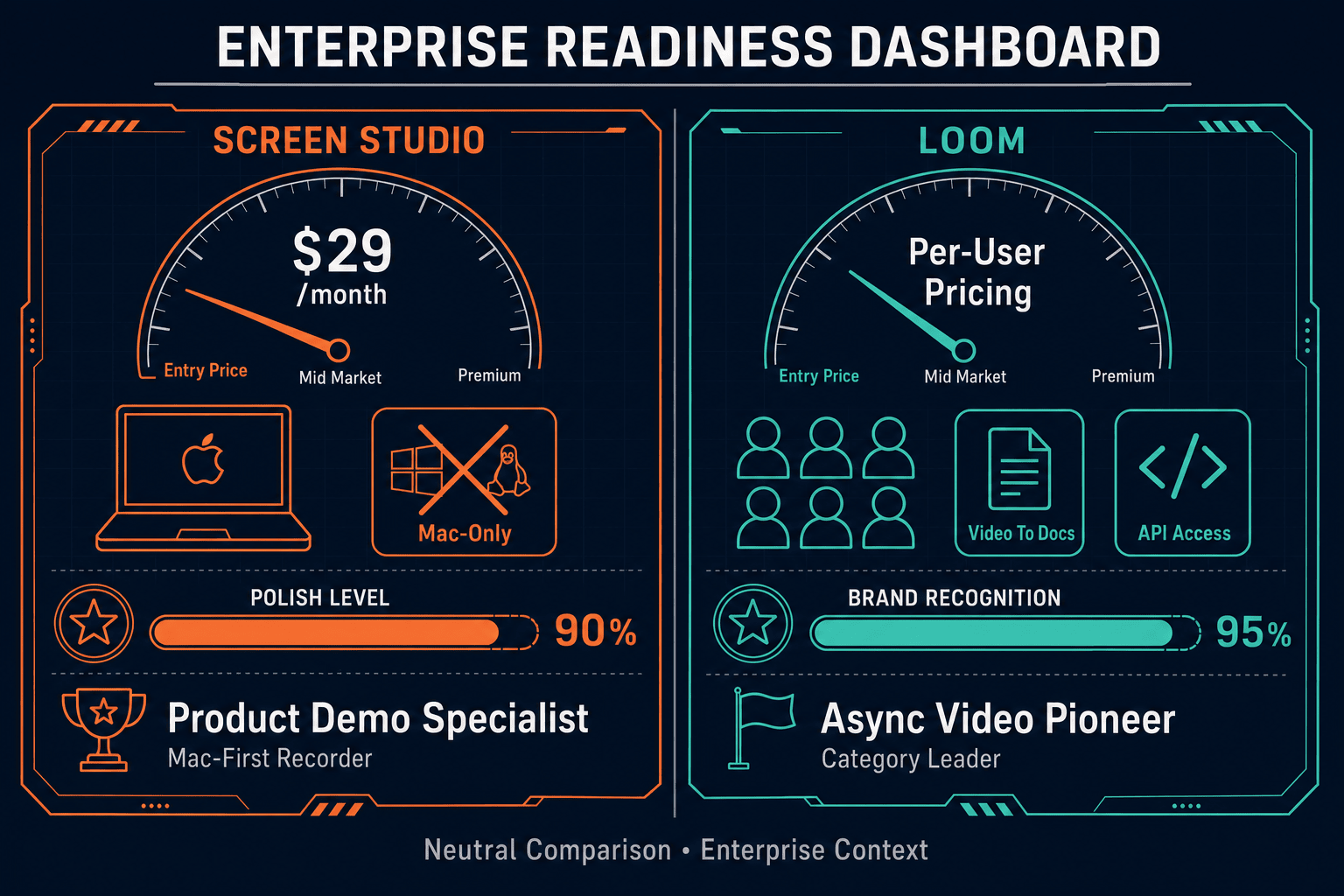
Screen Studio is a polished Mac-only video recorder built for individual creators, while Loom offers cross-platform async video messaging with enterprise-grade SSO, SCIM, and compliance. Neither tool, however, routes recordings into governed documentation workflows. See how they compare on enterprise readiness—and why Docsie Recorder closes the gaps both leave open.

Loom is the clear winner in enterprise readiness between these two tools.
Enterprise Feature Matrix
A detailed comparison of enterprise-critical capabilities including security, compliance, administration, scalability, and support across Screen Studio and Loom.
| Enterprise Feature |
Screen Studio
|
Loom
|
|---|---|---|
| SSO / SAML | Enterprise plan only | |
| SCIM Provisioning | Enterprise plan only | |
| Role-Based Access Control | ||
| Audit Logs | ||
| SOC 2 Compliance | ||
| GDPR Compliance | ||
| Data Residency Options | Verify current availability | |
| Dedicated Enterprise Support | ||
| Uptime SLA | Not applicable (local Mac app) | Enterprise; verify terms |
| API Access | ||
| Team / Workspace Administration | ||
| Windows Support | ||
| Linux Support | ||
| Browser-Based Recording | ||
| Viewer Analytics | ||
| Custom Domain | ||
| Multi-Tenant Portals | ||
| Video-to-Docs Workflow | Partial (AI summaries only) | |
| Knowledge Base Publishing | ||
| Versioned Documentation Management |
Data as of May 2026. Features based on publicly available vendor documentation. Enterprise plan features for Loom require custom pricing. Screen Studio is a Mac-only local app with no team administration layer. Verify current Loom enterprise pricing and data residency status before purchasing.
Strengths & Weaknesses
Deep Dive Analysis
An in-depth look at four enterprise-critical dimensions — security and compliance, scalability and performance, administration and control, and support and SLA — where the gap between the two tools is most consequential for IT and procurement teams.
Loom holds SOC 2 and GDPR certifications and provides audit logs on enterprise plans, giving security teams a verifiable compliance baseline. Screen Studio, as a local Mac application, has no published compliance certifications — its shareable link infrastructure carries unverified security posture. Loom's SAML SSO and SCIM provisioning satisfy most enterprise identity requirements, but both tools fall short for regulated industries that need data residency guarantees, HIPAA readiness, or air-gap deployment. Enterprises in healthcare, finance, or government will find both tools inadequate for full compliance without significant supplemental controls.
Loom scales across Mac, Windows, browser, and mobile, making it viable for globally distributed enterprise teams regardless of operating system. Screen Studio is hard-capped at macOS, immediately disqualifying it for any organization with Windows or Linux users. Loom's cloud infrastructure provides consistent availability backed by an enterprise SLA, whereas Screen Studio's shareable links rely on infrastructure with no published uptime commitment. For large-scale async video programs spanning hundreds or thousands of users, Loom's architecture is meaningfully more enterprise-ready, though per-user pricing can create budget pressure as headcount grows.
Loom's enterprise plan provides centralized workspace administration, role-based access control, SCIM-based user provisioning, and audit logs — the foundational controls IT and InfoSec teams require. Screen Studio has no team administration layer whatsoever; it is a single-user Mac application with no concept of workspace governance, user roles, or provisioning. For IT departments managing software at scale, Screen Studio requires manual management of individual licenses without any directory integration. Loom's admin dashboard enables bulk user management and policy enforcement, though both tools lack multi-tenant portal delivery for client-facing documentation governance.
Loom's enterprise tier includes dedicated customer success support and a formal uptime SLA, providing the contractual guarantees enterprise procurement teams require. Screen Studio offers no dedicated enterprise support tier, no published SLA, and no formal escalation path beyond standard consumer support channels. For mission-critical internal communication or customer-facing training workflows, Loom's support structure is substantially more enterprise-appropriate. Neither tool, however, provides the kind of documentation-lifecycle support — covering creation, governance, versioning, and delivery — that teams converting recordings into managed knowledge bases ultimately need.
Our Recommendation
Loom is the clear winner in enterprise readiness between these two tools. It offers SOC 2 compliance, SAML SSO, SCIM provisioning, audit logs, cross-platform support, and dedicated enterprise SLAs — capabilities Screen Studio simply does not provide. Screen Studio remains an excellent choice for individual Mac users creating polished product videos, but it was not designed for enterprise deployment and lacks every foundational enterprise control. That said, even Loom stops at hosted video and AI summaries — neither tool routes recordings into governed, versioned documentation workflows that enterprise knowledge teams actually need.
Choose Screen Studio if you need. .
Choose Loom if you need. .
Choose Docsie Recorder if you need. .
Winner: Docsie Recorder
Docsie Recorder is the only tool in this comparison that bridges the gap between recording and governed documentation. It is free and open-source with Mac, Windows, and Linux support — addressing Screen Studio's Mac-only limitation and Loom's closed-source cloud lock-in. More importantly, Docsie Recorder connects directly to Docsie's Video-to-Docs pipeline, turning recordings into structured knowledge base content with versioning, multi-tenant portal delivery, SSO, and audit logs. Where both Screen Studio and Loom stop at video output, Docsie Recorder feeds a complete CREATE → CONVERT → MANAGE → DELIVER workflow built for enterprise documentation governance.
Decision Helper
A direct framework for picking between Screen Studio, Loom, and Docsie based on your specific needs.
Polished Mac-only product demos with cinematic zoom and motion.
Async video messaging with AI summaries and integrations.

Convert real video into searchable docs, then deploy multi-tenant portals.
Common Questions
Q: Does Screen Studio support SSO or SCIM for enterprise identity management?
A: No. Screen Studio has no SSO, SCIM, or any identity provider integration. It is a single-user Mac application with no team administration layer, making it incompatible with enterprise IT requirements for centralized user provisioning and access control. Organizations that require directory integration for software licensing should look elsewhere.
Q: Is Loom SOC 2 compliant and does it offer audit logs?
A: Yes. Loom holds SOC 2 and GDPR certifications and provides audit logs on its enterprise plan. SAML SSO and SCIM provisioning are also available at the enterprise tier. However, these features require a custom enterprise contract — they are not available on the Starter or Business plans. Verify current pricing and feature availability directly with Loom before purchasing.
Q: Can either Screen Studio or Loom be deployed on-premises or in an air-gap environment?
A: Neither tool supports on-premises or air-gap deployment. Screen Studio is a local Mac app for recording, but its shareable link infrastructure is cloud-based with no published data residency or air-gap option. Loom is fully cloud-first with no self-hosted option. Enterprises in regulated industries requiring data sovereignty should factor this limitation into their evaluation.
Q: Which tool is better for a mixed Windows and Mac enterprise environment?
A: Loom is substantially better for mixed-OS environments. It supports Mac, Windows, browser extension, and mobile recording, making it deployable across a heterogeneous enterprise fleet. Screen Studio is Mac-only — it cannot be installed on Windows or Linux machines, which is a hard blocker for most enterprise IT departments managing diverse operating system environments.
Q: Is there a better alternative to both Screen Studio and Loom for enterprise documentation teams?
A: Yes — Docsie Recorder addresses the key limitations of both tools. Screen Studio is Mac-only and has no enterprise controls. Loom is enterprise-ready for video messaging but stops at AI summaries rather than producing governed documentation. Docsie Recorder is a free, open-source recorder for Mac, Windows, and Linux that feeds directly into Docsie's Video-to-Docs pipeline, turning recordings into structured Markdown, DOCX, and PDF content published into a versioned knowledge base with SSO, multi-tenant portals, and audit logs. It is the only option in this comparison that connects recording to enterprise documentation governance.
Q: Does Loom's AI convert recordings into structured documentation that can be managed in a knowledge base?
A: Loom's AI generates summaries, chapters, and action items from recordings, which is useful for async communication but is not the same as governed structured documentation. Loom does not produce versioned knowledge base articles, DOCX or Markdown exports, or multi-tenant documentation portals. Teams that need recordings to become managed knowledge base content will need a separate documentation platform alongside Loom.
Screen Studio stops at polished Mac video. Loom stops at hosted async video messaging. Docsie Recorder is a free, open-source recorder for Mac, Windows, and Linux that converts recordings into structured documentation — with versioning, SSO, multi-tenant portal delivery, and audit-ready knowledge base governance built in. Record once. Publish everywhere. Govern everything.
Free to download and record. Docsie AI credits required for Video-to-Docs conversion.