
4.8
on G2
 Screen Studio
 Kap
Kap
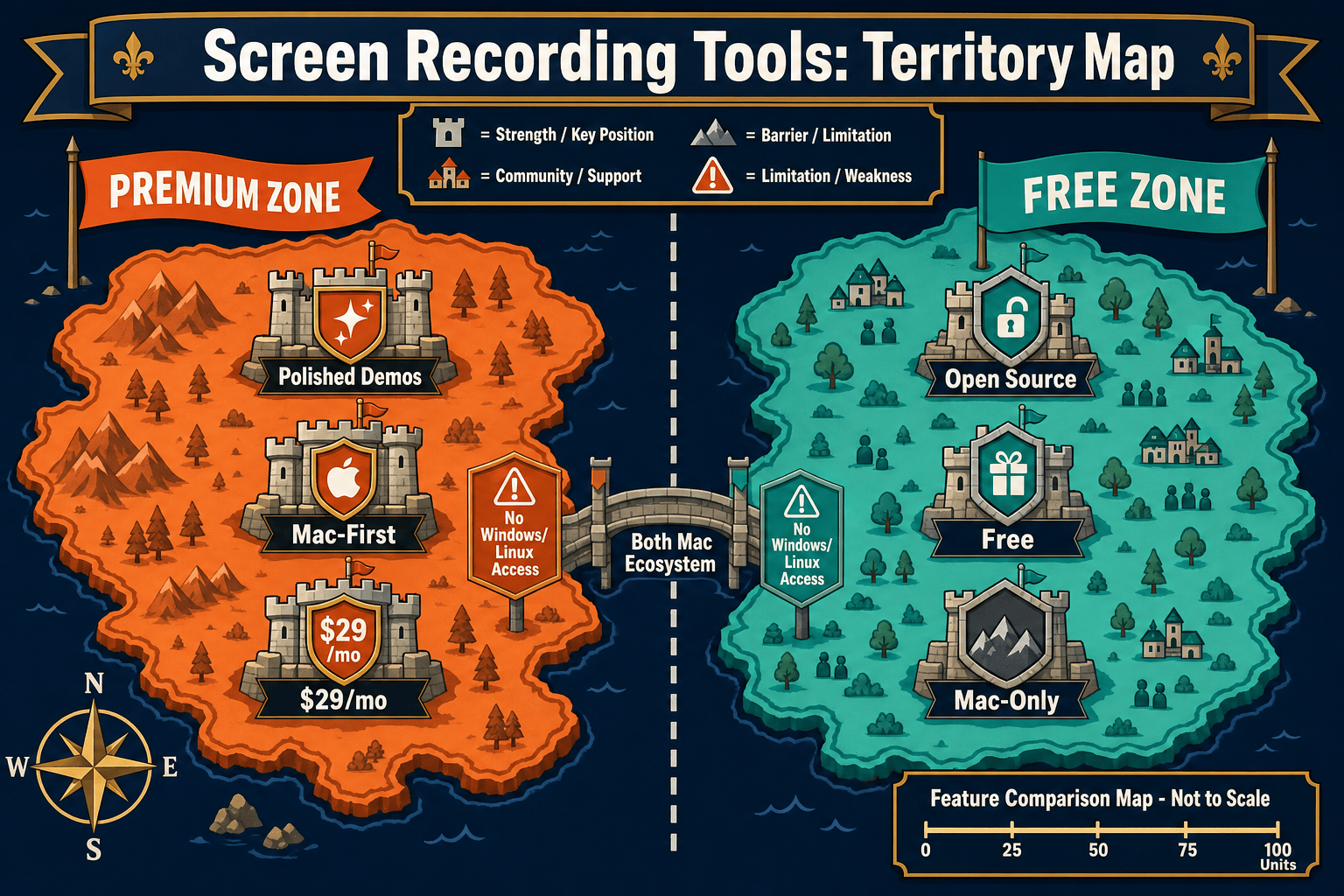
Screen Studio is the polished, paid Mac recorder for beautiful product demos. Kap is a free, open-source Mac recorder loved by developers for quick GIFs. Neither converts recordings into structured documentation. We compare both honestly—then show you what Docsie Recorder does differently.

Screen Studio and Kap are both Mac-only screen recorders with no cross-platform support and no documentation output—but they serve very different buyers.
Feature Matrix
A side-by-side comparison of recording capabilities, editing polish, export options, platform support, and documentation workflow features for Screen Studio and Kap.
| Feature |
Screen Studio
|
Kap
|
|---|---|---|
| Price | $9–$29/month | Free / Open Source |
| Open Source | ||
| Mac Support | ||
| Windows Support | ||
| Linux Support | ||
| Window & Full-Screen Capture | ||
| Microphone Audio | ||
| System Audio Capture | Verify current support | |
| Webcam Overlay | ||
| Automatic Zoom | ||
| Manual Zoom on Timeline | ||
| Cursor Smoothing & Polish | ||
| Backgrounds & Visual Effects | ||
| Crop, Trim & Speed Regions | ||
| Motion Blur | ||
| iOS Device Recording | ||
| Plugin Ecosystem | ||
| Local MP4 Export | Up to 4K 60fps | |
| GIF Export | ||
| Shareable Links | ||
| AI Transcription | ||
| Video-to-Docs Conversion | ||
| Markdown / DOCX / PDF Export | ||
| Knowledge Base Publishing | ||
| Version Control | ||
| Enterprise SSO / Audit Logs |
Data as of 2026. Based on publicly available information from screen.studio and getkap.co. Verify current system audio and plugin support for Kap before publishing.
Strengths & Weaknesses
Deep Dive
An in-depth look at where Screen Studio and Kap differ across recording quality, editing polish, platform flexibility, and documentation workflow capabilities.
Screen Studio offers a richer capture setup—it records specific windows or full screen while simultaneously layering webcam overlay, microphone, system audio, and even iOS device output into one recording session. Kap covers the basics well with window and full-screen capture plus microphone audio, but it lacks webcam overlay and has unconfirmed system audio support depending on OS version. For teams that need a complete, multi-source recording in one take, Screen Studio's capture stack is meaningfully more capable than Kap's lightweight approach.
This is where Screen Studio most clearly separates itself from Kap. Screen Studio provides automatic zoom tied to cursor telemetry, manual zoom controls on the timeline, cursor smoothing, background replacement, shadow and inset effects, motion blur, crop, trim, and speed regions—all designed to make a raw screen recording look like a produced marketing video. Kap offers none of these editing features. It records and exports, with trimming handled by the OS or third-party tools. If visual polish matters to your output, Screen Studio is the clear winner between these two tools.
Kap wins decisively on price—it is free and open-source with no plans, tiers, or subscriptions. Screen Studio costs $29/month or $9/month billed annually, with no confirmed free tier. For individual developers, students, or teams on tight budgets, Kap's $0 price tag removes all friction. Screen Studio's cost is justifiable if polished video output is a business requirement, but it creates a meaningful barrier compared to a completely free alternative. Neither tool charges based on seat count or usage, so Screen Studio's pricing is at least predictable for teams that commit to it.
Both tools share the same critical limitation for documentation teams—neither converts recordings into written documentation. Screen Studio produces polished MP4 and GIF files with shareable links. Kap produces clips and GIFs. In both cases, the workflow ends at a video file. Teams that need a recording to become a knowledge base article, a Markdown document, a DOCX file, or a structured tutorial must export the video and use a completely separate tool for that conversion. There is no native video-to-docs pipeline, no knowledge base publishing, and no version-controlled documentation management in either product.
Our Recommendation
Screen Studio and Kap are both Mac-only screen recorders with no cross-platform support and no documentation output—but they serve very different buyers. Screen Studio is a premium, polished video production tool for founders and product teams who need beautiful demo videos fast. Kap is a free, open-source utility for developers who need quick clips and GIFs without any cost or commitment. Choosing between them depends almost entirely on whether you need visual polish or zero cost.
Choose Screen Studio if you need. .
Choose Kap if you need. .
Choose Docsie Recorder if you need. .
Winner: Docsie Recorder
Docsie Recorder is the only free, open-source recorder in this comparison that is genuinely cross-platform (Mac, Windows, Linux), includes modern editing features comparable to Screen Studio, and natively routes recordings into a Video-to-Docs pipeline. Where Screen Studio stops at a polished MP4 and Kap stops at a GIF, Docsie Recorder connects the recording to structured Markdown, DOCX, and PDF export and then into Docsie's knowledge base for versioning, portal delivery, translation, and enterprise publishing—turning one recording session into a complete documentation workflow.
Decision Helper
A direct framework for picking between Screen Studio, Kap, and Docsie based on your specific needs.
Polished Mac-only product demos with cinematic zoom and motion.
Free open-source Mac screen recorder for GIFs and videos.

Convert real video into searchable docs, then deploy multi-tenant portals.
Common Questions
Q: Is Screen Studio worth paying for compared to the free Kap?
A: It depends entirely on your output requirements. If you need polished, professional-looking video with automatic zoom, cursor smoothing, webcam overlay, and motion effects, Screen Studio's $9–$29/month is justified. If you just need a lightweight Mac recorder to capture a quick clip or GIF with no editing polish and no cost, Kap does the job for free. Most individual developers choose Kap; most product and marketing teams choose Screen Studio.
Q: Does Kap support webcam overlay or automatic zoom like Screen Studio?
A: No. Kap does not support webcam overlay, automatic zoom, cursor smoothing, backgrounds, or any of Screen Studio's visual polish features. Kap is a minimal recorder focused on capturing clips and exporting GIFs or video. Screen Studio's editing and effects layer is one of its primary differentiators over free alternatives like Kap.
Q: Can either Screen Studio or Kap record on Windows or Linux?
A: Neither tool supports Windows or Linux. Both Screen Studio and Kap are Mac-only applications. Screen Studio requires macOS Ventura 13.1 or later, and Kap is built specifically for macOS. Teams with Windows or Linux users in their workflow need to look at cross-platform alternatives.
Q: Do Screen Studio or Kap convert recordings into written documentation?
A: No. Neither Screen Studio nor Kap includes any video-to-docs conversion. Screen Studio produces polished MP4 and GIF files with shareable links. Kap produces clips and GIFs. Both workflows end at a video file—converting that recording into a knowledge base article or structured document requires a completely separate tool.
Q: Is there a better alternative to both Screen Studio and Kap?
A: Yes. Docsie Recorder is a free, open-source desktop recorder that runs on Mac, Windows, and Linux—unlike both Screen Studio and Kap, which are Mac-only. It includes modern editing features like zoom, crop, trim, speed regions, backgrounds, annotations, and blur regions, and it connects directly to Docsie's Video-to-Docs pipeline. That means one recording session can produce a polished MP4 or GIF and a structured knowledge base article in Markdown, DOCX, or PDF format—something neither Screen Studio nor Kap can do.
Q: Which tool is better for a developer who wants open-source and free?
A: Kap is the obvious choice between the two if your requirements are free and open-source. It is MIT-licensed, has a plugin ecosystem, and has no subscription cost. However, if you also need Windows or Linux support, modern editing features, or any documentation output, Docsie Recorder is a free, open-source alternative that covers all of those gaps while remaining auditable and community-accessible.
Both Screen Studio and Kap stop at a video file—and both are Mac-only. Docsie Recorder is a free, open-source recorder for Mac, Windows, and Linux that includes modern editing features and connects directly to a Video-to-Docs pipeline. Record once, export a polished video, and publish a structured knowledge base article—all from the same tool.
Free and open-source recorder. Video-to-Docs uses Docsie AI credits.