
4.8
on G2
 Screen Studio
 CleanShot X
Both Screen Studio and CleanShot X are polished Mac-only capture tools loved by individual power users. But how do they stack up when an enterprise procurement or IT team asks about SSO, audit logs, compliance certifications, and scalable administration? This comparison examines both tools through an enterprise readiness lens and explains why neither fully satisfies large-team requirements.
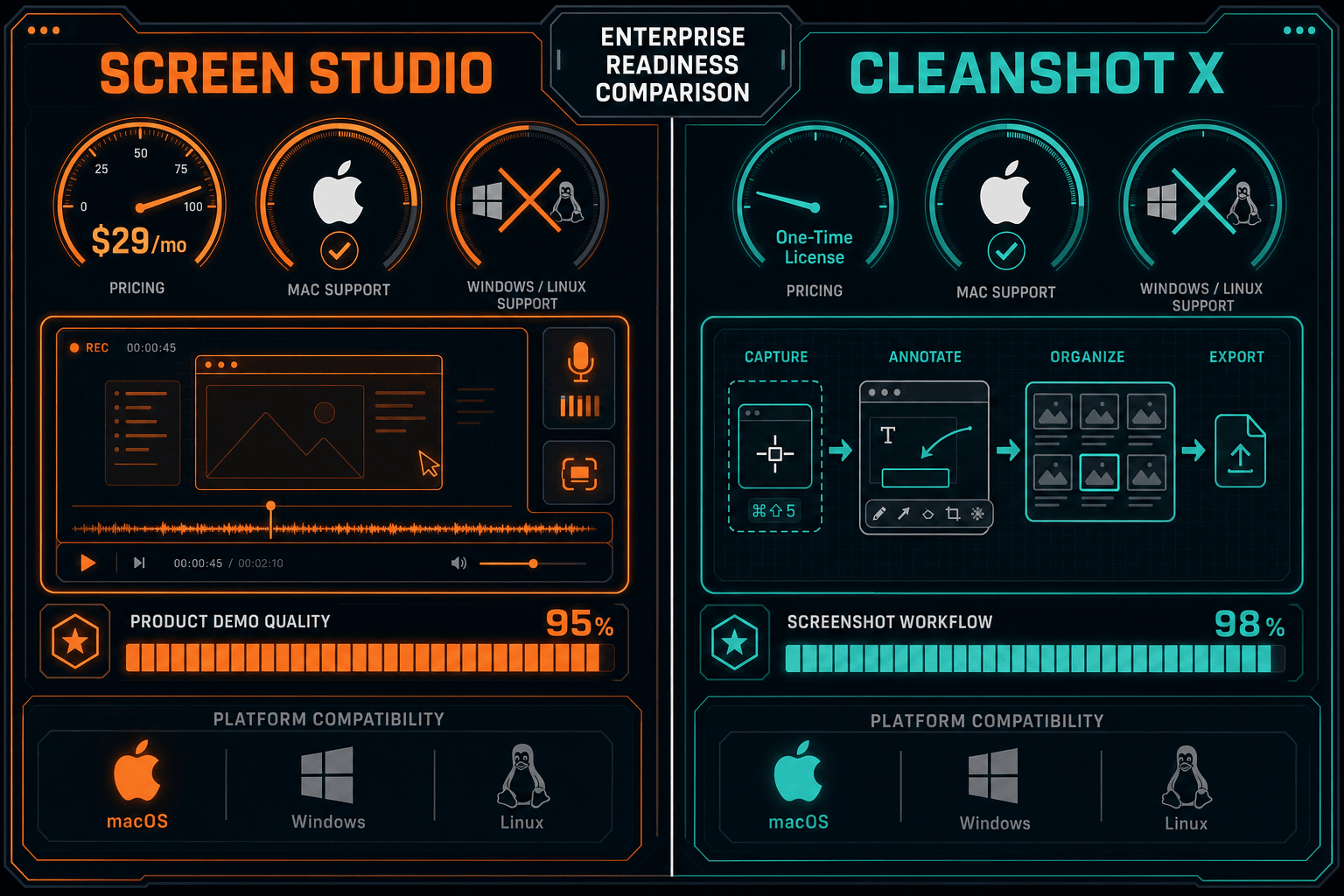
Screen Studio wins on recording quality and motion polish for Mac-based product and marketing teams, while CleanShot X wins on screenshot versatility and marginal team administration for Mac power users.
Enterprise Feature Matrix
A direct comparison of enterprise-grade capabilities including security, compliance, administration, scalability, and support across both tools.
| Enterprise Capability |
Screen Studio
|
CleanShot X
|
|---|---|---|
| SSO / SAML Support | ||
| Role-Based Access Control | ||
| Audit Logs | ||
| SOC 2 Type II Compliance | ||
| GDPR Compliance | Unconfirmed | Unconfirmed |
| Data Residency Options | ||
| Admin Console / Team Dashboard | Partial — Team cloud workspace | |
| Centralized User Management | Partial — Team plan | |
| Windows Support | ||
| Linux Support | ||
| API Access | ||
| Custom Domain | ||
| Dedicated Support / SLA | ||
| Uptime SLA | N/A — local app | Not published |
| On-Premises / Air-Gap Deployment | ||
| Open Source / Auditable Codebase | ||
| Enterprise Billing & Invoicing | Unconfirmed | Unconfirmed |
| Knowledge Base / Docs Output |
Data based on publicly available information as of 2026. Verify current compliance certifications, team plan features, and pricing directly with each vendor before procurement decisions.
Strengths & Weaknesses
Deep Dive Analysis
An in-depth look at four enterprise readiness dimensions — security and compliance, scalability and performance, administration and control, and support and SLA — across both tools.
Neither Screen Studio nor CleanShot X publishes SOC 2 Type II, HIPAA, or formal GDPR compliance certifications as of 2026. Screen Studio's local Mac app means recordings never leave the device during capture, which is a passive data security advantage, but the shareable links feature introduces cloud storage whose compliance posture is undocumented. CleanShot Cloud similarly has no published data residency, encryption-at-rest documentation, or audit trail capabilities. Neither tool supports SSO, SAML, or enterprise identity providers. For regulated industries — healthcare, finance, government — both tools present procurement blockers that individual productivity value cannot overcome.
Screen Studio is a single-user Mac application with no concept of team workspaces, shared asset libraries, or org-wide deployment tooling. Scaling to 50 or 500 users means 50 or 500 individual license purchases with no centralized visibility. CleanShot X's Team plan introduces a shared cloud workspace and basic admin control, making it slightly more scalable, but it still lacks the provisioning APIs, SCIM support, or MDM-friendly deployment that enterprise IT teams require. Both tools are Mac-only, meaning any organization running Windows or Linux — or a mixed fleet — cannot standardize on either tool without leaving a portion of the workforce unsupported.
CleanShot X offers the most administration capability of the two through its Team plan, which includes a shared cloud workspace and the ability to designate team roles. However, there is no centralized audit log, no granular permission model beyond basic role assignment, and no admin dashboard for monitoring usage across the organization. Screen Studio has no team administration features at all — each user manages their own recordings and shareable links independently. Neither tool integrates with directory services like Okta, Azure AD, or Google Workspace for automated user provisioning and deprovisioning, which is a standard enterprise requirement for any SaaS tool touching sensitive content.
Both Screen Studio and CleanShot X are indie or small-team Mac utilities without published enterprise support tiers, dedicated account managers, or formal SLA commitments. Screen Studio support is email-based with no documented response time SLA. CleanShot X similarly offers email support without published enterprise response commitments. Neither tool provides a named CSM, priority escalation path, or 99.9% uptime SLA for their cloud sharing infrastructure. For enterprise procurement teams that require contractual support commitments, both tools present a significant gap — the kind of gap that moves a promising evaluation to a vendor risk register.
Our Recommendation
Screen Studio wins on recording quality and motion polish for Mac-based product and marketing teams, while CleanShot X wins on screenshot versatility and marginal team administration for Mac power users. However, both tools share the same fundamental enterprise readiness ceiling — Mac-only, no SSO, no audit logs, no compliance certifications, no API access, and no documentation output — making neither a credible choice for organizations with formal enterprise procurement requirements.
Choose Screen Studio if you need. .
Choose CleanShot X if you need. .
Choose Docsie Recorder if you need. .
Winner: Docsie Recorder
Docsie Recorder is the only option in this comparison that is free, open-source, and cross-platform — eliminating the Mac-only barrier that disqualifies both Screen Studio and CleanShot X from enterprise-wide deployment. Beyond the recorder itself, the Docsie platform provides the enterprise readiness layer that both competitors completely lack — SSO, audit logs, RBAC, compliance-ready infrastructure, and a Video-to-Docs pipeline that turns recordings into versioned, publishable knowledge base articles. Teams that need to record, govern, and deliver documentation at scale get a complete CREATE → CONVERT → MANAGE → DELIVER workflow instead of a polished but isolated video file.
Decision Helper
A direct framework for picking between Screen Studio, CleanShot X, and Docsie based on your specific needs.
Polished Mac-only product demos with cinematic zoom and motion.
Mac screenshots, annotations, and short screen recordings.

Convert real video into searchable docs, then deploy multi-tenant portals.
Common Questions
Q: Does either Screen Studio or CleanShot X support SSO or SAML for enterprise login?
A: No. Neither Screen Studio nor CleanShot X supports SSO, SAML, or any enterprise identity provider integration as of 2026. Both tools use standard account credentials only. This is a hard blocker for most enterprise IT and security teams that require centralized identity management through Okta, Azure AD, or Google Workspace.
Q: Are Screen Studio or CleanShot X SOC 2 Type II or HIPAA compliant?
A: Neither tool publishes SOC 2 Type II or HIPAA compliance certifications. Screen Studio's local recording model keeps capture on-device, but its cloud sharing infrastructure has no documented compliance posture. CleanShot Cloud similarly has no published compliance certifications. Organizations in regulated industries should treat both tools as non-compliant until the vendors provide formal audit reports.
Q: Can IT teams centrally manage and audit Screen Studio or CleanShot X usage?
A: CleanShot X's Team plan provides a basic shared workspace and role assignment, offering limited centralized visibility. Screen Studio has no team administration features whatsoever. Neither tool provides audit logs, SCIM provisioning, MDM-friendly deployment packages, or usage dashboards that IT and security teams expect from enterprise SaaS tools.
Q: Is there a better enterprise alternative to both Screen Studio and CleanShot X?
A: Yes — Docsie Recorder addresses the core gaps both tools share. It is a free, open-source cross-platform recorder (macOS, Windows, Linux) that connects directly to the Docsie platform for enterprise-grade SSO, audit logs, role-based access control, and versioned knowledge base publishing. Unlike Screen Studio or CleanShot X, recordings made in Docsie Recorder can be converted into structured documentation through the Video-to-Docs pipeline and delivered through governed, multi-tenant portals — giving enterprise teams a complete and auditable workflow.
Q: Can Screen Studio or CleanShot X be deployed on Windows or Linux for enterprise-wide rollout?
A: No. Both Screen Studio and CleanShot X are Mac-only applications with no Windows or Linux support. This makes org-wide standardization impossible for any enterprise running a mixed operating system environment. Docsie Recorder supports macOS, Windows, and Linux, making it the only cross-platform option in this comparison.
Q: How do Screen Studio and CleanShot X handle documentation output for enterprise knowledge management?
A: Neither tool produces structured documentation output. Screen Studio exports polished video files and shareable links. CleanShot X exports screenshots, annotated images, and short recordings. Neither integrates with a knowledge base or generates Markdown, DOCX, or PDF documentation from recordings. Enterprise teams that need recordings to become searchable, versioned organizational knowledge require a tool like Docsie Recorder, which routes video output through a Video-to-Docs pipeline directly into a managed knowledge base.
Screen Studio and CleanShot X are excellent Mac capture tools for individuals — but neither delivers the SSO, audit logs, cross-platform support, compliance posture, or documentation workflow that enterprise teams require. Docsie Recorder is free, open-source, runs on macOS, Windows, and Linux, and connects every recording to a Video-to-Docs pipeline and an enterprise-grade knowledge base. Record once. Convert to structured docs. Publish, version, and govern — all in one workflow.
Free to download. Open-source recorder core.