
4.8
on G2
 Screen Studio
 Claquette
Screen Studio and Claquette are both Mac-only screen recorders focused on GIF and video output, but they serve different audiences. Screen Studio targets founders and creators who want polished product demo videos with automatic zoom and motion effects. Claquette is a lightweight utility for developers and designers who need quick GIF and video clips without the overhead of a full editor. Neither tool converts recordings into documentation or supports Windows and Linux users.
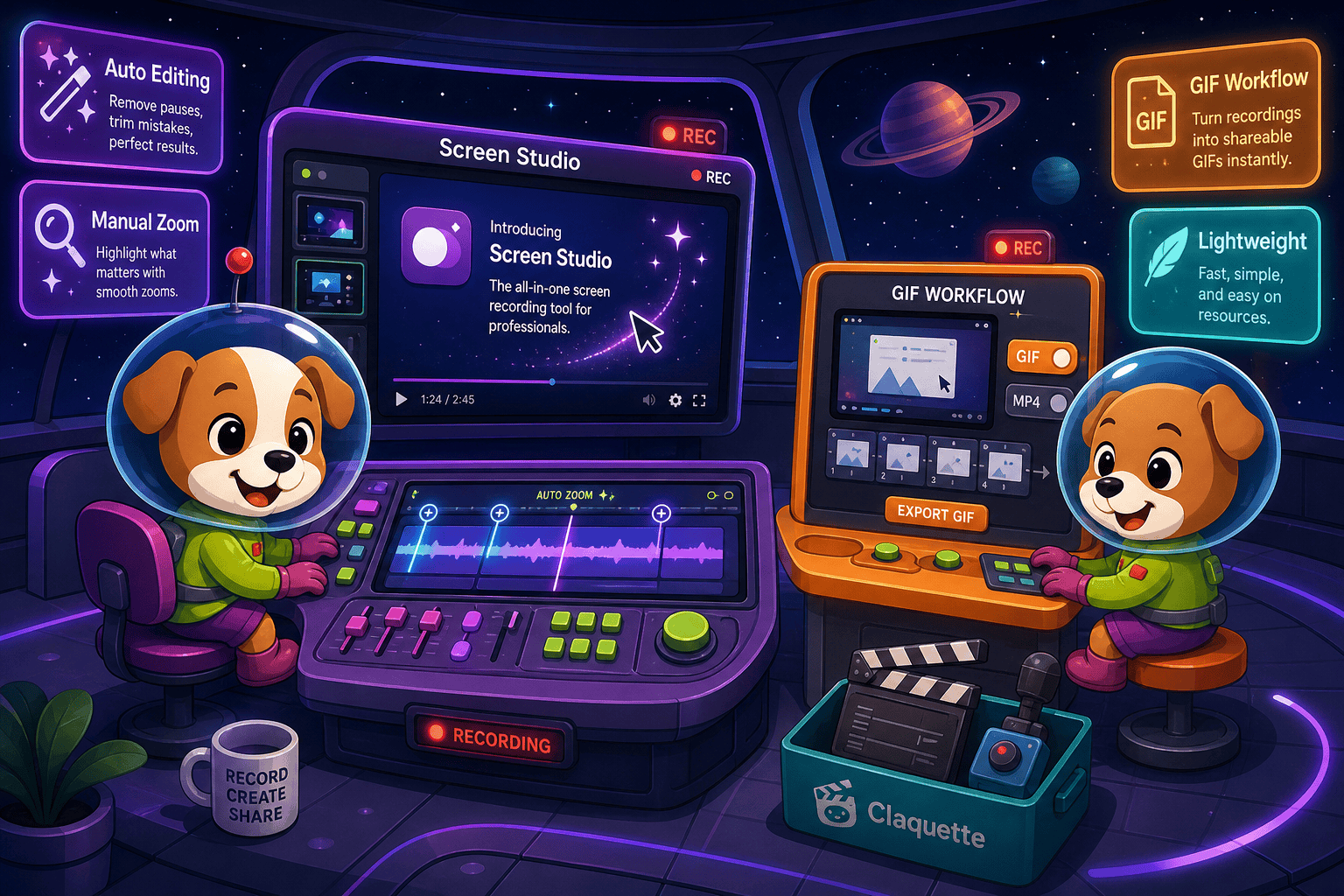
Screen Studio is the stronger recorder for Mac users who need polished product demo videos with automatic zoom, motion effects, and hosted sharing.
Feature Matrix
A comprehensive side-by-side comparison of recording capabilities, editing features, export options, platform support, and documentation workflow features between Screen Studio and Claquette.
| Feature |
Screen Studio
|
Claquette
|
|---|---|---|
| Free Plan Available | ||
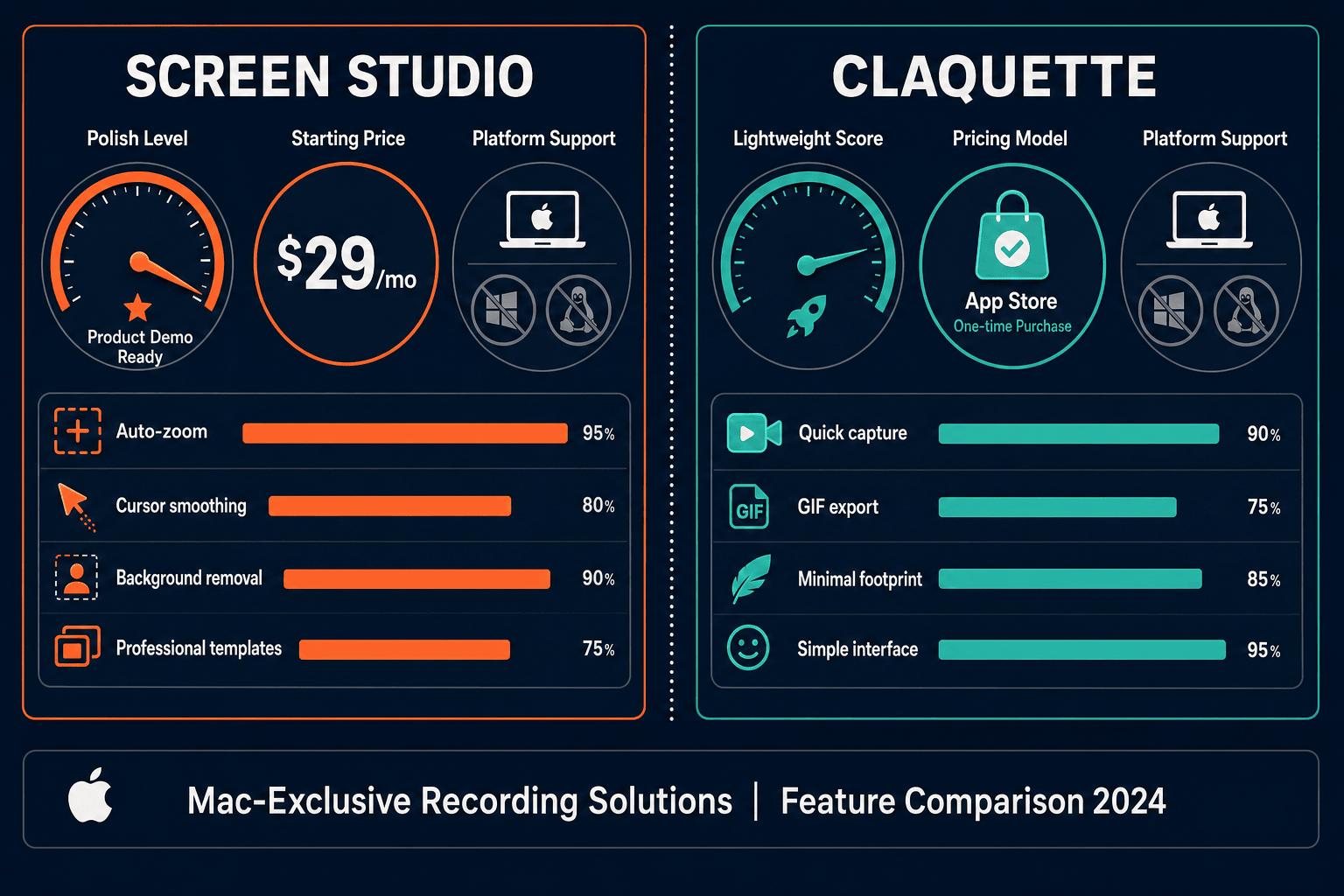
| Pricing Model | $29/mo or $9/mo billed yearly | Free + in-app purchases |
| Mac Support | ||
| Windows Support | ||
| Linux Support | ||
| Open Source | ||
| Window & Full-Screen Capture | ||
| Microphone Audio Capture | ||
| System Audio Capture | Unconfirmed | |
| Webcam Overlay | Unconfirmed | |
| iOS Device Recording | ||
| Automatic Zoom | ||
| Manual Zoom on Timeline | ||
| Cursor Smoothing & Polish | ||
| Backgrounds, Shadow & Inset | ||
| Motion Blur | ||
| Crop, Trim & Speed Regions | ||
| Keyboard Shortcut Display | ||
| Audio Enhancement | ||
| AI Transcription | ||
| Local MP4 / Video Export | Up to 4K 60fps | |
| GIF Export | ||
| Shareable Links | ||
| Video-to-Docs Conversion | ||
| Markdown / DOCX / PDF Export | ||
| Knowledge Base Publishing | ||
| Version Control | ||
| Multi-Tenant Portals | ||
| API Access | ||
| SSO / Enterprise Auth |
Data as of May 2026. Features based on publicly available information from official product pages and App Store listings. Verify current pricing and feature availability before purchasing.
Strengths & Weaknesses
Deep Dive
An in-depth analysis of the four most important dimensions for buyers evaluating these two Mac screen recorders.
Screen Studio is the clear winner on capture depth. It records the screen, a specific window, webcam overlay, microphone, system audio, and even iOS devices simultaneously from a single session. Claquette covers the basics — screen recording with microphone audio — but system audio capture and webcam overlay support are unconfirmed on current builds. If your workflow demands multi-source capture with iOS mirroring and synchronized audio tracks, Screen Studio is the more capable recorder. Claquette suits users whose only requirement is a quick window or full-screen clip without the overhead of configuring multiple audio and video sources.
This is where the two tools diverge most sharply. Screen Studio offers a comprehensive post-recording editing suite: automatic zoom triggered by cursor activity, manual zoom regions on the timeline, cursor smoothing, auto-hide for static cursors, adjustable backgrounds, shadow and inset controls, motion blur, and speed regions for time-lapse effects. Claquette provides a basic timeline editor for trimming and splitting clips but offers none of these visual refinements. For product demos, marketing videos, or tutorial content where visual polish matters, Screen Studio has no peer in this comparison. Claquette is a utility tool, not a video polish engine.
Screen Studio exports up to 4K 60fps video and GIF, and generates hosted shareable links so recipients can watch recordings without downloading files. Claquette exports GIF and video locally but offers no hosted sharing infrastructure. Both tools stop at the video file — neither produces documentation, Markdown, DOCX, or PDF output from a recording. Teams that need to share a recording quickly as a link will prefer Screen Studio's hosted approach. Teams that only need local files and prefer keeping everything on-device may find Claquette sufficient for their lightweight needs without paying for a subscription.
Both Screen Studio and Claquette share a fundamental limitation: recordings stay as recordings. Neither tool has a video-to-docs pipeline, knowledge base publishing, versioned documentation management, or team collaboration features. Screen Studio includes AI transcription, which is a step toward text output, but the transcript is not routed into any documentation or knowledge base system. Claquette has no transcription at all. For support teams, product teams, or enablement teams who need recordings to become searchable written documentation — not just video files — both tools require a separate workflow to bridge that gap.
Our Recommendation
Screen Studio is the stronger recorder for Mac users who need polished product demo videos with automatic zoom, motion effects, and hosted sharing. Claquette is a lightweight, low-cost utility for developers and designers who just need quick GIF and video clips without a subscription. Both tools are Mac-only, both are closed source, and neither converts recordings into documentation — making them incomplete solutions for teams that need recordings to become knowledge base content.
Choose Screen Studio if you need. .
Choose Claquette if you need. .
Choose Docsie Recorder if you need. .
Winner: Docsie Recorder
Docsie Recorder is free and open source, runs on macOS, Windows, and Linux, and matches Screen Studio's core editing capabilities — zoom, crop, trim, speed regions, backgrounds, motion blur, and annotations — while adding what neither Screen Studio nor Claquette offer: a native Video-to-Docs pipeline that converts recordings into structured documentation and routes them into the Docsie knowledge base workflow. Teams get a CREATE tool that feeds CONVERT and MANAGE instead of producing an isolated video file.
Decision Helper
A direct framework for picking between Screen Studio, Claquette, and Docsie based on your specific needs.
Polished Mac-only product demos with cinematic zoom and motion.
Mac app for animated GIFs and short screen videos.

Convert real video into searchable docs, then deploy multi-tenant portals.
Common Questions
Q: What is the main difference between Screen Studio and Claquette?
A: Screen Studio is a premium Mac recorder ($29/month or $9/month billed yearly) focused on delivering polished product demo videos with automatic zoom, cursor smoothing, motion blur, and hosted shareable links. Claquette is a free Mac utility with optional paid upgrades that covers basic GIF and video recording without the visual effects layer. Screen Studio is built for creators and founders who want marketing-quality output; Claquette is built for developers and designers who want quick, lightweight clips.
Q: Does Screen Studio work on Windows or Linux?
A: No. Screen Studio is macOS-only and requires macOS Ventura 13.1 or later. It has no Windows or Linux version. If you need cross-platform screen recording, neither Screen Studio nor Claquette will serve you — both are Mac-exclusive tools.
Q: Can either Screen Studio or Claquette convert recordings into written documentation?
A: No, neither tool has a video-to-docs workflow. Screen Studio includes AI transcription, which generates a text transcript of your audio, but that transcript is not routed into any documentation system or knowledge base. Claquette has no transcription capability at all. Both tools treat recordings as final output — video files or GIFs — with no path to structured written documentation.
Q: Is Claquette actually free, or is it a free trial?
A: Claquette is a free Mac App Store download with in-app purchases for Standard and Pro feature tiers. The base app is available at no cost, making it genuinely more accessible than Screen Studio for users who only need basic recording. However, full editing and export features require paid upgrades; verify current App Store pricing before assuming all features are free.
Q: Is there a better alternative to both Screen Studio and Claquette?
A: Yes. Docsie Recorder is a free, open-source desktop recorder built on OpenScreen that runs on macOS, Windows, and Linux. It matches Screen Studio's core editing toolkit — automatic and manual zoom, crop, trim, speed regions, backgrounds, motion blur, and annotations — while adding a direct Video-to-Docs pipeline that neither Screen Studio nor Claquette offer. One recording can become a structured Markdown article, DOCX, PDF, or a knowledge base article published through the Docsie platform. Download it free at github.com/LikaloLLC/docsie-screen-recorder.
Q: Which tool should I choose if I need to share recordings with my team?
A: Screen Studio is the better choice between the two for sharing, since it generates hosted shareable links that recipients can watch without downloading a file. Claquette only produces local exports with no built-in sharing infrastructure. For team workflows that require collaboration, versioning, or shared documentation portals rather than just a video link, Docsie Recorder provides a more complete path by routing recordings into a managed knowledge base.
Both Screen Studio and Claquette stop at the video file. Docsie Recorder is free, open source, and cross-platform — it records and edits with the same polish, then converts recordings into structured documentation published directly into your Docsie knowledge base. One tool covers CREATE, CONVERT, and MANAGE instead of leaving you with an isolated MP4.
Free and open source. Docsie AI credits used only when you convert a recording into documentation.