
4.8
on G2
 Screen Studio
 Cap
Cap
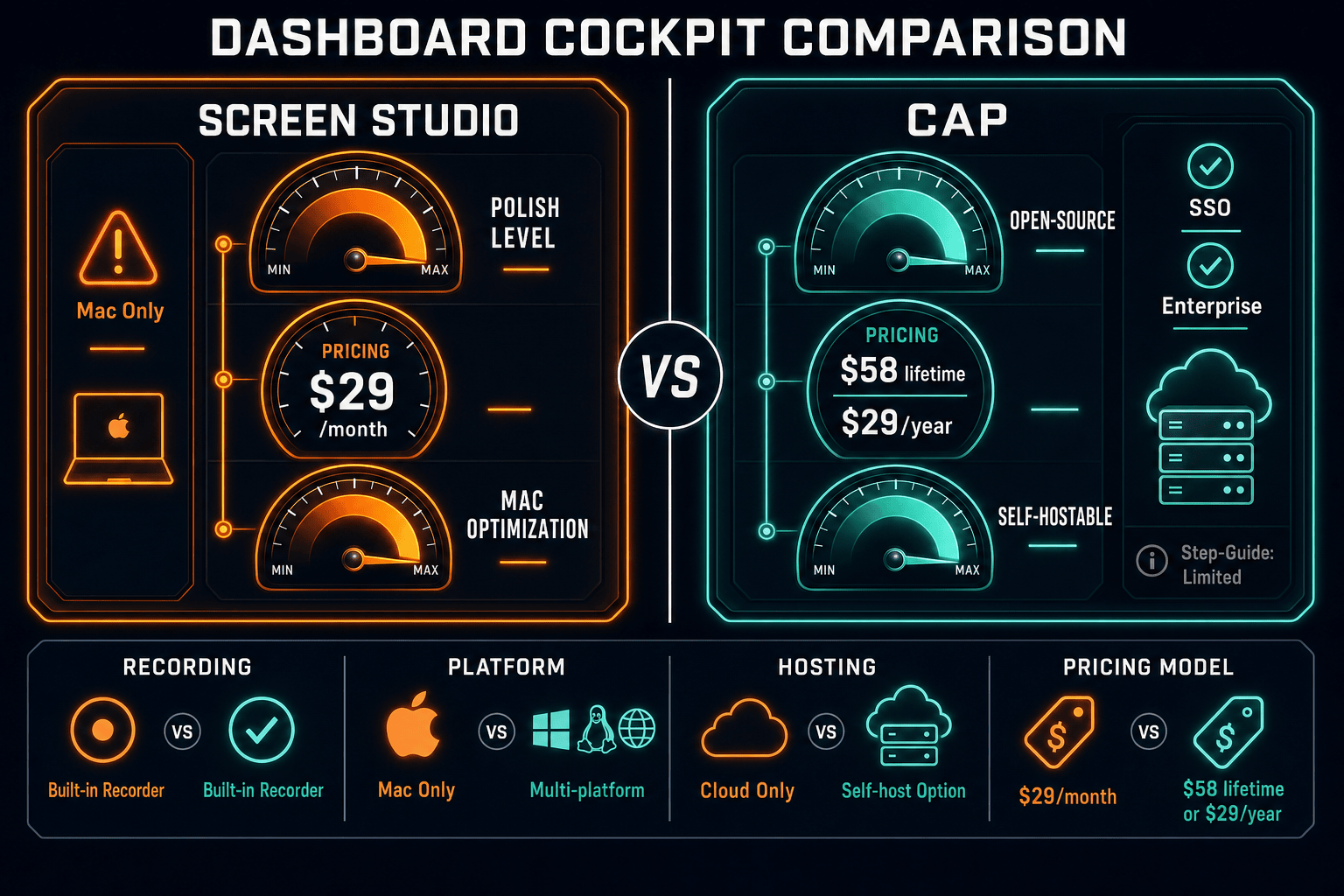
Screen Studio delivers polished Mac-only product demos with automatic zoom and motion blur. Cap is an open-source Loom alternative with cross-platform support, AI transcripts, and self-hosting. Neither turns recordings into structured docs. Here is an honest comparison of both tools — and why Docsie Recorder may be the smarter choice for teams who need more than a video file.
Screen Studio is the better choice if you need the most visually polished Mac demo recordings with manual zoom, motion blur, and cursor animation controls — and you do not need cross-platform support or open-source auditability.
Feature Matrix
A side-by-side feature comparison covering recording capabilities, platform support, editing tools, AI features, export formats, and documentation workflows for Screen Studio and Cap.
| Feature |
Screen Studio
|
Cap
|
|---|---|---|
| Free Plan Available | ||
| Open-Source Recorder | ||
| Mac Support | ||
| Windows Support | ||
| Linux Support | Verify current support | |
| Self-Hosting Option | ||
| Window & Full-Screen Capture | ||
| Microphone Audio | ||
| System Audio Capture | ||
| Webcam Overlay | ||
| iOS Device Recording | ||
| Automatic Zoom | ||
| Manual Zoom on Timeline | ||
| Cursor Smoothing & Polish | ||
| Backgrounds & Visual Effects | ||
| Motion Blur | ||
| Crop, Trim & Speed Regions | ||
| Local MP4 / GIF Export | ||
| AI Transcription | ||
| AI Summary & Chapters | ||
| Cloud Sharing & Collaboration | Shareable links | |
| Analytics & Viewer Insights | ||
| Video-to-Docs Conversion | ||
| Markdown / DOCX / PDF Export | ||
| Knowledge Base Publishing | ||
| Versioned Documentation Management | ||
| Enterprise SSO | Verify current support |
Data as of May 2026. Features are based on publicly available information and vendor documentation. Verify current pricing and feature availability before purchasing.
Strengths & Weaknesses
Deep Dive
An in-depth look at the four most important dimensions when choosing between Screen Studio and Cap — and where both tools fall short for teams that need more than a video file.
Screen Studio is the clear leader in visual polish. Its automatic zoom tracks cursor intent, manual timeline zoom gives precise control, cursor smoothing removes jitter, and motion blur adds cinematic weight. Backgrounds, shadows, and inset framing make product demos look agency-quality out of the box. Cap offers automatic zoom and backgrounds but lacks manual timeline zoom, motion blur, and the same depth of cursor polish. If your primary goal is producing the most visually refined demo video on a Mac, Screen Studio's editing toolkit is more mature and purpose-built for that outcome.
Cap wins decisively on platform reach and openness. It supports Mac and Windows (Linux availability should be verified), is open-source under AGPLv3, and offers a self-hosting path so organizations can keep recordings on their own infrastructure. Screen Studio is Mac-only and closed-source with no self-hosting option. For engineering teams, DevOps-conscious organizations, or any company that standardizes on Windows or Linux, Screen Studio is simply not an option. Cap's developer-friendly posture and GitHub transparency also make it easier to evaluate and trust for security-conscious teams.
Cap includes AI transcription, automatic summaries, and AI-generated chapters — features Screen Studio does not offer at all. Cap also provides cloud-hosted sharing with viewer analytics and collaboration workflows, making it closer to a Loom alternative than a pure local recorder. Screen Studio offers shareable links but no AI layer and no viewer analytics. If your team needs to share recordings with stakeholders, track who watched what, or extract searchable transcripts from recordings, Cap's AI and collaboration features are a meaningful advantage over Screen Studio's video-only output model.
Neither Screen Studio nor Cap converts recordings into structured documentation. Both tools stop at the video layer — Screen Studio at a polished MP4 or GIF, Cap at a shareable video with an AI transcript. There is no Markdown export, no DOCX or PDF generation, no knowledge base publishing, and no version control in either product. Teams that record walkthroughs, product demos, or onboarding flows and then need to turn those recordings into written SOPs, help articles, or internal knowledge base entries must rebuild that content manually from scratch after using either tool.
Our Recommendation
Screen Studio is the better choice if you need the most visually polished Mac demo recordings with manual zoom, motion blur, and cursor animation controls — and you do not need cross-platform support or open-source auditability. Cap is the better choice if you need an open-source, cross-platform recorder with AI transcripts, self-hosting, and a free tier. Both tools are genuine products with real strengths, but both stop at the video layer with no path to structured documentation.
Choose Screen Studio if you need. .
Choose Cap if you need. .
Choose Docsie Recorder if you need. .
Winner: Docsie Recorder
Docsie Recorder is the only tool in this comparison that bridges the CREATE and CONVERT gap both Screen Studio and Cap share. It records and edits screen videos locally with zoom, crop, trim, backgrounds, annotations, and blur regions — then routes recordings directly into Docsie's Video-to-Docs pipeline to generate structured Markdown, DOCX, and PDF documentation. From there, the Docsie platform handles versioned knowledge base management, multi-tenant portal delivery, and enterprise controls. Teams no longer have to choose between a polished recorder and a documentation workflow — Docsie Recorder gives them both.
Decision Helper
A direct framework for picking between Screen Studio, Cap, and Docsie based on your specific needs.
Polished Mac-only product demos with cinematic zoom and motion.
Open-source screen recorder with cloud sharing.

Convert real video into searchable docs, then deploy multi-tenant portals.
Common Questions
Q: Is Screen Studio worth the price compared to Cap's free plan?
A: It depends on your platform and polish requirements. Screen Studio at $9/month billed yearly offers the most visually refined recording experience available on Mac with motion blur, manual zoom, and cursor polish that Cap does not match. However, Cap's free plan with AI transcripts and self-hosting delivers substantial value for teams that do not need that level of motion polish or are not Mac-only. If you are on Windows or Linux, Screen Studio is not an option at any price.
Q: Can Cap replace Screen Studio for Mac users?
A: Cap can cover most basic recording needs on Mac including screen capture, webcam overlay, backgrounds, and automatic zoom. For teams that primarily need shareable recordings with AI transcripts and collaboration, Cap is a credible Mac option. However, Cap does not match Screen Studio's cursor smoothing depth, motion blur, manual timeline zoom, or iOS device recording — so for high-production marketing demos where visual polish is the priority, Screen Studio remains stronger on Mac.
Q: Does either Screen Studio or Cap support Linux?
A: Screen Studio does not support Linux at all — it is macOS-only. Cap's Linux support should be verified against current desktop builds before committing, as platform availability may have changed since this comparison was written. If Linux support is a firm requirement, neither tool is a guaranteed choice without checking the latest release notes.
Q: Which tool is better for teams who need transcripts and searchable video content?
A: Cap is significantly better here. Cap includes AI transcription, automatic summaries, and chapter markers that make video content searchable and skimmable. Screen Studio does include a transcript feature, but Cap's AI layer is more comprehensive with summaries and chapters. That said, both tools only produce transcripts attached to video files — neither converts those transcripts into standalone structured documentation you can publish to a knowledge base.
Q: Is there a better alternative to both Screen Studio and Cap?
A: Yes — Docsie Recorder addresses the core gap both tools share. Screen Studio and Cap both stop at the video layer with no path to structured documentation. Docsie Recorder is a free, open-source cross-platform recorder that covers Mac, Windows, and Linux, includes recorder-grade editing features like zoom, crop, trim, backgrounds, and annotations, and then connects directly to Docsie's Video-to-Docs pipeline to generate structured Markdown, DOCX, and PDF content. The resulting documentation routes into the Docsie knowledge base for versioned management, multi-tenant portal delivery, and enterprise publishing — a workflow neither Screen Studio nor Cap offers.
Q: What happens after I record with Screen Studio or Cap — how do I turn videos into documentation?
A: With both Screen Studio and Cap, turning a recording into written documentation is a fully manual process. You would need to export the video, watch it back, write up the steps yourself, and paste content into a separate documentation tool. Docsie Recorder removes that manual step by sending the recording directly to Docsie's Video-to-Docs API, which generates structured documentation with configurable style, language, and template options — then publishes it into your Docsie knowledge base.
Docsie Recorder is a free, open-source screen recorder for Mac, Windows, and Linux that goes beyond video output. Record polished screen walkthroughs locally, then convert them directly into structured Markdown, DOCX, and PDF documentation through Docsie's Video-to-Docs pipeline. Manage versioned knowledge bases, deliver content through multi-tenant portals, and unlock enterprise SSO and audit controls — all in one workflow that neither Screen Studio nor Cap can match.
Free and open-source recorder core.