
4.8
on G2
 ReadMe
 Zendesk Guide
ReadMe is the gold standard for interactive API documentation portals, while Zendesk Guide is a powerful help center bundled inside the Zendesk support suite. They target completely different buyers—but both share critical gaps in video-to-docs conversion, multi-tenant portal delivery, and enterprise knowledge management. This comparison breaks down exactly where each tool wins, where each falls short, and why many teams end up choosing a third option.
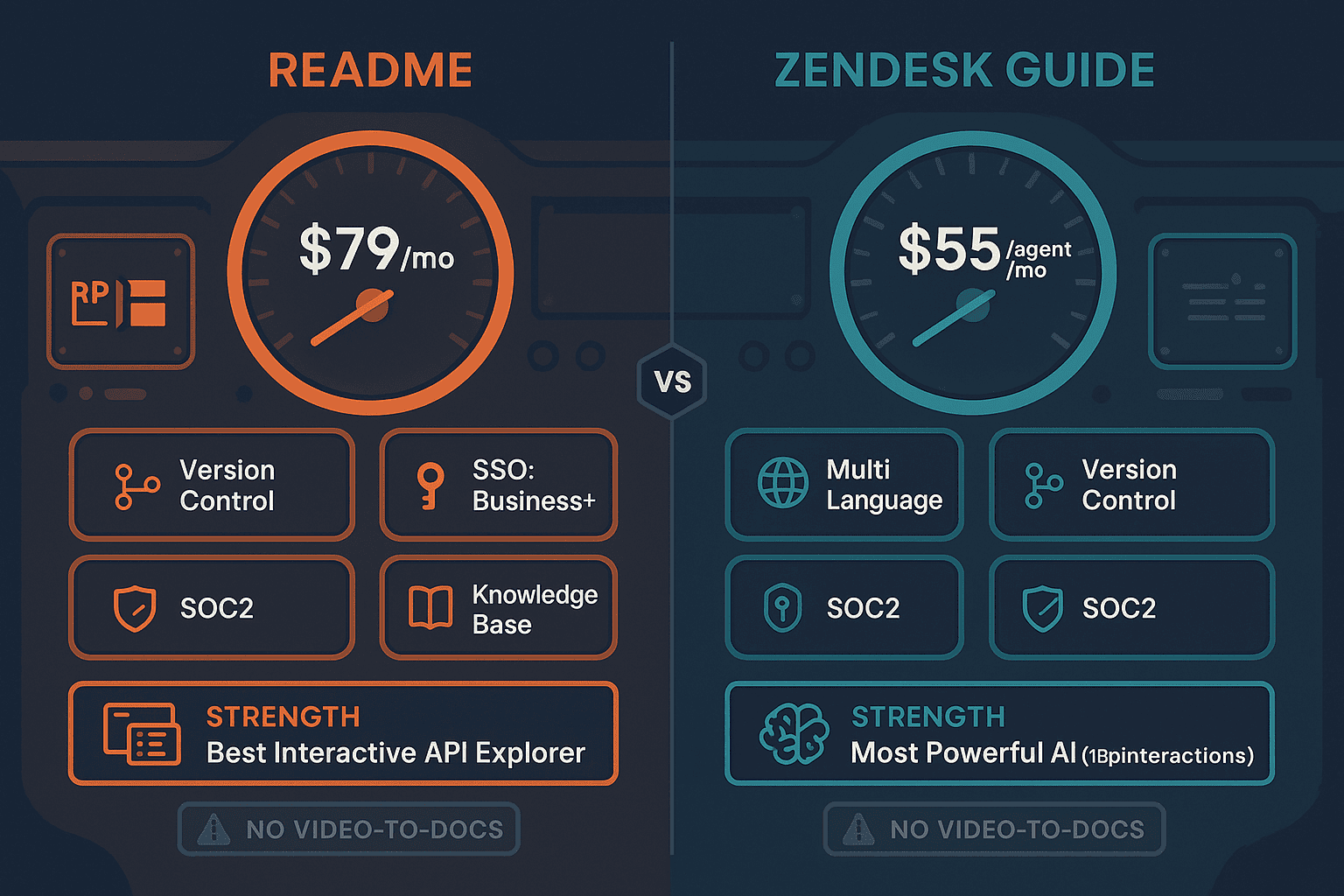
ReadMe and Zendesk Guide are both strong products, but they serve almost entirely different markets—ReadMe for developer-facing API documentation portals, and Zendesk Guide for customer support help centers bundled with ticketing.
Feature Matrix
A comprehensive feature-by-feature comparison across API documentation, help center capabilities, AI features, versioning, multi-language support, and enterprise security for both platforms.
| Feature |
ReadMe
|
Zendesk Guide
|
|---|---|---|
| Interactive API Explorer | ||
| OpenAPI / Swagger Support | ||
| Knowledge Base / Help Center | ||
| AI Content Generation | Agent Owlbert (Business+) | Trained on 18B+ interactions |
| AI Chatbot / Ask AI Search | Ask AI (Business+) | Autonomous AI Agents (add-on) |
| Video to Documentation | ||
| Version Control | ||
| API Versioning (Multi-Version Hubs) | ||
| Multi-Language Support | ||
| Auto-Translation | ||
| Multi-Tenant Client Portals | ||
| Custom Domain | ||
| Custom Branding | ||
| Embeddable Widget | ||
| Helpdesk / Ticketing Integration | Native (Zendesk is the helpdesk) | |
| Ticket Deflection Analytics | ||
| Approval Workflows | Business+ | |
| SSO (SAML / OAuth) | Business+ | |
| SOC 2 Compliance | ||
| GDPR Compliance | ||
| API Access | ||
| Changelog Management | ||
| Collaboration & Comments | ||
| Real-Time Editing | Enterprise only | |
| Content Reuse / Snippets | ||
| Analytics & Reporting | ||
| Standalone Purchase (No Bundle Required) | ||
| Free Plan Available | ||
| Built-in LMS / Course Builder |
Data as of February 2026. Features are based on publicly available information and vendor documentation. Zendesk Guide is not sold standalone and requires a Zendesk Suite subscription starting at $55/agent/month.
Strengths & Weaknesses
Deep Dive
ReadMe and Zendesk Guide are built for fundamentally different audiences. ReadMe serves developer relations teams creating interactive API portals—its live API explorer lets developers test endpoints directly inside the docs, and its versioned developer hubs manage complex multi-version API lifecycles. Zendesk Guide serves customer support teams building self-service help centers tightly integrated with ticketing workflows. There is almost no overlap in their ideal use cases. Choosing between them starts with answering a single question—are you documenting APIs for developers, or building a customer support knowledge base?
Both tools have invested heavily in AI, but their approaches differ sharply. ReadMe's Agent Owlbert (launched October 2025) focuses on documentation quality—linting content, enforcing style consistency, auditing docs for completeness, and powering Ask AI developer search. It is content-quality AI. Zendesk Guide's AI is support-resolution AI—trained on 18 billion customer interactions, it powers Autonomous AI Agents that deflect tickets, detect customer intent, and resolve issues without human agents. Zendesk's AI is deeper for support automation; ReadMe's AI is more useful for developer-facing documentation quality. Neither tool offers AI-driven video conversion or autonomous content generation pipelines.
ReadMe uses a per-project pricing model with a functional free tier (1 project, 5 admins). Paid plans start at $79/month (Startup) and $349/month (Business, required for AI features). Enterprise pricing begins at $3,000+/month. Zendesk Guide is not sold standalone—it is bundled with Zendesk Suite starting at $55/agent/month. For a 20-agent support team, that is a minimum of $1,100/month before any AI add-ons ($50/agent/month each). The pricing structures serve different buyers entirely—ReadMe scales by project complexity, while Zendesk scales by support team headcount. Both become expensive at enterprise scale.
ReadMe excels at API versioning—it supports branched, multi-version developer hubs where each API version has its own documentation set. Collaboration features include real-time editing, comments, and review workflows (Business+). Zendesk Guide offers content approval workflows, team publishing, and a structured article review process suited for support content governance. Both tools support content reuse and have analytics, but neither offers the multi-tenant portal architecture needed for delivering separate branded knowledge bases to different client organizations. Both also lack built-in LMS capabilities, meaning training and certification workflows require separate tools.
Our Recommendation
ReadMe and Zendesk Guide are both strong products, but they serve almost entirely different markets—ReadMe for developer-facing API documentation portals, and Zendesk Guide for customer support help centers bundled with ticketing. The decision between them is rarely difficult because the use cases are so distinct. The harder question is whether either tool actually fits your needs, especially if you are managing implementation documentation, multi-client knowledge delivery, or need to convert existing video training content into structured knowledge bases.
Choose ReadMe if you need...
Choose Zendesk Guide if you need...
Choose Docsie if you need...
Winner: Docsie
Neither ReadMe nor Zendesk Guide can convert existing training videos into documentation, deliver structured knowledge bases to multiple client organizations through branded portals, or provide a built-in LMS with certifications and compliance monitoring. Docsie's six-pillar CONVERT → MANAGE → DELIVER → LEARN → AUTOMATE → MONITOR framework addresses all of these gaps in a single platform—making it the superior choice for implementation partners, consulting firms, and enterprise teams that need to manage and deliver knowledge at scale across multiple clients and use cases.
Decision Helper
A direct framework for picking between ReadMe, Zendesk Guide, and Docsie based on your specific needs.
Developer hub specialised in interactive API documentation.
Help center bundled inside the Zendesk support suite.

Convert real video into searchable docs, then deploy multi-tenant portals.
Common Questions
Q: Can ReadMe be used as a customer support help center like Zendesk Guide?
A: Not effectively. ReadMe is purpose-built for developer-facing API documentation portals—its core features (interactive API explorer, versioned developer hubs, OpenAPI support) have no relevance to customer support workflows. Zendesk Guide is deeply integrated with ticketing, ticket deflection analytics, and autonomous AI agents trained on support interactions. If your primary need is a customer help center with support workflow integration, ReadMe is the wrong tool.
Q: Can Zendesk Guide be used for API documentation like ReadMe?
A: No. Zendesk Guide has no interactive API explorer, no OpenAPI/Swagger import, no API versioning, and no developer portal features. It is a structured knowledge base for customer support content. Additionally, Zendesk Guide is not sold standalone—you must purchase the full Zendesk Suite starting at $55/agent/month, even if you only need documentation.
Q: Which tool has better AI features—ReadMe or Zendesk Guide?
A: They have different AI strengths. ReadMe's Agent Owlbert (launched October 2025) focuses on documentation quality—linting, style enforcement, and Ask AI developer search. Zendesk Guide's AI is trained on 18 billion customer interactions and powers Autonomous AI Agents that resolve support tickets without human intervention. For documentation quality AI, ReadMe wins; for support automation AI, Zendesk Guide is in a class of its own. Note that ReadMe's AI requires the Business tier ($349/month), while Zendesk's Autonomous AI Agents are add-ons at $50/agent/month.
Q: Does either ReadMe or Zendesk Guide support multi-tenant client portals?
A: Neither tool supports multi-tenant portal delivery where one knowledge base powers separate branded documentation portals for different client organizations. ReadMe offers a single developer portal per project, and Zendesk Guide delivers a single help center per account. For agencies, consultancies, or SaaS companies needing to deliver separate knowledge bases to multiple client organizations, both tools require workarounds or separate instances.
Q: Is there a better alternative to both ReadMe and Zendesk Guide?
A: Yes—Docsie is built for use cases that neither ReadMe nor Zendesk Guide address well. Docsie converts any video (training recordings, screen captures, real-world footage), PDFs, and websites into structured documentation using multimodal AI, then delivers that knowledge through multi-tenant branded portals to multiple clients simultaneously. It includes a built-in LMS with course builder, quizzes, and certifications, autonomous agents for touchless documentation workflows, 100+ language auto-translation, and real-time compliance monitoring for HIPAA, SOX, ITAR, and GDPR—all on private infrastructure. For implementation partners, consulting firms, and enterprise teams managing multi-client knowledge delivery, Docsie covers what both ReadMe and Zendesk Guide cannot.
Q: How do the pricing models compare at scale?
A: ReadMe charges per project with plans from $79/month (Startup) to $3,000+/month (Enterprise), with AI features locked behind the $349/month Business tier. Zendesk Guide requires the full Zendesk Suite starting at $55/agent/month—a 20-agent team pays $1,100+/month before any AI add-ons. Docsie uses workspace-based pricing starting at $199/month (Premium, 15 users) and $750/month (Organization, 90 users) with AI credits instead of per-seat fees, making it significantly more cost-effective for larger teams delivering documentation to multiple clients.
Docsie does what neither ReadMe nor Zendesk Guide can—convert your training videos, PDFs, and websites into structured knowledge bases, deliver them through unlimited branded client portals, and manage the full knowledge lifecycle with built-in LMS, autonomous agents, 100+ language translation, and real-time compliance monitoring. One platform. Six pillars. No per-seat pricing inflation.
Free plan includes AI credits to convert a 10-minute training video. No credit card required.