
4.8
on G2
 Guidde
 Tango
Tango
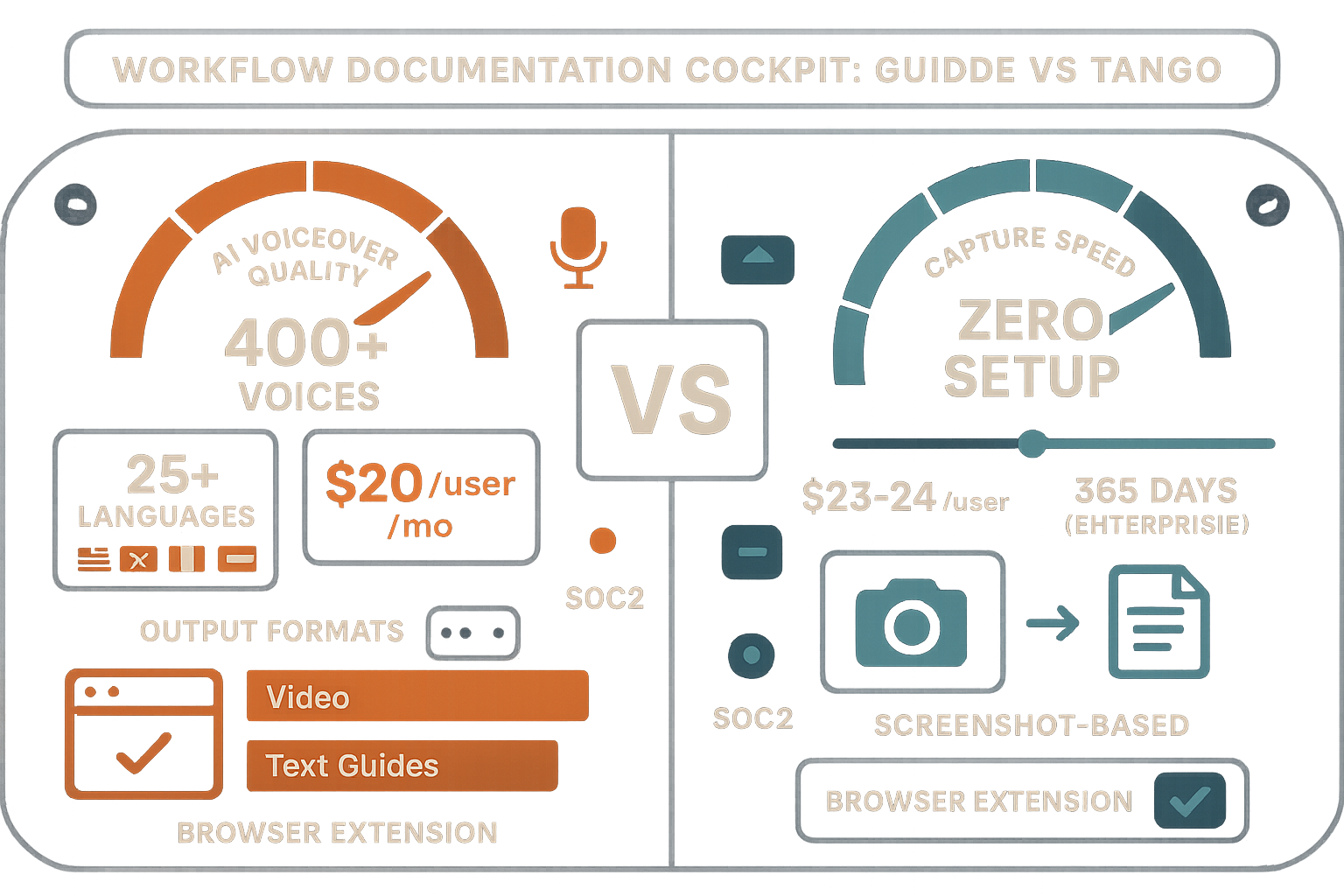
Guidde and Tango both help teams document workflows, but their outputs differ fundamentally. Guidde produces polished AI-voiced tutorial videos from screen recordings, while Tango creates screenshot-based step-by-step guides optimized for browser workflows. Both are capture-first tools that require you to create new content rather than converting existing materials.

Feature Matrix
A comprehensive comparison of capabilities between Guidde and Tango across documentation, AI features, enterprise readiness, and delivery.
| Feature |
Guidde
|
Tango
|
|---|---|---|
| Primary Output Format | AI-voiced video + text guide | Screenshot-based steps |
| Screen Recording Capability | ||
| Screenshot Capture | ||
| Browser Extension | ||
| Desktop Capture | Business+ ($35/mo) | Pro+ ($24/mo) |
| Video Upload/Conversion | ||
| Real-World Video Support | ||
| AI Voiceover | 200+ voices (400+ Enterprise) | |
| Magic Mic (narrate while recording) | ||
| Audio Transcription | ||
| Computer Vision / OCR | ||
| AI Content Generation | ||
| In-App Guided Walkthroughs | Yes (Nuggets) | |
| Multi-Language Support | 50+ languages | |
| Auto-Translation | Enterprise only | |
| Version Control | Limited (14-365 days) | |
| Knowledge Base Portal | ||
| Multi-Tenant Portals | ||
| Custom Domain | ||
| API Access | ||
| SSO (SAML) | Enterprise only | Enterprise only |
| SOC 2 Compliance | Type II | |
| GDPR Compliance | ||
| Free Plan | 25 videos | 15 workflows (10 users) |
| Starting Price | $16/creator/mo | $23/user/mo |
Data as of February 2026. Both tools focus on creating new documentation from captures, not converting existing video libraries.
Strengths & Weaknesses
Deep Dive Analysis
An in-depth examination of four key areas where these workflow documentation tools differ significantly.
Guidde produces AI-voiced tutorial videos plus accompanying text guides, making it ideal for customer-facing training and product walkthroughs where polished video presentation matters. Tango generates screenshot-based step-by-step guides optimized for internal SOPs and browser workflow documentation. If your audience prefers video, Guidde delivers superior production quality with 400+ studio voices. If your team needs quick reference guides they can skim, Tango's screenshot format is faster to consume. Neither tool can convert existing video libraries—both require capturing new content from scratch through their browser extensions.
Guidde's AI excels at voiceover generation and content polish, offering Magic Mic for narration-during-recording and auto-generated descriptions in 50+ languages (Enterprise). Tango uses AI for step detection and content suggestions but has no voice or audio processing. Critically, neither tool employs computer vision, OCR, or multimodal AI—they only process what they directly capture. This means you cannot feed them existing training videos, Zoom recordings, or Loom content. Both are capture-only tools, not conversion platforms. Guidde's AI investment prioritizes video production quality; Tango's focuses on workflow automation within CRM tools like Salesforce.
Both tools offer SOC 2 compliance and SAML SSO at Enterprise tiers, but neither provides robust enterprise knowledge management. Guidde caps its Business plan at 5 creators, forcing costly Enterprise upgrades for growing teams. Tango's per-user pricing inflates costs for large organizations. Neither offers multi-tenant portals for client documentation delivery, version control for regulatory compliance, or API access for custom integrations. Guidde provides better documentation infrastructure with its knowledge base feature; Tango is pivoting toward CRM automation and away from pure documentation. For regulated industries needing audit trails, data residency, or advanced version management, both tools fall short.
Guidde supports 50+ languages with auto-translation available on Enterprise plans, making it viable for global product documentation when combined with its AI voiceovers in 200+ voices. Tango has zero multi-language support—no translation, no localization infrastructure. For companies needing multilingual documentation at scale, Guidde is the only option between these two, though its translation features are locked behind expensive Enterprise pricing. However, both tools lack the structured localization workflows (language inheritance, translation memory, regional versioning) that true enterprise documentation platforms provide. Guidde's strength here is relative, not absolute.
Our Recommendation
Guidde and Tango serve different niches within workflow documentation. Guidde excels at creating polished, AI-voiced tutorial videos for customer-facing content, while Tango provides fast screenshot-based guides for internal browser workflows and is pivoting toward CRM automation.
Choose Guidde if you need...
Choose Tango if you need...
Choose Docsie if you need...
Winner: Docsie
Guidde and Tango solve the 'create new documentation' problem, but most enterprises have a bigger challenge: converting 50-500 hours of existing training videos, Zoom recordings, and real-world process footage into structured, searchable knowledge bases. Docsie's multimodal AI (computer vision + audio transcription + OCR) converts any video—not just screen captures—into documentation, then delivers it through multi-tenant portals across 100+ languages. Neither Guidde nor Tango offers video conversion, multi-tenant delivery, or enterprise knowledge orchestration. For consultancies, implementation partners, and enterprises with existing video libraries, Docsie eliminates the need to re-record everything from scratch.
Common Questions
Q: Can Guidde or Tango convert my existing training videos into documentation?
A: No. Both Guidde and Tango are capture-first tools that require you to create new content using their browser extensions. Neither can upload or process existing video files. If you have a library of training videos, Zoom recordings, or Loom content, you'll need a video-to-documentation platform like Docsie, which uses multimodal AI to convert any video format into structured documentation.
Q: Which tool is better for customer-facing documentation?
A: Guidde is better suited for customer-facing content because it produces polished, AI-voiced videos with branded players and custom themes. Tango's screenshot-based guides lack the production quality for external audiences and have no video capability. However, neither offers multi-tenant portals for client delivery—you're limited to sharing links or embedding content.
Q: Does Tango have any video features?
A: No. Tango is exclusively screenshot-based with no video recording, playback, or processing capabilities. It captures browser workflows as still images with annotations. If you need video output, Guidde is the only option between these two tools.
Q: Is there a better alternative to both Guidde and Tango?
A: Yes—Docsie offers a fundamentally different approach. While Guidde and Tango require you to capture new workflows through browser extensions, Docsie converts your existing video assets (training recordings, product demos, real-world footage) into structured documentation using computer vision and AI. Docsie then delivers that content through multi-tenant enterprise portals with version control, 100+ language translation, and SOC 2 compliance—capabilities neither Guidde nor Tango provides.
Q: Which tool is more affordable for teams?
A: Guidde starts at $16/creator/month and Tango at $23/user/month, making Guidde slightly cheaper at entry level. However, Guidde's Business plan caps at 5 creators, forcing Enterprise upgrades for growing teams. Both use per-seat pricing that inflates costs at scale. Docsie's workspace-based pricing ($199/month for 15 users) becomes more economical for teams larger than 5-7 people.
Q: Do Guidde or Tango offer multi-tenant portals for client documentation?
A: No. Neither tool provides multi-tenant architecture for delivering branded documentation portals to multiple clients from a single knowledge base. Both are designed for internal use or simple link sharing. If you're a consultancy, implementation partner, or MSP needing to deliver documentation to multiple clients with separate branding and access controls, you'll need an enterprise documentation platform like Docsie.
Q: Can I use Guidde and Tango together?
A: Technically yes, but it's redundant. Both tools capture browser workflows—Guidde as video, Tango as screenshots. Most teams choose one based on output preference. However, if you need to convert the videos created by Guidde into searchable text documentation with version control, you could feed them into Docsie, though Docsie's own video processing capabilities would make the Guidde step unnecessary.
Guidde and Tango help you capture new workflows, but they can't convert your existing video library into documentation or deliver it through multi-tenant enterprise portals. Docsie transforms any video—training recordings, product demos, real-world processes—into structured knowledge bases using multimodal AI, then delivers them across 100+ languages to unlimited client portals. Stop re-recording everything from scratch.
No credit card required. Free AI credits to convert a 10-minute training video.
Start creating professional documentation that your users will love