
4.8
on G2
 Guidde
 Scribe
Guidde creates AI-narrated video tutorials from screen recordings, while Scribe generates step-by-step screenshot guides. Both tools capture browser workflows but produce fundamentally different outputs. This detailed comparison helps you understand which tool fits your documentation needs—or whether you need a more comprehensive solution.
Feature Matrix
A comprehensive comparison of capabilities between Guidde and Scribe for documentation creation.
| Feature |
Guidde
|
Scribe
|
|---|---|---|
| Primary Output Format | AI-voiced video tutorials | Annotated screenshot guides |
| Screen Recording | ||
| Browser Extension | ||
| Desktop Capture | Business+ plan | Pro+ plan |
| Video Output | ||
| AI Voiceover | 200+ voices (400+ Enterprise) | |
| Magic Mic (Record + Narrate) | ||
| AI Content Generation | ||
| Video-to-Docs Conversion | ||
| Real-World Video Support | ||
| Knowledge Base Portal | Basic | |
| Version Control | ||
| Multi-Language Support | 50+ languages | Translation available |
| Auto-Translation | Enterprise only | |
| Custom Branding | Pro+ | |
| Custom Domain | ||
| Multi-Tenant Portals | ||
| API Access | ||
| SSO | Enterprise only | Enterprise only |
| SOC 2 Compliance | ||
| GDPR Compliance | ||
| HIPAA Features | Enterprise (PHI redaction) | |
| Analytics | Enterprise only | Pro Team+ |
| Approval Workflows | Pro Team+ | |
| Free Plan | 25 videos | Browser capture only |
| Starting Price | $16/creator/month | $15/user/month (5 min) |
Data as of February 2026. Features based on publicly available information from guidde.com and scribehow.com.
Strengths & Weaknesses
Deep Dive
An in-depth look at the key differences between these screen capture documentation tools.
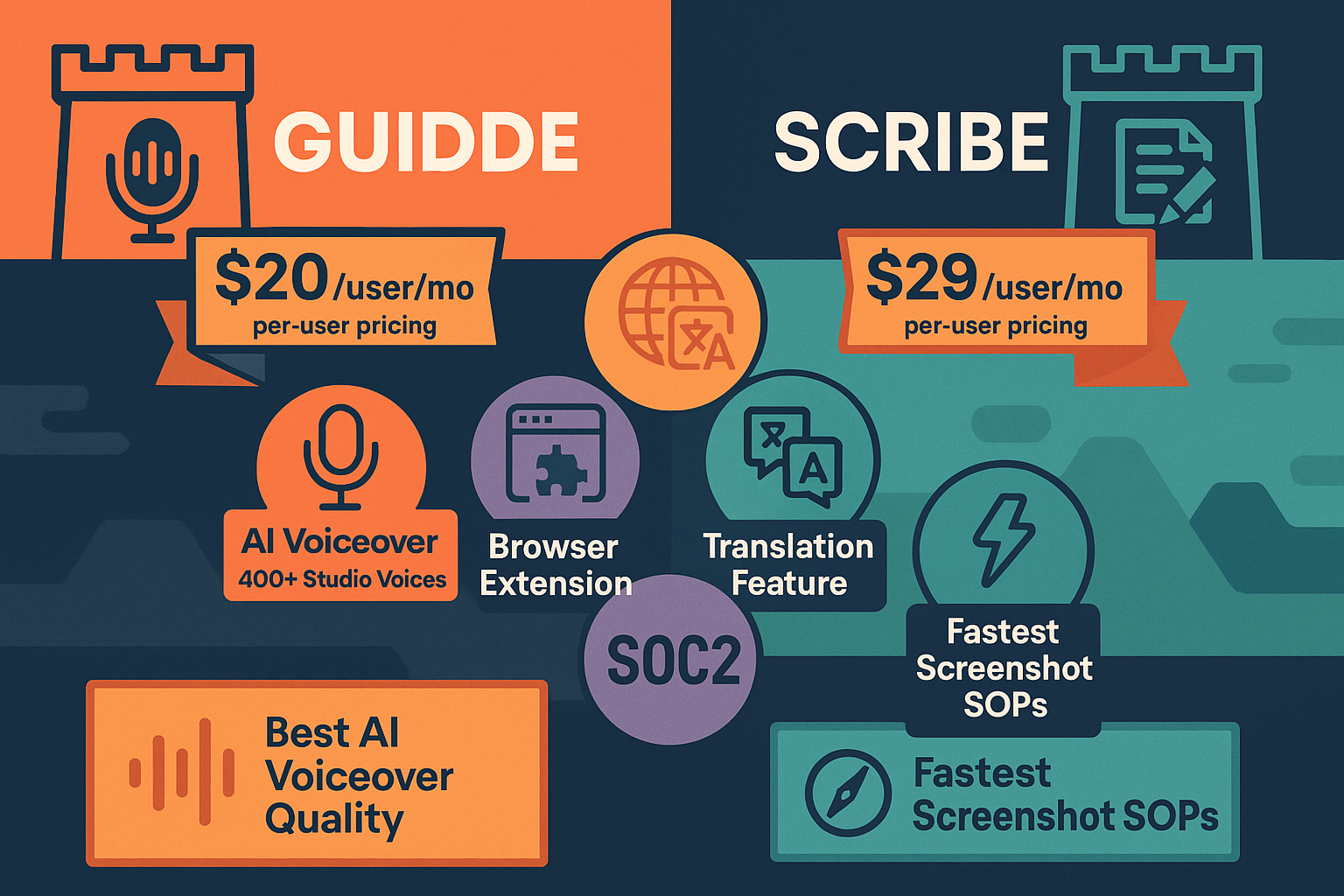
Guidde produces polished video tutorials with AI voiceovers in 400+ voices, making them engaging for customer-facing use cases. Scribe generates annotated screenshot guides that are faster to scan for internal SOPs. Video is better for complex visual processes and training, while screenshots work well for quick reference guides. However, neither tool can convert existing training videos into documentation—they only capture new workflows. This limitation means your existing video library remains untapped.
Guidde targets customer success teams creating product tutorials and training content for external audiences. The branded video player and custom CTAs support marketing objectives. Scribe focuses on internal operations—HR onboarding, IT documentation, and cross-functional SOPs. While Guidde can serve internal needs, its video output is less searchable than Scribe's text-based guides. Neither tool offers multi-tenant portals, limiting their ability to serve multiple clients or departments from a single knowledge base.
Guidde charges per creator ($16–$44/month), making it expensive for large content teams but affordable for small groups. The Business plan caps at 5 creators, forcing enterprises into custom pricing. Scribe charges per user ($15/month minimum 5 seats) with reported Enterprise costs of $18K+ annually. Both models scale poorly—a 50-person team would pay $800–$2,200/month on Guidde or $750/month minimum on Scribe. Neither offers workspace-based pricing that better aligns costs with value for enterprise documentation programs.
Guidde supports 50+ languages with auto-translation and multi-language voiceovers, but only on the Enterprise tier. Scribe offers translation features but no sophisticated localization management. Both tools provide SOC 2 compliance and SSO on Enterprise plans. Scribe adds HIPAA-ready PHI redaction for healthcare use cases. However, neither offers the comprehensive governance features enterprises need: no version control, no multi-tenant architecture, no approval workflows (except Scribe's basic team review), and no API access for automation. These gaps limit both tools' viability as enterprise knowledge platforms.
Our Recommendation
Guidde and Scribe are both excellent screen capture tools but serve different needs. Guidde creates engaging video tutorials ideal for customer-facing training. Scribe generates fast, scannable screenshot guides perfect for internal SOPs. Neither is a complete documentation platform.
Choose Guidde if you need...
Choose Scribe if you need...
Choose Docsie if you need...
Winner: Docsie
Both Guidde and Scribe only capture new screen workflows—they can't convert your existing video library. Neither offers multi-tenant portals, version control, or true enterprise knowledge management. Docsie fills these gaps by converting any video into structured documentation and delivering it through branded portals across 100+ languages, making it the superior choice for organizations with substantial training content and multiple client or departmental audiences.
Common Questions
Q: What's the main difference between Guidde and Scribe?
A: Guidde creates AI-narrated video tutorials from screen recordings, while Scribe generates annotated screenshot guides. Guidde is video-first and better for engaging customer training; Scribe is text-first and better for quick-reference internal SOPs. Both capture new workflows but can't process existing videos.
Q: Can either tool convert existing training videos into documentation?
A: No. Both Guidde and Scribe only work with new screen captures made through their browser extensions. Neither can upload or process existing video files, meaning your library of training videos, Loom recordings, or real-world footage can't be converted into documentation with either tool.
Q: Which tool is better for enterprise use?
A: Both offer basic enterprise features (SOC 2, SSO) but lack comprehensive capabilities. Scribe has an edge with approval workflows and PHI redaction for healthcare. However, neither provides version control, multi-tenant portals, or API access—critical gaps for true enterprise knowledge management at scale.
Q: Is there a better alternative to both Guidde and Scribe?
A: Yes—Docsie addresses the core limitations both tools share. Docsie converts any existing video (not just new screen captures) into structured documentation using computer vision and AI transcription. It then delivers this content through multi-tenant branded portals with version control, 100+ language translation, and enterprise governance. It's the only platform that handles the complete documentation lifecycle: convert, manage, and deliver.
Q: Can I use Guidde and Scribe together?
A: Technically yes—you could use Guidde for video tutorials and Scribe for screenshot SOPs. However, managing two separate tools increases complexity and cost without solving the fundamental problem: neither converts existing videos or provides enterprise knowledge management. A unified platform like Docsie is more efficient and cost-effective.
Q: How much does each tool cost for a 20-person team?
A: Guidde charges per creator: 20 creators × $16/month = $320/month minimum (forces Enterprise tier due to 5-creator Business cap). Scribe charges per user: 20 users × $15/month = $300/month on Pro Team. Both scale linearly per person. Docsie's workspace-based pricing at $199/month for Premium (15 users) or $750/month for Organization (90 users) costs significantly less at scale.
Guidde and Scribe are great for capturing new workflows, but they can't convert your existing training videos or deliver documentation through multi-tenant portals. Docsie solves both problems—turn 200 hours of training videos into searchable, multi-client knowledge bases without a single technical writer. Get enterprise-grade version control, 100+ language translation, and branded portals that scale to thousands of sites.
Free plan includes AI credits to convert a 10-minute training video. No credit card required. See how Docsie handles video-to-docs in minutes.
Start creating professional documentation that your users will love