
4.8
on G2
 Docsie
 Tango
Tango
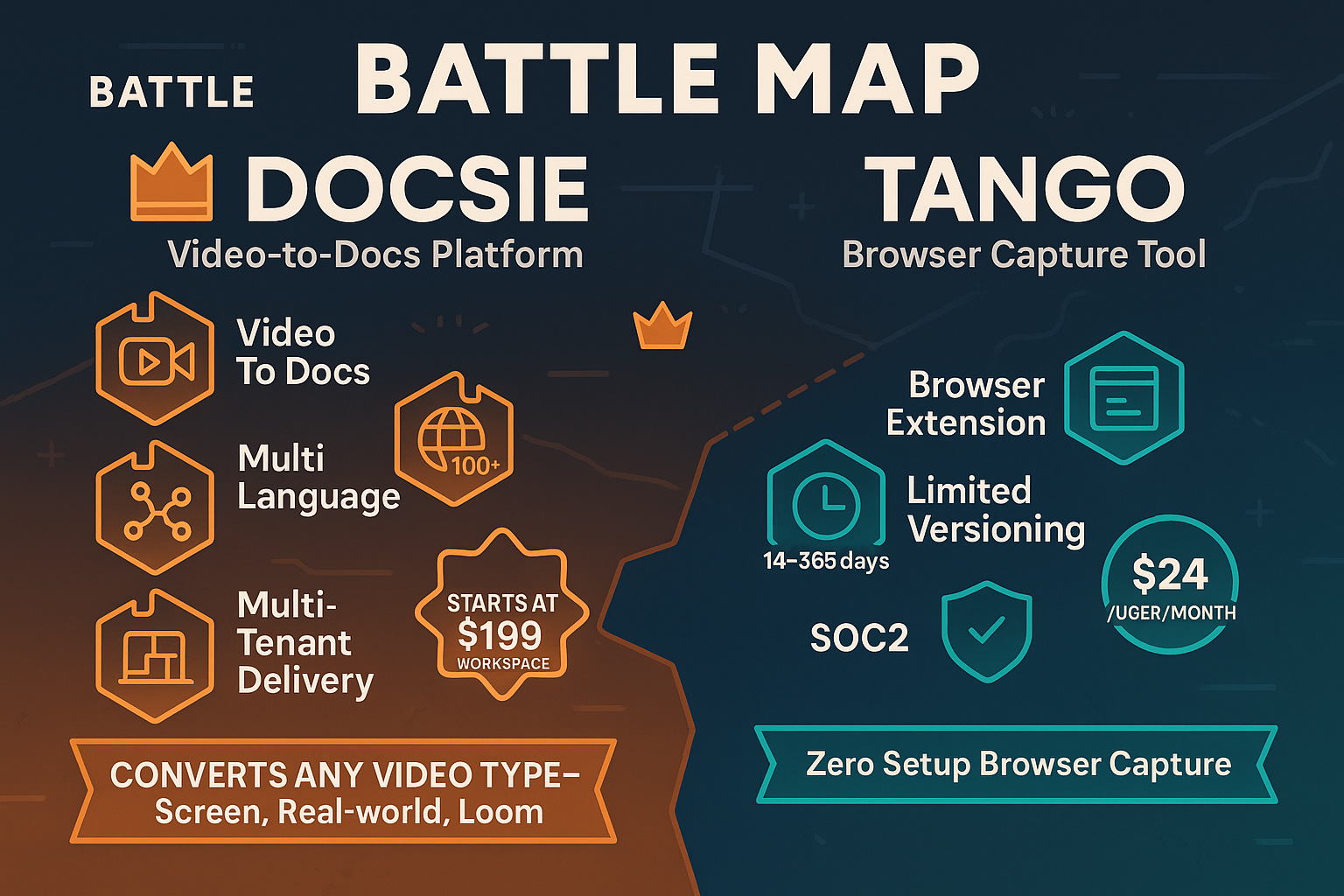
Docsie and Tango both help teams document workflows, but serve fundamentally different purposes. Docsie converts any video into structured knowledge bases with multi-tenant portals, while Tango captures browser workflows as screenshot guides.

Feature Matrix
A comprehensive comparison of capabilities between Docsie's knowledge orchestration platform and Tango's workflow capture tool.
| Feature |
Docsie
Our Pick
|
Tango
|
|---|---|---|
| Video to Documentation | ||
| Real-World Video Support | ||
| Screenshot Capture | ||
| Browser Extension | ||
| Computer Vision / OCR | ||
| Audio Transcription | ||
| AI Content Generation | ||
| Multi-Language Support | 100+ | |
| Auto Translation | ||
| Version Control | 14 days Pro, 365 Enterprise | |
| Knowledge Base Portal | ||
| Multi-Tenant Portals | ||
| Custom Domain | ||
| White Labeling | ||
| AI Chatbot | ||
| In-App Guidance | ||
| API Access | ||
| SSO | Enterprise only | |
| SOC 2 Compliance | ||
| Analytics | Pro+ |
Data as of February 2026. Features are based on publicly available information and vendor documentation.
Strengths & Weaknesses
Deep Dive
An in-depth analysis of the key areas where these platforms differ in approach and capabilities.
Docsie provides a complete knowledge orchestration platform with hierarchical structure (Shelves → Books → Articles), full version control, content reuse, and multi-language translation. Tango focuses on simple workflow capture with screenshot-based guides. Docsie excels at converting existing video libraries into searchable documentation, while Tango requires creating new captures for each workflow. For teams with legacy training content or complex documentation hierarchies, Docsie offers substantially more depth. Tango is better suited for quick, internal browser-workflow documentation without knowledge management needs.
Docsie employs multimodal AI combining computer vision, OCR, and audio transcription to understand any video content and generate structured documentation automatically. Its agentic AI chatbot uses tool calls rather than RAG for more accurate responses. Tango uses AI primarily for suggesting step descriptions and automatic PII blurring in enterprise plans. Docsie's AI handles complex video analysis including real-world footage and multiple audio tracks, while Tango's AI focuses on optimizing screenshot-based guides. Neither offers AI voiceover, but Docsie's voice avatar feature is on the roadmap. For teams needing to process diverse video sources, Docsie's AI capabilities are significantly more advanced.
Docsie delivers enterprise-grade capabilities including SOC 2 Type II compliance, SAML/OAuth/OIDC SSO, data residency options, audit logs, granular permissions, and 99.9% uptime SLA. Its multi-tenant architecture enables serving thousands of branded portals from a single knowledge base. Tango offers SOC 2 compliance and basic SSO (SAML/SCIM) on enterprise plans, but lacks audit logs, data residency, and multi-tenant delivery. Tango's enterprise features focus on automatic PII blurring and extended version history (365 days). For regulated industries or consulting firms serving multiple clients, Docsie provides the security, governance, and delivery infrastructure that enterprise buyers require.
Docsie offers comprehensive API access, webhooks, embeddable widgets, AI chatbots, helpdesk integrations, and custom JavaScript/CSS for full white-labeling. Its ecosystem supports video, PDF, website, and markdown imports, with outputs to branded portals, chatbots, and widgets. Tango provides embeddable widgets and integrations for sharing guides to Slack, Zendesk, and similar tools, but no public API for custom integrations. Tango's Chrome extension is its core integration point. For teams building documentation into existing workflows or products, Docsie's API-first architecture and delivery options provide far more flexibility than Tango's closed ecosystem focused on guide distribution.
Our Recommendation
Docsie and Tango address different documentation challenges with minimal overlap. Docsie converts existing video content into structured, multilingual knowledge bases deliverable through multi-tenant portals. Tango captures new browser workflows as screenshot guides for internal use. The choice depends on whether you need knowledge management infrastructure or simple workflow capture.
Choose Docsie if you need...
Choose Tango if you need...
Winner: Docsie
For organizations with existing video content, multi-client delivery needs, or enterprise knowledge management requirements, Docsie provides a comprehensive platform that Tango's workflow capture tool cannot match. Docsie's ability to process any video source and deliver through multi-tenant portals makes it ideal for consulting firms, implementation partners, and enterprises managing documentation at scale.
Common Questions
Q: Can Tango convert existing training videos into documentation?
A: No. Tango only captures new browser workflows through its Chrome extension as screenshot-based guides. It cannot process existing video files. Docsie specializes in converting any video format (MP4, MOV, AVI, WebM) from any source—including training videos, product demos, and real-world footage—into structured text documentation using multimodal AI.
Q: Does Docsie have a browser extension like Tango?
A: No, Docsie does not currently offer a browser extension for live screen capture. Docsie focuses on converting existing video content rather than real-time capture. Teams needing live capture can use tools like Loom or OBS and then import those recordings into Docsie for documentation generation and knowledge base delivery.
Q: Which tool is better for multi-client consulting firms?
A: Docsie is purpose-built for this use case with multi-tenant portals that allow one knowledge base to power unlimited client-branded documentation sites. Tango has no multi-tenant capabilities and is designed for internal workflow documentation only. SAP, Workday, and Salesforce consultancies typically choose Docsie for client delivery infrastructure.
Q: How do pricing models compare between Docsie and Tango?
A: Tango charges per user ($23-24/user/month on Pro), which scales expensively for large teams. Docsie uses workspace-based pricing with AI credits ($199/month Premium for 15 users, $750/month Organization for 90 users), making it more cost-effective at scale. Tango's free plan covers 15 workflows for up to 10 users; Docsie's free plan includes AI credits to convert a 10-minute video.
Q: Can I use Tango for multilingual documentation?
A: No. Tango does not support translation or multi-language capabilities. Guides are created in a single language only. Docsie offers automatic translation to 100+ languages with AI, making it the clear choice for global teams or organizations serving international clients with multilingual documentation requirements.
Q: Is Tango pivoting away from documentation?
A: Yes. Tango is increasingly focused on CRM automation (Salesforce, HubSpot integrations) and has deprioritized its documentation features on its product roadmap. This strategic shift makes Tango a riskier long-term choice for teams whose core need is documentation infrastructure. Docsie remains dedicated to knowledge orchestration as its primary focus.
See why consulting firms and enterprises choose Docsie for knowledge orchestration and multi-client documentation delivery.
No credit card required. Free AI credits to convert your first training video.
Start creating professional documentation that your users will love