
4.8
on G2
 Docsie
 ScribeHow
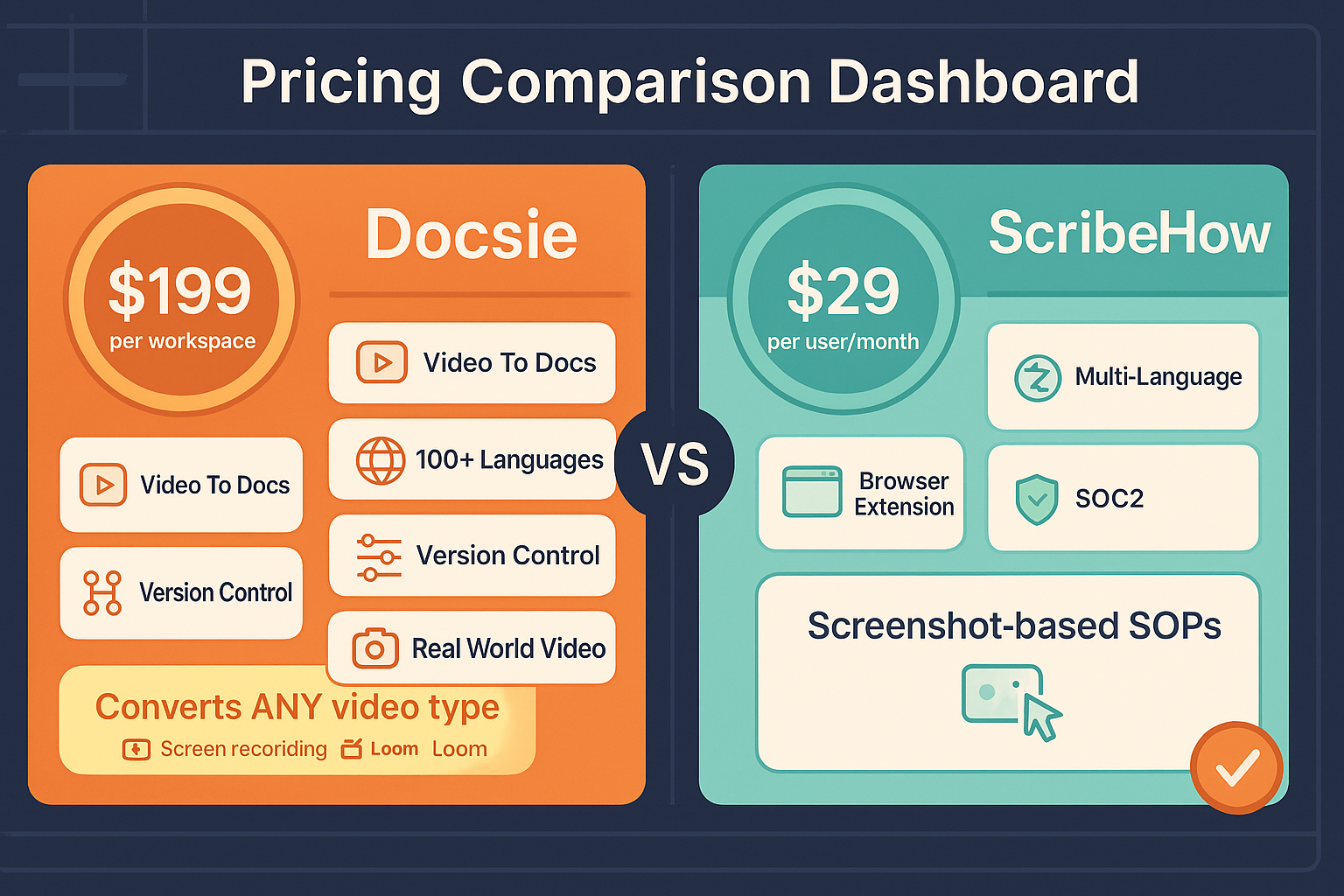
Docsie and ScribeHow take fundamentally different approaches to pricing. Docsie uses workspace-based pricing with AI credits for video-to-documentation conversion, while ScribeHow charges per-user for screen capture guides. This comparison breaks down costs, scalability, and hidden fees to help you choose the best value.

Pricing Plans
A detailed comparison of pricing tiers, features included at each level, and total cost of ownership for teams of different sizes.
Docsie offers superior value for teams needing documentation at scale. Workspace-based pricing with AI credits avoids per-seat inflation, and you get a complete knowledge orchestration platform instead of just screen capture guides. ScribeHow's per-user pricing becomes expensive quickly—a 20-person team pays $3,600/year minimum on Pro Team, while Docsie Premium serves 15 users for $2,040/year with video conversion, multi-tenant portals, and enterprise features ScribeHow reserves for custom Enterprise pricing.
Value Comparison
Feature-by-feature breakdown of what's included in each pricing tier, showing how value scales across both platforms.
| Feature / Capability |
Docsie
Better Value
|
ScribeHow
|
|---|---|---|
| Free Plan Features | 10-min video conversion, AI search, unlimited viewers | Browser capture, watermark, basic sharing |
| Video-to-Documentation Conversion | Premium+ (300K credits/mo) | Not available |
| Screen Capture Documentation | Not included | Pro Personal+ ($29/user) |
| Desktop Capture (not just browser) | N/A | Pro Personal+ ($29/user) |
| Remove Watermark/Branding | All paid plans | Pro Personal+ ($29/user) |
| Users Included | 15 (Premium), 90 (Organization) | Per-seat pricing all tiers |
| Multi-Tenant Customer Portals | Premium+ (3 sites) | Not available any tier |
| Custom Domain Support | Premium+ (3 domains) | Not available |
| AI Chatbot | Premium+ | Not available |
| Version Control | Premium+ | Not available |
| Auto-Translation (100+ languages) | Premium+ (80K/month) | Enterprise only |
| API Access | Organization+ | Not available |
| SSO (SAML/OAuth) | Organization+ | Enterprise only |
| Team Workspace & Collaboration | All paid plans | Pro Team+ (min 5 seats) |
| Analytics & Reporting | Organization+ | Pro Team+ |
Pricing as of February 2026. ScribeHow Enterprise pricing based on reported range of $18,000-$39/user/year. Docsie pricing is transparent and published.
Pricing Analysis
Deep Dive
Three critical dimensions for evaluating documentation platform pricing beyond the sticker price—total cost of ownership, scaling economics, and hidden fees.
Docsie Premium at $199/month includes 15 users, video-to-documentation conversion with 300K AI credits (~5 hours of video), multi-tenant portals, custom domains, AI chatbot, version control, 100+ language translation, and enterprise features like SSO and analytics. ScribeHow Pro Team at $15/seat requires minimum 5 seats ($75/month), offers only screen capture guides with no video processing, no customer portals, no version control, and no API access—with translation and SSO locked to Enterprise pricing. For a 15-person team, Docsie costs $199/month total while ScribeHow costs $225/month for far fewer capabilities. Docsie delivers 3-5x more functionality per dollar spent, especially for teams needing customer-facing documentation or video conversion capabilities.
Docsie's workspace model scales predictably—Premium supports 15 users for $199/month, Organization supports 90 users for $750/month. Adding users within tier limits costs zero. ScribeHow's per-seat pricing scales linearly with every new employee—50 users cost $9,000/year on Pro Team, forcing Enterprise pricing where reports suggest $18K-$39K per user annually. For a 100-person organization, Docsie Organization plan costs $9,000/year total while ScribeHow would cost $18,000+ minimum (likely $30K-$50K+ on Enterprise). Docsie's credit-based model also scales with actual usage rather than headcount—seasonal spikes can be handled with temporary credit packs ($49-$650 one-time purchases) rather than permanent seat additions. This makes Docsie dramatically more cost-effective as teams grow.
Docsie's pricing is transparent with no hidden fees—all costs visible upfront, including optional credit pack add-ons. The main consideration is credit consumption rates, but the free plan lets you test conversion costs before committing. ScribeHow has significant hidden costs beyond base pricing. Translation features require Enterprise pricing (exact cost unpublished). Customer-facing delivery requires embedding in external tools since ScribeHow has no portal capabilities. No API access means custom integrations require manual workarounds or third-party iPaaS tools. Teams often need to add a separate knowledge base platform (Notion, Confluence, SharePoint) to organize and deliver ScribeHow content, creating additional $5-$15/user/month costs. ScribeHow's 5-seat minimum on Team plans forces small teams to pay for unused seats. Most critically, inability to process existing video libraries means training content stays siloed rather than becoming searchable documentation.
Our Recommendation
Docsie delivers superior value for money across all team sizes and use cases. Workspace-based pricing with included users avoids per-seat inflation, AI credit model aligns costs with actual usage rather than headcount, and Premium plan includes enterprise features ScribeHow reserves for custom Enterprise pricing. For teams needing comprehensive documentation capabilities beyond screen capture, Docsie provides 3-5x more functionality per dollar and scales far more economically as organizations grow.
Choose Docsie for better ROI when you need...
Consider ScribeHow only if...
Winner: Docsie
Docsie offers dramatically better value for money with workspace-based pricing that includes multiple users, AI-powered video conversion capabilities unavailable in ScribeHow at any price, multi-tenant portals for customer delivery, and enterprise features at transparent mid-tier pricing rather than hidden behind custom Enterprise quotes. For a 20-person team, Docsie costs $2,400/year (Premium) versus ScribeHow's $3,600+/year minimum—while delivering 5x more functionality including video processing, customer portals, version control, API access, and 100+ language translation.
Common Questions
Q: How does per-seat vs workspace pricing affect total cost?
A: ScribeHow charges per user ($15-$29/seat/month), so 20 users cost $3,600-$6,960/year. Docsie charges per workspace with users included—Premium includes 15 users for $2,400/year total, Organization includes 90 users for $9,000/year. For teams over 10 people, Docsie's model delivers significant savings while avoiding per-seat inflation as you grow.
Q: What are AI credits and how do they compare to per-user pricing?
A: Docsie's AI credits measure processing capacity for video-to-documentation conversion, not user count. Premium includes 300K credits/month (~5 hours of video), Organization includes 1.5M credits (~25 hours). You pay for content processed, not people accessing it. This aligns costs with actual usage rather than headcount, and unused credits don't result in wasted spend like unused user seats do in per-seat models.
Q: Does ScribeHow offer video conversion at any price point?
A: No. ScribeHow only captures screen workflows as screenshot guides—it cannot process any video content at any pricing tier, including Enterprise. If you have existing training videos, webinars, or real-world footage to convert into documentation, ScribeHow cannot handle that use case regardless of budget. Docsie's video conversion is available starting at Premium ($199/month).
Q: What's the true cost difference for a 50-person team?
A: For 50 users, Docsie Organization costs $9,000/year and includes 90 user seats, 1.5M AI credits/month, multi-tenant portals, SSO, API access, and version control. ScribeHow Pro Team costs $9,000/year just for user seats with no video processing, no customer portals, no API, and no translation—forcing costly Enterprise upgrade for those features. Total cost of ownership for ScribeHow is likely $20K-$30K+ when including required Enterprise features.
Q: Are there hidden fees in either platform?
A: Docsie pricing is fully transparent with no hidden fees. Optional AI credit packs ($49-$650) clearly listed. ScribeHow hides critical costs—Enterprise pricing unpublished, translation requires Enterprise, no API access means iPaaS tool costs, no customer portals means separate platform fees. Teams often spend $10K-$20K+ beyond base ScribeHow pricing to achieve similar capabilities Docsie includes in mid-tier plans.
Q: Which platform offers better value for customer-facing documentation?
A: Docsie is the only option that supports customer-facing documentation delivery. Multi-tenant portals with custom domains and branding are included starting at Premium ($199/month). ScribeHow has no customer portal capabilities at any price point—it's designed only for internal process documentation. If you need to deliver documentation to clients or customers, ScribeHow cannot fulfill that requirement regardless of budget.
Start with our free plan including real AI credits for video conversion, or try Premium free for 30 days. No credit card required, transparent pricing, and support for teams of any size.
Free plan includes AI credits to convert a 10-minute video. Premium trial includes full access to multi-tenant portals, API, and enterprise features.
Start creating professional documentation that your users will love