
4.8
on G2
 Docsie
 ScribeHow
Docsie and ScribeHow (Scribe) both help teams create documentation, but serve fundamentally different use cases. Docsie converts any video into structured knowledge bases and delivers them through multi-tenant portals, while ScribeHow captures browser workflows as annotated screenshot guides for internal SOPs.

Feature Matrix
A comprehensive comparison of documentation capabilities between Docsie and ScribeHow.
| Feature |
Docsie
Our Pick
|
ScribeHow
|
|---|---|---|
| Video to Documentation | ||
| Real-World Video Support | ||
| Screen Recording Capture | ||
| Browser Extension | ||
| Computer Vision / OCR | ||
| Audio Transcription | ||
| AI Content Generation | ||
| Version Control | ||
| Multi-Language Support | 100+ | Partial |
| Auto-Translation | ||
| Knowledge Base Portal | ||
| Multi-Tenant Portals | ||
| Custom Domain | ||
| White-Labeling | ||
| API Access | ||
| SSO | Enterprise only | |
| SOC 2 Compliance | ||
| GDPR Compliance | ||
| Embeddable Widget | ||
| AI Chatbot |
Data as of February 2026. ScribeHow and Scribe are the same product with identical features and pricing.
Strengths & Weaknesses
Deep Dive
An in-depth analysis of key capability areas where these platforms differ fundamentally.
Docsie provides comprehensive documentation creation from multiple sources—videos (any format), PDFs, websites, and Markdown files—using computer vision, OCR, and audio transcription to generate structured content. ScribeHow is limited to browser-based screen capture only, producing annotated screenshot guides. Docsie's approach handles existing training libraries and real-world documentation needs, while ScribeHow excels only at documenting browser workflows. For teams with diverse content sources or existing video assets, Docsie offers significantly broader input capabilities and more structured, searchable output formats.
Docsie leverages multimodal AI including computer vision, OCR, and natural language processing to understand any video content and generate structured documentation with auto-screenshots and timestamps. Its agentic AI chatbot uses tool calls rather than traditional RAG for more accurate responses. ScribeHow uses AI for step detection in browser workflows and basic content generation, with Enterprise-tier PII/PHI redaction. While ScribeHow's AI is focused on annotation and redaction, Docsie's AI orchestrates the entire content transformation pipeline from raw video to searchable knowledge bases with 100+ language auto-translation.
Docsie provides comprehensive enterprise infrastructure with SOC 2 Type II certification, multi-tenant architecture supporting 10,000+ documentation sites, SAML/OAuth/OIDC SSO, granular role-based permissions, audit logs, EU data residency, and 99.9% uptime SLA. ScribeHow offers SOC 2 compliance, basic SSO (Enterprise only), and SCIM provisioning, but lacks multi-tenancy, API access, data residency options, and advanced governance features. For regulated industries or organizations serving multiple clients from one platform, Docsie's enterprise capabilities are substantially more robust and scalable.
Docsie provides a complete delivery ecosystem with branded portals, custom domains, embeddable widgets, agentic AI chatbots, helpdesk integrations, webhooks, and full API access for custom workflows. ScribeHow integrates well with popular tools like Notion, Confluence, SharePoint, ClickUp, and Airtable for sharing guides but lacks API access and customer-facing delivery infrastructure. Docsie is designed as a platform for delivering documentation to end users across channels, while ScribeHow focuses on internal process documentation and embedding guides in existing tools. For external documentation needs, Docsie's ecosystem is purpose-built for that mission.
Our Recommendation
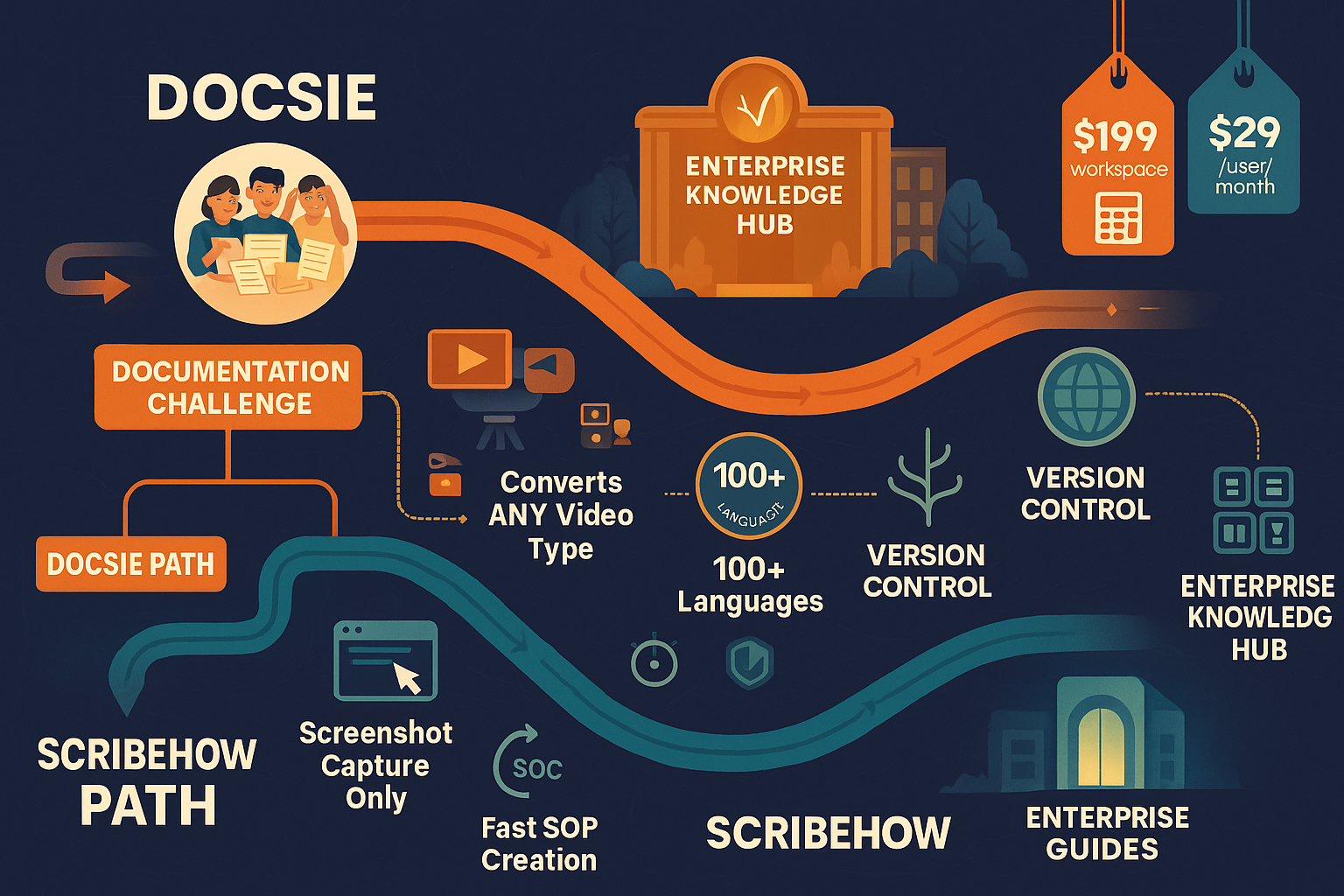
Docsie and ScribeHow serve distinctly different documentation needs. Docsie is a knowledge orchestration platform that converts any video into structured documentation and delivers it through multi-tenant enterprise portals. ScribeHow is a process documentation tool that captures browser workflows as annotated screenshot guides for internal SOPs.
Choose Docsie if you need...
Choose ScribeHow if you need...
Winner: Docsie
For teams that need to transform video content into structured, multilingual knowledge bases and deliver them through customer-facing portals—use cases that ScribeHow cannot address due to its browser-only capture limitation and lack of delivery infrastructure.
Common Questions
Q: Can ScribeHow convert training videos into documentation?
A: No. ScribeHow only captures live browser workflows through its Chrome extension. It cannot process pre-recorded videos, training footage, Loom recordings, or any video file. Docsie accepts any video format (MP4, MOV, AVI, WebM) from any source and converts it into structured text documentation.
Q: Does Docsie offer the same instant screen capture as ScribeHow?
A: No. Docsie does not have a browser extension for live screen capture like ScribeHow does. Instead, Docsie processes recorded videos and converts them into documentation. Teams needing instant browser workflow capture should consider ScribeHow for that specific use case, while teams needing to document existing video libraries should use Docsie.
Q: Can I deliver customer-facing documentation with ScribeHow?
A: Not effectively. ScribeHow creates internal process guides designed for embedding in tools like Notion or Confluence. It does not provide knowledge base portals, custom domains, or multi-tenant architecture. Docsie is purpose-built for customer-facing documentation delivery with branded portals, SSO, and white-labeling capabilities.
Q: Which is more cost-effective for large teams?
A: Docsie uses workspace-based pricing ($199-$750/month for 15-90 users) while ScribeHow charges per user ($15/seat/month minimum 5 seats). For a 50-person team, ScribeHow costs $750/month minimum versus Docsie's $750 Organization plan with 90 user seats and unlimited viewers. Docsie becomes significantly more cost-effective at scale.
Q: Can these tools work together?
A: Yes, but with limited synergy. You could use ScribeHow for quick browser workflow capture and Docsie for managing and delivering comprehensive documentation libraries. However, since Docsie can process screen recordings from any source, most teams find ScribeHow redundant once they adopt Docsie's video-to-docs workflow.
Q: Which tool is better for multilingual documentation?
A: Docsie provides 100+ language auto-translation with 80,000 monthly translation credits on the Premium plan, plus content localization management. ScribeHow offers translation features but without automated translation workflows or comprehensive language management. For global documentation needs, Docsie is substantially more capable.
See why teams choose Docsie for transforming video into structured knowledge bases with enterprise-grade delivery.
No credit card required. Free AI credits to convert a 10-minute training video.
Start creating professional documentation that your users will love