
4.8
on G2
 Docsie
 Scribe
Docsie and Scribe both launched in 2019 but serve different documentation needs with very different pricing models. Docsie uses workspace-based pricing with AI credits for video-to-docs conversion at scale, while Scribe charges per-user for browser screen capture tools. This deep dive compares value, scalability costs, and hidden limitations.

Pricing Strengths & Weaknesses
Deep Dive
A detailed examination of how Docsie and Scribe compare on value for money, scalability costs, and hidden expenses that impact total cost of ownership.
Docsie's Premium tier at $199/month delivers video-to-docs conversion with 300,000 AI credits (~5 hours monthly), 15 users, 3 branded sites, version control, 100+ language translation, AI chatbot, custom domains, and 50GB storage. Scribe's comparable Team tier costs $75/month for 5 users but only provides screenshot capture with no video processing, translations, version control, or customer delivery. For teams needing comprehensive documentation capabilities, Docsie provides 10-15x more functionality per dollar spent. Scribe's value proposition only makes sense for teams exclusively creating internal SOPs from browser workflows with no video conversion, multi-language, or customer portal requirements.
Docsie's workspace model means growing from 15 to 90 users costs $551/month ($750 Organization - $199 Premium), while Scribe's per-seat model costs $1,275/month for the same growth (85 additional seats × $15/seat). At 100 users, Docsie remains $750/month while Scribe reaches $1,500/month—double the cost. Enterprise scale amplifies this gap, as Scribe forces teams into custom Enterprise pricing (reported $18,000+ annually) once needs exceed Team plan limits, while Docsie's Organization tier supports 90 users with SSO and API access at $9,000/year. For agencies managing multiple client portals, Docsie's multi-tenant architecture means one subscription serves unlimited clients, while Scribe requires separate user seats for each client-facing team member.
Scribe's pricing conceals significant limitations that create hidden costs. Desktop capture (required for non-browser workflows) requires Pro tier ($29/user minimum), watermark removal costs $29/user monthly, and SSO requires Enterprise pricing (reported $18,000-$39/user annually by customers). Teams with existing training video libraries get zero value from Scribe since it cannot process video, forcing parallel tool subscriptions. Translation locked behind Enterprise adds $10,000+ annually for global teams. Docsie's transparent pricing includes all core features at stated tiers—translation, version control, multiple sites, and AI features are included at Premium ($199/mo), not upsold. The only additional cost is AI credit packs for high-volume video processing, which are optional and priced transparently ($49-$650 per pack). Docsie's free plan includes real AI credits without credit card requirement; Scribe's free tier adds watermarks requiring paid upgrade for professional use.
Side-by-Side Pricing
A comprehensive look at every pricing tier, what's included, and how the models compare for teams of different sizes and needs.
Docsie offers superior value for teams needing comprehensive documentation capabilities, multi-language support, or customer portal delivery. The workspace-based pricing model scales far more economically than Scribe's per-seat approach, especially for teams larger than 10 users. Scribe only makes financial sense for small internal teams (under 5 people) exclusively creating browser-based SOPs with no video conversion or customer delivery requirements.
Our Recommendation
Docsie and Scribe serve fundamentally different use cases with very different pricing philosophies. Docsie's workspace model with AI credits suits teams converting video libraries into multi-tenant documentation portals at scale. Scribe's per-user pricing works for small teams capturing browser workflows as internal SOPs. The value comparison isn't close for teams with video content, multiple clients, or global documentation needs—Docsie delivers 10-15x more capability per dollar spent.
Choose Docsie for better pricing value when you need...
Choose Scribe for pricing value when you need...
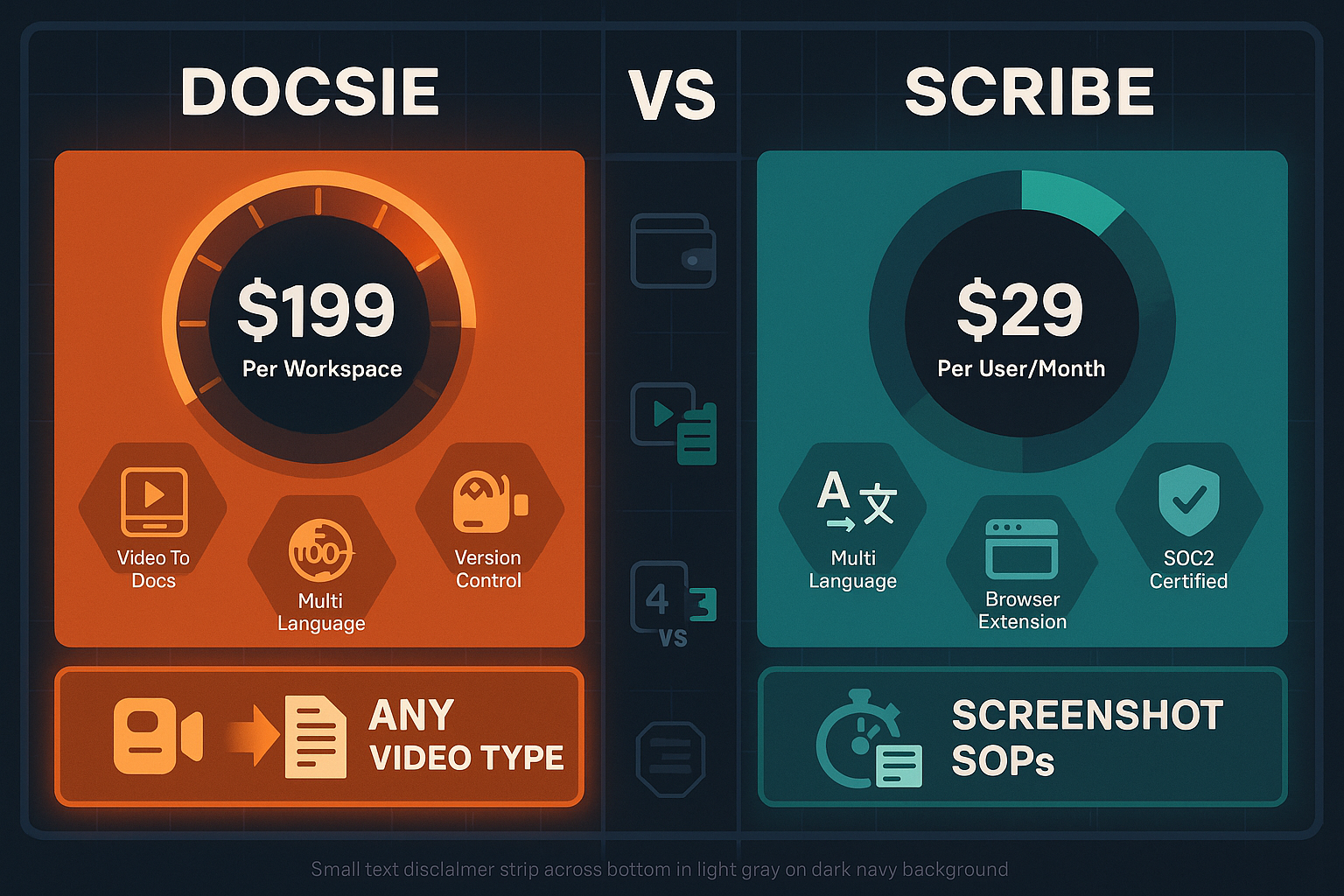
Winner: Docsie
Docsie delivers dramatically better value across every dimension except ultra-small teams doing only browser capture. The workspace pricing model scales economically, AI credits enable video-to-docs conversion that Scribe cannot match, and Premium tier ($199/mo) includes features Scribe locks behind Enterprise paywalls (translation, custom domains, version control, AI chatbot). For agencies, consultancies, or any team serving multiple clients, Docsie's multi-tenant architecture means one subscription replaces what would require dozens of Scribe seats. Scribe's per-user model becomes prohibitively expensive above 10 users, and reported Enterprise pricing ($18K+ annually) makes it uncompetitive for teams needing SSO or advanced features.
Common Questions
Q: Why is Docsie more expensive per month than Scribe Team plan?
A: Docsie's $199 Premium plan includes 15 users, video-to-docs AI conversion, 100+ language translation, version control, 3 branded sites with custom domains, and AI chatbot—capabilities Scribe either doesn't offer or locks behind $18K+ Enterprise pricing. Scribe Team at $75/month (5 seats minimum) only provides screenshot capture with no video processing, no translation, and no customer portals. Dollar-for-dollar, Docsie delivers 10x more functionality.
Q: How do AI credits work in Docsie's pricing, and will I run out?
A: AI credits power video-to-docs conversion, with rates based on video length and complexity. Premium includes 300,000 credits (~5 hours of video monthly), Organization includes 1.5M credits (~25 hours). If you need more, credit packs cost $49-$650 for 70,000-1M credits and work with any plan. Most teams process 2-10 hours monthly and never need add-ons. Scribe has no credit system because it cannot process video at all.
Q: Does Scribe's $15/seat pricing apply to viewers or just creators?
A: Scribe charges per creator/editor seat. Viewers who only consume published guides don't require paid seats. However, anyone creating or editing screen capture guides needs a $15/month seat (5-seat minimum). In contrast, Docsie's Premium plan includes 15 creator accounts with unlimited free viewers, making it more cost-effective for teams with mixed roles.
Q: At what team size does Docsie become more cost-effective than Scribe?
A: For teams of 6+ users, Docsie offers better economics. Scribe Team costs $90/month for 6 seats ($15×6), while Docsie Premium at $199/month includes 15 users plus video conversion, translation, version control, and AI features Scribe lacks. At 15 users, Scribe costs $225/month with no video capability; Docsie remains $199/month with full video-to-docs AI, multi-tenant portals, and custom domains.
Q: What hidden costs should I watch for with Scribe's pricing?
A: Desktop capture requires Pro tier upgrade ($29/user minimum vs. $15 Team pricing). Watermark removal costs $29/user monthly. SSO requires Enterprise tier (reported $18,000+ annually). Translation is Enterprise-only. Teams with existing video content get zero value and must pay for separate video tools. Scribe has no API, forcing manual workflows. These hidden limits often double effective costs for professional use cases.
Q: Can I convert my existing training videos with Scribe, or do I need Docsie?
A: Scribe cannot accept uploaded videos or convert any existing video content—it only captures new browser screen recordings via extension. If you have training video libraries, conference recordings, Loom videos, or any pre-recorded content, Docsie is your only option. Docsie converts any video format (MP4, MOV, AVI, WebM) plus Loom links into structured documentation using multimodal AI, making it essential for teams with existing video assets.
Convert your training videos into branded knowledge bases with transparent workspace pricing that scales economically—no per-seat inflation, no hidden Enterprise paywalls for essential features.
No credit card required. Free AI credits to convert a 10-minute video included. Premium plan includes 15 users, 3 sites, and 100+ language translation.
Start creating professional documentation that your users will love