
4.8
on G2
 Docsie
 Guidde
Docsie and Guidde both help teams create documentation from video, but they take fundamentally different approaches. Docsie converts any video into structured knowledge bases using multimodal AI, while Guidde creates AI-voiced tutorial videos from browser screen captures.

Feature Matrix
A comprehensive comparison of documentation capabilities, AI features, enterprise functionality, and integrations between Docsie and Guidde.
| Feature |
Docsie
Our Pick
|
Guidde
|
|---|---|---|
| Video to Documentation Conversion | ||
| Real-World Video Support | ||
| Screen Recording Capture | ||
| Upload Pre-Recorded Videos | ||
| PDF Import & Conversion | ||
| Website Ingestion | ||
| Computer Vision / OCR | ||
| AI Content Generation | ||
| AI Voiceover Generation | 400+ voices | |
| Multi-Language Support | 100+ | 25+ |
| Auto-Translation | Enterprise only | |
| Version Control | ||
| Multi-Tenant Portals | ||
| Knowledge Base Platform | Video library | |
| Custom Domain Support | ||
| AI Chatbot | ||
| Embeddable Widget | ||
| Browser Extension | ||
| API Access | ||
| SSO (SAML/OAuth) | Enterprise only | |
| SOC 2 Type II Compliance | ||
| GDPR Compliance | ||
| Audit Logs | ||
| Role-Based Access Control | ||
| Content Reuse & Templates | ||
| Analytics & Reporting | Enterprise only |
Data as of February 2026. Features are based on publicly available information and vendor documentation.
Strengths & Weaknesses
Deep Dive
An in-depth analysis of the critical differences in documentation capabilities, AI features, enterprise readiness, and ecosystem integrations.
Docsie functions as a complete documentation platform with hierarchical content structure (Shelves → Books → Articles), version control with inheritance, content reuse blocks, and approval workflows. It converts videos, PDFs, and websites into searchable text documentation. Guidde creates video tutorials with AI voiceovers and auto-generated step guides, but lacks version control, content templating, or documentation management features. For teams needing comprehensive knowledge bases, Docsie provides enterprise-grade structure; Guidde is optimized for quick tutorial video creation rather than systematic documentation management.
Docsie employs multimodal AI combining computer vision, OCR, and audio transcription to understand and convert any video into structured documentation. Its agentic AI chatbot uses tool calls (not traditional RAG) for more accurate responses. Guidde leverages AI for voiceover generation (400+ voices), automatic step detection during screen capture, and text guide creation. Docsie's AI handles diverse input types and produces searchable knowledge; Guidde's AI excels at producing polished narrated videos. Docsie supports 100+ languages with auto-translation; Guidde offers 25+ languages for voiceovers with translation on Enterprise plans only.
Docsie delivers enterprise-grade capabilities including SOC 2 Type II compliance, multiple SSO methods (SAML, OAuth, OIDC, Azure AD, Okta), EU data residency, audit logs, granular permissions, and 99.9% uptime SLA. Multi-tenant architecture lets one knowledge base power unlimited branded customer portals. Guidde offers SOC 2 and GDPR compliance with SAML SSO on Enterprise plans, but lacks audit logs, data residency options, and multi-tenant portal capabilities. For regulated industries and client-facing documentation delivery, Docsie provides significantly deeper enterprise functionality and security posture.
Docsie provides API access, webhooks, custom JavaScript/CSS, embeddable AI-powered widgets, helpdesk integrations, and custom domain support. Its open architecture enables embedding documentation portals anywhere and building custom workflows. Guidde integrates with Notion, Confluence, Zendesk, Intercom, and Slack for video sharing, plus offers an embeddable video player. However, it lacks API access for programmatic control. Docsie's ecosystem is built for documentation orchestration at scale; Guidde's integrations focus on video distribution and collaboration tools for sharing tutorial content.
Our Recommendation
Docsie and Guidde serve different primary use cases despite both working with video content. Docsie is a knowledge orchestration platform that converts any video source into structured, searchable documentation delivered through multi-tenant portals. Guidde is a tutorial video creation tool that captures screen workflows and generates AI-voiced videos with step guides. The choice depends on whether you need comprehensive documentation management or quick video guide creation.
Choose Docsie if you need...
Choose Guidde if you need...
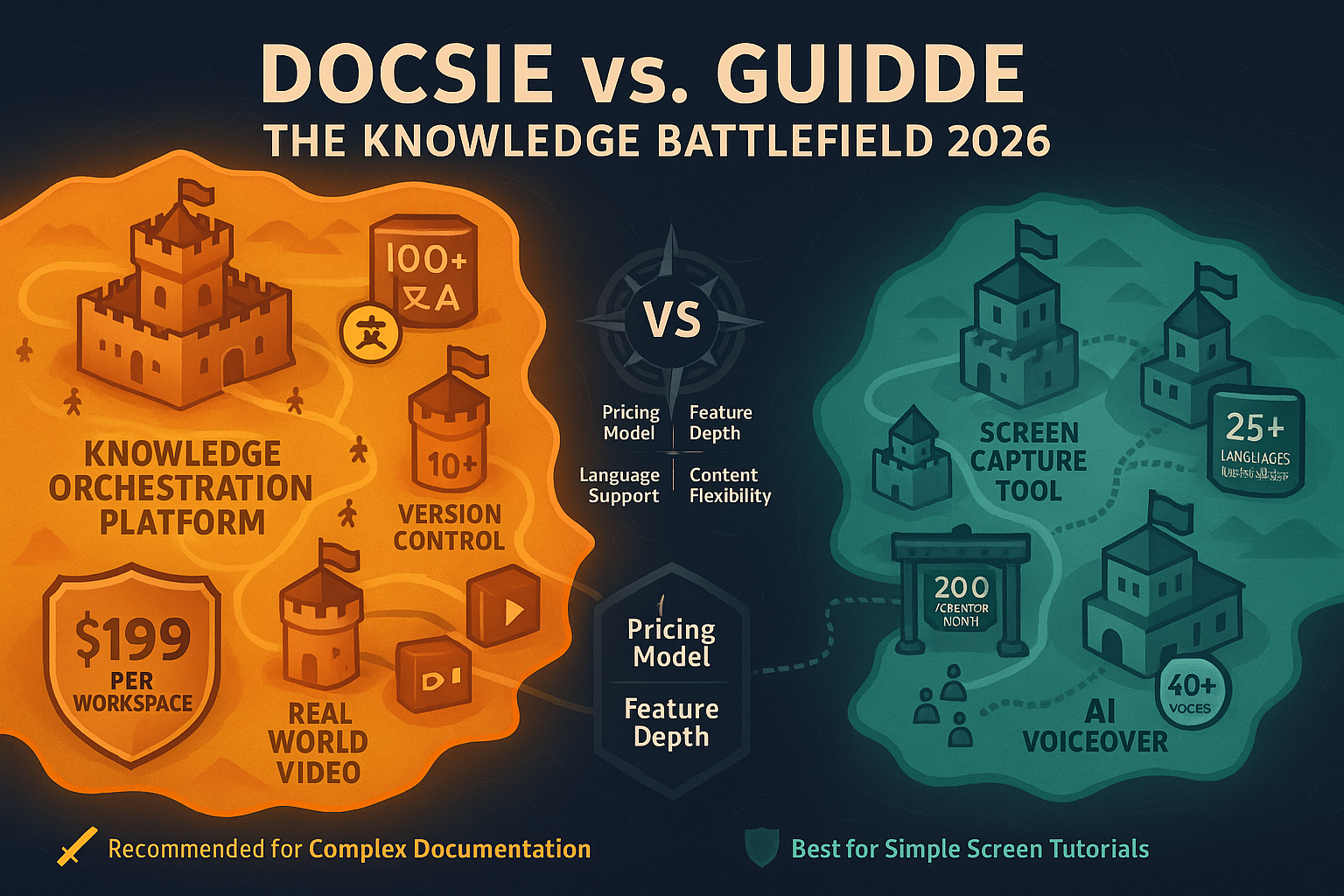
Winner: Docsie
For teams needing comprehensive documentation capabilities with version control, multi-tenant delivery, enterprise compliance, and the ability to convert any video type into structured knowledge bases. Docsie provides a complete CONVERT → MANAGE → DELIVER workflow, while Guidde excels specifically at screen capture video creation but lacks the documentation platform features required for enterprise knowledge management.
Common Questions
Q: Can Guidde convert existing videos into documentation like Docsie?
A: No. Guidde only works with screen recordings captured through its browser extension—it cannot accept uploaded videos, training recordings, or any pre-existing video content. Docsie accepts any video format (MP4, MOV, AVI, WebM, Loom links) and converts them into structured documentation using multimodal AI with computer vision, OCR, and transcription.
Q: Does Docsie create AI-voiced videos like Guidde?
A: No, Docsie and Guidde have opposite outputs. Guidde creates video tutorials with AI voiceovers and step guides. Docsie converts videos into text-based searchable documentation with auto-generated screenshots, timestamps, and structured content. Docsie's output is documentation portals and knowledge bases; Guidde's output is narrated video guides.
Q: Which tool supports multi-tenant customer portals?
A: Only Docsie offers multi-tenant architecture where one knowledge base can power unlimited branded documentation portals for different clients, each with custom domains, branding, and access controls. Guidde provides a video library and embeddable player but does not support multi-tenant customer portal delivery, making it unsuitable for agencies or consultancies serving multiple clients.
Q: How does pricing compare at enterprise scale?
A: Guidde charges per creator ($35-$44/creator/month on Business tier, capped at 5 creators), forcing Enterprise pricing for larger teams. Docsie uses workspace-based pricing ($199-$750/month for teams of 15-90 users) with AI credits instead of per-seat fees. For teams larger than 10 people, Docsie typically offers better economics and avoids per-seat pricing inflation.
Q: Can I use both Docsie and Guidde together?
A: Technically yes—you could create screen recordings with Guidde and then upload those videos to Docsie for conversion into structured documentation. However, since Docsie already processes video into documentation and Guidde only outputs videos (not source content), there's limited practical synergy. Most teams find Docsie's video conversion capabilities make Guidde redundant for documentation workflows.
Q: Which tool is better for documenting physical or real-world processes?
A: Only Docsie can handle real-world video documentation. Guidde is limited to browser screen captures and cannot process videos of physical processes, equipment operation, field training, or any non-screen activity. If you need to document manufacturing processes, medical procedures, field operations, or hands-on training, Docsie's computer vision and multimodal AI can convert that footage into structured docs.
Convert your training videos, PDFs, and websites into structured knowledge bases delivered through branded portals—with 100+ language support and enterprise-grade security.
No credit card required. Free AI credits to convert a 10-minute video included.
Start creating professional documentation that your users will love