
4.8
on G2
 Docsie Recorder
 Whale
Whale
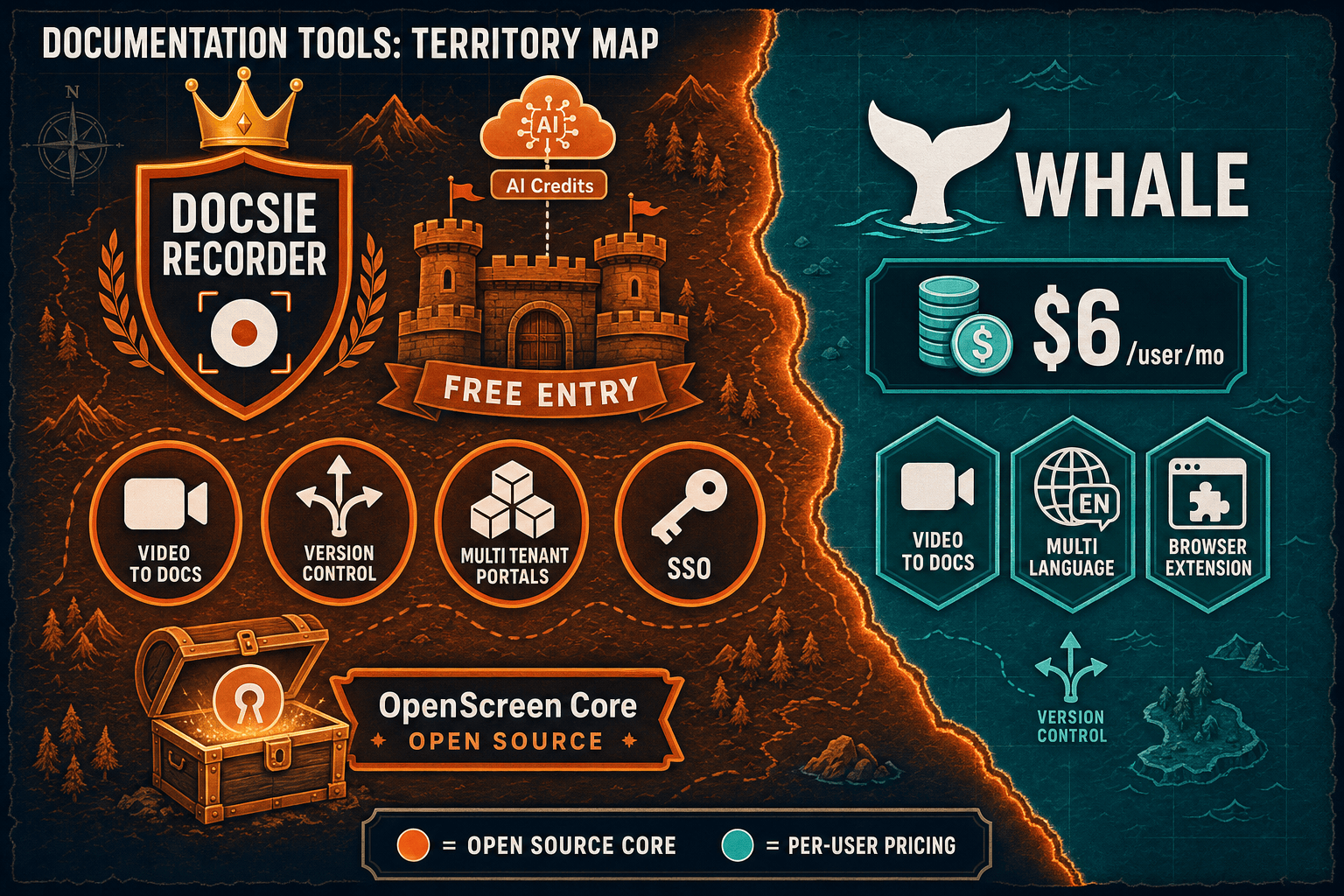
Docsie Recorder is a free, open-source desktop screen recorder that exports MP4 and GIF locally, then routes recordings directly into a Video-to-Docs pipeline. Whale is a per-user SOP and playbook platform with a lightweight web recorder and Alice AI assistant. If you searched for a Screen Studio alternative, a Loom alternative, or an AI video-to-docs tool, this comparison starts where it matters — at the recorder itself.

Docsie Recorder runs video-to-docs plus multi-tenant portals, Whale runs a structured knowledge base, while Docsie Recorder fits when you need video-to-docs, multi-tenant portals, and AI chatbot beyond a basic KB.
Feature Matrix
A feature-by-feature comparison of recording capabilities, editing tools, export formats, AI-powered documentation conversion, and downstream knowledge base delivery.
| Feature |
Docsie Recorder
Our Pick
|
Whale
|
|---|---|---|
| Free desktop recorder | ||
| Open-source recorder base | ||
| Mac support | Browser/web only | |
| Windows support | Browser/web only | |
| Linux support | ||
| Window and full-screen capture | ||
| Microphone capture | ||
| System audio capture | ||
| Webcam overlay | ||
| Automatic or manual zoom | ||
| Cursor or focus polish | ||
| Backgrounds and visual effects | ||
| Crop, trim, speed regions | ||
| Annotations and blur regions | ||
| Local MP4 export | ||
| Local GIF export | ||
| PDF export | Via Docsie | |
| Video-to-docs conversion | ||
| Markdown export | ||
| DOCX export | ||
| Knowledge base publishing | ||
| Versioned documentation management | ||
| Multi-tenant portal delivery | ||
| SSO | Docsie Scale tier | Scale tier only |
| Enterprise deployment path | SMB/mid-market only |
Data as of February 2026. Features reflect publicly available information and vendor documentation. Docsie Recorder desktop app is free and open-source; Video-to-Docs conversion uses Docsie AI credits. Whale's web recorder is included in paid plans starting at $6/user/month.
Strengths & Weaknesses
Deep Dive
An in-depth look at recording and editing capabilities, AI-powered documentation conversion, enterprise readiness, and integration ecosystems — starting where buyers who searched for a screen recorder or Screen Studio alternative need to start.
Docsie Recorder is a full desktop application built on the open-source OpenScreen core, delivering recorder-grade editing that Whale simply does not offer. Docsie Recorder captures specific windows or full-screen on macOS, Windows, and Linux, then provides automatic and manual zoom driven by cursor telemetry, background and wallpaper effects, motion blur, webcam overlay, and annotations including blur regions for sensitive content. Whale provides only a web-based recorder with no dedicated desktop app, no editing tools, no zoom, and no visual polish workflow. For buyers searching for a Screen Studio or Loom alternative, Docsie Recorder is built for that workflow; Whale is not.
Both tools offer video-to-documentation conversion, but the workflow is fundamentally different. Docsie Recorder integrates a direct bridge to Docsie's Video-to-Docs API, letting users select workspace, language, documentation style, quality tier, and custom rewrite instructions before submitting a recording. The result is structured Markdown with a live preview, which then flows into Docsie's knowledge base as a versioned article. Whale's video-to-SOP feature on the Growth plan converts uploaded recordings into playbook-style SOPs using Alice AI. Whale's output is SOP-formatted content targeted at EOS® process documentation; Docsie's output is structured documentation suitable for knowledge bases, portals, courses, and API-driven automation workflows.
Docsie's downstream platform supports multi-tenant portal delivery, custom domains, SSO (SAML and OAuth), versioned documentation management, and an enterprise deployment path. The MIT-licensed recorder core is auditable and can be self-hosted independently of Docsie's cloud services. Whale's enterprise features (SSO, audit logs, dedicated CSM) are gated behind the custom-priced Scale tier, and the platform is architecturally SMB-focused with no on-premise, air-gapped, or BYOM deployment option. At 100 users, Whale's per-user model costs $700+ per month with no multi-tenant capability. Docsie's workspace pricing and enterprise path scale more predictably for larger organizations and regulated industries.
Docsie Recorder's downstream ecosystem enables the full CREATE → CONVERT → MANAGE → DELIVER → LEARN → AUTOMATE → MONITOR workflow from a single recording. After conversion, generated documentation can be published to Docsie knowledge bases, served through branded portals, reused as course material in Docsie's LMS, and routed into automation and compliance workflows via API. Whale integrates with Slack, Google Workspace, and select HRIS tools, and its browser extension supports capture in supported apps. Whale's integration story is focused on small-team SOP sharing; Docsie's ecosystem is built for enterprise documentation orchestration. API access in Whale requires Scale tier; Docsie's API is available for documentation automation workflows across the platform.
Our Recommendation
Docsie Recorder and Whale are aimed at different buyers. Docsie Recorder is the answer for teams who searched for a Screen Studio alternative, a Loom alternative, or an AI video-to-docs tool — it is a free, open-source desktop recorder with a full editing suite that connects directly to structured documentation output. Whale is a $6–$14/user SOP platform designed for small and mid-market teams running EOS®, with a lightweight web recorder included as a capture convenience rather than a core recording product.
Choose Docsie Recorder if you need...
Choose Whale if you need...
Winner: Docsie Recorder
For buyers evaluating screen recorders, Screen Studio alternatives, and AI video-to-docs tools, Docsie Recorder wins clearly. It is the only free, open-source desktop recorder in this comparison with full editing capabilities (zoom, backgrounds, annotations, blur), cross-platform support including Linux, local MP4 and GIF export, and a direct pipeline from recording to structured documentation. Whale does not offer a desktop recorder, has no editing tools, exports no local video files, and is architecturally an SMB SOP platform — not a recorder product. The downstream Docsie platform then extends the same recording into versioned knowledge base articles, multi-tenant portals, and enterprise documentation workflows that Whale's per-user SMB model cannot replicate.
Decision Helper
A direct framework for picking between Docsie Recorder, Whale based on your specific needs.
Free, open-source desktop screen recorder that feeds a Video-to-Docs pipeline.
Operations SOP and playbook platform for growing teams.
Common Questions
Q: Does Whale have a desktop screen recorder like Docsie Recorder?
A: No. Whale includes a web-based recorder and browser extension for capturing steps in a browser, but there is no standalone desktop application. Docsie Recorder is a full desktop app for macOS, Windows, and Linux built on the open-source OpenScreen core, offering window and full-screen capture, webcam overlay, zoom, backgrounds, annotations, and local MP4 and GIF export — none of which Whale provides.
Q: Can Whale export local MP4 or GIF files like Docsie Recorder?
A: No. Whale does not export local MP4 or GIF files from its recorder. Its output is SOP documents, PDFs, and shareable links. Docsie Recorder exports MP4 and GIF files locally to your machine without requiring a cloud account, making it suitable for teams that need portable video assets alongside their documentation workflow.
Q: Which tool is better as a Screen Studio or Loom alternative?
A: Docsie Recorder is the Screen Studio and Loom alternative in this comparison. It provides desktop recording, visual polish editing (zoom, backgrounds, motion blur, cursor effects), local export, and then converts the same recording into structured documentation. Whale is a process documentation SaaS that happens to include a lightweight web recorder — it was not built to replace Screen Studio, Loom, or any dedicated screen recording product.
Q: How does the video-to-docs workflow compare between Docsie Recorder and Whale?
A: Docsie Recorder connects directly to Docsie's Video-to-Docs API, letting users configure language, documentation style, quality tier, and rewrite instructions before conversion. The output is structured Markdown with a live preview that publishes directly into Docsie's knowledge base. Whale's Growth plan includes a video-to-SOP feature that converts uploaded recordings into SOP-style playbooks using Alice AI. Docsie's output targets knowledge base publishing and downstream portal delivery; Whale's output targets internal process playbooks for EOS® teams.
Q: Is Docsie Recorder actually free, or does it require a Docsie subscription?
A: The Docsie Recorder desktop application is completely free and open-source under the MIT license — no account is needed to record, edit, and export MP4 or GIF files. The Video-to-Docs conversion step, which generates structured Markdown and publishes to a Docsie knowledge base, uses Docsie AI credits through the cloud API. You can use the recorder and local export entirely for free without ever connecting to Docsie.
Q: Which tool is better for teams that also need training and onboarding features?
A: Both tools offer training-adjacent features, but through different paths. Whale includes built-in training certifications, quizzes, and completion tracking designed for EOS® employee onboarding workflows. Docsie's downstream platform includes a full LMS with course builder, quizzes, and certifications that reuse the same recorded content and generated documentation — meaning one Docsie Recorder session can become both a knowledge base article and a training course. For SMB onboarding workflows, Whale's integrated certifications are convenient; for teams that want recording, documentation, and training from a single source, Docsie's end-to-end workflow is more powerful.
Download the free Docsie Recorder, capture your workflow with full editing polish, and send it directly to Docsie's Video-to-Docs pipeline — turning one recording into structured Markdown, knowledge base articles, and versioned documentation delivered through enterprise-grade portals.
Free desktop recorder. No subscription required to record, edit, and export MP4 or GIF. AI credits used only when converting to structured docs.