
4.8
on G2
 Docsie Recorder
 Whale
Whale
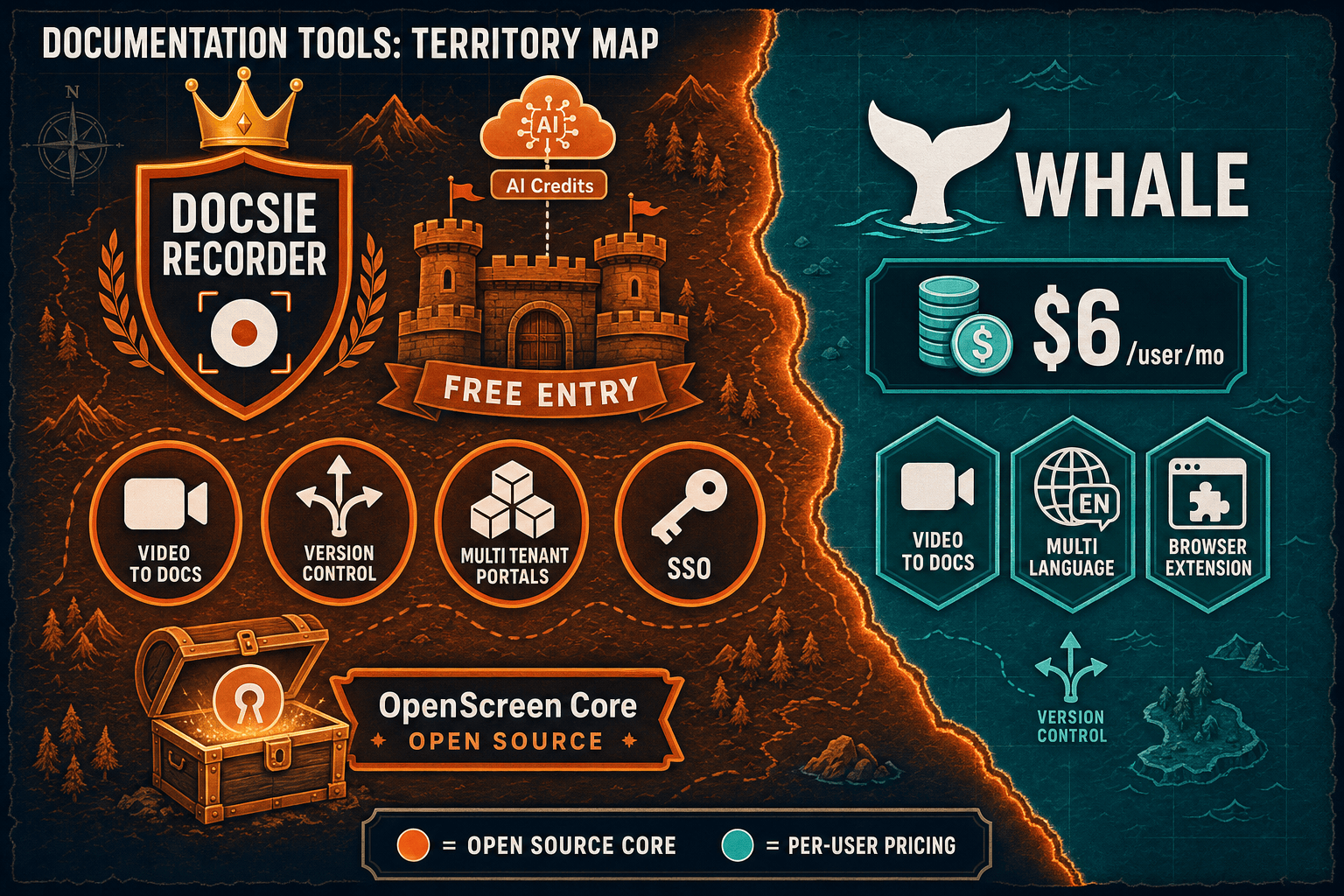
Docsie Recorder is a free, open-source desktop recorder that exports MP4 and GIF locally and connects to Docsie's Video-to-Docs pipeline—no subscription required to start recording. Whale charges $6–$14 per user per month for SOP documentation with a web recorder and AI assistant. If you searched for a Screen Studio alternative, a Loom alternative, or an AI video-to-docs tool and want to understand the real cost difference, this breakdown is for you.

On pricing: Docsie Recorder runs video-to-docs plus multi-tenant portals, Whale runs a structured knowledge base, while Docsie Recorder fits when you need video-to-docs, multi-tenant portals, and AI chatbot beyond a basic KB.
Feature Matrix
A side-by-side breakdown of recording capabilities, editing features, video-to-docs conversion, and knowledge base publishing—focused on what each tool actually delivers for the price.
| Feature |
Docsie Recorder
Our Pick
|
Whale
|
|---|---|---|
| Free Desktop Recorder | ||
| Open-Source Recorder Base | ||
| Mac Support | ||
| Windows Support | ||
| Linux Support | ||
| Window and Full-Screen Capture | Browser extension only | |
| Microphone Capture | ||
| System Audio Capture | Platform-specific | |
| Webcam Overlay | ||
| Automatic or Manual Zoom | ||
| Cursor or Focus Polish | ||
| Backgrounds and Visual Effects | ||
| Crop, Trim, Speed Regions | ||
| Annotations and Blur Regions | Basic annotations | |
| Local MP4 Export | ||
| Local GIF Export | ||
| Project Save Format | .docsiescreen project files | Cloud-only |
| Video-to-Docs Conversion | Growth tier ($12/user/month) | |
| Markdown Export | ||
| PDF Export | ||
| Knowledge Base Publishing | ||
| Versioned Documentation Management | ||
| Multi-Tenant Portal Delivery | ||
| SSO | Scale tier only | |
| API Access | Scale tier only |
Data as of February 2026. Docsie Recorder desktop recording and export are fully free. Video-to-Docs conversion uses Docsie AI credits billed separately. Whale pricing is per-user per month; Scale tier is custom. Always confirm current pricing on vendor websites before purchasing.
Strengths & Weaknesses
Deep Dive
Pricing pages often show numbers without context. These three deep-dive analyses explain what the cost difference actually means for recorders, scaling teams, and hidden limits.
Docsie Recorder's recording and editing core costs $0. You download it, record, edit with zoom polish, backgrounds, annotations, and blur, then export MP4 or GIF locally—no trial, no credit card, no expiry. You only pay when you convert a video into structured docs via Docsie AI credits, and you can estimate costs before committing. Whale starts at $6/user/month with a 14-day trial cutoff after which every user incurs a recurring charge. For a team of 10 that primarily needs a capable screen recorder with downstream docs, Docsie Recorder's $0 recorder base plus pay-as-you-convert model delivers substantially more value per dollar than Whale's subscription gate.
Whale's per-user pricing is predictable for small teams but punishing at scale. A 50-user team on Growth pays $600/month. A 100-user team on Scale costs $700+ per month (50 included users plus $14 per additional user). Docsie Recorder has no per-user seat cost at the recording layer. The downstream Docsie platform uses workspace-based pricing rather than per-seat charges, meaning large teams are not penalized linearly for headcount. For organizations growing from 20 to 200 users, the cost trajectory of Whale's model versus Docsie's workspace model diverges dramatically—and Docsie's multi-tenant portal capability means one deployment can serve multiple client organizations without separate subscriptions.
Whale's most significant hidden cost is tier gating. The video-to-SOP feature that makes Whale relevant to this comparison requires upgrading to Growth ($12/user/month)—double the Starter price. SSO and API access are locked to the custom-priced Scale tier. There is no custom domain, no multi-tenant portal, and no Linux build. Docsie Recorder's hidden consideration is that Video-to-Docs conversion is cloud-based and credit-consuming rather than fully local. However, the recorder itself has no hidden tier gates—every editing feature, every export format, and every platform build is free and open source. Teams should budget for AI conversion credits separately, but the recorder workflow has no paywall surprises.
Pricing Breakdown
Compare every pricing tier from both tools to understand the true cost of recording, editing, converting, and publishing documentation at each stage.
Docsie Recorder wins the pricing comparison for teams who need a capable recorder and a path to structured documentation. The recorder is $0 with no feature gates. Video-to-Docs conversion is pay-as-you-use via AI credits. Whale's $6 Starter tier sounds cheap but locks the video-to-SOP feature behind $12/user Growth, and scales to $700+/month at 100 users. Whale's Team flat-rate is fair for 10 users, but there is no equivalent free starting point and no open-source option.
Our Recommendation
This comparison started with a simple question—which tool costs less and delivers more for teams capturing screen recordings and turning them into documentation? Docsie Recorder answers with a $0 desktop recorder that includes full editing capabilities, local export, and an optional bridge to structured docs via Docsie AI credits. Whale answers with a $6/user subscription that requires upgrading to $12/user before video-to-SOP features unlock, and no standalone recorder at all. For buyers who searched for a Screen Studio alternative or a Loom alternative and want their recordings to become real documentation, not just video files, Docsie Recorder offers a better cost structure and a more complete workflow.
Choose Docsie Recorder if you need...
Choose Whale if you need...
Winner: Docsie Recorder
Docsie Recorder costs $0 to download, install, and use for recording and editing on macOS, Windows, and Linux. There are no per-user seat fees, no trial expiry, and no tier gate on editing features. When teams are ready to convert recordings into structured docs, they pay only for the AI credits they consume. Whale requires a paid subscription from day one, gates video-to-SOP behind a $12/user Growth upgrade, and scales linearly to $700+/month at 100 users. For any team that searched for a screen recorder—whether as a Screen Studio alternative, a Loom alternative, or an AI video-to-docs tool—Docsie Recorder delivers a better cost structure, a broader platform path, and no hidden tier surprises.
Decision Helper
A direct framework for picking between Docsie Recorder, Whale based on your specific needs.
Free, open-source desktop screen recorder that feeds a Video-to-Docs pipeline.
Operations SOP and playbook platform for growing teams.
Common Questions
Q: Is Docsie Recorder really free, or is there a hidden trial limit?
A: Docsie Recorder's desktop recording and editing core is completely free with no trial period and no feature gates. You can download the app, record video, edit with zooms, backgrounds, annotations, and blur, and export MP4 or GIF locally without ever creating an account. The only paid component is Video-to-Docs conversion, which uses Docsie AI credits billed separately on a pay-per-job basis—and you can estimate the credit cost before submitting a job.
Q: What does Whale actually cost at 50 users versus 100 users?
A: At 50 users on Whale's Growth plan, you pay $600/month. At 100 users on the Scale tier, the cost is approximately $700+/month (50 included users plus $14 per additional user beyond that). Compare that to Docsie Recorder's $0 recorder cost and workspace-based Docsie platform pricing, which does not penalize you linearly for headcount. For fast-growing teams, the cost gap between Whale's per-user model and Docsie's approach widens significantly past 50 users.
Q: Does Whale's $6/user Starter plan include video-to-SOP conversion?
A: No. Whale's video-to-SOP converter is locked behind the Growth tier at $12/user/month—double the Starter price. If the ability to upload a screen recording and generate an SOP from it is the reason you are evaluating Whale, you need to budget for Growth from the start, not Starter. This is the most common hidden cost surprise for Whale buyers who compare based on the $6 headline price.
Q: Are SSO and API access available on Whale's lower tiers?
A: No. Both SSO (SAML and Google SSO) and API access are locked exclusively to Whale's custom-priced Scale tier, which starts at 50 included users. If your team needs SSO for security compliance or API access for integrations, you cannot get either on Starter, Growth, or Team plans. Docsie includes SSO and API access on its standard platform plans without requiring a custom enterprise contract.
Q: I searched for a Screen Studio alternative. Is Docsie Recorder a fair comparison?
A: Yes. Docsie Recorder is a direct Screen Studio alternative for teams who want polished recording with zoom, backgrounds, and visual effects on macOS, Windows, and Linux. Unlike Screen Studio, which is Mac-only and closed source, Docsie Recorder is cross-platform and MIT-licensed. The key differentiator is that Docsie Recorder also connects to a Video-to-Docs pipeline, turning your recording into structured documentation rather than stopping at a video file.
Q: Should I use Docsie Recorder and Whale together, or pick one?
A: They serve fundamentally different layers. Whale is an SOP management subscription with a lightweight browser-based recorder. Docsie Recorder is a standalone desktop recorder and editor with a path to full documentation management. If you already pay for Whale's SOP workflows but need a more capable recorder with local export, editing polish, and a video-to-docs pipeline, Docsie Recorder's $0 cost makes it a low-risk addition. However, most teams evaluating both find that Docsie Recorder plus the downstream Docsie platform covers Whale's SOP use case while adding recorder capabilities Whale cannot match.
Docsie Recorder is free, open-source, and available today for macOS, Windows, and Linux. Record, edit with zoom polish and backgrounds, export MP4 or GIF locally, and convert recordings to structured docs when you are ready—no subscription required to start.
No account required to record and export video. Video-to-Docs conversion uses Docsie AI credits. Estimate credits before converting.