
4.8
on G2
 Docsie Recorder
 Whale
Whale
Docsie Recorder is a free, open-source screen recorder that feeds a full enterprise knowledge platform with SSO, compliance workflows, multi-tenant portals, and versioned documentation. Whale is a per-user SOP tool built for SMBs running EOS—strong for playbooks, but limited when enterprise security, scale, and deployment control become requirements.

For enterprise: Docsie Recorder runs video-to-docs plus multi-tenant portals, Whale runs a structured knowledge base, while Docsie Recorder fits when you need video-to-docs, multi-tenant portals, and AI chatbot beyond a basic KB.
Feature Matrix
A focused comparison of recording capabilities, video-to-docs conversion, and enterprise-grade controls—SSO, compliance, deployment, and administration—between Docsie Recorder and Whale.
| Feature |
Docsie Recorder
Our Pick
|
Whale
|
|---|---|---|
| Free Desktop Recorder | ||
| Open-Source Recorder Base | ||
| Mac / Windows / Linux Support | Web/browser only | |
| Local MP4 & GIF Export | ||
| Video-to-Docs Conversion | ||
| Markdown / DOCX Export | ||
| PDF Export | ||
| Knowledge Base Publishing | ||
| Versioned Documentation Management | ||
| Multi-Tenant Portal Delivery | ||
| Custom Domain Support | ||
| SSO (SAML / OAuth) | Scale tier only | |
| Role-Based Access Control | ||
| Audit Logs | Scale tier only | |
| SOC 2 Type II Compliance | ||
| GDPR Compliance | ||
| ISO 27001 Certification | ||
| Data Residency Options | ||
| Air-Gapped / On-Prem Deployment | ||
| API Access | Scale tier only | |
| Dedicated Customer Success Manager | Scale tier only | |
| Enterprise Deployment Path | Limited / SMB-focused |
Data as of 2026. Features based on publicly available documentation and vendor information. Confirm enterprise tier specifics directly with each vendor.
Strengths & Weaknesses
Deep Dive
An in-depth analysis of how Docsie Recorder and Whale compare on security and compliance, scalability and performance, administration and control, and support and SLA—the four pillars that enterprise procurement teams scrutinize most.
Docsie's enterprise platform sits behind SOC 2 Type II, GDPR, and ISO 27001 certifications, with data residency options and an air-gapped deployment path for regulated industries. Audit logs, granular RBAC, and compliance workflow routing are available at the enterprise tier. Whale holds SOC 2 Type II and GDPR but lacks ISO 27001, data residency, and any HIPAA, ITAR, or finance-specific compliance modes. Audit logs are gated to Whale's Scale tier. For regulated industries—healthcare, defense, finance—Docsie's compliance architecture is significantly deeper than Whale's SMB-oriented security posture.
Docsie's platform is architected for multi-tenant enterprise scale, serving multiple knowledge bases and client portals from one system without per-seat pricing inflation. Whale's per-user model scales linearly—a 500-user deployment costs $7,000+/month at Scale tier rates, making large rollouts cost-prohibitive. Docsie's open-source recorder core has no per-seat recording cost, and the Video-to-Docs pipeline uses credit-based pricing rather than seat counts. Teams growing beyond 100 users will find Whale's pricing model unsustainable where Docsie's workspace-based model maintains predictable cost curves.
Docsie delivers SSO via SAML, OAuth, OIDC, Azure AD, and Okta at the enterprise tier, with full API access, webhook routing, and custom domain support. Multi-tenant portals allow separate branded knowledge bases per client or department with independent access controls. Whale provides SAML and Google SSO, role-based permissions, and integrations—but only on its Scale custom tier, with no multi-tenant portals and no custom domain capability. Docsie Recorder's open-source foundation also gives security teams full auditability of the recorder codebase itself, which closed-source tools cannot offer.
Docsie offers dedicated customer success management and defined uptime SLAs at enterprise tiers, with an active open-source community providing additional support channels for the recorder component. The MIT-licensed recorder core means enterprise teams can self-support and fork the codebase without vendor dependency. Whale provides a dedicated CSM and priority support at the Scale tier, with a consultative sales approach and 14-day onboarding trial. However, Whale's support architecture is SMB-oriented, and the absence of on-prem deployment means enterprises cannot meet strict data-handling SLAs that require private infrastructure control.
Our Recommendation
Whale is a well-priced SOP tool for small and mid-market teams, particularly those running EOS-based operations. Its Alice AI, playbook templates, and flat-rate Team plan make it a strong fit for 10-50 person organizations. However, Whale's SMB architecture—per-user pricing, no multi-tenant portals, no data residency, no air-gapped deployment, and enterprise features gated behind a custom Scale tier—means it cannot meet the security, compliance, and scalability requirements of genuine enterprise procurement. Docsie Recorder, backed by the Docsie enterprise platform, delivers the full enterprise stack: open-source recorder, video-to-docs conversion, versioned knowledge base, multi-tenant portals, SSO, audit logs, ISO 27001, and air-gapped deployment paths.
Choose Docsie Recorder if you need...
Choose Whale if you need...
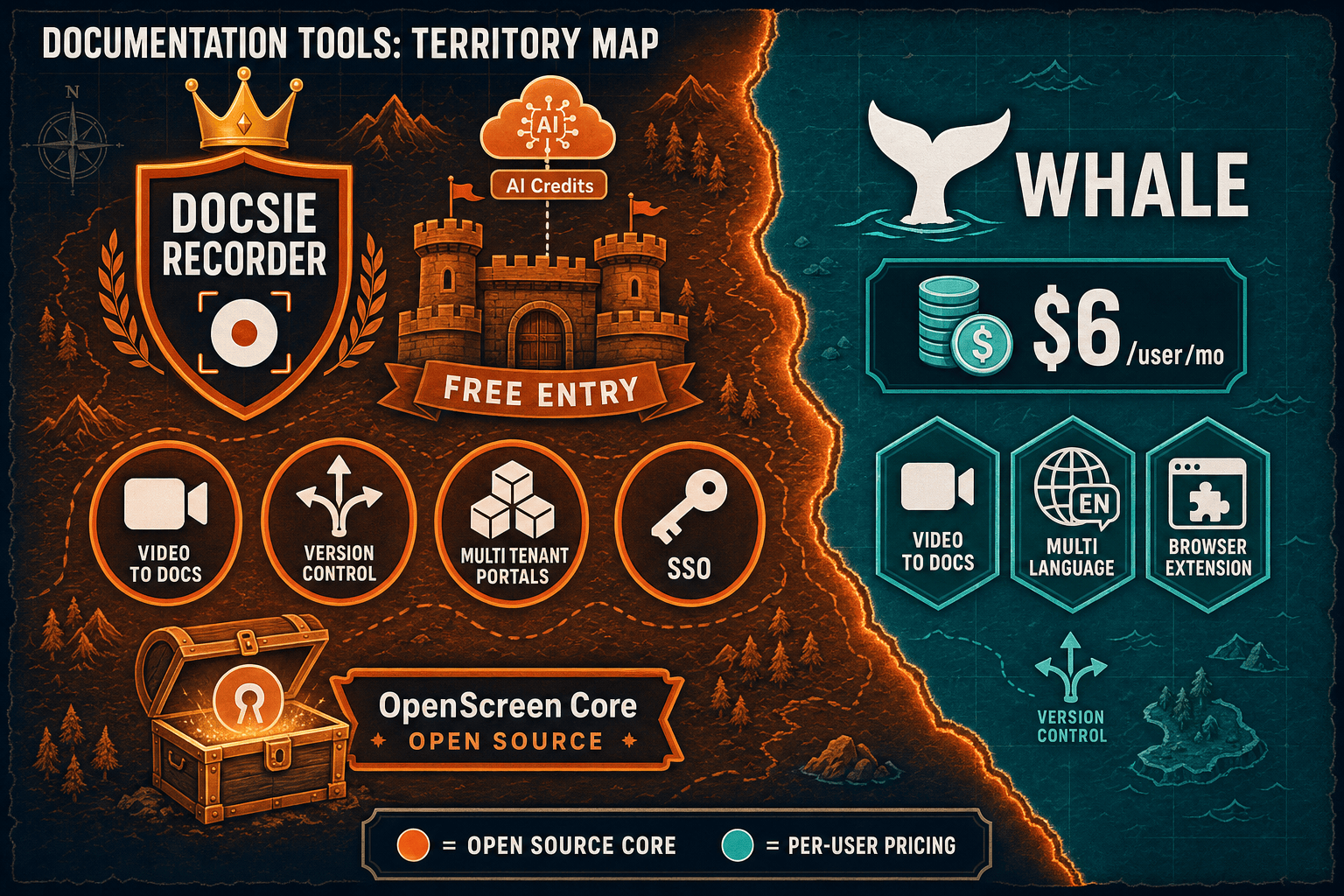
Winner: Docsie Recorder
Docsie Recorder wins on enterprise readiness because it is the only option in this comparison with a free open-source recorder core, cross-platform desktop support, ISO 27001 and data residency compliance, air-gapped deployment, multi-tenant portal delivery, and full API access—none of which require a custom pricing call. The recorder itself feeds a complete CREATE → CONVERT → MANAGE → DELIVER workflow that Whale's SOP-focused SMB architecture cannot match at enterprise scale.
Decision Helper
A direct framework for picking between Docsie Recorder, Whale based on your specific needs.
Free, open-source desktop screen recorder that feeds a Video-to-Docs pipeline.
Operations SOP and playbook platform for growing teams.
Common Questions
Q: Does Whale support SSO for enterprise deployments?
A: Whale does support SAML and Google SSO, but only on its Scale custom-pricing tier. For teams that need SSO as a standard enterprise feature—not an upsell—Docsie provides SAML, OAuth, OIDC, Azure AD, and Okta SSO as part of its enterprise platform. Docsie Recorder also sits within this same SSO-enabled workspace once recordings are converted and published.
Q: Which tool is better for regulated industries like healthcare or finance?
A: Docsie is significantly better positioned for regulated industries. The Docsie enterprise platform includes ISO 27001 certification, data residency options, air-gapped deployment paths, and compliance workflow routing for HIPAA, ITAR, and finance use cases. Whale holds SOC 2 Type II and GDPR but has no HIPAA mode, no ITAR-compatible on-prem deployment, no data residency, and no on-premises deployment—making it unsuitable for most regulated enterprise environments.
Q: Can security teams audit the Docsie Recorder codebase?
A: Yes. Docsie Recorder's core is MIT-licensed and publicly available on GitHub, giving enterprise security teams full visibility into the recorder and editor source code. This is a meaningful advantage over closed-source recording tools where security review depends entirely on vendor-provided documentation. The Docsie enterprise platform features follow a separate license boundary.
Q: What does Whale cost at 200 users compared to Docsie?
A: On Whale's Scale tier, 200 users would cost approximately $2,100+/month (50 included plus 150 additional users at $14/user/month), billed as custom pricing. Docsie's workspace-based pricing does not scale per seat in the same linear way, making it substantially more cost-effective for large teams. For enterprise deployments beyond 100 users, Docsie's pricing model avoids the budget shock that Whale's per-user structure creates.
Q: Does Whale support multi-tenant portals for serving multiple clients or departments?
A: No. Whale is a single-tenant knowledge base—there is no architecture for serving separate branded documentation portals to different clients or departments from one instance. Docsie's multi-tenant portal capability is a core differentiator for agencies, consultancies, and enterprise teams that need to deliver separate knowledge bases to multiple audiences with custom domains and independent access controls.
Q: Can Docsie Recorder be used without sending data to the cloud?
A: The recorder and editor component of Docsie Recorder operates locally—recordings are captured, edited, and exported as MP4 or GIF files on your machine with no account or cloud connection required. The Video-to-Docs conversion step uses Docsie's cloud API and AI credits. For teams requiring fully air-gapped documentation workflows, Docsie's enterprise platform supports private infrastructure deployment, which can cover the conversion and publishing steps as well.
Download Docsie Recorder for free, capture your workflow locally, and connect to Docsie's Video-to-Docs pipeline to turn that recording into structured documentation published through a versioned, SSO-protected knowledge base portal.
Free to download and record. No account required for local MP4/GIF export. Docsie AI credits used only when you convert a recording to docs.