
4.8
on G2
 Docsie Recorder
 Tella
Tella
Both Docsie Recorder and Tella let you capture polished screen recordings—but they diverge sharply after the video ends. Docsie Recorder is a free, open-source desktop app that routes recordings directly into a Video-to-Docs pipeline and Docsie knowledge base. Tella is a polished browser-based recorder built for async video sharing with AI document generation on higher tiers. If you searched for a Screen Studio alternative or a Loom replacement that actually produces structured documentation, this comparison shows you which tool goes further.
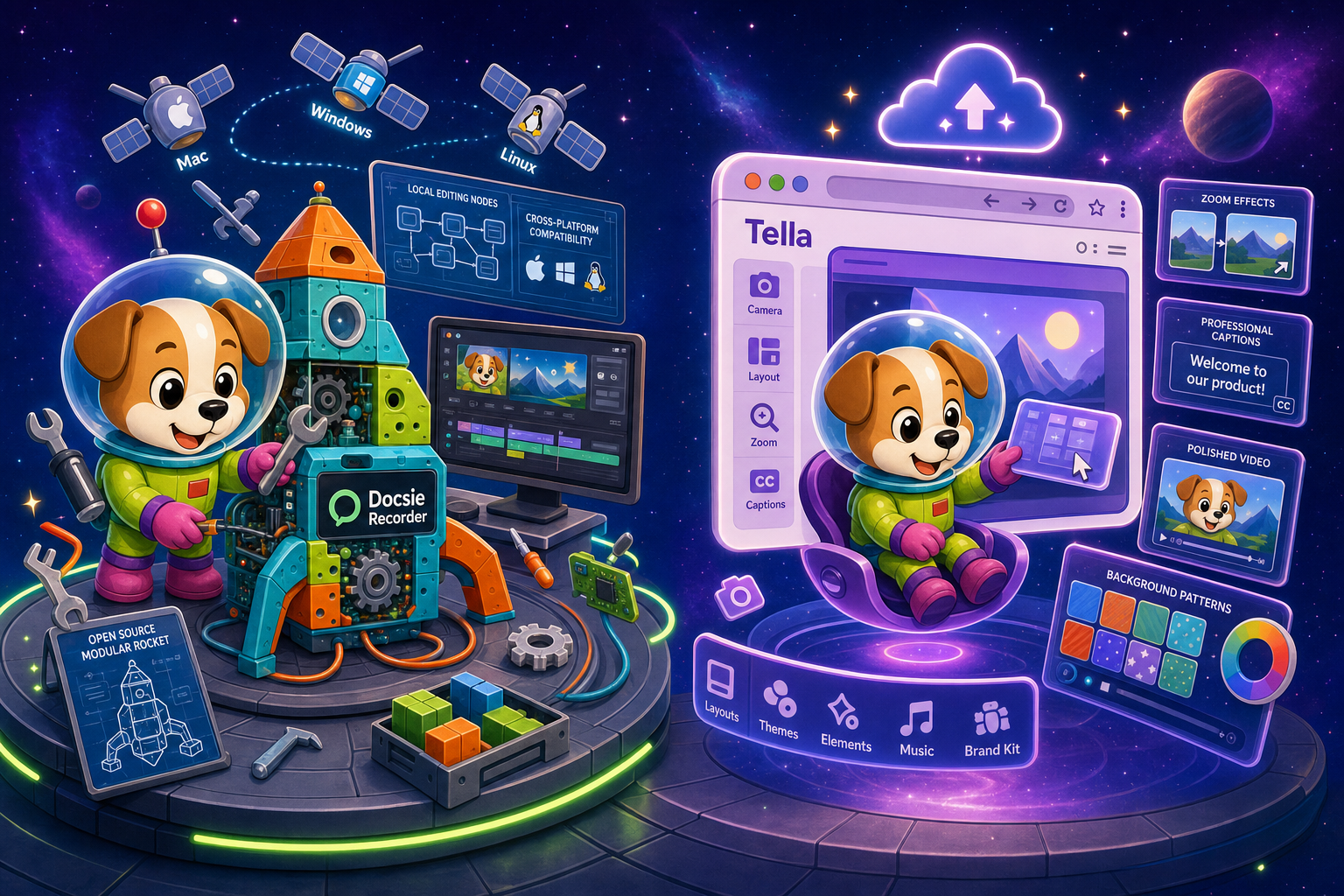
Docsie Recorder runs video-to-docs plus multi-tenant portals, Tella captures workflows into quick guides, while Docsie Recorder fits when you also need video → structured docs → multi-tenant portals end-to-end.
Feature Matrix
A feature-by-feature comparison across recording capabilities, editing tools, export formats, Video-to-Docs conversion, and downstream documentation management.
| Feature |
Docsie Recorder
Our Pick
|
Tella
|
|---|---|---|
| Free Desktop Recorder | ||
| Open-Source Recorder Base | ||
| Mac Support | ||
| Windows Support | ||
| Linux Support | ||
| Window and Full-Screen Capture | ||
| Microphone Capture | ||
| System Audio Capture | Platform-specific | |
| Webcam Overlay | ||
| Automatic or Manual Zoom | ||
| Cursor or Focus Polish | ||
| Backgrounds and Visual Effects | Wallpapers, gradients, custom | |
| Crop, Trim, Speed Regions | ||
| Annotations and Blur Regions | Text, arrows, images, blur | |
| Local MP4 Export | ||
| Local GIF Export | ||
| Project Save Format | .docsiescreen project files | Cloud-saved only |
| Video-to-Docs Conversion | Premium tier only | |
| Markdown Export | ||
| DOCX Export | ||
| PDF Export | ||
| Knowledge Base Publishing | ||
| Versioned Documentation Management | ||
| Multi-Tenant Portal Delivery | ||
| Enterprise Deployment Path | Custom terms |
Data as of 2026. Features based on publicly available information and vendor documentation. Confirm current Tella plan limits and AI document generation scope before relying on this comparison.
Strengths & Weaknesses
Deep Dive
An in-depth analysis of recording and editing capabilities, AI and automation, enterprise readiness, and integration ecosystems for teams evaluating a Screen Studio alternative or Loom replacement.
Docsie Recorder is a desktop-native app built on the open-source OpenScreen core, giving you window and full-screen capture, webcam overlay, microphone audio, and platform-supported system audio. Its editor covers crop, trim, speed regions, automatic and manual zoom, cursor polish, motion blur, custom backgrounds, and annotation plus blur regions. Recordings save as .docsiescreen project files and export as MP4 or GIF locally—your footage never leaves your machine until you choose to convert. Tella matches many of these editing features in the browser with polished layouts and multi-clip editing, but stores everything in the cloud with no local export path, making Docsie the stronger choice for teams that want file ownership.
Docsie Recorder's key differentiator is what happens after the recording ends. The Docsie bridge sends your finished video to Docsie's Video-to-Docs API, which uses multimodal AI to generate structured Markdown with screenshots, timestamps, and step-by-step content—not just a transcript summary. You can configure quality tier, language, doc style, rewrite instructions, and template before submitting. Tella offers AI document generation from videos, but only on the Premium tier, and the output is not connected to a versioned knowledge base or documentation management workflow. For teams that need recordings to become publishable docs, Docsie Recorder's pipeline is native and purpose-built while Tella's is a supplementary feature.
Docsie Recorder's open-source core means your recorder is fully auditable—no black-box SaaS dependency for the capture and editing step. The downstream Docsie platform adds SSO, custom domains, role-based access, versioned documentation management, and multi-tenant portal delivery so generated docs can be served to unlimited client portals with custom branding. Tella offers Enterprise plans with custom terms, team sharing, and role-based access for video management, but does not provide multi-tenant documentation portals, versioned knowledge base management, or an auditable open-source recorder. For regulated or multi-client environments where documentation traceability matters, Docsie's combined recorder-plus-platform path offers a substantially deeper enterprise story.
Docsie Recorder integrates directly with the Docsie workspace via the Video-to-Docs bridge, routing recordings into Docsie's documentation and knowledge base workflows. Downstream, published docs are served through Docsie portals with API access, webhooks, and embeddable widgets. The same source recording and generated docs can feed Docsie's LEARN (course material), AUTOMATE (documentation routing), and MONITOR (compliance workflows) pillars. Tella's integrations focus on video sharing and collaboration—it works well for distributing async videos to teammates, but lacks API access for programmatic documentation workflows and has no native path from a recorded video to a managed, versioned knowledge base article.
Our Recommendation
Docsie Recorder and Tella both produce polished screen recordings, but their philosophies diverge at the point of export. Tella is a browser-first video tool optimized for async sharing and creator-style content, with AI document generation available at higher price tiers as a supplementary feature. Docsie Recorder is a free, open-source desktop recorder whose core purpose is to route recordings into Docsie's Video-to-Docs pipeline and knowledge base—making the documentation output the primary deliverable, not the video itself. If your team needs a recorder that stops at a share link, Tella is a polished option. If your team needs a recorder that becomes structured, versioned, publishable documentation, Docsie Recorder is the purpose-built choice.
Choose Docsie Recorder if you need...
Choose Tella if you need...
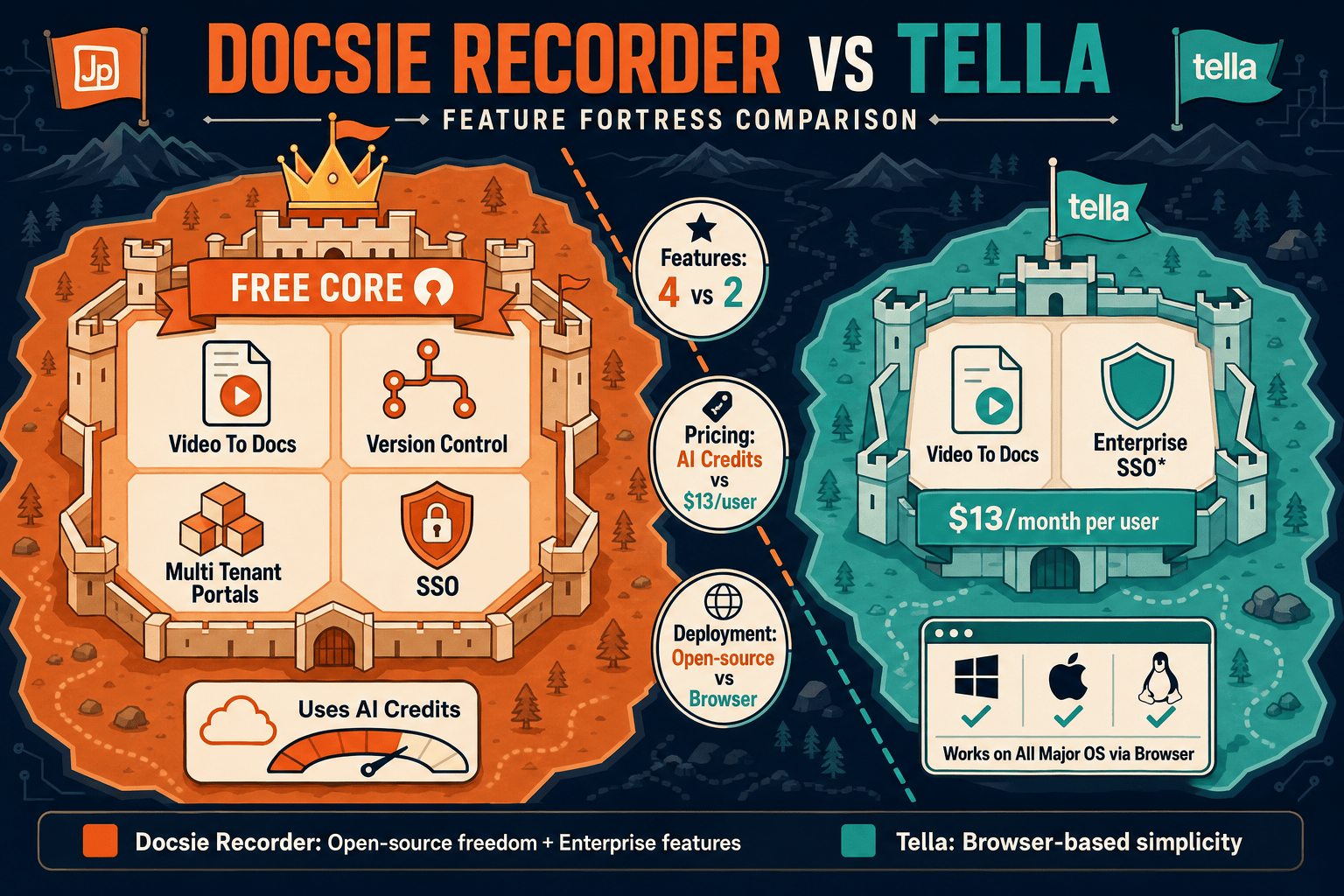
Winner: Docsie Recorder
For teams evaluating a Screen Studio alternative or Loom replacement who need their recordings to become structured documentation, Docsie Recorder wins on depth of workflow. It is the only free, open-source recorder in this comparison that natively connects a desktop capture-and-edit session to a Video-to-Docs API, Markdown and DOCX export, and a full Docsie knowledge base with versioning, portal delivery, and enterprise deployment. Tella excels at polished browser video, but it stops where Docsie Recorder begins its documentation workflow.
Decision Helper
A direct framework for picking between Docsie Recorder, Tella based on your specific needs.
Free, open-source desktop screen recorder that feeds a Video-to-Docs pipeline.
Polished browser-based screen and webcam recorder for content creators.
Common Questions
Q: Is Docsie Recorder actually free, or does Video-to-Docs cost money?
A: The recorder and editor are completely free and open-source—you can download, record, edit, and export MP4 or GIF files with no account and no cost. Video-to-Docs conversion uses Docsie AI credits, which are consumed when you send a recording through the Docsie bridge to generate structured documentation. The recorder itself has no paywall; the AI conversion step is where credits apply.
Q: Can Tella export Markdown, DOCX, or PDF from its AI document generation?
A: Based on publicly available information, Tella does not offer Markdown, DOCX, or PDF export from its AI document generation feature. Tella's output is centered on hosted video and share links, with AI-generated documents accessible in-app on the Premium tier. Docsie Recorder's Video-to-Docs pipeline produces structured Markdown, DOCX, and PDF that can be published into a Docsie knowledge base or downloaded directly.
Q: Does Tella store videos locally or in the cloud?
A: Tella stores recordings and projects in the cloud as part of its browser-based SaaS model, which means your files depend on Tella's hosted infrastructure. Docsie Recorder captures and edits locally on your machine, saving project files in the .docsiescreen format and exporting MP4 or GIF locally before any cloud step is involved. Teams with data residency or file ownership requirements will find Docsie Recorder's local-first approach more suitable.
Q: Which tool is better for support and enablement teams turning walkthroughs into documentation?
A: Docsie Recorder is the stronger choice for support and enablement teams. Recording a product walkthrough in Docsie Recorder and then sending it through the Video-to-Docs bridge produces a structured, step-by-step article with screenshots that publishes directly into a Docsie knowledge base. Tella produces a polished video with optional AI-generated document notes, but there is no native path from that output into a managed, versioned documentation system.
Q: Can I use Docsie Recorder on Linux?
A: Yes. Docsie Recorder provides desktop builds for macOS, Windows, and Linux, making it one of the few recorder tools in this category with full cross-platform support. Tella also supports Linux through its browser-based recorder, so both tools cover Linux users, but Docsie Recorder's desktop-native approach gives Linux users a richer editing environment compared to browser-based capture.
Q: How does the Video-to-Docs workflow in Docsie Recorder compare to Tella's AI document generation?
A: Docsie Recorder's Video-to-Docs pipeline is purpose-built and deeply integrated—you configure language, quality tier, doc style, and rewrite instructions before submitting, and the output is structured Markdown that publishes into a versioned Docsie knowledge base. Tella's AI document generation is a Premium-tier feature that creates document notes from a video, but the output does not connect to a documentation management platform, versioning system, or multi-tenant portal. Docsie treats docs as the primary deliverable; Tella treats them as a supplementary layer on top of the video.
Download Docsie Recorder free, capture your workflow with a polished desktop editor, and route your recording directly into Docsie's Video-to-Docs pipeline to generate Markdown, DOCX, and knowledge base articles—no closed-source SaaS required for the recording step.
Free recorder and editor. Video-to-Docs conversion uses Docsie AI credits. No account required to record and export video locally.