
4.8
on G2
 Docsie Recorder
 Tella
Tella
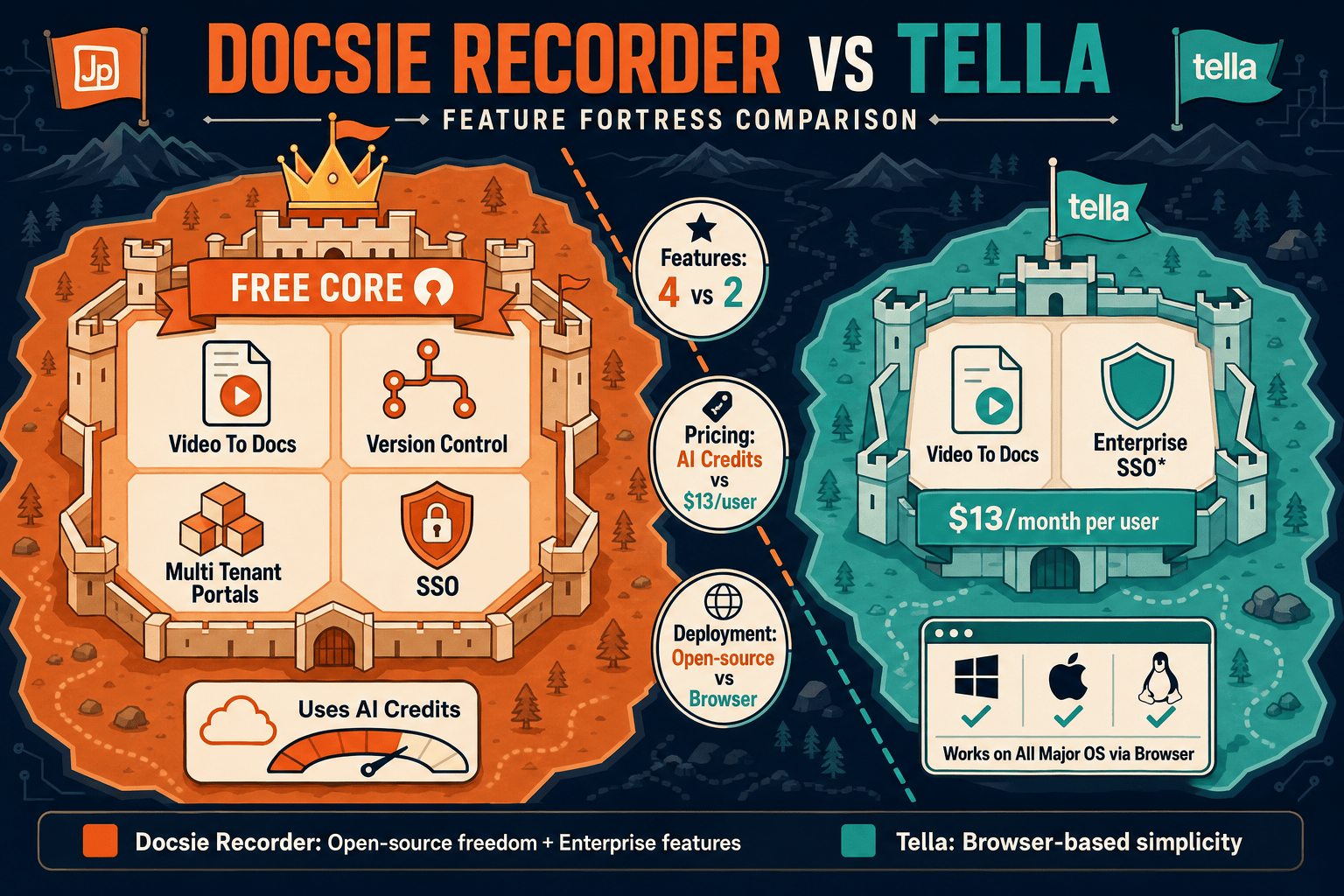
Docsie Recorder is a free, open-source desktop screen recorder that connects directly into a Video-to-Docs pipeline. Tella is a polished browser-based recorder starting at $13/month. This pricing comparison breaks down what you actually get at each price point, where costs scale, and which tool delivers better long-term value for teams that need more than a video file.

On pricing: Docsie Recorder runs video-to-docs plus multi-tenant portals, Tella captures workflows into quick guides, while Docsie Recorder fits when you also need video → structured docs → multi-tenant portals end-to-end.
Feature & Pricing Matrix
A feature-by-feature breakdown comparing Docsie Recorder and Tella across recording capabilities, editing tools, export formats, and documentation output — mapped to what each pricing tier actually unlocks.
| Feature |
Docsie Recorder
Free & Open Source
|
Tella
|
|---|---|---|
| Free Desktop Recorder | ||
| Open-Source Recorder Base | MIT licensed (OpenScreen core) | |
| Mac Support | ||
| Windows Support | ||
| Linux Support | ||
| Window and Full-Screen Capture | ||
| Microphone Capture | ||
| System Audio Capture | Supported (platform-specific) | |
| Webcam Overlay | ||
| Automatic or Manual Zoom | ||
| Cursor and Focus Polish | ||
| Backgrounds and Visual Effects | Wallpapers, gradients, custom | |
| Crop, Trim, Speed Regions | Trim and multi-clip; confirm speed regions | |
| Annotations and Blur Regions | Text, arrows, images, blur | |
| Local MP4 Export | ||
| Local GIF Export | ||
| Project Save Format | .docsiescreen project files | Cloud-hosted project |
| Video-to-Docs Conversion | Via Docsie AI credits | Premium plan and above |
| Markdown Export | ||
| DOCX Export | ||
| PDF Export | ||
| Knowledge Base Publishing | ||
| Versioned Documentation Management | ||
| Multi-Tenant Portal Delivery | ||
| No Account Required to Record | ||
| Pricing to Start Recording | $0 forever | Free tier with limits; $13/mo for Pro |
Data as of May 2026. Tella pricing confirmed from tella.com/pricing. Docsie Recorder is free and open source; Video-to-Docs conversion uses Docsie AI credits. Reconfirm Tella plan limits before relying on this comparison.
Strengths & Weaknesses
Deep Dive
Beyond the headline price, three categories determine the real cost of each tool over time — value for money at the recorder level, how costs scale with team size, and the hidden limitations that surface after you commit.
Docsie Recorder delivers a fully functional screen recorder and editor at $0 with no usage caps, no watermarks, and no account required. You get zoom, crop, trim, speed regions, backgrounds, motion blur, annotations, blur regions, and local MP4/GIF export — features that sit behind a $13–$19/month paywall in Tella. The only point where Docsie costs money is the Video-to-Docs conversion step, which uses AI credits and is pay-per-job rather than a recurring seat fee. For teams that record frequently but convert selectively, this model is significantly cheaper than paying per user per month just to access a recorder.
Tella's per-user pricing model means every new team member who needs to record adds $13–$19/month to your bill. A ten-person team on Tella Premium pays roughly $190/month just for recording access. Docsie Recorder has no per-seat recorder cost regardless of team size — the open-source desktop app can be deployed to every machine without licensing. The only scaling cost is Docsie AI credits for Video-to-Docs conversions, which scale with actual usage rather than headcount. For growing documentation teams, the Docsie model creates a much flatter cost curve as team size increases.
Tella's free plan carries usage limits on recording length and features, and AI document generation — the most documentation-relevant feature — is locked to the Premium tier at $19/user/month. Even then, generated docs have no export path to Markdown, DOCX, or PDF, and no route into a managed knowledge base. Docsie Recorder's hidden consideration is the API credit cost for Video-to-Docs conversions and the current lack of Apple notarization, which requires a security bypass on macOS. Teams evaluating Docsie should budget AI credit costs against actual conversion volume, but the recorder itself carries no hidden subscription.
Pricing Breakdown
Every plan from both tools compared so you can see exactly what each dollar buys — from the free recorder tier through enterprise.
Docsie Recorder wins on pure cost-to-record: the full recorder and editor are free forever with no per-seat fee. Tella requires a $13–$19/month per-user subscription to unlock the features most teams need. For documentation output, Docsie's AI credit model charges only when you convert — whereas Tella's AI document generation is locked behind Premium pricing and produces output with no export path to Markdown, DOCX, PDF, or a managed knowledge base. Teams paying for Tella Premium at $19/user/month are paying more for fewer documentation capabilities than the Docsie Recorder plus AI credits combination delivers.
Our Recommendation
If your goal is to record your screen and produce structured documentation, Docsie Recorder is the better value at every price point. The recorder itself is free and open source with no usage limits. The editing toolkit — zoom, crop, trim, backgrounds, annotations — matches or exceeds what Tella puts behind its Pro paywall. The only cost Docsie introduces is the AI credit for Video-to-Docs conversion, which is pay-per-job rather than a recurring seat fee. Tella is a genuinely polished browser recorder and the right choice for teams that want a quick, aesthetically strong async video with minimal setup — but if the end goal is documentation, the pricing math and feature depth both favor Docsie.
Choose Docsie Recorder if you need...
Choose Tella if you need...
Winner: Docsie Recorder
Docsie Recorder is $0 to start, open source, cross-platform, and includes a recorder-grade editing toolkit that Tella charges $13–$19/user/month to unlock. When documentation is the goal — not just a video file — Docsie's Video-to-Docs pipeline generates structured Markdown, DOCX, and PDF and publishes directly into a versioned knowledge base. Tella's AI document generation at Premium pricing produces output with no export path and no knowledge base integration. For teams that need to record, convert, and manage documentation, Docsie Recorder delivers more capability at a lower total cost.
Decision Helper
A direct framework for picking between Docsie Recorder, Tella based on your specific needs.
Free, open-source desktop screen recorder that feeds a Video-to-Docs pipeline.
Polished browser-based screen and webcam recorder for content creators.
Common Questions
Q: Is Docsie Recorder really free, or does it require a Docsie subscription to use?
A: The recorder and editor are completely free — no Docsie account required to record, edit, and export MP4 or GIF files. The only step that uses Docsie AI credits is the optional Video-to-Docs conversion, which sends the recording to Docsie's cloud API. If you only need the screen recorder and local export, it costs nothing and requires no sign-up.
Q: How does Tella's per-user pricing compare to Docsie Recorder at team scale?
A: Tella charges $13–$19 per user per month for the features most teams need. A ten-person team on Tella Premium pays approximately $190/month for recording access alone. Docsie Recorder has no per-seat cost for the recorder at any team size — the open-source desktop app deploys freely, and you pay only Docsie AI credits for the conversions you actually run. For teams larger than five people, the Docsie model is typically cheaper.
Q: Does Tella's free plan give you enough to evaluate the tool properly?
A: Tella's free plan allows basic browser recording but applies usage limits on recording length and storage, and excludes AI document generation entirely. The most documentation-relevant features require Pro ($13/mo) or Premium ($19/mo). Docsie Recorder's free tier has no such caps — the full recorder and editor work without any account, and you can evaluate Video-to-Docs separately when you are ready to test the conversion workflow.
Q: Tella Premium includes AI document generation — how does that compare to Docsie's Video-to-Docs?
A: Tella's AI document generation produces a text summary from a video but has no export path to Markdown, DOCX, or PDF, and no route into a managed knowledge base. Docsie's Video-to-Docs pipeline generates structured Markdown with a result preview, exports to Markdown, DOCX, and PDF, and publishes directly into Docsie's versioned knowledge base with portal delivery and translation support. Tella's output is a supplementary summary; Docsie's output is a managed documentation artifact.
Q: If I just need a screen recorder and do not need documentation features, is Tella worth the cost over Docsie Recorder?
A: For pure video output with polished browser-based aesthetics and async team sharing, Tella Pro at $13/month is a reasonable choice. However, Docsie Recorder also produces polished output with backgrounds, zoom, annotations, and motion blur — locally, for free, on any operating system. If the goal is a finished MP4 or GIF rather than a hosted share link, Docsie Recorder matches Tella's editing quality at $0 with the added benefit of local file ownership.
Q: Are there hidden costs in Docsie Recorder I should plan for before committing?
A: The two considerations to plan for are Docsie AI credits for Video-to-Docs conversions and the current lack of Apple Developer ID notarization on macOS builds. The AI credit cost scales with the number of recordings you convert, not your team size, so teams that record frequently but convert selectively will see low credit usage. The macOS notarization issue requires a one-time security bypass during install — it is a packaging gap, not a security risk, but worth noting for IT-managed fleets. Both items are documented in the project's release-readiness notes.
Download Docsie Recorder today at no cost. Record, edit, and export MP4s locally with full editing tools. When you are ready, send any recording through the Docsie Video-to-Docs pipeline to generate structured Markdown, DOCX, and PDF — and publish directly into a versioned knowledge base.
No subscription required to record and export. AI credits used only when you run a Video-to-Docs conversion.