
4.8
on G2
 Docsie Recorder
 ScribeHow
Docsie Recorder is a free, open-source desktop screen recorder that captures, edits, and converts video into structured documentation. ScribeHow auto-captures browser workflows as annotated screenshot guides. If you searched for a Screen Studio alternative or an AI video-to-docs tool, this comparison explains why these two products serve fundamentally different capture philosophies.
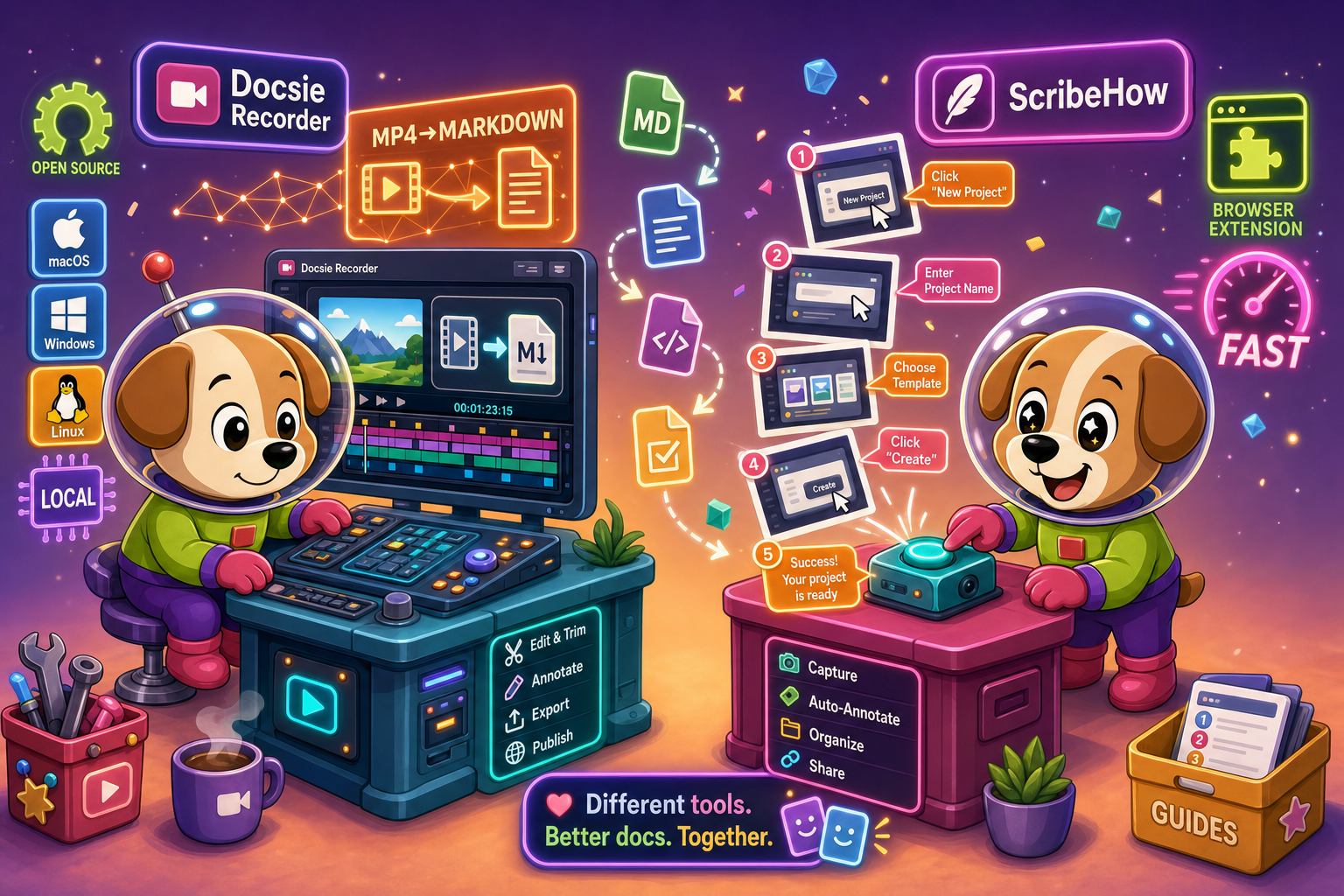
Docsie Recorder runs video-to-docs plus multi-tenant portals, ScribeHow captures workflows into quick guides, while Docsie Recorder fits when you also need video → structured docs → multi-tenant portals end-to-end.
Feature Matrix
A comprehensive feature-by-feature comparison covering recording capabilities, editing tools, export formats, AI documentation conversion, and downstream knowledge base publishing.
| Feature |
Docsie Recorder
Our Pick
|
ScribeHow
|
|---|---|---|
| Free Desktop Recorder | ||
| Open-Source Recorder Base | ||
| Mac Support | Browser extension only | |
| Windows Support | Browser extension only | |
| Linux Support | ||
| Window and Full-Screen Capture | Browser tab only (free); desktop with Pro+ | |
| Microphone Capture | ||
| System Audio Capture | Supported (OS-dependent) | |
| Webcam Overlay | ||
| Automatic or Manual Zoom | ||
| Cursor or Focus Polish | ||
| Backgrounds and Visual Effects | Wallpapers, gradients, custom | |
| Crop, Trim, Speed Regions | ||
| Annotations and Blur Regions | Text, arrows, images, blur | Step annotations only |
| Local MP4 Export | ||
| Local GIF Export | ||
| Project Save Format | .docsiescreen project files | |
| Video-to-Docs Conversion | ||
| Markdown Export | ||
| DOCX Export | ||
| PDF Export | Pro+ only | |
| Knowledge Base Publishing | ||
| Versioned Documentation Management | ||
| Multi-Tenant Portal Delivery | ||
| Enterprise Deployment Path | Custom ($18K+ reported) |
Data as of February 2026. Features based on publicly available information and vendor documentation. Confirm current pricing and release status before purchasing.
Strengths & Weaknesses
Deep Dive
An in-depth analysis of the critical differences in recording approach, editing capabilities, AI documentation conversion, enterprise readiness, and ecosystem integrations between a video-first recorder and a click-capture screenshot tool.
Docsie Recorder is video-first. It captures your full screen or a specific window as a continuous video, preserving motion, audio narration, timing, and visual context that screenshots can never reproduce. ScribeHow is click-first — it intercepts browser click events and auto-generates an annotated screenshot for each step. Both approaches have merit, but they serve different content. Video capture is essential whenever the process involves motion, timing, system audio, or anything that happens between clicks. ScribeHow's approach is faster for static browser workflows but structurally incapable of capturing anything outside a browser tab on the free tier.
Docsie Recorder ships a full post-recording editor with automatic and manual zoom, cursor polish, crop, trim, speed regions, backgrounds and gradients, motion blur, text annotations, arrow figures, image overlays, and blur regions for sensitive content. The editor saves to a reusable .docsiescreen project file so recordings can be revisited and re-exported. ScribeHow offers no equivalent video editing at all. It provides annotation overlays on screenshots and step reordering, but there is no timeline, no zoom animation, no audio track, and no visual polish toolset. If you need a polished recording that rivals Screen Studio output, ScribeHow is the wrong category of tool.
The most decisive difference between these two tools is what happens after capture. Docsie Recorder connects directly to Docsie's Video-to-Docs pipeline — you send the recording to Docsie's AI, which generates structured Markdown, DOCX, and PDF documentation with step extraction, screenshot selection, and rewrite instructions. The same recording can be published directly into a Docsie knowledge base. ScribeHow has no video capability and no video-to-docs conversion at all. Its AI features are limited to content suggestions within screenshot guides. If you searched for an AI video-to-docs tool, ScribeHow does not belong in that category.
ScribeHow offers SSO, SCIM, SOC 2, GDPR, and HIPAA PHI redaction at its Enterprise tier, but lacks version control, multi-tenant portals, API access, and audit logs. Pricing is reported above $18,000 annually. Docsie Recorder's open-source MIT core is free with no account required. The downstream Docsie platform adds enterprise-grade version control, custom domain portals, SSO, API access, and multi-tenant delivery — meaning teams can serve documentation to multiple client portals from a single publishing workflow. Engineering teams also gain an auditable, self-hostable recorder instead of a closed-source SaaS capture tool.
ScribeHow integrates with Notion, Confluence, SharePoint, ClickUp, Airtable, and 360Learning for embedding screenshot guides into existing tools. There is no API access. Docsie Recorder exports MP4 and GIF locally to any destination, and its Docsie bridge routes converted documentation into the full Docsie platform — where API access, webhooks, portal delivery, helpdesk integrations, and course publishing are available. The CONVERT step feeds MANAGE, DELIVER, LEARN, and AUTOMATE workflows downstream, turning one recording session into structured content that can be versioned, translated, published, and reused across the full Docsie ecosystem without leaving the workflow.
Our Recommendation
Docsie Recorder and ScribeHow are not the same category of tool. Docsie Recorder is a free, open-source desktop video recorder with a full editing suite and a direct pipeline into AI-powered structured documentation. ScribeHow auto-captures browser click workflows as annotated screenshot guides. If you searched for a screen recorder, a Screen Studio alternative, or an AI video-to-docs tool, Docsie Recorder is the relevant product. ScribeHow is faster for teams that only need browser-based SOP screenshots and have no video in their workflow.
Choose Docsie Recorder if you need...
Choose ScribeHow if you need...
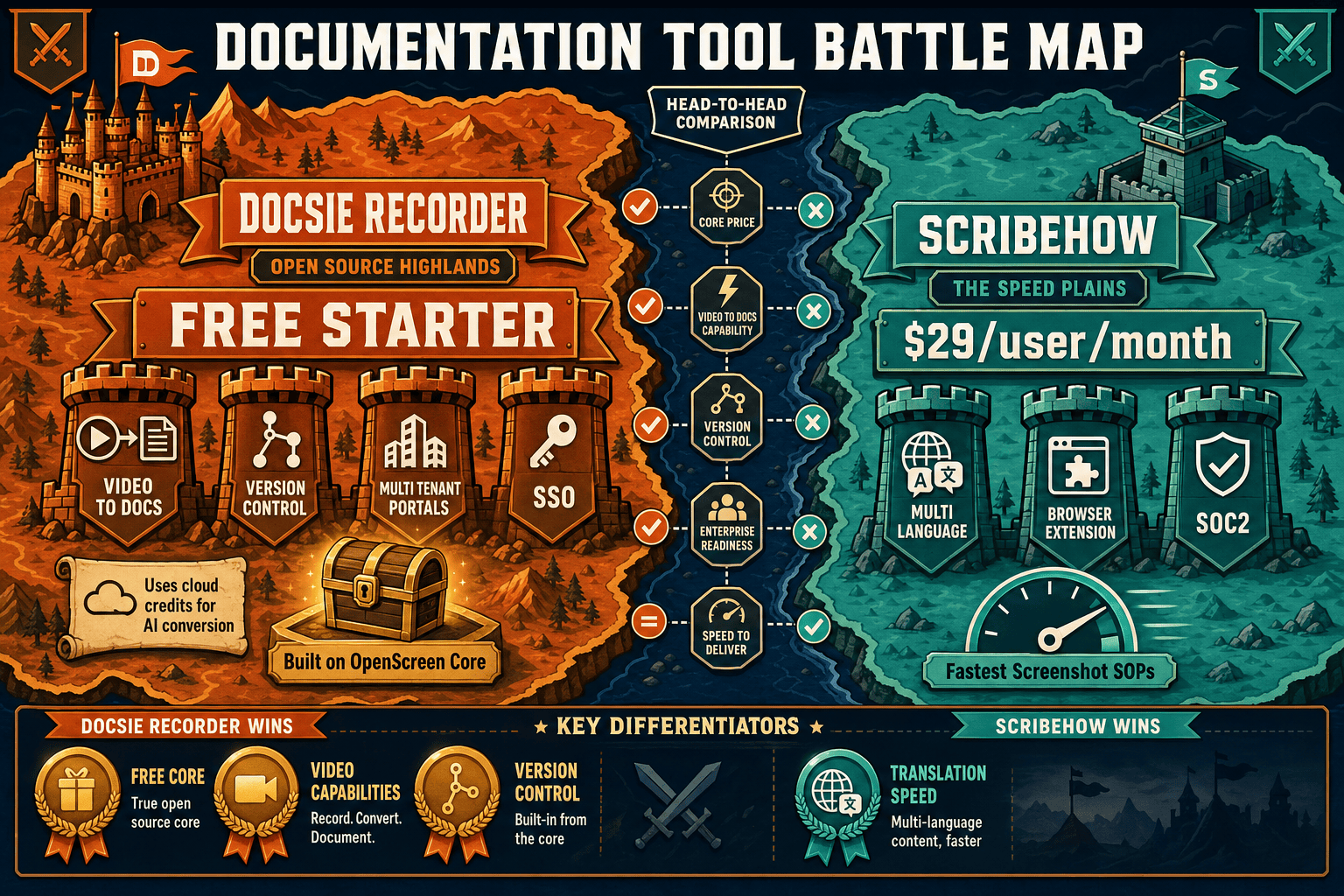
Winner: Docsie Recorder
For anyone evaluating screen recorders, Screen Studio alternatives, or AI video-to-docs tools, Docsie Recorder wins on every dimension that matters. It is free and open-source, runs on macOS, Windows, and Linux, ships a full recorder-grade editor with zooms and visual effects, exports MP4 and GIF locally, and connects directly to Docsie's Video-to-Docs pipeline to generate structured documentation from the same recording. ScribeHow has no video capability at all — it cannot record, edit, or convert video of any kind. Docsie Recorder delivers the full CREATE to CONVERT to MANAGE to DELIVER workflow that ScribeHow structurally cannot provide.
Decision Helper
A direct framework for picking between Docsie Recorder, ScribeHow based on your specific needs.
Free, open-source desktop screen recorder that feeds a Video-to-Docs pipeline.
Browser extension that auto-captures clicks into step-by-step guides.
Common Questions
Q: Can ScribeHow record and edit video like Docsie Recorder?
A: No. ScribeHow has zero video capability. It captures browser clicks as annotated screenshots and cannot record, import, edit, or convert any video format. Docsie Recorder is a full desktop video recorder with a built-in editor supporting zooms, crop, trim, backgrounds, blur regions, and annotations — plus a direct pipeline to convert that video into structured Markdown, DOCX, and PDF documentation.
Q: Does Docsie Recorder work on Linux like it does on Mac and Windows?
A: Yes. Docsie Recorder provides desktop builds for macOS, Windows, and Linux. ScribeHow operates as a Chrome browser extension with a desktop capture add-on available on Pro+ plans, but it has no native Linux application. For engineering teams or open-source organizations running Linux, Docsie Recorder is the only option in this comparison.
Q: Can Docsie Recorder replace ScribeHow for browser workflow SOPs?
A: Docsie Recorder takes a video-first approach rather than a click-capture approach. If your team's entire workflow is browser-based and you need annotated screenshot guides with near-zero setup, ScribeHow is faster for that specific use case. However, if you want to narrate the process, include system audio, show transitions between steps, or convert the output into versioned documentation, Docsie Recorder's video-first approach produces richer and more reusable content.
Q: What happens to a recording after I finish in Docsie Recorder?
A: After recording and editing, Docsie Recorder lets you export MP4 or GIF locally with no account required. Optionally, you can send the recording through the Docsie bridge to the Video-to-Docs pipeline, which uses Docsie AI credits to generate structured documentation — including Markdown preview, DOCX, and PDF — and publish the result directly into a Docsie knowledge base for versioning, portal delivery, and course reuse.
Q: How does pricing compare between Docsie Recorder and ScribeHow?
A: Docsie Recorder's desktop recorder and editor are completely free with no account required and an MIT open-source license. Video-to-Docs conversion uses Docsie AI credits with a cost estimate shown before you commit. ScribeHow's free tier is browser-only with a watermark. Desktop capture requires the Pro Personal plan at $29/user/month, or Pro Team at $15/seat/month with a five-seat minimum ($75/month minimum). Enterprise pricing is reported above $18,000 annually. For teams that need video recording capability, Docsie Recorder is significantly more cost-effective.
Q: Is Docsie Recorder suitable for teams that currently use ScribeHow for internal SOPs?
A: Teams using ScribeHow for internal browser SOPs can continue using it for that narrow use case while adopting Docsie Recorder for any documentation that requires video, audio narration, physical process capture, or cross-platform recording. The two tools are not direct substitutes — they capture content in fundamentally different ways. Teams that want to consolidate their documentation workflow into a single pipeline from recording through publishing will find Docsie Recorder's Video-to-Docs bridge more capable than anything ScribeHow offers.
Download Docsie Recorder and start capturing polished screen recordings on macOS, Windows, or Linux. Export MP4 and GIF locally, then convert your recording into structured Markdown, DOCX, and knowledge base documentation through Docsie's Video-to-Docs pipeline.
Free desktop recorder with no account required. Video-to-Docs conversion uses Docsie AI credits with an estimate shown before you commit.