
4.8
on G2
 Docsie Recorder
 ScribeHow
ScribeHow charges $15–$29 per user per month for screenshot-based step guides captured from a browser extension. Docsie Recorder is a free, open-source desktop recorder that exports MP4 and GIF locally—and connects to a Video-to-Docs pipeline that turns your recordings into structured documentation. This pricing breakdown explains exactly what you pay, what you get, and which tool delivers real value for teams that need more than annotated screenshots.
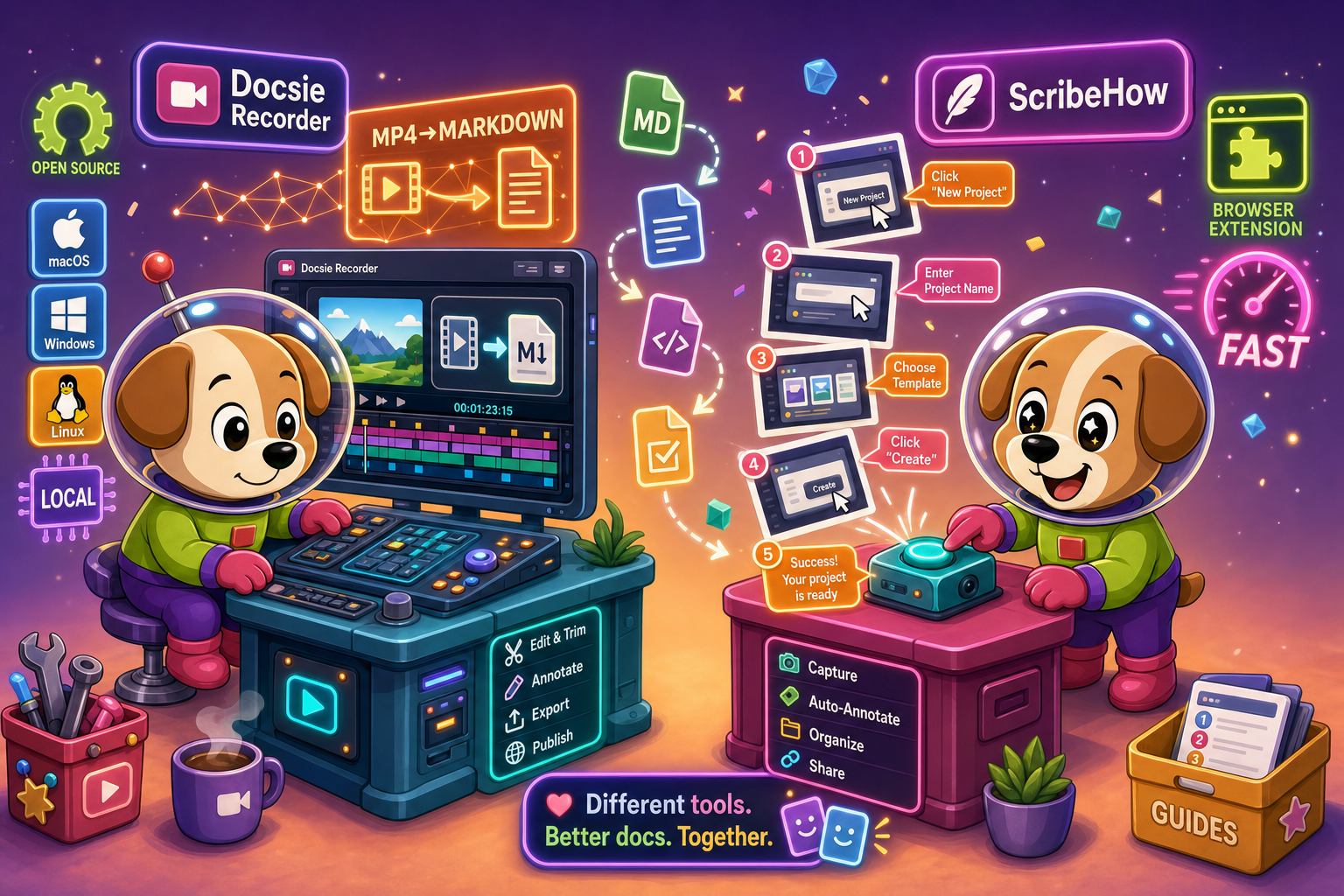
On pricing: Docsie Recorder runs video-to-docs plus multi-tenant portals, ScribeHow captures workflows into quick guides, while Docsie Recorder fits when you also need video → structured docs → multi-tenant portals end-to-end.
Feature Matrix
A side-by-side breakdown of recording capabilities, editing tools, output formats, and documentation workflow features—comparing what each tool actually delivers for the money.
| Feature |
Docsie Recorder
Our Pick
|
ScribeHow
|
|---|---|---|
| Free Desktop Recorder | ||
| Open-Source Recorder Base | ||
| Mac Support | ||
| Windows Support | ||
| Linux Support | ||
| Window and Full-Screen Capture | Browser extension only (Pro adds desktop) | |
| Microphone Capture | ||
| System Audio Capture | Supported (platform-specific) | |
| Webcam Overlay | ||
| Automatic or Manual Zoom | ||
| Cursor and Focus Polish | ||
| Backgrounds and Visual Effects | Wallpapers, gradients, custom | |
| Crop, Trim, Speed Regions | ||
| Annotations and Blur Regions | Annotations only (no blur) | |
| Local MP4 Export | ||
| Local GIF Export | ||
| Screenshot-Based Step Guides | ||
| Video-to-Docs Conversion | ||
| Markdown Export | ||
| DOCX Export | ||
| PDF Export | Pro+ only | |
| Knowledge Base Publishing | ||
| Versioned Documentation Management | ||
| Multi-Tenant Portal Delivery | ||
| SSO / Enterprise Auth | Enterprise only | |
| API Access |
Data as of February 2026. Docsie Recorder is free to download; Video-to-Docs conversion uses Docsie AI credits. ScribeHow pricing reflects publicly listed plans. Enterprise pricing varies by contract.
Strengths & Weaknesses
Deep Dive
Beyond the headline price, three areas reveal where each tool's cost model breaks down—or scales effectively. Here is a detailed look at value for money, scalability costs, and hidden limitations at each tier.
Docsie Recorder is free to download and free to use for all recording and editing. You get a full desktop recorder with zoom, crop, trim, speed regions, backgrounds, annotations, blur regions, webcam overlay, and local MP4/GIF export—at zero cost. ScribeHow's free plan is browser-capture only with a forced watermark, making it unsuitable for professional output without upgrading. For a solo user, ScribeHow Pro Personal costs $29/user/month for features that Docsie Recorder ships for free. The only cost on the Docsie side is AI credits for Video-to-Docs conversion, which is an optional step that ScribeHow cannot perform at any price.
ScribeHow's Pro Team plan requires a minimum of five seats at $15/seat/month, meaning the floor is $75/month before your team has done anything. At 20 users that becomes $300/month—and Enterprise pricing for larger organizations is reported at $18,000 or more annually. Docsie Recorder has no per-seat cost for recording. Teams of any size download and use the recorder freely. Downstream Video-to-Docs conversions scale on an AI credit model rather than a per-user seat tax, which means a team of 50 that records occasionally pays far less than 50 ScribeHow seats. For organizations with large headcounts but moderate documentation volume, this difference is substantial.
ScribeHow's hidden cost is capability ceiling. You pay per user for a tool that is fundamentally screenshot-only—there is no upgrade path that adds video recording, audio capture, or knowledge base publishing because those features do not exist in the product at any price. Teams that outgrow screenshot guides must pay ScribeHow and then pay again for a separate video recorder and a separate knowledge base platform. Docsie Recorder's hidden consideration is that Video-to-Docs conversion requires Docsie AI credits and an internet connection for that step. The recording and editing themselves are fully local and free. Teams should evaluate their expected conversion volume against Docsie credit pricing before committing to high-frequency AI conversion workflows.
Pricing Breakdown
Every plan for both tools, compared by what you actually get at each price point—including the real cost of desktop capture, video capability, and knowledge base output.
Docsie Recorder wins on price at every tier. The recorder is free where ScribeHow charges $29/user/month for solo desktop capture. At team scale, ScribeHow's $75/month floor and $18,000+ enterprise contracts represent significant recurring spend for a screenshot-only tool. Docsie Recorder adds video capability, full editing, local export, and an optional AI-powered path to structured documentation—all at zero base cost. The only incremental cost Docsie introduces is AI credits for Video-to-Docs conversion, which ScribeHow cannot offer at any price point.
Our Recommendation
This comparison is between a free, open-source video-first recorder with an optional AI docs pipeline and a per-seat subscription tool that captures browser screenshots. ScribeHow is a fast, polished tool for teams that only ever need annotated step guides from browser workflows—but it charges per user for a capability set that Docsie Recorder ships for free while also adding video recording, editing, audio capture, local export, and a direct path to structured documentation. For any team evaluating screen recorders or looking for a Screen Studio alternative with a docs output, Docsie Recorder delivers more capability at a lower cost.
Choose Docsie Recorder if you need...
Choose ScribeHow if you need...
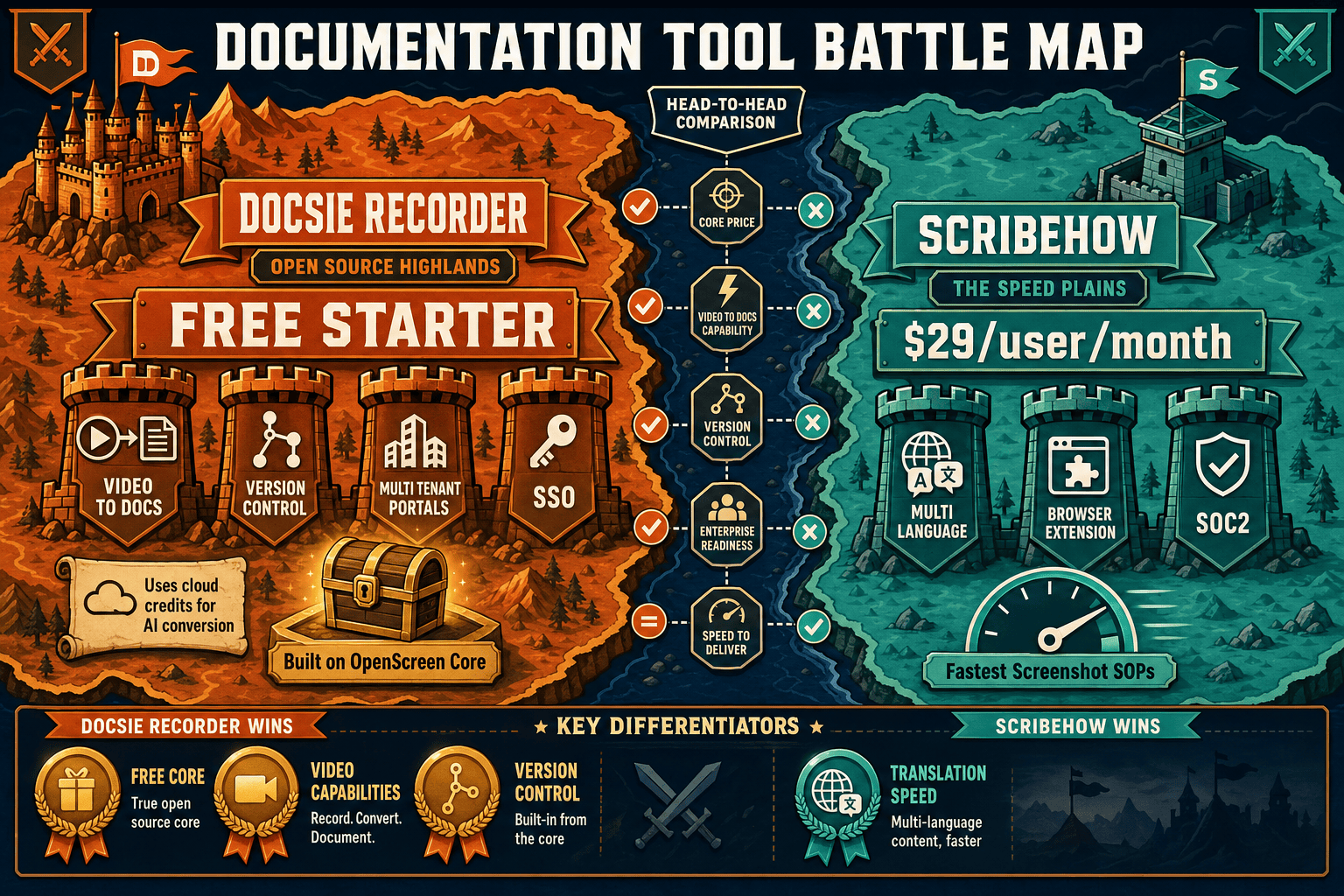
Winner: Docsie Recorder
Docsie Recorder is free and open-source where ScribeHow charges $15–$29 per user per month. It captures video where ScribeHow captures only screenshots. It exports MP4 and GIF locally where ScribeHow has no video output at any price. And it connects to a Video-to-Docs pipeline that turns recordings into structured documentation—a workflow ScribeHow cannot offer regardless of plan. For buyers evaluating screen recorders, Screen Studio alternatives, or AI video-to-docs tools, Docsie Recorder delivers a fundamentally broader capability set at a lower total cost.
Decision Helper
A direct framework for picking between Docsie Recorder, ScribeHow based on your specific needs.
Free, open-source desktop screen recorder that feeds a Video-to-Docs pipeline.
Browser extension that auto-captures clicks into step-by-step guides.
Common Questions
Q: Is Docsie Recorder really free, or are there hidden fees?
A: The recorder and editor are completely free—no subscription, no account required to record and export MP4 or GIF files. The only optional cost is Docsie AI credits if you use the Video-to-Docs conversion feature, which sends your recording to Docsie's API to generate structured documentation. You can estimate credit cost before submitting a job. Recording, editing, and local export are always free.
Q: Why does ScribeHow cost $29/user/month when the free plan exists?
A: ScribeHow's free plan is browser extension capture only and places a Scribe watermark on every output, making it unsuitable for professional or customer-facing documentation. Desktop app capture—which unlocks macOS and Windows recording beyond the browser—requires the $29/user/month Pro Personal plan. Teams need the Pro Team plan at $15/seat/month with a five-seat minimum ($75/month floor) to get team workspaces and approval workflows.
Q: How does ScribeHow's enterprise pricing compare to Docsie's?
A: ScribeHow enterprise contracts are reported at $18,000 or more per year for SSO, SCIM, and AI PII/PHI redaction features. Docsie's enterprise path includes SSO, multi-tenant portals, versioning, API access, and the full Video-to-Docs pipeline at workspace-based pricing rather than a per-user seat tax. Teams with large headcounts typically find Docsie's credit-based model significantly more cost-effective than ScribeHow's per-seat enterprise tier.
Q: Can ScribeHow record video or convert video to documentation?
A: No. ScribeHow has no video capability at any price point. It captures browser workflows as annotated screenshots and produces step-by-step guides. It cannot record video, process existing video files, capture audio, or convert recordings into structured documentation. If you need video-to-docs output, Docsie Recorder is the relevant tool in this comparison.
Q: Does Docsie Recorder work on Linux, and does ScribeHow?
A: Docsie Recorder provides macOS, Windows, and Linux desktop builds as part of its free open-source release. ScribeHow's desktop app supports macOS and Windows only on paid plans—Linux users must use the browser extension, which is limited to browser-only capture. For Linux-based teams or engineering organizations that want an auditable open-source recorder, Docsie Recorder is the only option in this comparison.
Q: What happens after I record with Docsie Recorder—how does the Video-to-Docs step work?
A: After recording and editing locally, you can send your project to Docsie's Video-to-Docs bridge from within the app. You select your Docsie workspace, choose a quality tier and language, optionally add rewrite or template instructions, and submit the job. Docsie's AI processes the recording and returns structured Markdown with a preview. You then publish that output into your Docsie knowledge base, where it becomes versioned documentation available through Docsie portals.
Docsie Recorder is free, open-source, and cross-platform. Record your screen, edit locally, export MP4 or GIF—and optionally convert your recording into structured documentation published to a Docsie knowledge base. No per-seat fees. No watermarks. No subscription required to start.
MIT open-source recorder core. Video-to-Docs conversion uses Docsie AI credits. Estimate cost before converting.