
4.8
on G2
 Docsie Recorder
 ScribeHow
ScribeHow captures browser clicks as annotated screenshot guides. Docsie Recorder captures full video, edits it locally, and routes it into structured documentation with enterprise-grade publishing, versioning, SSO, and multi-tenant portal delivery. If your team needs more than internal SOPs, this comparison shows where each tool fits inside a real enterprise workflow.
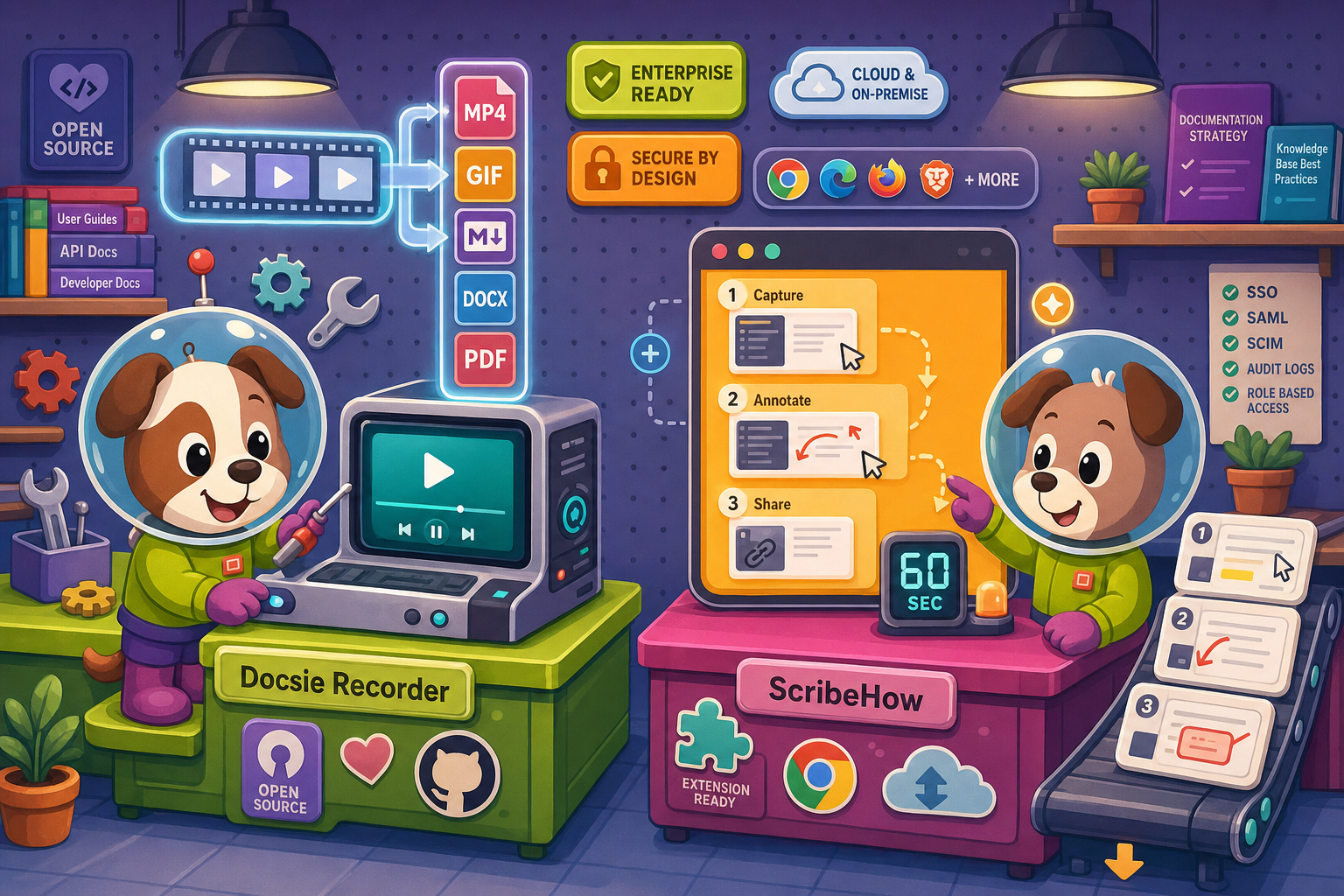
For enterprise: Docsie Recorder runs video-to-docs plus multi-tenant portals, ScribeHow captures workflows into quick guides, while Docsie Recorder fits when you also need video → structured docs → multi-tenant portals end-to-end.
Enterprise Feature Matrix
A feature-by-feature comparison focused on enterprise readiness—capture method, security controls, compliance posture, deployment flexibility, and downstream documentation infrastructure.
| Feature |
Docsie Recorder
Our Pick
|
ScribeHow
|
|---|---|---|
| Free desktop recorder | ||
| Open-source recorder base | ||
| Mac / Windows / Linux support | Mac & Windows only (Pro+) | |
| Video capture (screen + window) | ||
| Click-to-screenshot capture | ||
| Microphone audio capture | ||
| Webcam overlay | ||
| Annotations and blur regions | ||
| Local MP4 / GIF export | ||
| Video-to-docs conversion | ||
| Markdown / DOCX / PDF export | PDF only (Pro+) | |
| Knowledge base publishing | ||
| Versioned documentation management | ||
| Multi-tenant portal delivery | ||
| Custom domain support | ||
| SSO (SAML / SCIM) | Enterprise only | |
| SOC 2 compliance | ||
| GDPR compliance | ||
| HIPAA / PHI support | Enterprise (PHI redaction) | |
| Audit logs | ||
| Role-based access control | ||
| API access | ||
| Enterprise deployment path | Enterprise plan required | |
| Air-gap / on-prem option |
Data as of February 2026. Features are based on publicly available information and vendor documentation. Confirm current pricing and enterprise contract terms directly with each vendor before purchasing.
Strengths & Weaknesses
Enterprise Deep Dive
Enterprise buyers evaluate tools across security, scalability, administration, and support. Here is how Docsie Recorder and ScribeHow stack up across each dimension—going beyond surface feature checkboxes.
Docsie Recorder's open-source core gives enterprise security teams full visibility into what runs on the endpoint—no black-box capture agent. The downstream Docsie platform delivers SOC 2 Type II, GDPR, and HIPAA-ready compliance with audit logs, granular RBAC, and an air-gap deployment path for regulated industries. ScribeHow offers SOC 2 and GDPR certification plus AI PHI redaction at Enterprise tier, which is valuable for healthcare. However, it lacks audit logs, data residency options, and on-premises deployment—leaving security teams with less control over where captured workflow data lives and who accessed it.
Docsie Recorder captures locally and exports video without a server dependency, meaning recording quality and performance scale with the user's machine rather than a cloud queue. Video-to-Docs conversion uses Docsie's API with credit-based throughput that enterprise teams can pre-estimate before submission. The downstream Docsie knowledge base is built for multi-tenant delivery—one content set serving unlimited branded portals simultaneously. ScribeHow is a cloud-dependent capture tool; every guide lives in Scribe's hosted environment. There is no multi-tenant portal architecture, no versioned content delivery, and no mechanism to scale documentation output to external audiences or multiple client organizations.
Docsie's enterprise boundary provides SSO via SAML and SCIM provisioning, role-based access control, audit logs, and API access for programmatic administration. Teams can automate documentation routing, version promotion, and portal publishing through Docsie's API and webhook layer. ScribeHow offers SAML and SCIM at Enterprise tier alongside approval workflows and team workspaces—solid for internal SOP governance. However, the absence of audit logs, API access, and multi-tenant administration means enterprise admins have limited programmatic control and no way to automate documentation delivery beyond Scribe's own sharing UI. Docsie gives administrators a full control plane; ScribeHow gives a managed SaaS workspace.
ScribeHow provides a dedicated support tier and an enterprise SLA at its top contract level—appropriate for large internal deployments. Docsie similarly provides enterprise SLA, dedicated support, and onboarding for platform customers. The structural difference is in what the SLA covers: Docsie's SLA backs a documentation platform that includes recording, conversion, publishing, versioning, and portal delivery as one workflow. ScribeHow's SLA covers a screenshot-capture and guide-hosting product. For enterprise buyers whose documentation workflow spans creation through customer-facing delivery, Docsie's supported scope is meaningfully broader than what ScribeHow's enterprise contract can guarantee end-to-end.
Our Recommendation
ScribeHow is a capable internal SOP tool for teams that need fast, annotated screenshot guides of browser workflows. Its Enterprise tier adds SAML, SCIM, and PHI redaction—useful for compliance-conscious HR and ops teams. But it has no video capability, no knowledge base publishing, no API access, no audit logs, no multi-tenant portals, and no path to customer-facing documentation delivery. Docsie Recorder starts where ScribeHow cannot—video capture—and extends through Video-to-Docs conversion, versioned knowledge base management, SSO, audit logs, API access, and multi-tenant portal delivery. For enterprise teams that need documentation to travel from capture to published portal with full administrative control, Docsie Recorder plus the Docsie platform is the more complete enterprise answer.
Choose Docsie Recorder if you need...
Choose ScribeHow if you need...
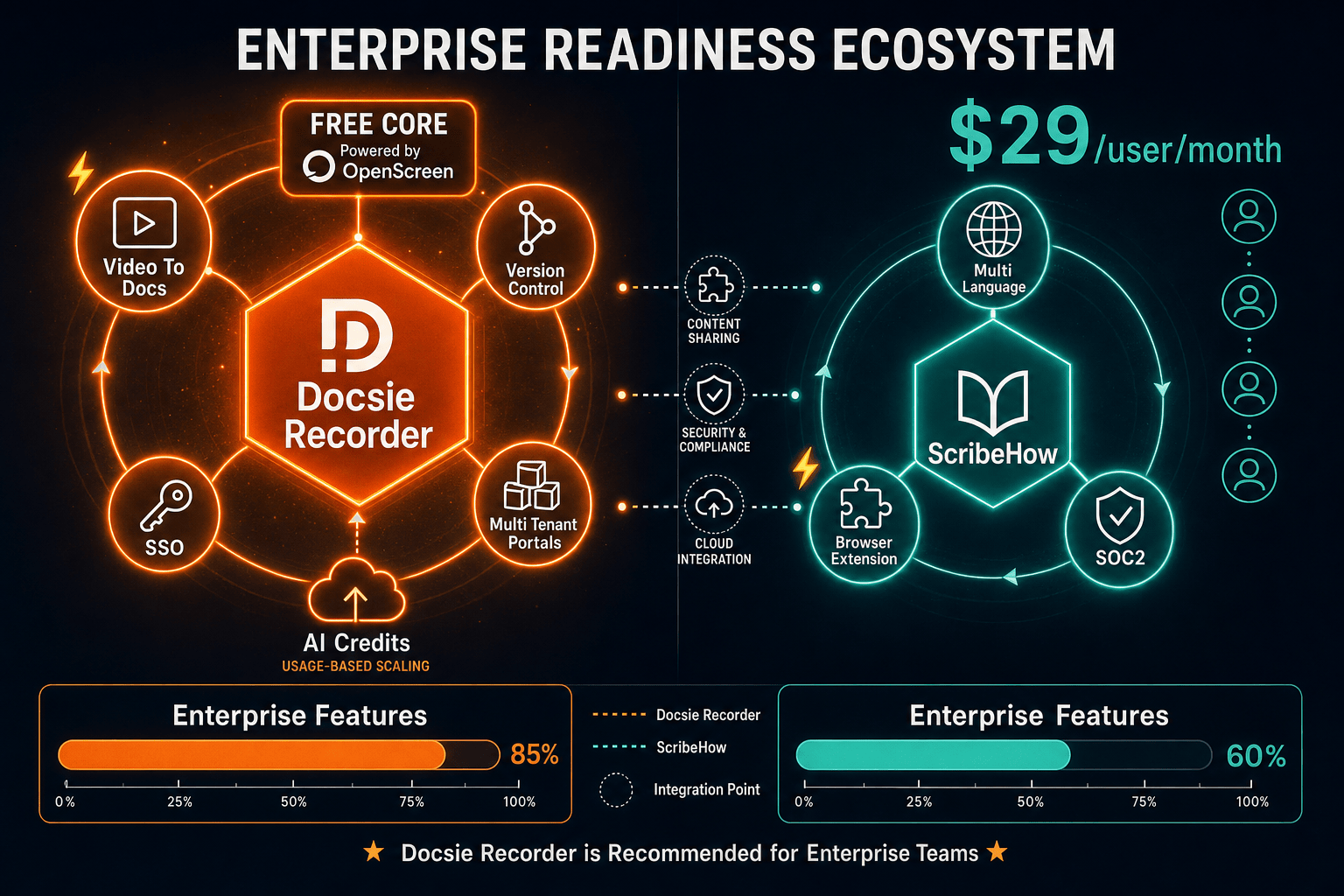
Winner: Docsie Recorder
Docsie Recorder wins on enterprise readiness because it combines a free, auditable open-source recorder with a full downstream enterprise platform—SSO, RBAC, audit logs, API access, multi-tenant portals, and an air-gap deployment path. ScribeHow provides solid enterprise controls for screenshot-based internal guides but has no video capability, no knowledge base publishing, no API access, no audit logs, and no multi-tenant delivery. For enterprise teams whose documentation workflow spans capture through customer-facing portal delivery, Docsie Recorder covers the full surface area while ScribeHow covers only the internal SOP slice.
Decision Helper
A direct framework for picking between Docsie Recorder, ScribeHow based on your specific needs.
Free, open-source desktop screen recorder that feeds a Video-to-Docs pipeline.
Browser extension that auto-captures clicks into step-by-step guides.
Common Questions
Q: Does ScribeHow offer audit logs for enterprise compliance?
A: No. ScribeHow's Enterprise tier includes SAML, SCIM, IP whitelisting, and AI PHI redaction, but audit logs are not listed as a feature. Docsie's platform provides audit logs as part of its enterprise boundary, which is important for compliance frameworks that require an activity record of who accessed or modified documentation. If audit trails are a procurement requirement, ScribeHow will not satisfy that control.
Q: Can Docsie Recorder be deployed on-premises or in an air-gapped environment?
A: Yes. The Docsie Recorder's open-source core runs entirely locally on the user's machine—no cloud connection is required to capture and export video. For the downstream Docsie platform, an air-gap and on-premises deployment path is available for enterprise customers in regulated industries. ScribeHow has no on-premises option; all captures and guides are stored in Scribe's hosted cloud environment.
Q: Which tool is better for HIPAA-regulated healthcare enterprises?
A: ScribeHow's Enterprise plan includes AI PII/PHI redaction, which is a meaningful control for healthcare screenshot documentation. Docsie's platform is HIPAA-ready with broader controls including audit logs, RBAC, SSO, and air-gap deployment. The right answer depends on use case—if you only need to document browser-based clinical software workflows with PHI redaction, ScribeHow's Enterprise tier is relevant. If you also need video capture, versioned knowledge bases, and customer-facing portal delivery, Docsie covers the wider healthcare documentation surface.
Q: How does per-user pricing compare at enterprise scale between the two tools?
A: ScribeHow charges per user with a reported Enterprise range of $18,000+ per year or $39/user/year, on top of a Pro Team minimum of $75/month for five seats. Docsie uses workspace-based pricing with AI credits for Video-to-Docs conversion rather than per-seat fees for documentation consumption. For large teams or organizations delivering documentation to external audiences, Docsie's model avoids the per-seat inflation that makes ScribeHow expensive at scale.
Q: Can ScribeHow deliver documentation to external customers or multiple client portals?
A: No. ScribeHow is designed for internal documentation distribution—guides are shared internally or embedded into tools like Confluence or Notion. There is no multi-tenant portal architecture, no custom domain support, and no mechanism to deliver branded documentation portals to separate client organizations. Docsie's platform supports multi-tenant portals with custom domains and per-portal branding, making it the correct choice for agencies, SaaS vendors, or enterprises serving external audiences.
Q: Is Docsie Recorder safe to approve for enterprise endpoint deployment given it is open source?
A: Open-source is an enterprise security advantage here, not a risk. Docsie Recorder's MIT-licensed core is based on OpenScreen, which means your security team can review the exact code running on employee machines before approving deployment—something no closed-source SaaS recorder allows. The main caveats to confirm before broad rollout are the current Apple notarization status and the desktop auth handoff for the Video-to-Docs bridge, both of which should be checked against the latest release before enterprise provisioning.
Download Docsie Recorder at no cost, capture your first workflow video locally, and route it into structured documentation with versioning, SSO, and multi-tenant portal delivery through the Docsie platform—no per-seat fees to get started.
Free recorder requires no account. Video-to-Docs conversion uses Docsie AI credits. Enterprise platform features available on Docsie paid plans.