
4.8
on G2
 Docsie Recorder
 Scribe
Docsie Recorder is a free, open-source desktop video recorder that converts recordings into structured docs and knowledge base content. Scribe is a click-capture browser extension that generates annotated screenshot guides. If you searched for a Screen Studio alternative or a Loom alternative that also produces documentation, this comparison is for you.
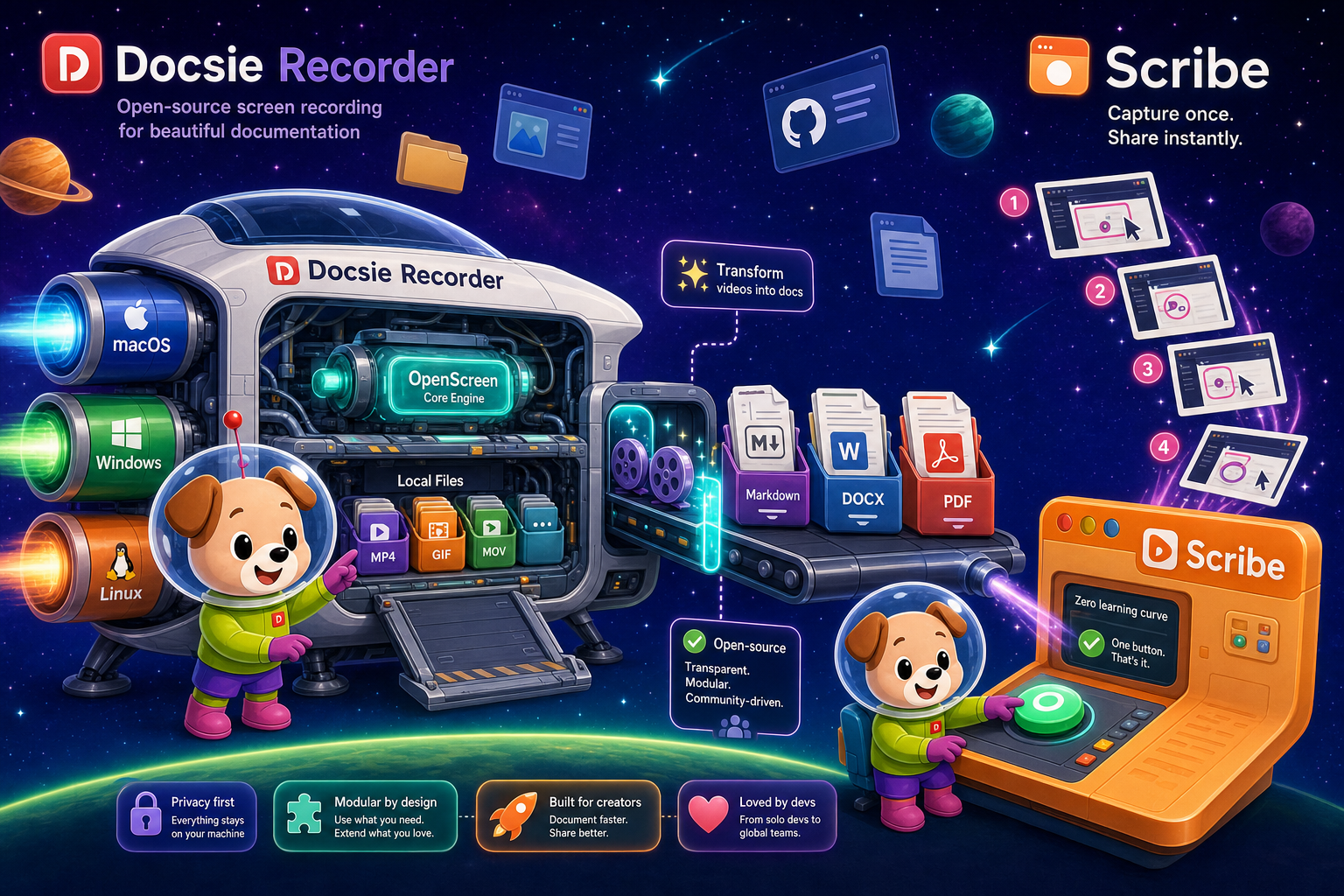
Docsie Recorder runs video-to-docs plus multi-tenant portals, Scribe captures workflows into quick guides, while Docsie Recorder fits when you also need video → structured docs → multi-tenant portals end-to-end.
Feature Matrix
A feature-by-feature comparison covering capture method, editing capabilities, export formats, video-to-docs conversion, and downstream documentation workflows. Docsie Recorder is video-first; Scribe is click/screenshot-first.
| Feature |
Docsie Recorder
Our Pick
|
Scribe
|
|---|---|---|
| Free Desktop Recorder | ||
| Open-Source Recorder Base | ||
| Mac Support | Partial (Pro+ desktop app) | |
| Windows Support | Partial (Pro+ desktop app) | |
| Linux Support | ||
| Window and Full-Screen Capture | Browser only on free tier | |
| Microphone Capture | ||
| System Audio Capture | Supported (OS-dependent) | |
| Webcam Overlay | ||
| Automatic or Manual Zoom | ||
| Cursor and Focus Polish | ||
| Backgrounds and Visual Effects | Wallpapers, gradients, solid, custom | |
| Crop, Trim, Speed Regions | ||
| Annotations and Blur Regions | Text, arrows, images, blur | Annotations on screenshots only |
| Local MP4 Export | ||
| Local GIF Export | ||
| Project Save Format | .docsiescreen project files | |
| Video-to-Docs Conversion | ||
| Markdown Export | ||
| DOCX Export | ||
| PDF Export | Pro+ only | |
| Knowledge Base Publishing | ||
| Versioned Documentation Management | ||
| Multi-Tenant Portal Delivery | ||
| Enterprise Deployment Path | Enterprise (custom pricing) |
Data as of February 2026. Scribe desktop capture requires Pro Personal ($29/user/month) or Pro Team ($15/seat/month, 5-seat minimum). Docsie Recorder desktop app and local export are free with no account required. Video-to-Docs conversion uses Docsie AI credits. Always confirm current pricing and feature availability with each vendor.
Strengths & Weaknesses
Deep Dive
An in-depth analysis of capture method, editing depth, output format, documentation workflow, and enterprise readiness — covering the differences that matter most for teams evaluating screen recorders and documentation tools.
Docsie Recorder is video-first. You capture a real screen session, edit it with recorder-grade tools — zooms, trims, backgrounds, blur, annotations — and export a polished MP4 or GIF locally. From there, you send the recording through Docsie's Video-to-Docs pipeline, which generates structured Markdown, DOCX, and PDF output that publishes directly into a knowledge base. Scribe is click-capture only. It records mouse clicks and keystrokes through a browser extension and generates annotated screenshots in step format. There is no video, no audio, no editing timeline, and no conversion from video to text. If your workflow starts from video, Scribe has no path forward.
Docsie Recorder connects to Docsie's Video-to-Docs API, which uses multimodal AI to transcribe audio, analyze screen content, and generate structured documentation from the recording. You can set quality tier, language, doc style, rewrite instructions, and template before submitting the job. The result is a structured Markdown preview that publishes into Docsie's knowledge base workflows. Scribe's AI generates step text from click events and offers an AI step-enhancement layer to improve screenshot captions. It does not process audio, cannot ingest video, and generates no document output beyond its own step-guide format. For teams who want AI to do more than caption screenshots, Docsie's pipeline goes substantially deeper.
Docsie Recorder's open-source MIT core lets security-conscious teams audit and self-host the recorder. Downstream, Docsie's platform provides versioned documentation management, multi-tenant portal delivery, SSO, custom domains, and role-based access. Scribe offers SOC 2 Type II, GDPR compliance, SAML/SCIM, and AI PII/PHI redaction at Enterprise, making it credible for regulated internal documentation. However, Scribe has no multi-tenant portals, no version control for docs, no API access, and no customer-facing delivery layer. Enterprise Scribe pricing has been reported at $18,000 or more annually, while Docsie Recorder itself is free and downstream Docsie enterprise is separately scoped.
Scribe integrates with Notion, Confluence, SharePoint, ClickUp, Airtable, and 360Learning for embedding step guides into existing internal wikis. Its embeddable widget works well for intranet documentation. Docsie Recorder exports MP4 and GIF locally — usable anywhere — and connects through the Docsie bridge to a broader ecosystem including knowledge base publishing, portal delivery, API access, and downstream automation workflows. Docsie's platform also supports CONVERT, MANAGE, DELIVER, LEARN, and AUTOMATE stages from a single recording source, while Scribe's output stays within its own step-guide format and the tools you embed it into. For teams building a connected documentation ecosystem rather than isolated guides, Docsie's integration surface is substantially wider.
Our Recommendation
Docsie Recorder and Scribe approach documentation creation from fundamentally different starting points. Docsie Recorder is a free, open-source video recorder and editor that converts recordings into structured docs and publishes them to a knowledge base. Scribe is a click-capture browser extension that generates annotated screenshot guides for internal SOPs. If your workflow starts from a video, Scribe is a dead end. If your workflow starts from clicks and screenshots — especially for simple internal browser-based processes — Scribe gets you there faster but stops well short of a full documentation platform.
Choose Docsie Recorder if you need...
Choose Scribe if you need...
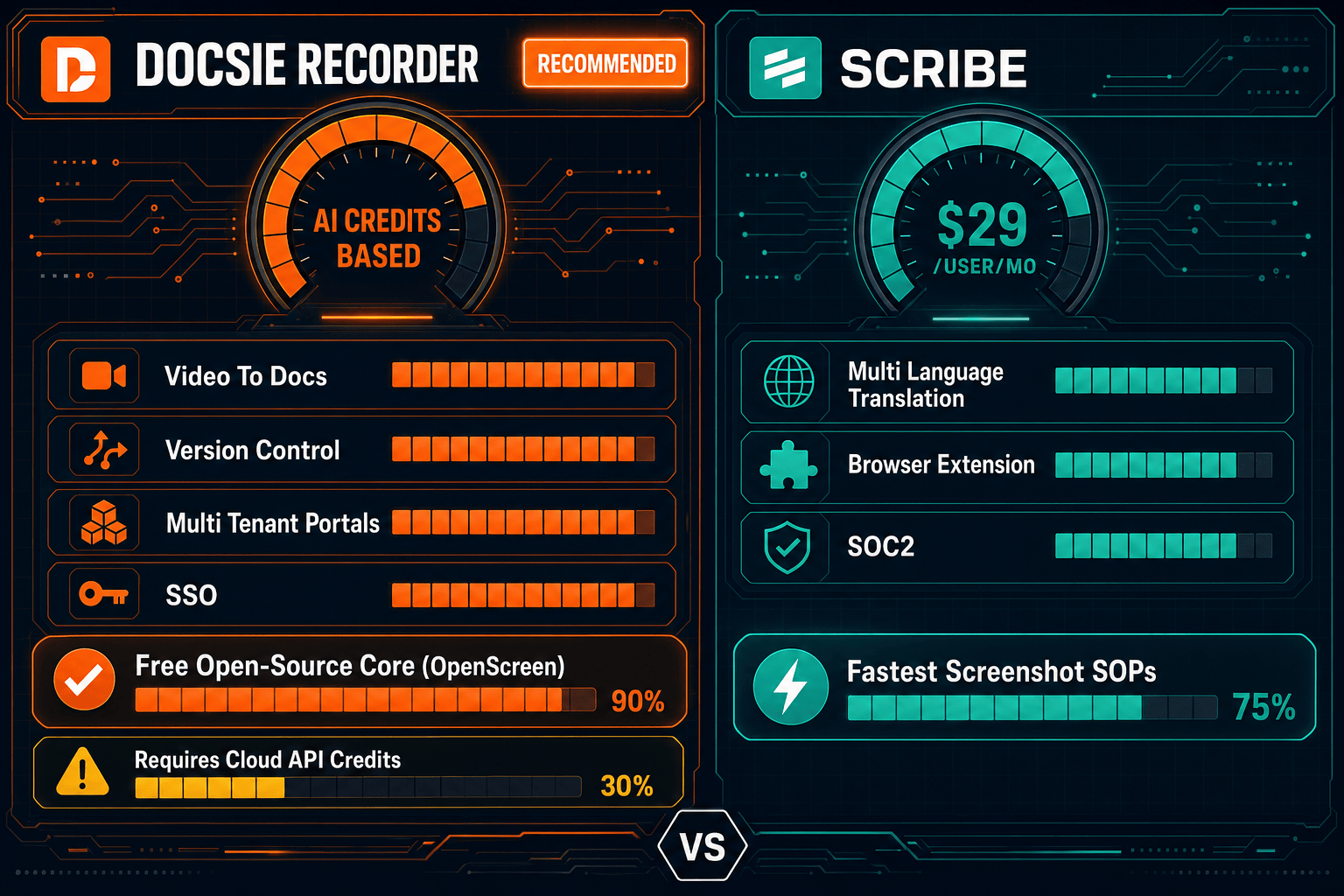
Winner: Docsie Recorder
For teams evaluating screen recorders, Screen Studio alternatives, or Loom alternatives who also need their recordings to become structured documentation, Docsie Recorder is the clear choice. It is free, open-source, cross-platform, and the only tool in this comparison that runs a full CREATE-to-CONVERT-to-MANAGE workflow — recording once and converting that recording into versioned, publishable documentation delivered through Docsie portals. Scribe excels at a narrower use case (browser click-to-screenshot SOPs) but has zero video capability and stops at internal guide sharing, making it a poor fit for any team whose documentation workflow begins with a video recording.
Decision Helper
A direct framework for picking between Docsie Recorder, Scribe based on your specific needs.
Free, open-source desktop screen recorder that feeds a Video-to-Docs pipeline.
Browser extension that auto-captures clicks into step-by-step guides.
Common Questions
Q: Can Scribe record and edit video like Docsie Recorder?
A: No. Scribe has zero video capability. It captures mouse clicks and keystrokes through a browser extension and generates annotated screenshots in a step-guide format. Docsie Recorder is a full desktop video recorder and editor with zoom, crop, trim, speed regions, backgrounds, webcam overlay, audio capture, and local MP4/GIF export. If your workflow involves video at any point, Scribe cannot participate in it.
Q: Does Docsie Recorder work on Linux, or is it macOS and Windows only?
A: Docsie Recorder provides builds for macOS, Windows, and Linux — all three platforms. Scribe's desktop capture (available on Pro plans only) supports macOS and Windows but not Linux. For Linux-based engineering teams or cross-platform organizations, Docsie Recorder is the only option between these two tools that covers all three operating systems.
Q: How does Docsie Recorder turn a video into documentation?
A: After recording and editing locally, you connect Docsie Recorder to your Docsie workspace and submit the recording to the Video-to-Docs pipeline. You configure quality tier, language, doc style, and any rewrite or template instructions before the job runs. The pipeline uses multimodal AI to transcribe audio and analyze screen content, then returns a structured Markdown preview that publishes directly into Docsie's knowledge base workflows as versioned documentation.
Q: Is Docsie Recorder really free, or does it require a paid plan to use?
A: The desktop recorder and editor core is free and open-source under an MIT license — you can record, edit, and export MP4 and GIF locally with no account required. Video-to-Docs conversion uses Docsie AI credits, which require a Docsie account. Recording and local video export have no cost and no subscription dependency.
Q: When does Scribe make more sense than Docsie Recorder?
A: Scribe is the better choice when your entire documentation need is capturing browser-based click workflows as annotated screenshot SOPs for internal use, and you have no video to process or produce. If your team is in HR or ops, documents software onboarding steps for new hires, and needs guides embedded into Notion or Confluence with zero learning curve, Scribe's extension-based capture is genuinely faster for that specific use case. The moment you need video, audio, cross-platform support, or external knowledge base delivery, Docsie Recorder becomes the stronger option.
Q: Can I use Docsie Recorder as a Scribe alternative for step-by-step guides?
A: Yes. Docsie Recorder captures screen sessions as video, and the Video-to-Docs pipeline generates structured step-by-step documentation from that recording — including screenshots extracted from the video, ordered steps, and Markdown output. The workflow is video-first rather than click-first, which gives you richer source material and the option to publish both the video and the generated text guide into the same Docsie knowledge base. For teams wanting the step-guide output Scribe produces but with video as the source, Docsie Recorder's pipeline is a direct alternative.
Download Docsie Recorder free — open-source, cross-platform, no account required for local recording and export. Connect to Docsie's Video-to-Docs pipeline when you're ready to convert recordings into structured knowledge base content.
Free desktop recorder for macOS, Windows, and Linux. No account required to record and export video locally.