
4.8
on G2
 Docsie Recorder
 Scribe
Docsie Recorder is a free, open-source, video-first screen recorder that feeds a full enterprise documentation platform — versioning, SSO, multi-tenant portals, and compliance workflows included. Scribe is a click-capture tool that excels at browser-based SOPs but stops well short of enterprise knowledge delivery. If you searched for a Scribe alternative or a screen recorder with serious enterprise backing, this comparison shows you exactly where the gap is.
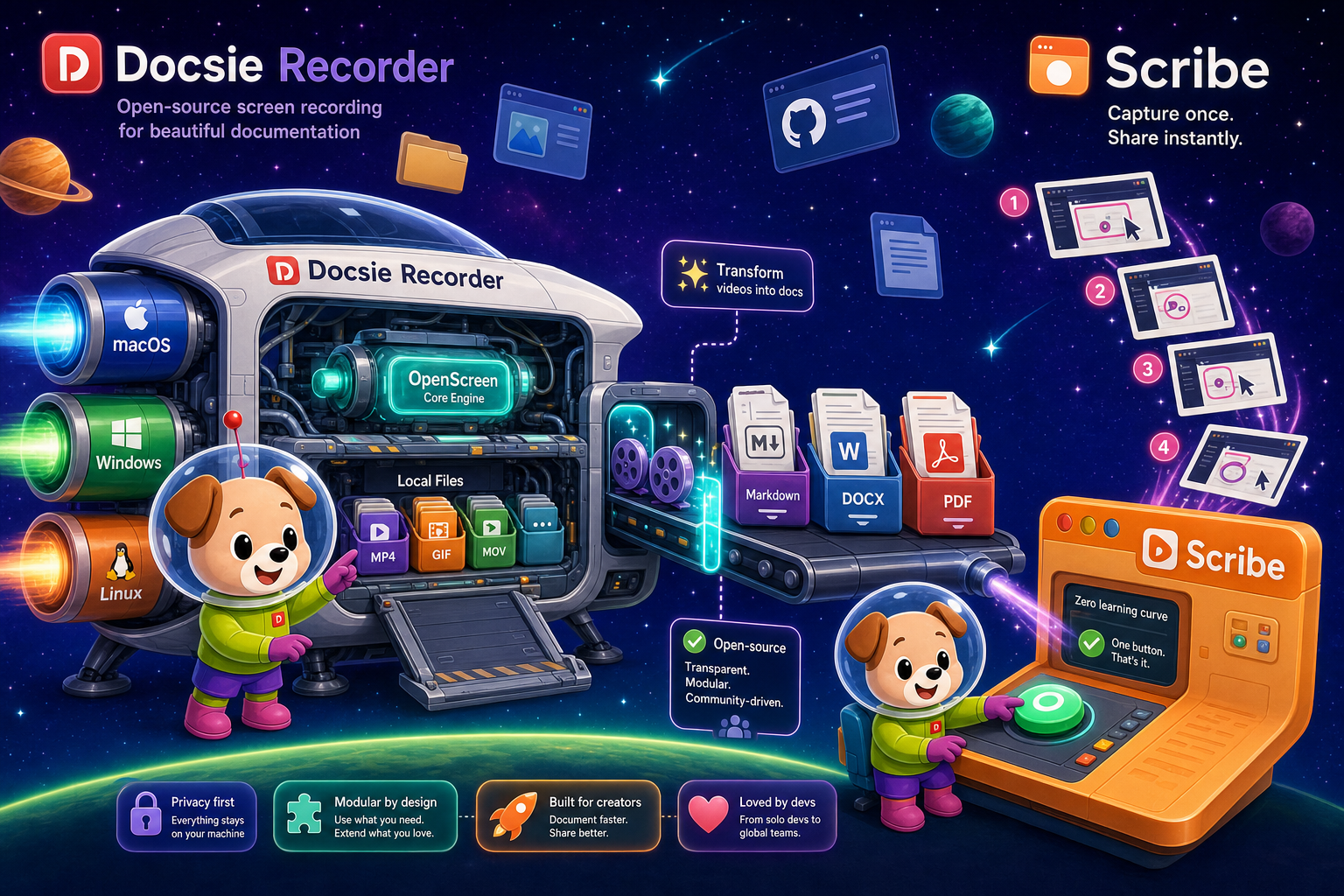
For enterprise: Docsie Recorder runs video-to-docs plus multi-tenant portals, Scribe captures workflows into quick guides, while Docsie Recorder fits when you also need video → structured docs → multi-tenant portals end-to-end.
Feature Matrix
A focused comparison of recording capability, output format, security, compliance, administration, and enterprise delivery — the dimensions that matter most when evaluating tools for organizational deployment.
| Feature |
Docsie Recorder
Our Pick
|
Scribe
|
|---|---|---|
| Free desktop recorder | ||
| Open-source recorder base | ||
| Mac / Windows / Linux support | Mac & Windows (Pro+) | |
| Video-first capture (full screen + window) | ||
| Click/screenshot-based capture | ||
| Microphone and system audio capture | ||
| Webcam overlay | ||
| Annotations and blur regions | ||
| Local MP4 and GIF export | ||
| Video-to-docs conversion (AI) | ||
| Markdown / DOCX / PDF export | PDF only (Pro+) | |
| Knowledge base publishing | ||
| Versioned documentation management | ||
| Multi-tenant portal delivery | ||
| SSO (SAML / SCIM) | Enterprise only | |
| Role-based access control | ||
| SOC 2 compliance | ||
| GDPR compliance | ||
| HIPAA / PHI redaction | Enterprise only | |
| Audit logs | ||
| API access | ||
| Custom domain support | ||
| Enterprise deployment path | Enterprise plan required |
Data as of February 2026. Features based on publicly available vendor documentation and pricing pages. Scribe Enterprise pricing reported at $18,000+ per year. Confirm current plans before purchase.
Strengths & Weaknesses
Deep Dive
Enterprise buyers evaluate tools on more than feature checklists. This section examines Security & Compliance, Scalability & Performance, Administration & Control, and Support & SLA — the four dimensions where the gap between Docsie Recorder and Scribe is most consequential for organizational deployment.
Docsie Recorder's open-source MIT core means enterprise security teams can audit the recorder before deployment — a meaningful difference when recording sensitive workflows. The broader Docsie platform carries SOC 2 Type II, GDPR, and HIPAA-ready compliance with full audit logs, SAML SSO, SCIM provisioning, and granular RBAC. Scribe also holds SOC 2 and GDPR certifications and adds AI PHI/PII redaction at Enterprise tier, which is valuable for healthcare and finance. However, Scribe lacks audit logs and API access, limiting security team visibility into content operations. For organizations that need a fully auditable documentation chain — from raw recording through published knowledge base — Docsie provides the complete compliance surface that Scribe cannot match.
Docsie Recorder's local-first architecture means the recording engine scales without cloud bottlenecks — each desktop captures independently, and only the Video-to-Docs conversion step touches the Docsie API. The downstream Docsie platform supports multi-tenant portal delivery, allowing a single knowledge base to serve unlimited branded portals for different departments, clients, or products simultaneously. Scribe's capture is browser-extension-based and performs well for individual SOP creation, but the platform has no multi-tenant architecture and no custom domain delivery. Scribe is built for internal, single-organization use. Teams that need to scale documentation delivery across business units, partners, or customers will hit Scribe's ceiling quickly and require a platform migration.
On the administration side, Docsie provides SSO via SAML, SCIM user provisioning, role-based access control, audit logs, API access, and custom domain support — the standard enterprise administration stack. Admins can control who can record, who can publish, and who can access which portal. Scribe offers RBAC and SAML/SCIM at Enterprise tier, along with approval workflows and analytics. However, the absence of API access is a significant control gap: Scribe content cannot be programmatically routed, exported, or integrated into enterprise ITSM, DMS, or compliance toolchains. Docsie's API enables custom automation, content routing, and integration with broader organizational systems — critical for documentation that must flow through change management or regulated publishing pipelines.
Both Docsie and Scribe offer dedicated support and enterprise SLAs at their respective enterprise tiers. Scribe's Enterprise plan includes a formal SLA commitment and dedicated customer success resources, which is appropriate for its $18,000+ annual price point. Docsie's enterprise offering similarly includes SLA guarantees and dedicated support alongside the full platform capability stack. The practical support difference emerges in scope: Docsie's support covers a recorder, a Video-to-Docs pipeline, a knowledge base platform, versioned delivery, and compliance workflows — a much broader surface. Teams adopting Docsie get a single vendor relationship covering the full CREATE-to-DELIVER chain, rather than needing separate support contracts for recording, documentation, and delivery tools.
Our Recommendation
Scribe is the fastest tool on the market for browser-based SOP creation and is genuinely good at that specific job. It has real enterprise credentials — SOC 2, GDPR, SAML/SCIM, PHI redaction — and approval workflows that matter for regulated internal documentation. But it is a click-capture and screenshot tool with a hard ceiling. It cannot process video, has no API, no audit logs, no custom domain delivery, and no multi-tenant architecture. Docsie Recorder starts where Scribe ends — with a free, open-source, video-first recorder — and then connects to a full enterprise documentation platform with SSO, versioned knowledge bases, multi-tenant portals, audit logs, and API access. For enterprise teams evaluating long-term documentation infrastructure, the comparison is not close.
Choose Docsie Recorder if you need...
Choose Scribe if you need...
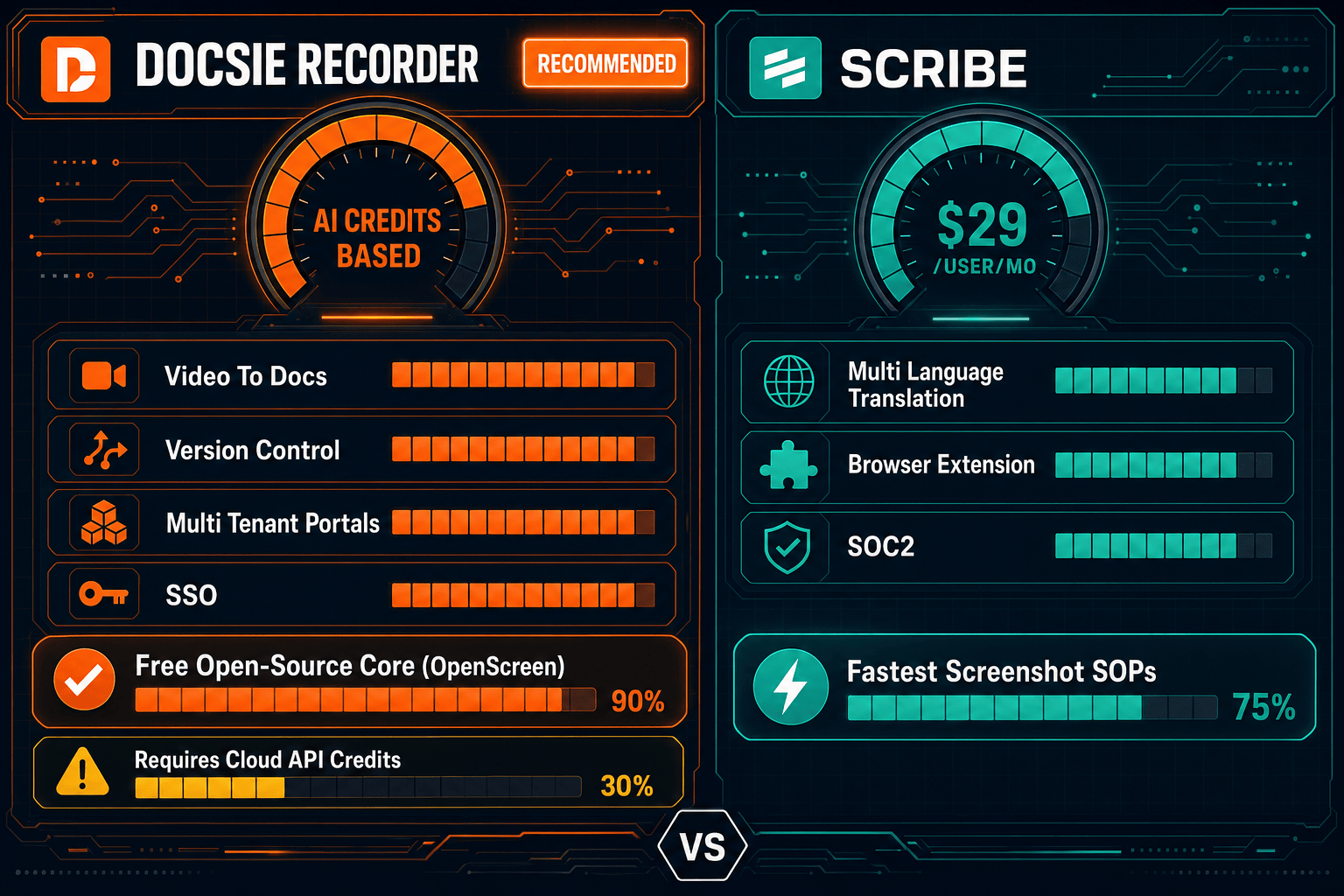
Winner: Docsie Recorder
Docsie Recorder is the more enterprise-ready solution by a significant margin. Its open-source recorder core provides security auditability that no closed-source SaaS tool can match. The downstream Docsie platform covers the full enterprise requirement set — SSO, SCIM, audit logs, RBAC, SOC 2, GDPR, HIPAA, API access, custom domains, versioned knowledge bases, and multi-tenant portal delivery — while Scribe's enterprise offering is missing audit logs, API access, and any external delivery capability. For organizations building durable documentation infrastructure rather than a SOP capture utility, Docsie Recorder is the enterprise-grade choice.
Decision Helper
A direct framework for picking between Docsie Recorder, Scribe based on your specific needs.
Free, open-source desktop screen recorder that feeds a Video-to-Docs pipeline.
Browser extension that auto-captures clicks into step-by-step guides.
Common Questions
Q: Does Scribe have audit logs for enterprise compliance?
A: No. Despite holding SOC 2 Type II certification and offering enterprise security features like SAML SSO and SCIM provisioning, Scribe does not provide audit logs as of early 2026. This is a meaningful gap for organizations in regulated industries that need a complete audit trail of who created, modified, approved, and published documentation. Docsie provides full audit logs across its documentation platform.
Q: Can Scribe deliver documentation to external customers or multiple client portals?
A: No. Scribe is built exclusively for internal organizational use. It has no multi-tenant architecture, no custom domain support, and no customer-facing portal delivery capability. Docsie Recorder feeds into the Docsie platform, which supports multi-tenant portals where a single knowledge base powers unlimited branded, custom-domain portals for different clients, products, or business units.
Q: Is Docsie Recorder safe to deploy on managed enterprise devices given it is open source?
A: The MIT-licensed recorder core can be reviewed and audited by your security team before deployment — an advantage over closed-source alternatives. The current build is not yet notarized with an Apple Developer ID, which may require a policy exception on managed Macs. The Video-to-Docs conversion step uses the Docsie cloud API, so organizations requiring fully air-gapped processing should confirm the current enterprise deployment options with Docsie directly.
Q: How does Scribe Enterprise pricing compare to Docsie at scale?
A: Scribe Enterprise is reported at $18,000 or more per year, with per-seat pricing underneath that floor. Docsie offers workspace-based pricing that avoids per-seat inflation as headcount grows, with enterprise plans covering the full recorder, Video-to-Docs pipeline, knowledge base, and portal delivery stack in one contract. For teams larger than 20 people needing full documentation infrastructure, Docsie's pricing model typically compares favorably on a per-capability basis.
Q: Can Docsie Recorder replace Scribe for internal SOP documentation?
A: Yes, with a broader output. Docsie Recorder captures the same workflows Scribe captures, but as video rather than click-by-click screenshots. The Video-to-Docs pipeline then converts that recording into structured step-by-step documentation with screenshots, Markdown, DOCX, and PDF export. The result is richer than Scribe's annotated screenshot guides and is stored in a versioned, searchable knowledge base rather than a flat SOP library.
Q: Which tool is better for a team that needs both internal SOPs and external customer documentation?
A: Docsie Recorder and the downstream Docsie platform are the clear choice here. Scribe has no mechanism for external or customer-facing documentation delivery. Docsie allows the same recorded and converted content to be published to internal team workspaces and external customer portals simultaneously, with separate branding, access controls, and custom domains per portal — all managed from one platform.
Docsie Recorder is free, open source, and cross-platform. Record your workflows locally, convert them to structured documentation with AI, and publish to versioned knowledge bases with SSO, audit logs, and multi-tenant portal delivery — all from one platform.
Free to download and record. No account required for local MP4 and GIF export. Docsie AI credits required for Video-to-Docs conversion.