
4.8
on G2
 Docsie Recorder
 ScreenFlow
Evaluating screen recorders and wondering if ScreenFlow is the right fit? This comparison breaks down how Docsie Recorder stacks up against ScreenFlow across capture quality, editing features, platform support, and—critically—what happens after you hit stop. Docsie Recorder is free, open-source, cross-platform, and built to turn recordings into structured documentation. ScreenFlow is a powerful Mac video editor for course creators who live in the timeline. If you need your recordings to become knowledge base articles, not just polished video files, this comparison is for you.
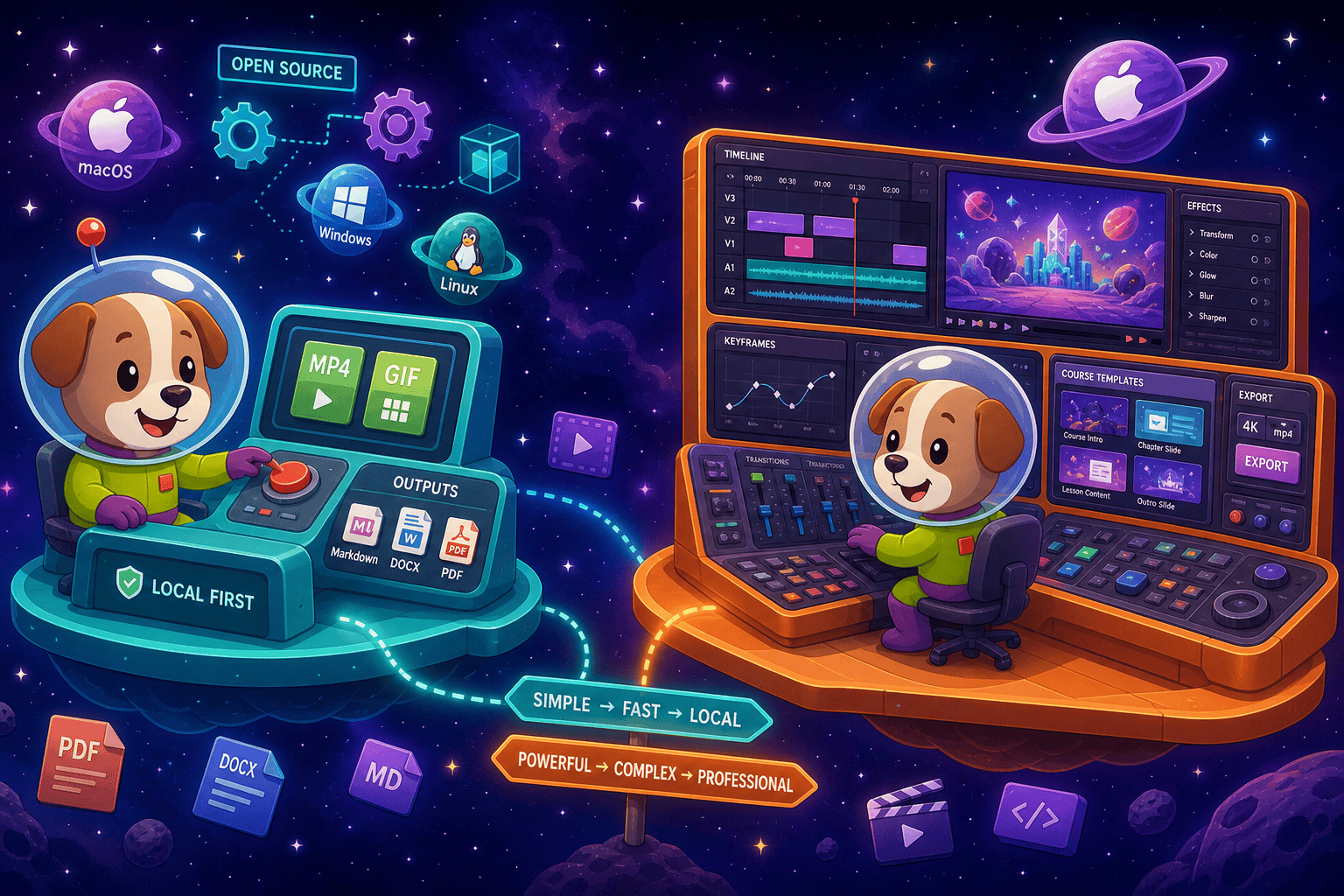
Docsie Recorder leads with free to download and use for recording and local export—no license fee; ScreenFlow leads with mature. Neither converts real video into docs and deploys multi-tenant portals; Docsie does both.
Feature Matrix
A feature-by-feature comparison covering the recorder, editor, platform support, export formats, and downstream documentation workflow for both tools.
| Feature |
Docsie Recorder
Our Pick
|
ScreenFlow
|
|---|---|---|
| Free Desktop Recorder | ||
| Open-Source Recorder Base | ||
| Mac Support | ||
| Windows Support | ||
| Linux Support | ||
| Window and Full-Screen Capture | ||
| Microphone Capture | ||
| System Audio Capture | Platform-specific | |
| Webcam Overlay | ||
| Automatic Zoom | ||
| Manual Zoom | ||
| Cursor & Focus Polish | ||
| Backgrounds & Visual Effects | ||
| Crop, Trim & Speed Regions | ||
| Annotations & Blur Regions | ||
| Transitions & Callouts | ||
| Local MP4 Export | ||
| Local GIF Export | ||
| Project Save Format | .docsiescreen | .screenflow |
| Video-to-Docs Conversion | ||
| Markdown Export | ||
| DOCX Export | ||
| PDF Export | ||
| Knowledge Base Publishing | ||
| Versioned Documentation Management | ||
| Multi-Tenant Portal Delivery | ||
| SSO / Enterprise Auth | ||
| API Access |
Data as of 2026. Docsie Recorder features reflect the open-source recorder/editor core plus the Docsie Video-to-Docs pipeline. ScreenFlow features reflect Telestream's current Mac release. Confirm current ScreenFlow pricing and feature set at telestream.net/screenflow before relying on this comparison.
Strengths & Weaknesses
Deep Dive
An in-depth look at the critical differences in recording and editing capabilities, AI and automation, enterprise readiness, and ecosystem integrations between these two tools.
Both tools record window and full-screen on Mac, support microphone audio, and offer webcam overlay, trim, crop, and annotation. The differences emerge fast. Docsie Recorder adds automatic cursor-driven zoom so you never set a zoom keyframe manually—ScreenFlow requires manual zoom on the timeline. Docsie exports GIF natively for quick knowledge base embeds; ScreenFlow does not. ScreenFlow wins on transition libraries and callout variety for long-form course video. Docsie wins on zero-friction recording for teams that need the clip to become a doc, not a polished feature film. Docsie also runs on Windows and Linux; ScreenFlow does not exist outside macOS.
ScreenFlow includes AI transcription and caption generation for polished video narration—useful for course creators who need accurate subtitles. It stops there. Docsie Recorder connects to the Docsie Video-to-Docs API, which applies multimodal AI to the recording: transcription, computer vision, OCR, and structured content generation. The result is not a subtitle file—it is a structured Markdown document with steps, screenshots, and headings, ready to publish. You can set language, doc style, rewrite instructions, and template instructions before conversion. For teams that want AI to produce usable documentation rather than a caption track, Docsie's pipeline goes materially further than anything ScreenFlow offers.
ScreenFlow is a desktop video editor with no enterprise infrastructure. There is no SSO, no role-based access control, no audit logs, no API, and no multi-tenant delivery. Docsie Recorder's open-source core requires no account for local recording and export, but the downstream Docsie platform provides full enterprise coverage: SAML/OAuth SSO, granular permissions, versioned documentation with inheritance, audit trails, multi-tenant portal delivery with custom domains, and compliance monitoring. Teams in regulated industries can route generated documentation through Docsie's compliance workflows. For any team with more than one person publishing documentation to more than one audience, ScreenFlow has no enterprise path—Docsie does.
ScreenFlow integrates with stock media libraries and supports export to common video formats. Beyond that, its ecosystem is self-contained—there is no API, no webhook, and no way to push a finished recording into a downstream system automatically. Docsie Recorder's ecosystem spans the full CREATE → CONVERT → MANAGE → DELIVER → LEARN → AUTOMATE chain. A recording can be sent to the Video-to-Docs API, the resulting document published into a Docsie knowledge base, translated into 100+ languages, versioned, delivered through branded portals, reused as course material in Docsie's LMS, and routed through automation and compliance workflows. The recorder is the entry point; the ecosystem is where the value compounds beyond what any standalone video editor can offer.
Our Recommendation
ScreenFlow and Docsie Recorder are built for fundamentally different jobs. ScreenFlow is a mature Mac video editor for course creators who need polished long-form screencasts with detailed timeline control. Docsie Recorder is a free, open-source, cross-platform recording tool for teams who need their walkthroughs to become structured documentation—not just well-edited video files. If your end goal is a published knowledge base article, a support doc, or a versioned internal guide, ScreenFlow cannot get you there without significant manual work outside the tool. Docsie Recorder is built for exactly that path.
Choose Docsie Recorder if you need...
Choose ScreenFlow if you need...
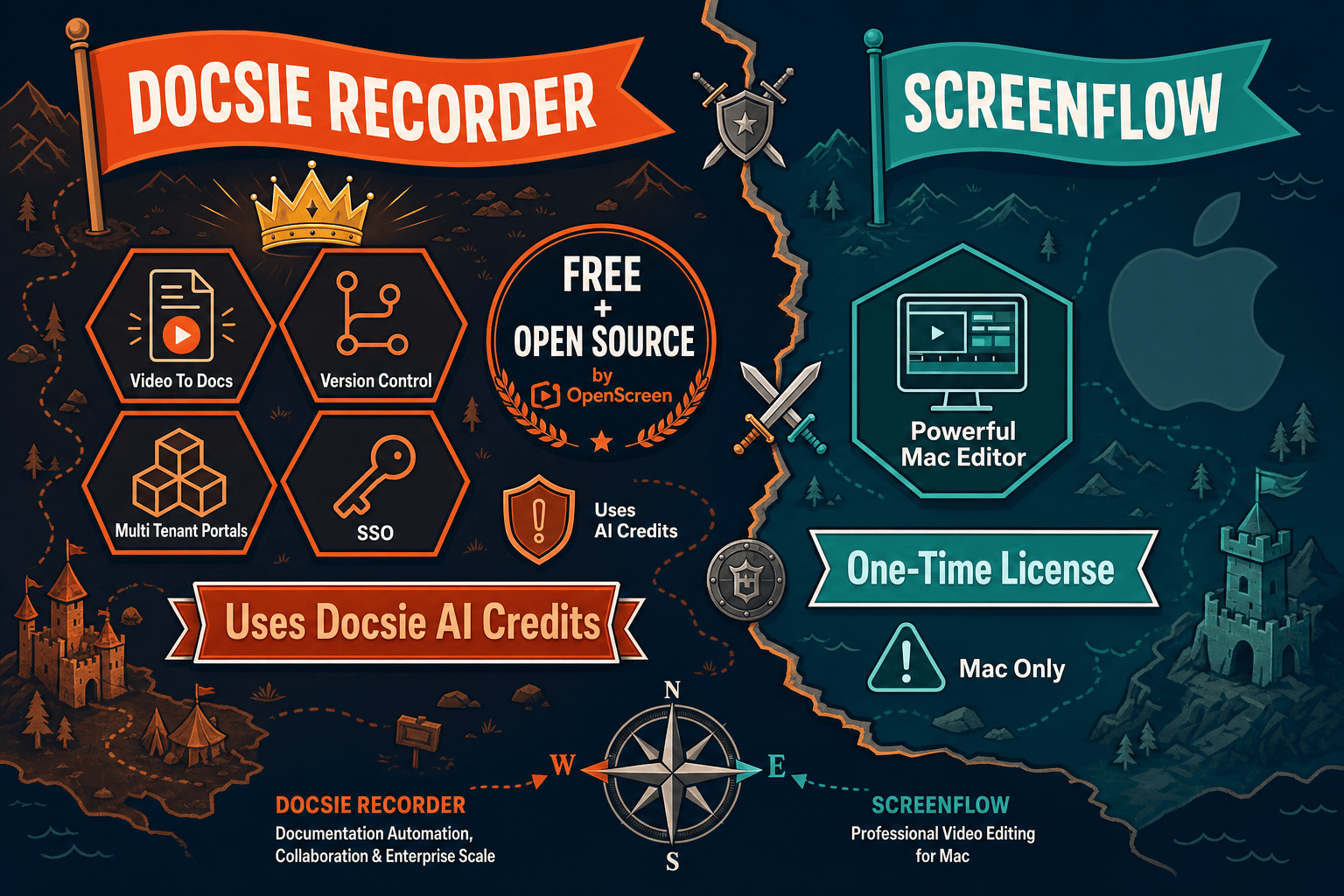
Winner: Docsie Recorder
For any team that needs screen recordings to become structured, publishable documentation—not just polished video files—Docsie Recorder is the clear choice. It is free, open-source, and cross-platform where ScreenFlow is paid and Mac-only. It adds automatic zoom where ScreenFlow requires manual keyframes. And most importantly, it connects directly to a Video-to-Docs pipeline and a full documentation platform where ScreenFlow stops at a video export. Teams evaluating Screen Studio alternatives or looking for a recorder that feeds a knowledge base workflow will find Docsie Recorder delivers a complete CREATE → CONVERT → MANAGE → DELIVER path that ScreenFlow was never designed to support.
Decision Helper
A direct framework for picking between Docsie Recorder, ScreenFlow, and Docsie based on your specific needs.
Docsie's free browser-based recorder that pipes captures straight into Docsie SOPs.
Telestream's pro-grade screen-recording and video-editing suite.

Convert real video into searchable docs, then deploy via multi-tenant portals.
Common Questions
Q: Can ScreenFlow convert a recording into documentation like Docsie Recorder?
A: No. ScreenFlow is a video editor and its output is a video file. It offers AI transcription for captions, but it does not generate Markdown, DOCX, PDF, or knowledge base articles from a recording. Docsie Recorder's Video-to-Docs pipeline takes a recording and produces structured documentation with steps, headings, and screenshots ready to publish into a knowledge base. If documentation is the end goal, ScreenFlow requires significant manual work outside the tool that Docsie Recorder handles automatically.
Q: Does Docsie Recorder work on Windows and Linux, unlike ScreenFlow?
A: Yes. Docsie Recorder provides desktop builds for macOS, Windows, and Linux. ScreenFlow is Mac-only and has no Windows or Linux release. For cross-platform teams or organizations that include Windows or Linux users in their documentation workflow, Docsie Recorder is the only option between these two tools. The open-source OpenScreen core underpins all three platform builds.
Q: Does ScreenFlow have automatic zoom like Docsie Recorder?
A: No. ScreenFlow requires manual zoom keyframes on its timeline editor—you set zoom in and zoom out points by hand. Docsie Recorder uses cursor telemetry to suggest and apply automatic zoom, reducing the editing time needed to produce a polished walkthrough. For teams recording step-by-step software walkthroughs where zoom follows the action, Docsie Recorder's automatic zoom is a meaningful time saver over ScreenFlow's manual approach.
Q: Is Docsie Recorder actually free, or does it require a Docsie subscription?
A: The recorder and editor core is free and open-source under the MIT license—you can record, edit, and export MP4 and GIF locally with no account required and no cost. The Video-to-Docs conversion step, which sends the recording to Docsie's AI pipeline to generate structured documentation, uses Docsie cloud API credits. Recording and local export are completely free; converting to docs requires Docsie credits, which are available through Docsie's paid plans.
Q: Who should choose ScreenFlow over Docsie Recorder?
A: ScreenFlow is the right choice for Mac-based course creators and educators who need a full non-linear video editor with rich timeline control, AI captions, transitions, and callout libraries for long-form educational screencasts. If your end deliverable is a polished video and you are not trying to produce structured written documentation, ScreenFlow's editing depth is appropriate. Teams on Windows or Linux, or any team whose recordings need to become knowledge base articles, should look elsewhere.
Q: How does the downstream Docsie platform add value beyond just recording?
A: Once Docsie Recorder converts a recording to structured documentation, the Docsie platform manages the entire lifecycle downstream. The generated doc can be versioned with inheritance, translated into 100+ languages, published through multi-tenant branded portals with custom domains, reused as LMS course material, and routed through compliance and automation workflows. ScreenFlow produces a finished video file and the workflow ends there. Docsie Recorder is the entry point to a CREATE → CONVERT → MANAGE → DELIVER chain that compounds value well beyond the recording session itself.
Download Docsie Recorder free, capture your workflow on Mac, Windows, or Linux, and convert that recording into structured documentation—without paying for a video editor that stops at a video file.
No credit card required to record and export. Video-to-Docs conversion uses Docsie AI credits. Open-source MIT recorder core.