
4.8
on G2
 Docsie Recorder
 ScreenApp
Both Docsie Recorder and ScreenApp convert screen recordings into documents, but their enterprise stories diverge sharply. Docsie Recorder is built on an open-source core and connects to a full enterprise platform with SSO, versioned knowledge bases, multi-tenant portals, and compliance workflows. ScreenApp is a self-serve SaaS recorder that gates most enterprise features behind a $199/month tier with limited deployment flexibility.
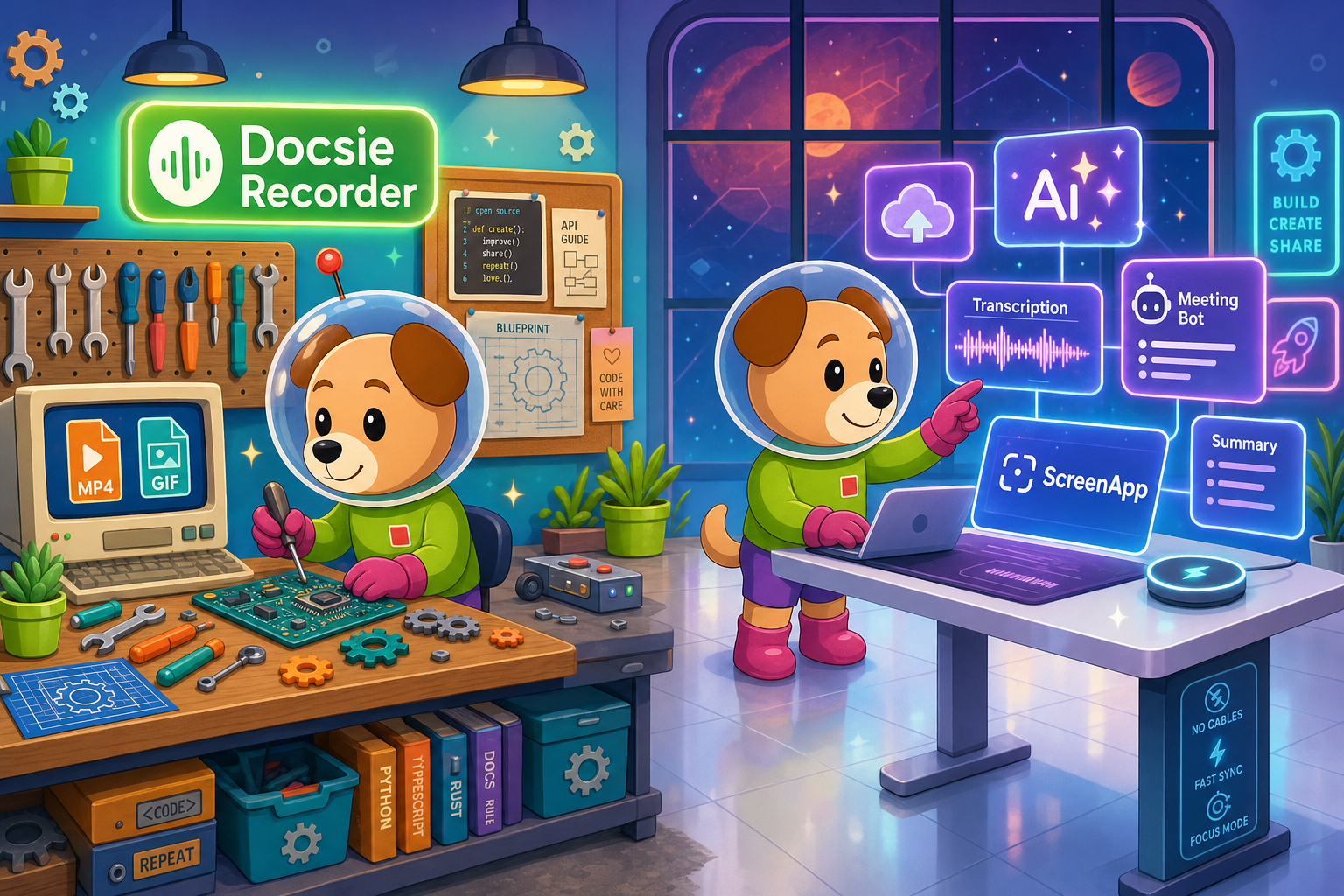
For enterprise buyers, Docsie Recorder and ScreenApp cover narrow slices (free and cheap self-serve entry at $19/month with unlimited ai transcription and credits) while Docsie adds SSO, audit trails, multi-tenant portals, and compliance monitoring in one platform.
Feature Matrix
A side-by-side comparison of recording capabilities, video-to-docs conversion, security, compliance, administration, and enterprise deployment options.
| Feature |
Docsie Recorder
Our Pick
|
ScreenApp
|
|---|---|---|
| Free Desktop Recorder | ||
| Open-Source Recorder Core | ||
| Mac Support | ||
| Windows Support | ||
| Linux Support | ||
| Local MP4 Export | ||
| Video-to-Docs Conversion | ||
| Markdown / DOCX / PDF Export | ||
| Knowledge Base Publishing | ||
| Versioned Documentation Management | ||
| Multi-Tenant Portal Delivery | ||
| SSO (SAML/OAuth) | Enterprise only (SAML) | |
| SOC 2 Type II | ||
| GDPR Compliance | ||
| HIPAA / Regulated Industry Mode | ||
| Audit Logs | Enterprise only | |
| Role-Based Access Control | Business+ only | |
| API Access | Business+ only | |
| Air-Gap / On-Prem Deployment | ||
| Data Residency Options | ||
| Enterprise Deployment Path | Limited (cloud SaaS only) |
Data as of February 2026. Features based on publicly available vendor documentation and product JSON data. Confirm current enterprise plan details with each vendor before purchase.
Strengths & Weaknesses
Deep Dive
An in-depth analysis of how Docsie Recorder and ScreenApp compare on Security & Compliance, Scalability & Performance, Administration & Control, and Support & SLA—the four pillars enterprise buyers evaluate before committing to a screen recorder and video-to-docs platform.
Docsie Recorder's open-source MIT core gives enterprise security teams full visibility into the capture layer—something no closed-source SaaS recorder offers. The downstream Docsie platform adds SOC 2 Type II, GDPR, and HIPAA-ready compliance, audit logs, granular role-based access control, and real-time compliance monitoring across generated documentation. Air-gapped and on-premise deployment paths ensure regulated industries in finance, healthcare, and defense can run the full recorder-to-knowledge-base workflow without external data exposure. ScreenApp holds SOC 2 Type II and GDPR certifications, but HIPAA mode, audit logs, and SAML SSO are gated behind its $199/month Enterprise tier, and no air-gap option exists regardless of budget.
Docsie Recorder's local-first architecture means recording and editing never depend on cloud uptime—captures work offline and sync to Docsie when ready. The downstream Docsie platform scales to multi-tenant portal delivery, serving versioned documentation to unlimited client portals from a single knowledge base with no per-seat recording penalty. ScreenApp is a cloud-only SaaS with browser and extension-based capture, meaning any service interruption directly impacts recording availability. Its per-user seat model and custom-quoted Enterprise pricing introduce unpredictable cost scaling for large teams, and there is no multi-tenant or portal delivery architecture regardless of plan tier.
Docsie Recorder feeds directly into Docsie's enterprise administration layer: workspace management, version control with inheritance, approval workflows, content reuse blocks, and RBAC across books, shelves, and portals. Administrators can route generated documentation into automated compliance checks and audit workflows without manual intervention. ScreenApp provides role-based access and API access at the Business tier ($34/month) and team collaboration features, but lacks version control, approval workflows, content reuse, or the ability to publish recordings into a managed knowledge base. There is no equivalent to Docsie's multi-tenant portal administration, meaning ScreenApp cannot serve documentation to segmented client groups under separate access controls.
Docsie's enterprise tier includes a dedicated success manager, defined uptime SLA, and direct escalation paths for regulated industry deployments—critical when documentation pipelines underpin compliance or customer-facing portals. The open-source recorder core also means enterprise teams can self-support the capture layer without depending on vendor response times. ScreenApp offers a dedicated success manager and SLA only at its Enterprise tier (starting at $199/month, custom-quoted). Below that tier, support follows standard self-serve channels with no formal uptime commitment. For teams operating in regulated or high-availability environments, Docsie's combination of an auditable open-source recorder and enterprise-grade platform SLA represents a more defensible support posture than ScreenApp's tiered model.
Our Recommendation
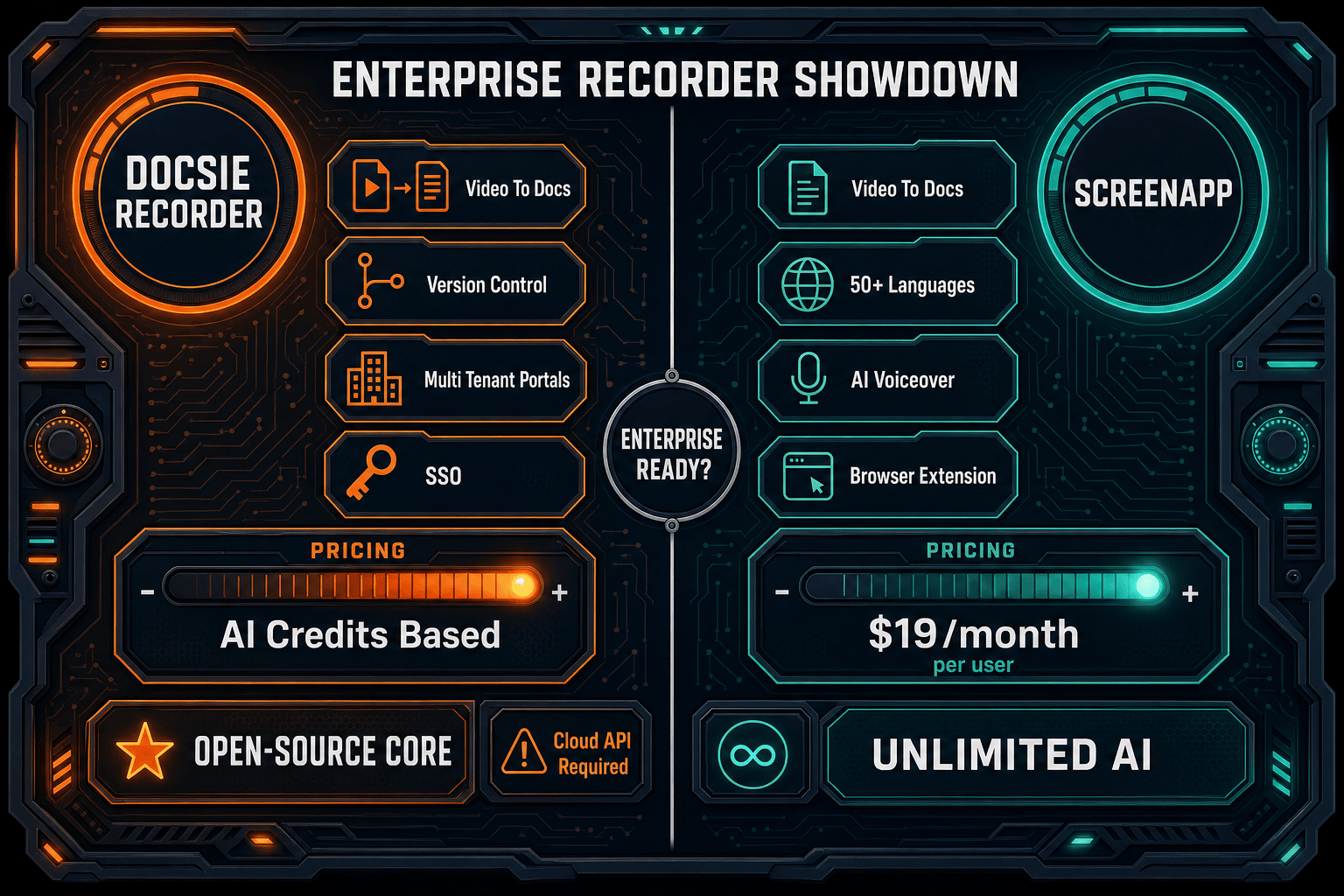
Docsie Recorder and ScreenApp both offer screen recording with video-to-docs conversion, but their enterprise readiness profiles are fundamentally different. Docsie Recorder is built on an auditable open-source core and connects to a full enterprise platform with air-gapped deployment, multi-tenant portals, HIPAA-ready compliance, audit logs, and versioned knowledge base management. ScreenApp is a well-priced self-serve SaaS that excels for individuals and small teams but gates most enterprise-grade features behind a custom-quoted tier with no deployment flexibility beyond cloud SaaS.
Choose Docsie Recorder if you need...
Choose ScreenApp if you need...
Winner: Docsie Recorder
For enterprise buyers, Docsie Recorder wins decisively. Its open-source MIT recorder core provides the auditability enterprise security teams require, while the downstream Docsie platform delivers every capability ScreenApp lacks at scale—air-gapped deployment, HIPAA-ready compliance, audit logs, SSO across all major providers, versioned knowledge bases, and multi-tenant portal delivery. ScreenApp is a capable self-serve tool for small teams, but it cannot deploy in regulated environments, cannot serve multi-tenant documentation portals, and cannot provide the full CREATE-to-MANAGE-to-DELIVER workflow that enterprise documentation programs demand.
Decision Helper
A direct framework for picking between Docsie Recorder, ScreenApp, and Docsie based on your specific needs.
Docsie's free browser-based recorder that pipes captures straight into Docsie SOPs.
Cloud video recording and transcription with searchable libraries.

Convert real video into searchable docs, then deploy via multi-tenant portals.
Common Questions
Q: Does ScreenApp support air-gapped or on-premise deployment for regulated industries?
A: No. ScreenApp is a cloud-only SaaS product with no air-gap, on-premise, or BYOM deployment option at any pricing tier. Docsie Recorder, by contrast, runs its capture and editing layer locally as an open-source desktop app, and the broader Docsie enterprise platform supports air-gapped deployments for organizations in healthcare, finance, defense, and other regulated industries where data cannot leave the private network.
Q: Is SAML SSO available on ScreenApp's lower-tier plans?
A: No. ScreenApp locks SAML SSO exclusively behind its Enterprise tier, which starts at $199/month and is custom-quoted based on team size. Docsie's enterprise platform supports SAML, OAuth, OIDC, Azure AD, and Okta as part of its enterprise offering without requiring a separate custom negotiation for each SSO method. If SSO is a baseline requirement rather than a premium add-on, Docsie's approach is more straightforward.
Q: Can enterprise security teams audit the Docsie Recorder codebase before approving it for deployment?
A: Yes. Docsie Recorder is built on an open-source MIT-licensed core hosted on GitHub, giving security teams full access to inspect the capture and editing code before any enterprise deployment. ScreenApp is closed-source SaaS with no equivalent code visibility. For organizations with software composition analysis (SCA) requirements or vendor security review processes, the open-source recorder base is a meaningful differentiator.
Q: Which tool supports Linux for enterprise engineering teams?
A: Only Docsie Recorder provides Linux builds alongside macOS and Windows. ScreenApp's recorder relies on a browser extension and web interface with no native Linux desktop application. Engineering, DevOps, and data science teams that standardize on Linux distributions will find Docsie Recorder the only viable desktop-native option between these two tools.
Q: How does each tool handle multi-tenant documentation delivery for client-facing or segmented portals?
A: Docsie Recorder feeds directly into Docsie's multi-tenant portal architecture, where one knowledge base can power unlimited branded portals for different clients or internal groups, each with custom domains, access controls, and branding. ScreenApp has no multi-tenant portal capability at any pricing tier—its output is a shared video library with team collaboration, not a managed documentation delivery system. Agencies, consultancies, and enterprises serving multiple client groups should factor this gap heavily.
Q: What happens to documentation after ScreenApp converts a video—can it be versioned and managed?
A: ScreenApp exports documents as Word DOC, PDF, Markdown, or TXT files, but provides no versioning, approval workflows, or knowledge base management for those exported files after conversion. Docsie Recorder's Video-to-Docs pipeline publishes output directly into Docsie's versioned knowledge base, where content can be updated, reviewed, translated, and delivered through portals with full version history intact. For enterprises that treat documentation as a managed asset rather than a one-time export, Docsie's workflow is materially more capable.
Download Docsie Recorder free, inspect the open-source core, and connect to a Docsie enterprise workspace that handles SSO, compliance, versioned knowledge bases, and multi-tenant portal delivery—everything ScreenApp cannot provide.
Free to download and record. No account required for local MP4 and GIF export. Docsie AI credits used only when you send a recording to Video-to-Docs conversion.