
4.8
on G2
 Docsie Recorder
 Rotato
Docsie Recorder is a free, open-source desktop screen recorder that feeds directly into an enterprise-grade documentation pipeline. Rotato is a polished 3D mockup video tool built for marketing teams. If your enterprise needs auditable screen capture, structured documentation output, SSO, compliance controls, and knowledge base publishing, this comparison will clarify which tool belongs in your stack.

For enterprise buyers, Docsie Recorder and Rotato cover narrow slices (free and open-source recorder core (mit license) with auditable codebase and excellent 3d device mockup quality for app store and marketing assets) while Docsie adds SSO, audit trails, multi-tenant portals, and compliance monitoring in one platform.
Enterprise Feature Matrix
A focused comparison of enterprise-relevant features including security controls, compliance posture, deployment options, documentation output, and administrative governance. Rotato is a mockup video tool, not a screen recorder or documentation platform, so many enterprise workflow capabilities simply do not apply.
| Capability |
Docsie Recorder
Enterprise Pick
|
Rotato
|
|---|---|---|
| Free Desktop Recorder | ||
| Open-Source Recorder Base | ||
| Mac Support | ||
| Windows Support | ||
| Linux Support | ||
| Screen and Window Capture | ||
| Microphone Capture | ||
| System Audio Capture | Platform-specific | |
| Video-to-Docs Conversion | ||
| Markdown / DOCX / PDF Export | ||
| Knowledge Base Publishing | ||
| Versioned Documentation Management | ||
| Multi-Tenant Portal Delivery | ||
| SSO (SAML / OAuth / OIDC) | ||
| Audit Logs | ||
| Role-Based Access Control | ||
| API Access | ||
| Custom Domain Support | ||
| GDPR Compliance Controls | Limited public detail | |
| Enterprise Deployment Path |
Data as of 2026. Rotato is a 3D mockup tool, not a screen recorder or documentation platform. Enterprise capabilities listed reflect the downstream Docsie platform that Docsie Recorder connects to. Confirm current Rotato pricing and compliance posture on rotato.app before relying on this comparison.
Strengths & Weaknesses
Deep Dive
Enterprise buyers evaluate tools across security and compliance, scalability and performance, administration and control, and support and SLA. These four categories reveal why Docsie Recorder — anchored by an open-source recorder and backed by the full Docsie platform — and Rotato are not comparable enterprise candidates.
Docsie Recorder's open-source core (MIT-licensed, built on OpenScreen) gives enterprise security teams full code visibility — no black-box binary to trust. Recordings stay local until the team explicitly pushes to the Docsie Video-to-Docs pipeline. The downstream Docsie platform then adds SSO via SAML, OAuth, and OIDC, GDPR compliance controls, audit logs, and role-based access control. Rotato has no documented SSO, no audit logs, no RBAC, and no stated compliance certifications relevant to enterprise procurement. For regulated industries or security-conscious IT departments, Docsie Recorder's stack is the only option here.
Docsie Recorder runs locally on macOS, Windows, and Linux, meaning the recording workload scales horizontally across every device in an enterprise fleet without server-side bottlenecks. Once recordings are pushed to Docsie, the platform's knowledge base handles versioned documentation at organizational scale, supports multi-tenant portal delivery for client-facing content, and can route documentation through automation and compliance workflows. Rotato is a Mac-and-web mockup tool with no stated enterprise scalability path, no Windows or Linux support, and no infrastructure for multi-tenant or high-volume documentation delivery.
Enterprise administrators need centralized identity, granular permissions, and content governance. Through the Docsie platform, Docsie Recorder output benefits from workspace-level RBAC, approval workflows, versioned content management, and custom domain delivery. Admins can govern who publishes documentation, review AI-converted output before it goes live, and manage access across multi-tenant portals. Rotato provides no administrative control layer beyond basic account management. There are no workspace governance tools, no approval workflows, and no way to enforce content standards across a distributed team — making it unsuitable as a governed enterprise tool.
Docsie offers enterprise support tiers tied to the broader Docsie platform, including dedicated support channels and uptime SLA commitments for teams on enterprise plans. The open-source recorder core also means enterprise teams can fork, audit, and self-support the capture layer independently of SaaS availability. Rotato's support model is consumer and prosumer oriented, targeting individual designers and small marketing teams. There is no stated enterprise SLA, no dedicated support tier documented for enterprise accounts, and no air-gap or on-premises deployment option. Enterprises with uptime commitments or procurement SLA requirements will find Rotato unable to meet standard vendor assessment criteria.
Our Recommendation
This is not a close comparison from an enterprise readiness standpoint. Docsie Recorder is an open-source, cross-platform screen recorder with a direct pipeline into an enterprise-grade documentation platform — covering security, compliance, administration, and support requirements. Rotato is a specialized 3D mockup video tool designed for marketing teams, with no screen recording capability, no documentation output, and no enterprise governance controls. If your team searched for a screen recorder or documentation tool to evaluate for enterprise deployment, Rotato is simply not in this category.
Choose Docsie Recorder if you need...
Choose Rotato if you need...
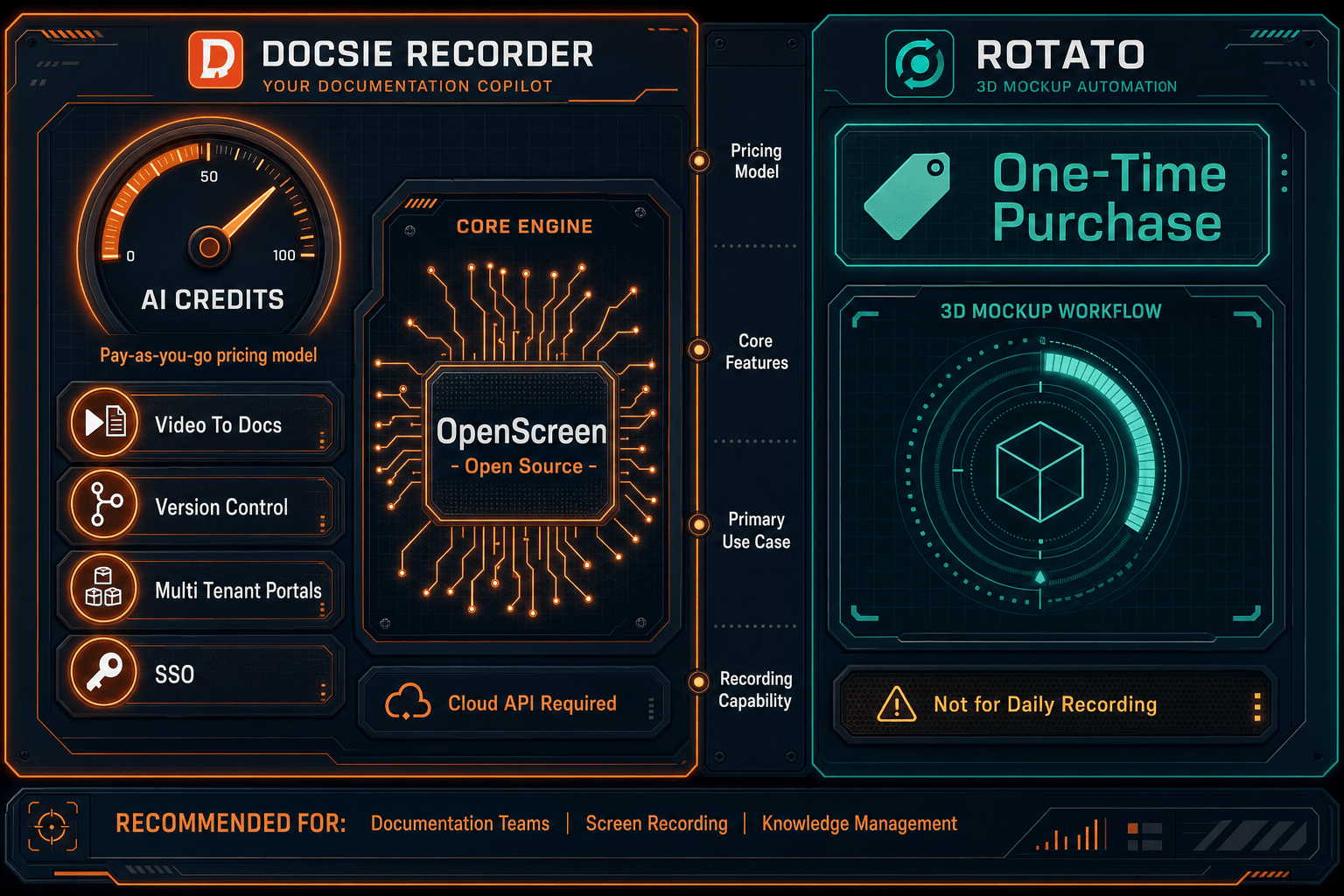
Winner: Docsie Recorder
Docsie Recorder is the clear enterprise choice because it provides an open-source, auditable, cross-platform recorder that feeds directly into a documentation pipeline with SSO, RBAC, audit logs, versioned knowledge base management, and multi-tenant portal delivery. Rotato does not offer screen recording, documentation output, or any enterprise security and governance controls, making it unsuitable for enterprise procurement evaluation in this category.
Decision Helper
A direct framework for picking between Docsie Recorder, Rotato, and Docsie based on your specific needs.
Docsie's free browser-based recorder that pipes captures straight into Docsie SOPs.
3D device-mockup video animator for app demos.

Convert real video into searchable docs, then deploy via multi-tenant portals.
Common Questions
Q: Does Rotato support SSO, audit logs, or RBAC for enterprise teams?
A: No. Rotato has no documented SSO (SAML, OAuth, or OIDC) support, no audit logs, and no role-based access control for enterprise governance. Docsie Recorder, through the downstream Docsie platform, provides all three — making it the only viable option for enterprises with identity and access management requirements.
Q: Can Docsie Recorder be deployed on Windows and Linux, or is it Mac-only like Rotato?
A: Docsie Recorder provides builds for macOS, Windows, and Linux, covering the full range of enterprise device fleets. Rotato's desktop app is Mac-only, with a separate web app for browser access. For enterprises standardized on Windows or running mixed-OS environments, Docsie Recorder is the cross-platform choice.
Q: Is the Docsie Recorder codebase auditable for enterprise security reviews?
A: Yes. Docsie Recorder's core is open-source under the MIT license, built on OpenScreen, and the source is publicly available at the Docsie GitHub repository. Enterprise security teams can audit the recorder codebase directly. Rotato is a closed-source commercial product with no source code visibility available for security review.
Q: Why is Rotato being compared to Docsie Recorder at all — aren't they completely different tools?
A: Rotato is adjacent to the screen recording category because it handles app footage and video export, which sometimes leads buyers to encounter it when searching for recorder or Screen Studio alternatives. However, Rotato is specifically a 3D mockup tool, not a screen recorder or documentation platform. This comparison exists to help buyers who encounter Rotato in that search context understand that the two tools serve entirely different enterprise use cases.
Q: Can Rotato output documentation, Markdown, or structured content for a knowledge base?
A: No. Rotato's output is 3D mockup images and videos intended for marketing and app store use. It has no video-to-docs conversion, no Markdown or DOCX export, and no knowledge base publishing capability. Docsie Recorder connects directly to the Docsie Video-to-Docs pipeline to generate structured Markdown, DOCX, and PDF output that publishes into a versioned knowledge base.
Q: What happens to Docsie Recorder output after the recording is made — how does the enterprise workflow continue?
A: After recording, the Docsie Recorder bridges the video to Docsie's Video-to-Docs API, where it is converted into structured documentation with configurable language, doc style, and rewrite instructions. The output then publishes into Docsie's knowledge base platform where enterprise teams can manage versions, apply RBAC, deliver through multi-tenant portals, and route through automation and compliance workflows — completing the full CREATE to DELIVER enterprise pipeline.
Download the free, open-source recorder, review the source code, and connect it to Docsie's enterprise documentation pipeline — SSO, audit logs, versioned knowledge bases, and multi-tenant portal delivery included.
No account required to record and export video. Docsie AI credits used only when you choose to convert a recording into structured documentation.