
4.8
on G2
 Docsie Recorder
 RecordIt
Both Docsie Recorder and RecordIt offer free screen recording, but the value story is completely different. Docsie Recorder is a free, open-source desktop recorder that converts recordings into structured documentation and publishes them to a knowledge base. RecordIt is a lightweight recorder aimed at debugging and quick sharing. This pricing breakdown explains what you actually get at each price point and which tool delivers more value per dollar.

Docsie Recorder and RecordIt sit at different price points, but neither bundles video-to-docs with multi-tenant knowledge delivery the way Docsie does.
Feature Matrix
A side-by-side breakdown of recording capabilities, editing features, export formats, and documentation workflow at each pricing tier. Focus is on what each dollar buys you, not just feature existence.
| Feature |
Docsie Recorder
Our Pick
|
RecordIt
|
|---|---|---|
| Free Desktop Recorder | ||
| Open-Source Recorder Base | ||
| Mac Support | Limited public detail | |
| Windows Support | Limited public detail | |
| Linux Support | ||
| Window and Full-Screen Capture | ||
| Microphone Capture | ||
| System Audio Capture | Platform-specific | Limited public detail |
| Webcam Overlay | Limited public detail | |
| Automatic or Manual Zoom | ||
| Cursor or Focus Polish | ||
| Backgrounds and Visual Effects | ||
| Crop, Trim, Speed Regions | ||
| Annotations and Blur Regions | ||
| Local MP4 Export | ||
| Local GIF Export | ||
| Project Save Format | .docsiescreen project files | |
| AI Transcription | Via Video-to-Docs pipeline | |
| Debug Context Capture | ||
| Video-to-Docs Conversion | ||
| Markdown Export | ||
| DOCX Export | ||
| PDF Export | ||
| Knowledge Base Publishing | ||
| Versioned Documentation Management | ||
| Multi-Tenant Portal Delivery | ||
| Enterprise Deployment Path |
Data as of 2026. RecordIt feature availability is based on publicly available information from recordit.dev. Confirm current platform support and pricing before purchasing. Docsie Video-to-Docs conversion uses Docsie AI credits separate from the free recorder download.
Strengths & Weaknesses
Deep Dive
A detailed analysis of what each tool actually costs at scale, where hidden expenses appear, and which delivers more compounding value per recording session.
Docsie Recorder is free to download and use as a recorder and editor — that zero-dollar entry includes zoom, crop, trim, speed regions, backgrounds, motion blur, annotations, blur regions, MP4 and GIF export, and cross-platform builds. RecordIt is also free at the recording layer but stops there. The difference in value per dollar becomes stark the moment you ask what happens after the recording ends. Docsie converts that recording into structured Markdown, DOCX, and PDF, then publishes it to a versioned knowledge base. Every Docsie Recorder session compounds in value. RecordIt sessions produce a share link.
As teams scale their recording output, RecordIt's cost model is essentially flat — but so is its value ceiling. More recordings produce more share links, not more documentation. Docsie Recorder scales differently: the recorder remains free regardless of team size or volume, and Video-to-Docs conversion scales with Docsie AI credits rather than per-seat pricing. Teams recording dozens of walkthroughs per month can estimate credit consumption before conversion and control costs accordingly. Enterprise teams can route generated documentation into Docsie's broader automation and compliance workflows, turning recording volume into a managed documentation library rather than a pile of video files.
RecordIt's hidden cost is opportunity cost. Teams using it for more than quick bug reporting eventually need a separate documentation tool, a separate knowledge base platform, and a separate process to connect recordings to written docs. Those tools carry their own subscription costs. Docsie Recorder's hidden nuance is that Video-to-Docs conversion is not fully local — it routes through Docsie's cloud API using AI credits. Teams requiring fully air-gapped conversion should confirm Docsie's enterprise deployment options. The recorder and editor themselves remain fully local. RecordIt's ambiguous product identity and unconfirmed feature set also introduce evaluation risk when committing to a long-term workflow.
Pricing Breakdown
Both tools offer a free tier, but the tiers are not equivalent. Here is exactly what each plan includes and where costs begin.
Docsie Recorder wins on pricing value. Both tools are free at the recording layer, but Docsie Recorder delivers a complete recording and editing suite at zero cost, then extends that value through a Video-to-Docs conversion pipeline and a full knowledge base platform. RecordIt's free tier is narrower in capability and stops at a share link. Teams evaluating long-term cost of ownership should factor in the documentation tools they will need to supplement RecordIt's output — costs that Docsie Recorder's downstream pipeline eliminates.
Our Recommendation
When comparing Docsie Recorder and RecordIt purely on price, both start at zero. But pricing comparisons are only meaningful when you compare equal outputs. Docsie Recorder produces a polished edited video, a structured documentation file, and a published knowledge base article from one session. RecordIt produces a share link. For teams evaluating recorder cost as part of a documentation workflow, Docsie Recorder delivers more compounding value at the same entry price.
Choose Docsie Recorder if you need...
Choose RecordIt if you need...
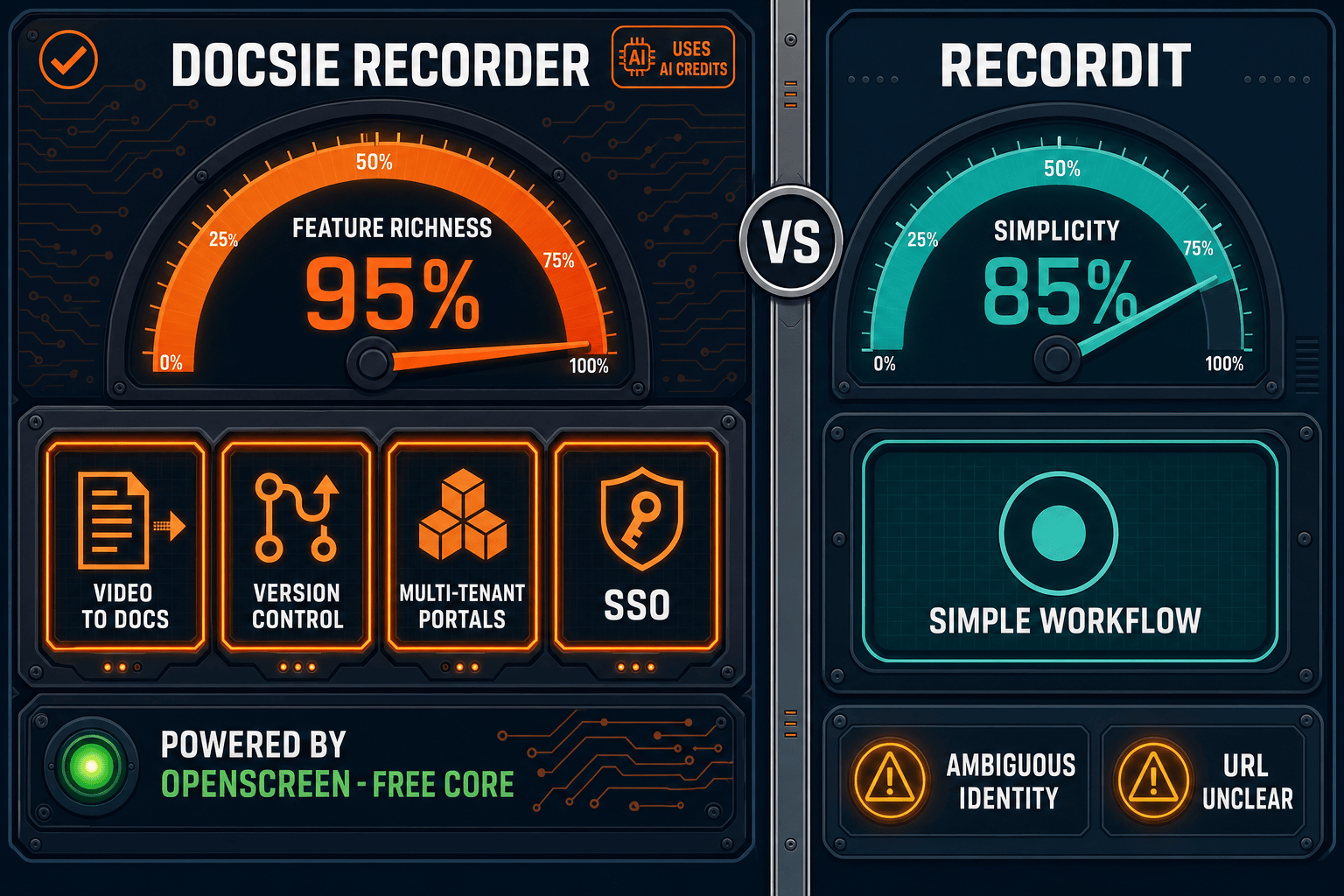
Winner: Docsie Recorder
Docsie Recorder delivers a free, open-source, cross-platform recorder and editor with no feature gating at the recording layer, then extends that value through a native Video-to-Docs pipeline that converts each recording into structured Markdown, DOCX, PDF, and knowledge base content. At the same zero-dollar entry price, Docsie Recorder gives teams a CREATE-to-MANAGE workflow that compounds in value with every session. RecordIt is a useful lightweight utility but does not compete on documentation value, editing depth, platform breadth, or downstream workflow at any price point.
Decision Helper
A direct framework for picking between Docsie Recorder, RecordIt, and Docsie based on your specific needs.
Docsie's free browser-based recorder that pipes captures straight into Docsie SOPs.
Simple screen-to-gif recorder for quick share links.

Convert real video into searchable docs, then deploy via multi-tenant portals.
Common Questions
Q: Is Docsie Recorder really free, or is there a hidden subscription?
A: The recorder and editor are genuinely free with no account required to record, edit, and export MP4 or GIF files locally. The only paid component is Video-to-Docs conversion, which uses Docsie AI credits when you choose to convert a recording into structured documentation. You can record, edit, and export indefinitely without ever triggering a credit charge — the credit only applies when you send a recording through the Docsie Video-to-Docs pipeline.
Q: Is RecordIt free, and what are the limits?
A: RecordIt at recordit.dev presents as a free recorder with optional cloud workflow features. However, the product's canonical identity and exact feature limits are difficult to confirm because the older recordit.co domain appears stale or redirected. Before committing RecordIt to a team workflow, confirm current pricing tiers, storage limits, and cloud sharing caps directly with the vendor to avoid unexpected paywalls.
Q: How do Docsie AI credits work for Video-to-Docs conversion?
A: When you connect Docsie Recorder to your Docsie workspace and choose to convert a recording, the app estimates the credit cost before you commit. You can select quality tier, language, documentation style, and rewrite instructions, then review the estimated credit consumption. Credits are consumed per conversion job, not per seat or per month, giving teams predictable cost control based on actual conversion volume rather than user count.
Q: Does RecordIt have a paid tier with more features?
A: Based on publicly available information, RecordIt presents as a free or freemium tool. A confirmed paid tier with advanced editing, documentation output, or enterprise features has not been confirmed. Teams looking for recording tools that scale into documentation workflows will likely need to adopt additional paid tools alongside RecordIt to achieve comparable output to Docsie Recorder's integrated pipeline.
Q: Which tool is more cost-effective for a team building documentation from recordings?
A: Docsie Recorder is significantly more cost-effective for documentation-focused teams. The recorder, editor, and all local export features are free. Video-to-Docs conversion adds a credit cost per job, but eliminates the need for a separate documentation tool, a separate knowledge base subscription, and manual copy-paste workflows between tools. Teams using RecordIt for documentation would need to pay for all of those supplementary tools separately, making Docsie Recorder's total cost of ownership lower despite the per-conversion credit model.
Q: What is the real cost difference between Docsie Recorder and RecordIt at scale?
A: At small scale, both tools are free and the cost difference is minimal. At scale, the divergence grows because RecordIt's output stops at a video file or share link while Docsie Recorder's output feeds a managed knowledge base. Teams scaling to dozens or hundreds of recordings per month with RecordIt accumulate video files that require separate documentation infrastructure. Docsie Recorder users accumulate a versioned, searchable, publishable knowledge base — a compounding asset rather than a growing archive of unstructured files.
Download Docsie Recorder free — no account required for recording, editing, and exporting. When you are ready to convert recordings into structured documentation and publish them to a knowledge base, Docsie's Video-to-Docs pipeline is one click away.
Free to record, edit, and export MP4 and GIF locally. No account required. Video-to-Docs conversion uses Docsie AI credits — estimate costs before converting.