
4.8
on G2
 Docsie Recorder
 RecordIt
Teams evaluating screen recorders for enterprise workflows need more than a share link. Docsie Recorder is a free, open-source desktop recorder that converts recordings into structured documentation and publishes them into a versioned knowledge base. RecordIt is a lightweight debug-focused recorder with cloud sharing and transcription, but no documentation pipeline, no SSO, and no enterprise controls. This page compares both tools across security, scalability, administration, and support.

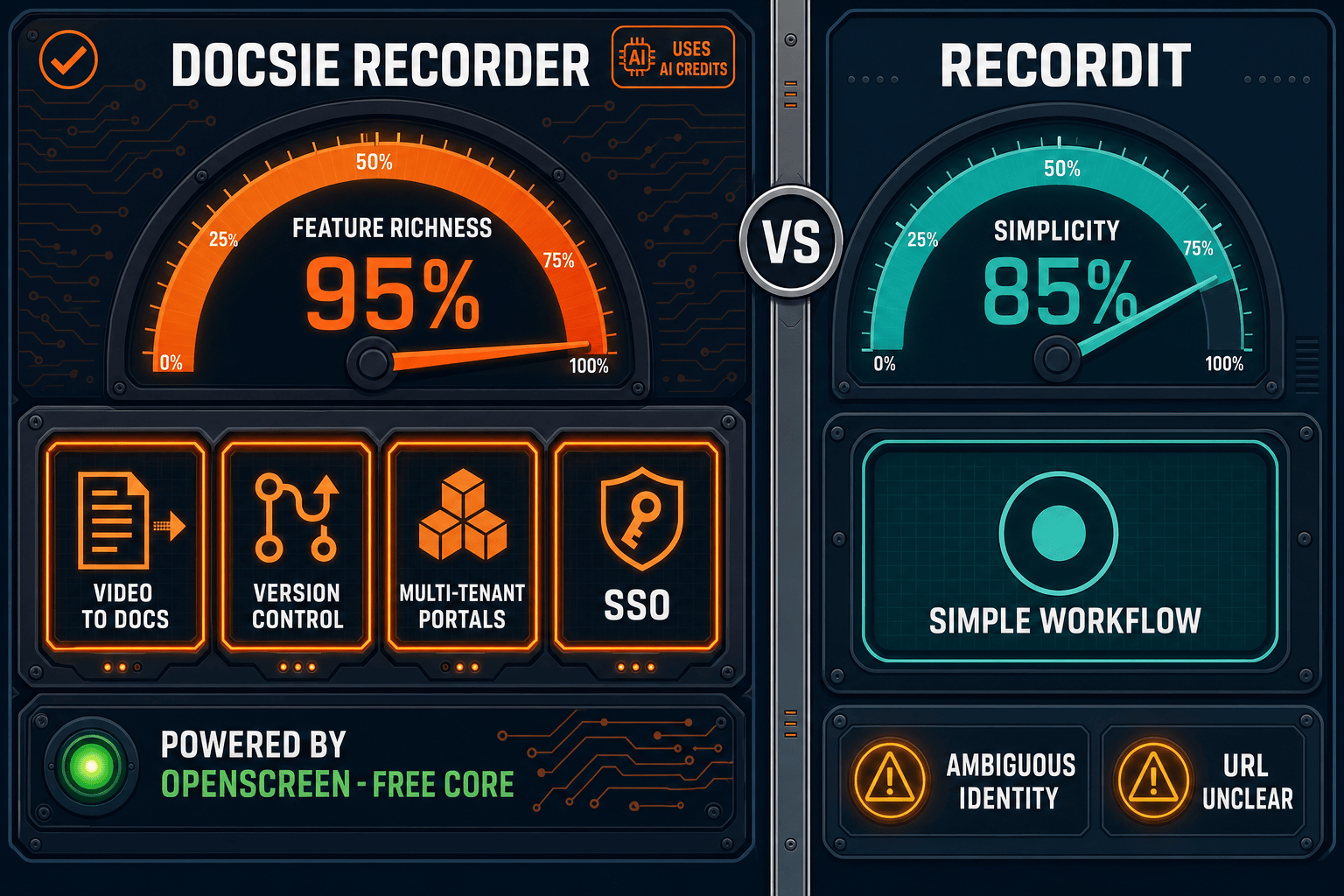
For enterprise buyers, Docsie Recorder and RecordIt cover narrow slices (free and simple) while Docsie adds SSO, audit trails, multi-tenant portals, and compliance monitoring in one platform.
Feature Matrix
A focused comparison of recording capabilities, documentation output, and enterprise-readiness features between Docsie Recorder and RecordIt.
| Feature |
Docsie Recorder
Our Pick
|
RecordIt
|
|---|---|---|
| Free Desktop Recorder | ||
| Open-Source Recorder Base | ||
| Mac Support | Limited public detail | |
| Windows Support | Limited public detail | |
| Linux Support | ||
| Window and Full-Screen Capture | ||
| Microphone Capture | ||
| System Audio Capture | Platform-specific | Limited public detail |
| Webcam Overlay | Limited public detail | |
| Automatic or Manual Zoom | ||
| Annotations and Blur Regions | ||
| Local MP4 Export | Limited public detail | |
| Local GIF Export | ||
| Video-to-Docs Conversion | ||
| Markdown Export | ||
| DOCX Export | ||
| PDF Export | ||
| Knowledge Base Publishing | ||
| Versioned Documentation Management | ||
| Multi-Tenant Portal Delivery | ||
| SSO (SAML/OAuth) | ||
| Role-Based Access Control | ||
| Audit Logs | ||
| API Access | ||
| Enterprise Deployment Path |
Data as of 2026. RecordIt (recordit.dev) features are based on publicly available information. Product identity is ambiguous between recordit.co and recordit.dev; confirm before making purchasing decisions.
Strengths & Weaknesses
Deep Dive
An in-depth analysis of security and compliance, scalability, administration, and support capabilities for enterprise teams evaluating screen recorders.
Docsie Recorder's MIT-licensed open-source core gives enterprise security teams full auditability of the recording engine—no black-box binaries processing sensitive screen content. The downstream Docsie platform adds SSO via SAML, OAuth, OIDC, Azure AD, and Okta, plus GDPR compliance, SOC 2 Type II readiness, and audit logs. RecordIt provides no documented SSO, no compliance certifications, no audit logging, and no data residency controls. For teams in regulated industries or those handling sensitive workflows, Docsie Recorder's open-source foundation combined with Docsie's enterprise security boundary is a meaningful differentiator over a closed lightweight recorder with no compliance posture.
Docsie Recorder processes video locally on the recording machine, keeping capture performance independent of cloud infrastructure. The Video-to-Docs pipeline scales through Docsie's API layer with configurable quality tiers, language options, and doc styles—allowing enterprise teams to process high volumes of recordings into structured documentation. Downstream, Docsie's knowledge base supports multi-tenant portal delivery, meaning one recording workflow can feed documentation for many products or client portals simultaneously. RecordIt is designed for individual lightweight recordings and debug clips with no documented architecture for high-volume or multi-team documentation workflows.
Enterprise teams need granular control over who can record, publish, and access documentation. Docsie's downstream platform provides role-based access control, workspace-level permissions, versioned content management, and multi-tenant portal administration. IT administrators can manage user provisioning via SSO, enforce access policies, and review activity through audit logs. The open-source recorder core allows IT teams to inspect, fork, or internally redistribute the recording client under MIT terms. RecordIt offers no documented role-based permissions, no workspace administration, no user provisioning via SSO, and no content governance features—making it unsuitable as an administered enterprise recording tool.
Docsie's enterprise tier provides dedicated support channels, SLA commitments, and a clear enterprise deployment path that includes the open-source recorder client plus Docsie's managed cloud or on-premises knowledge base infrastructure. Enterprise customers can negotiate data residency, uptime guarantees, and professional onboarding. RecordIt's support posture is unconfirmed—as a newer product with an ambiguous canonical identity between recordit.co and recordit.dev, there is no publicly documented enterprise SLA, dedicated support tier, or professional services offering. Teams that require contractual support commitments should treat RecordIt as unqualified for enterprise procurement evaluation.
Our Recommendation
This comparison is clear-cut from an enterprise readiness standpoint. Docsie Recorder is a free, open-source desktop recorder with a full downstream enterprise platform covering SSO, RBAC, audit logs, versioned documentation, multi-tenant portals, and Video-to-Docs conversion. RecordIt is a lightweight debug recording tool with cloud sharing and transcription that has no documented enterprise security controls, compliance certifications, or documentation management capabilities. The choice depends on whether your team needs a recorder that integrates into an enterprise documentation workflow or a minimal utility for sharing short clips.
Choose Docsie Recorder if you need...
Choose RecordIt if you need...
Winner: Docsie Recorder
Docsie Recorder is the only enterprise-ready option in this comparison. Its MIT-licensed open-source recorder core gives security teams auditability, while the downstream Docsie platform delivers the SSO, RBAC, audit logs, versioned knowledge base, and multi-tenant portal delivery that enterprise procurement requires. RecordIt is a useful lightweight utility but does not meet the threshold for enterprise security, compliance, administration, or support evaluation.
Decision Helper
A direct framework for picking between Docsie Recorder, RecordIt, and Docsie based on your specific needs.
Docsie's free browser-based recorder that pipes captures straight into Docsie SOPs.
Simple screen-to-gif recorder for quick share links.

Convert real video into searchable docs, then deploy via multi-tenant portals.
Common Questions
Q: Does Docsie Recorder support SSO for enterprise teams?
A: Yes. While the open-source recorder client itself is local-first and requires no account to record and export video, the downstream Docsie platform—where recordings are converted to docs and published—supports SAML, OAuth, OIDC, Azure AD, and Okta SSO. Enterprise teams can provision users through their existing identity provider and enforce access policies on the knowledge base. RecordIt has no documented SSO support.
Q: Is the Docsie Recorder codebase auditable for enterprise security reviews?
A: Yes. Docsie Recorder's core is built on OpenScreen and released under the MIT license, meaning enterprise security teams can inspect the full source code, confirm what data is captured, and confirm that recordings are processed locally. The repository is publicly available on GitHub. This is a significant advantage over closed-source lightweight recorders like RecordIt, where the recording pipeline cannot be independently audited.
Q: Does RecordIt meet enterprise compliance requirements such as GDPR or SOC 2?
A: RecordIt has no publicly documented compliance certifications, data residency controls, or audit logging capabilities based on available information. For teams with GDPR obligations or SOC 2 audit requirements, RecordIt does not appear to qualify as a compliant enterprise tool. Docsie's downstream platform provides GDPR compliance, SOC 2 Type II readiness, and audit logs for documentation workflows that require compliance posture.
Q: Can RecordIt publish recordings into a versioned knowledge base like Docsie?
A: No. RecordIt produces recordings with cloud sharing links and transcription output, but has no knowledge base publishing, versioned content management, or structured documentation generation. Docsie Recorder connects directly to Docsie's Video-to-Docs pipeline, which generates structured Markdown, DOCX, or PDF output and publishes it into a versioned knowledge base with multi-tenant portal delivery.
Q: How does Docsie Recorder fit into an enterprise documentation workflow?
A: Docsie Recorder follows a CREATE-to-MANAGE workflow. A team member records a walkthrough or process locally, edits it with zoom, annotations, and trimming, then sends it through Docsie's Video-to-Docs API to generate structured documentation. That output is published into Docsie's knowledge base, versioned, and delivered through branded portals—all governed by the enterprise platform's SSO, RBAC, and audit controls. RecordIt stops at a share link with no downstream documentation workflow.
Q: Is there an enterprise deployment path for Docsie Recorder in on-premises or air-gapped environments?
A: The open-source recorder client can be built and deployed internally from source under the MIT license, giving IT teams control over distribution. Docsie's enterprise platform supports private infrastructure deployment for the knowledge base and Video-to-Docs pipeline. RecordIt has no documented on-premises or air-gapped deployment option, making it unsuitable for organizations that prohibit cloud-dependent recording tools in sensitive environments.
Download Docsie Recorder free, record locally on macOS, Windows, or Linux, and connect to Docsie's Video-to-Docs pipeline to turn any recording into versioned, enterprise-ready documentation.
Free to record and export. No account required for local MP4 and GIF export. Docsie AI credits required for Video-to-Docs conversion.