
4.8
on G2
 Docsie Recorder
 Loom
Loom
Loom is the category-defining async video recorder with per-seat pricing that scales quickly. Docsie Recorder is a free, open-source desktop recorder that converts your recordings into structured documentation instead of stopping at a hosted video link. This page breaks down exactly what you pay at each tier, what you get, and which tool delivers more value for teams who need both recording and documentation.

Docsie Recorder and Loom sit at different price points, but neither bundles video-to-docs with multi-tenant knowledge delivery the way Docsie does.
Pricing Feature Matrix
A side-by-side breakdown of recording capabilities, editing features, export options, AI output, and documentation value across free and paid tiers for both tools.
| Feature |
Docsie Recorder
Our Pick
|
Loom
|
|---|---|---|
| Free Desktop Recorder | Starter (capped) | |
| Open-Source Recorder Base | ||
| Mac Support | ||
| Windows Support | ||
| Linux Support | ||
| Window and Full-Screen Capture | ||
| Microphone Capture | ||
| System Audio Capture | ||
| Webcam Overlay | ||
| Automatic or Manual Zoom | Automatic only | |
| Cursor and Focus Polish | ||
| Backgrounds and Visual Effects | ||
| Crop, Trim, Speed Regions | Trim only | |
| Annotations and Blur Regions | ||
| Local MP4 Export | ||
| Local GIF Export | ||
| Per-Seat Monthly Cost (Base Paid) | $0 recorder | ~$12.50–$15/user/mo |
| Video-to-Docs Conversion | AI summary only | |
| Markdown Export | ||
| Knowledge Base Publishing | ||
| Versioned Documentation Management | ||
| Multi-Tenant Portal Delivery | ||
| SSO | Enterprise only | |
| API Access |
Docsie Recorder is free to download; Video-to-Docs conversion uses Docsie AI credits. Loom pricing directionally confirmed from loom.com/pricing on 2026-05-05; exact per-seat dollars should be reconfirmed before relying on this comparison. Loom Starter free plan video count and length limits should be checked for current values.
Strengths & Weaknesses
Deep Dive
Cost comparisons only make sense when you understand what each dollar buys. Here is a deep dive into value for money, how costs scale, and the hidden costs and limitations that matter most when evaluating Docsie Recorder against Loom.
Docsie Recorder's recording and editing layer costs nothing. You download the app, record, edit with zooms, backgrounds, annotations, and blur, and export MP4 or GIF locally — all without creating an account or paying a dollar. Loom's Starter plan is free but capped, meaning serious users hit the wall quickly and must upgrade to a paid per-seat plan. For the recorder itself, Docsie delivers more editing capability at zero cost. The value gap widens when you factor in Video-to-Docs conversion: a Docsie AI credit job turns your recording into a structured document, while Loom's comparable AI output is a summary and action items that live inside Loom's hosted video environment rather than your knowledge base.
Loom charges per user per month, which means a team of 20 recorders paying the Business rate can spend hundreds of dollars monthly just on the recording layer — before any documentation platform costs. Docsie Recorder has no per-seat recorder fee at any team size. Recording and local export remain free regardless of how many colleagues download the app. Costs enter the picture only when you use Docsie's Video-to-Docs AI conversion, which is credit-based and estimable before you submit a job. For organizations that record frequently but want to control documentation pipeline costs, the Docsie model is fundamentally more predictable than Loom's compounding per-seat structure. Linux teams also avoid a platform surcharge entirely since Loom has no Linux build.
Loom's hidden cost is lock-in. Recordings live in Loom's cloud and cannot be exported as local MP4 files without third-party workarounds. If you cancel your plan, your video library is at risk. There is no structured documentation output, no knowledge base versioning, and no multi-tenant portal — so teams that outgrow video sharing must purchase a separate documentation platform on top of their Loom seats. Docsie Recorder's hidden limitation is that Video-to-Docs conversion is not fully offline; it calls Docsie's cloud API. However, the recorder itself is open source, the exported MP4 is yours locally, and the downstream Docsie platform is the cost — not a recurring recorder seat fee. Teams should confirm current AI credit pricing and free allowances before projecting conversion costs at volume.
Pricing Breakdown
Every tier, what it costs, and what it includes for both tools. Confirmed directionally as of 2026-05-05 — confirm current Loom per-seat prices on loom.com/pricing before finalizing budgets.
For teams that need the recorder itself, Docsie Recorder wins on price at every tier — the recording and editing layer is permanently free with no seat count limit. Loom's per-seat model becomes expensive quickly, and the output stays inside a hosted video library rather than converting into owned, versioned documentation. Teams with five or more recorders will typically find Docsie's credit-based Video-to-Docs model significantly cheaper than Loom's monthly per-seat fees, and they leave with structured knowledge base content rather than a collection of video links.
Our Recommendation
Loom is the strongest hosted video recorder for async communication, and its AI features, viewer analytics, and Atlassian integrations make it a compelling choice for teams that are video-first. But Loom's per-seat pricing compounds fast, the output is a video library rather than a documentation system, and there is no path from a Loom recording to a versioned knowledge base article without a separate tool purchase. Docsie Recorder flips the model — the recorder is free and open source, editing is included, local MP4 and GIF export costs nothing, and the optional Video-to-Docs conversion turns recordings into structured Markdown, DOCX, and publishable knowledge base content. For teams evaluating cost and documentation output together, Docsie Recorder delivers more per dollar spent.
Choose Docsie Recorder if you need...
Choose Loom if you need...
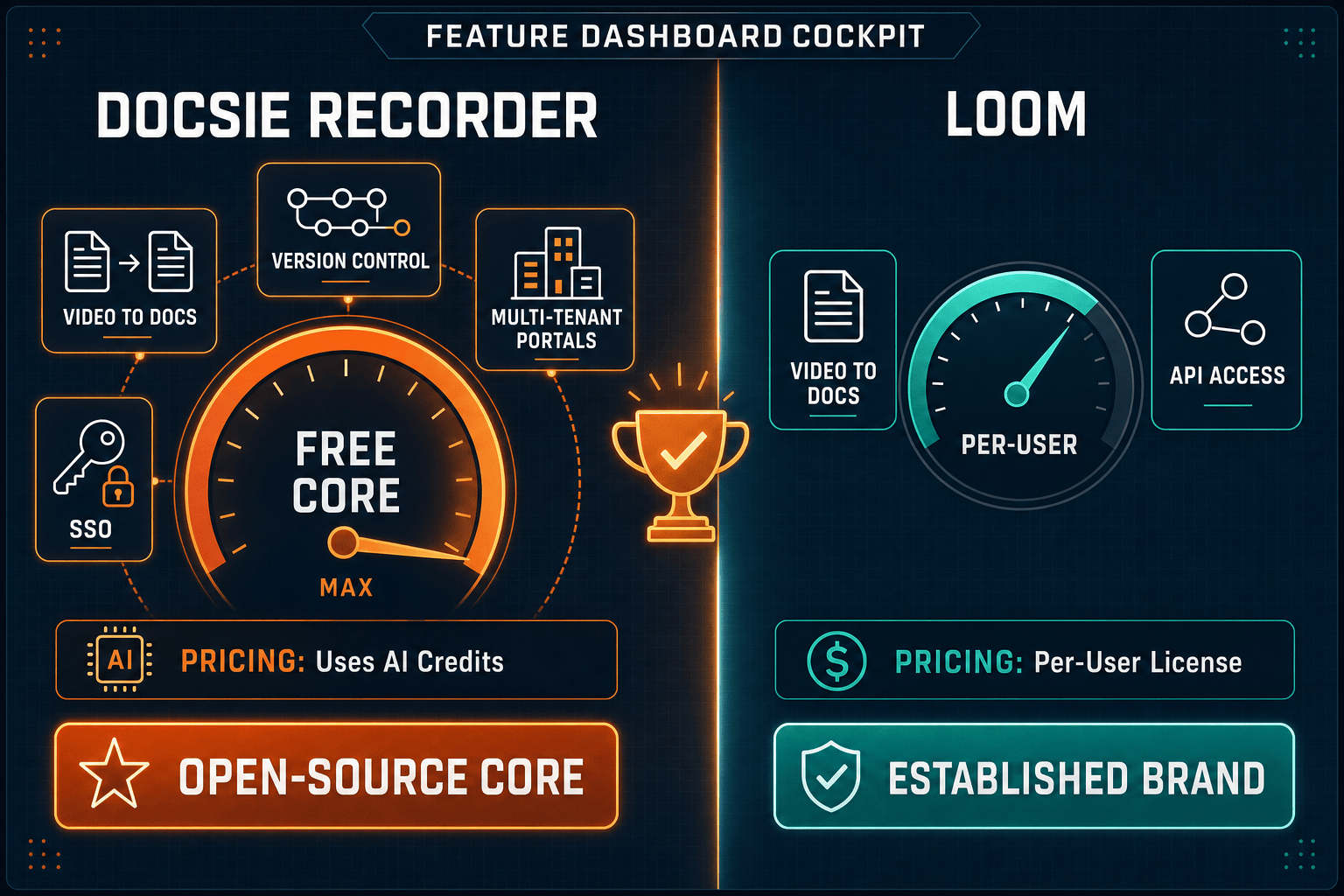
Winner: Docsie Recorder
Docsie Recorder is the better value for any team that records more than occasionally. The recorder and editor are permanently free, cross-platform, and open source — matching or exceeding Loom's editing capabilities at zero cost. When you add Video-to-Docs conversion, the output is structured documentation in your knowledge base rather than a hosted video link, meaning one recording produces a reusable, versioned, publishable doc instead of requiring a separate documentation platform purchase on top of your Loom seats.
Decision Helper
A direct framework for picking between Docsie Recorder, Loom, and Docsie based on your specific needs.
Docsie's free browser-based recorder that pipes captures straight into Docsie SOPs.
Async screen recording and video messaging for team communication.

Convert real video into searchable docs, then deploy via multi-tenant portals.
Common Questions
Q: Is Docsie Recorder really free, or are there hidden charges for recording?
A: The recorder and editor are genuinely free with no hidden charges for the capture and export workflow. You download the app, record, edit with the full suite including zooms, backgrounds, annotations, blur, and speed regions, and export MP4 or GIF locally without creating an account or paying anything. The only cost enters when you choose to use Docsie's Video-to-Docs AI conversion, which consumes Docsie AI credits — and the app shows a credit estimate before you submit so there are no surprises.
Q: How does Loom's per-seat pricing compare to Docsie Recorder's credit model for a team of 20?
A: A team of 20 on Loom's Business plan pays per user every month, which at published rates can reach several hundred dollars monthly just for the recording layer. With Docsie Recorder, all 20 users download and use the recorder for free — costs only arise when jobs are sent through the Video-to-Docs pipeline, and those credits are consumed per conversion job rather than per seat per month. For high-volume recording teams, the Docsie model is typically far more cost-effective, and you receive structured documentation output rather than a hosted video library.
Q: Does Loom let you export recordings as local MP4 files?
A: Loom does not offer a native local MP4 export from its standard plans — recordings are stored in Loom's cloud and accessed via share links. Docsie Recorder exports MP4 and GIF files directly to your local drive at no cost as part of the free recorder workflow. If owning your recording files locally matters for storage, compliance, or portability reasons, Docsie Recorder has a clear advantage.
Q: If my team already pays for Loom, do we still need Docsie Recorder?
A: If your team uses Loom for async video messaging and is happy stopping at a video share link, Loom may be sufficient for that workflow. However, if you also need your recordings converted into structured documentation, published into a versioned knowledge base, or delivered through multi-tenant portals, you would need to purchase a separate documentation platform on top of Loom seats. Docsie Recorder plus the Video-to-Docs pipeline covers both the recording and the documentation output in one connected workflow, potentially replacing two separate tool costs.
Q: Does Docsie Recorder work on Linux, and does that affect pricing?
A: Yes — Docsie Recorder provides builds for macOS, Windows, and Linux, all at the same price of zero for the recorder itself. Loom does not support Linux, meaning Linux-based teams or developers have no Loom option at any price. For engineering teams on Linux who want a free, open-source recorder with a path to structured documentation, Docsie Recorder is the only tool in this comparison that addresses that platform requirement.
Q: What happens to my Loom videos if I cancel my subscription?
A: Loom's free Starter plan caps the number of videos you can store, and canceling a paid plan may restrict access to videos beyond the free tier limits — confirm Loom's current data retention and cancellation policy on loom.com before committing. Because Docsie Recorder exports files locally and any generated documentation lives in your Docsie workspace, your recordings and docs remain accessible independently of your subscription status, giving you greater ownership and portability over your content.
Download Docsie Recorder free, record and edit your first walkthrough, and see how one recording becomes a structured knowledge base article — without a monthly per-seat bill.
Free to record, edit, and export MP4/GIF locally. Video-to-Docs conversion uses Docsie AI credits — estimate shown before any job is submitted.