
4.8
on G2
 Docsie Recorder
 Loom
Loom
Both Docsie Recorder and Loom let teams capture screen recordings, but their enterprise stories diverge sharply. Loom is a polished hosted-video platform with Atlassian-backed enterprise tiers. Docsie Recorder is a free, open-source desktop recorder that feeds directly into Docsie's governed knowledge base platform—giving enterprise IT and compliance teams a full CREATE-to-MANAGE audit trail rather than an isolated video library.
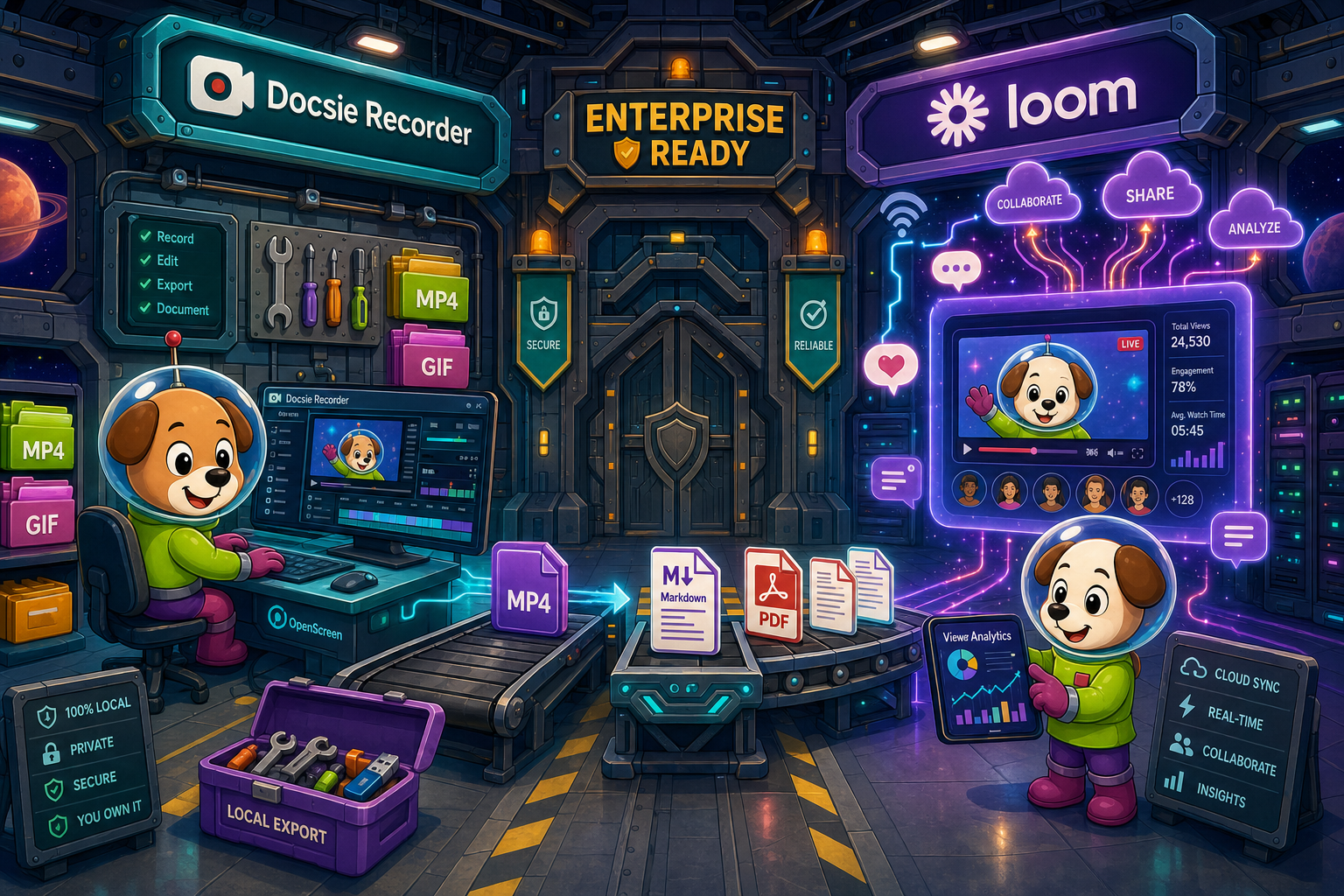
For enterprise buyers, Docsie Recorder and Loom cover narrow slices (free and category-defining brand with a mature) while Docsie adds SSO, audit trails, multi-tenant portals, and compliance monitoring in one platform.
Enterprise Feature Matrix
A side-by-side breakdown of the enterprise capabilities that matter most to IT, security, and documentation teams—covering recording fundamentals, output governance, security, compliance, and administration.
| Capability |
Docsie Recorder
Our Pick
|
Loom
|
|---|---|---|
| Free Desktop Recorder | Starter (capped) | |
| Open-Source Recorder Core | ||
| Mac Support | ||
| Windows Support | ||
| Linux Support | ||
| Local MP4 Export (no cloud required) | ||
| Video-to-Docs Conversion | AI summary only | |
| Structured Markdown / DOCX / PDF Export | ||
| Knowledge Base Publishing | ||
| Versioned Documentation Management | ||
| Multi-Tenant Portal Delivery | ||
| SSO (SAML / SCIM) | Enterprise | Enterprise only |
| Role-Based Access Control | ||
| Audit Logs | ||
| SOC 2 Compliance | ||
| GDPR Compliance | ||
| Data Residency Options | Enterprise plan | Enterprise plan |
| API Access | ||
| Enterprise Deployment Path | Docsie Enterprise + open-source recorder | Loom Enterprise (Atlassian) |
| Dedicated Enterprise Support |
Data as of 2026. SSO, SCIM, and audit features are available on Enterprise tiers for both tools. Confirm current plan limits and pricing directly with each vendor before purchasing.
Strengths & Weaknesses
Deep Dive
Enterprise buyers evaluating screen recorders need more than a feature checklist. This deep dive examines Security and Compliance, Scalability and Performance, Administration and Control, and Support and SLA across both tools—with particular attention to what happens after the recording is made.
Docsie Recorder's open-source MIT core means enterprise security teams can audit or fork the recording engine itself—a capability no closed-source SaaS recorder can match. Local-first capture ensures sensitive screen content never leaves the endpoint without deliberate action. The downstream Docsie platform carries SOC 2 and GDPR compliance, with the AUTOMATE and MONITOR pillars able to route generated documentation into compliance review workflows. Loom's Enterprise tier covers SOC 2 and GDPR with SAML SSO and SCIM, but the recorder and all video content remain in Atlassian's cloud infrastructure with no open-source audit path and no compliance monitoring pipeline for the documentation generated from recordings.
Docsie Recorder's architecture separates the recording layer from the knowledge base layer, allowing enterprises to scale them independently. The open-source recorder can be deployed across unlimited workstations without per-seat recorder licensing, while Docsie's cloud platform handles Video-to-Docs conversion at scale using AI credits rather than per-user gates. Multi-tenant portal delivery means one Docsie instance can serve dozens of internal teams or external customers from a single governed content source. Loom scales well as a video messaging platform within Atlassian's infrastructure, but per-user pricing and the absence of multi-tenant documentation delivery mean costs grow linearly with headcount and audience reach.
At the Docsie Enterprise tier, administrators gain SSO via SAML, SCIM provisioning, role-based access control, and audit logs that span the full CREATE-to-MANAGE workflow—from the moment a recording is uploaded to the moment a versioned knowledge base article is published and delivered through a portal. This end-to-end governance chain is unique because the recorder and the knowledge base are part of one platform story. Loom Enterprise provides robust workspace administration with SSO, SCIM, and video-level permissions, and Atlassian tooling means tight integration with Jira and Confluence permission models. However, Loom's administration scope stops at the video library; there is no admin surface for governing structured documentation derived from those recordings.
Both Docsie and Loom offer dedicated support channels at their Enterprise tiers, with uptime SLA commitments that enterprise procurement teams should confirm directly with each vendor before signing. Docsie's open-source recorder core adds a community and GitHub issue layer that proprietary tools cannot offer—enterprise teams can file issues, review changelogs, and contribute fixes. Loom's Atlassian support infrastructure is mature and benefits from enterprise support agreements that may already exist through Jira or Confluence contracts. For organizations already standardized on Atlassian, Loom's support pathway is straightforward. For organizations prioritizing open-source auditability and a documentation-native support model, Docsie's combined recorder-plus-platform support story offers a different but compelling path.
Our Recommendation
Loom is the more mature enterprise video platform today, with Atlassian backing, polished SSO and SCIM implementation, and a well-established compliance posture. If your enterprise need is async video messaging with governance controls and Atlassian ecosystem integration, Loom delivers. However, if your enterprise need is governed documentation creation—where screen recordings must become versioned, structured, auditable knowledge base content rather than a video library—Docsie Recorder plus the Docsie platform offers a uniquely compelling architecture. The open-source recorder core, cross-platform Linux support, local-first capture, and full CREATE-to-MANAGE pipeline create an enterprise documentation workflow that Loom's video-centric model cannot replicate.
Choose Docsie Recorder if you need...
Choose Loom if you need...
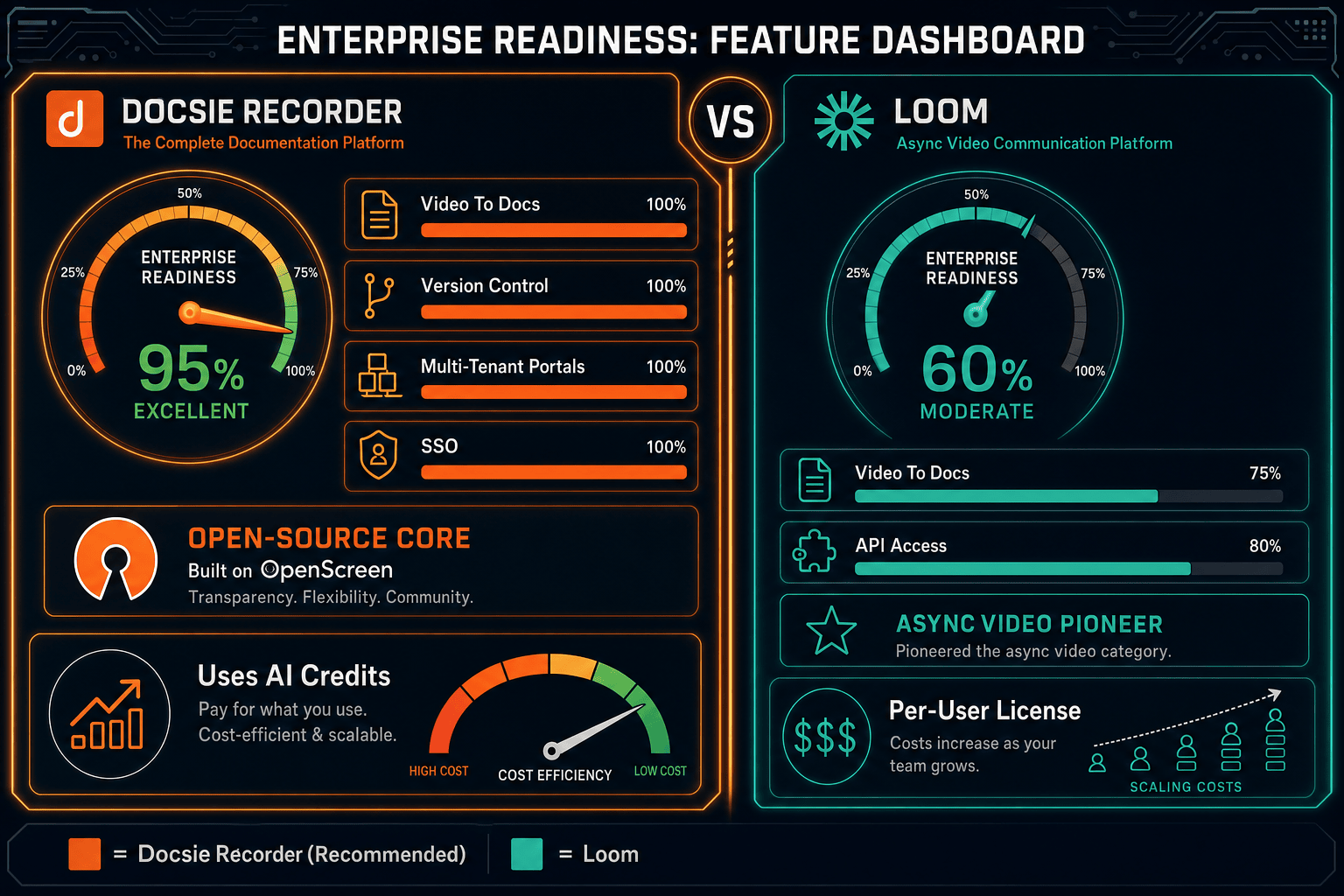
Winner: Docsie Recorder
For enterprise teams that need screen recordings to become governed, versioned documentation rather than a video library, Docsie Recorder's open-source auditable core combined with the Docsie platform's CREATE-to-MANAGE pipeline delivers a uniquely enterprise-ready documentation workflow. The ability to audit the recorder itself, capture locally without mandatory cloud upload, and route output into a structured knowledge base with SSO, SCIM, audit logs, and multi-tenant portal delivery makes Docsie Recorder the stronger choice for compliance-conscious documentation teams in 2026.
Decision Helper
A direct framework for picking between Docsie Recorder, Loom, and Docsie based on your specific needs.
Docsie's free browser-based recorder that pipes captures straight into Docsie SOPs.
Async screen recording and video messaging for team communication.

Convert real video into searchable docs, then deploy via multi-tenant portals.
Common Questions
Q: Does Docsie Recorder require sending recordings to the cloud?
A: No. Docsie Recorder captures and edits recordings locally on your machine and can export MP4 and GIF files without any cloud upload. The cloud API is only invoked when you explicitly choose to send a recording through the Video-to-Docs conversion pipeline using Docsie AI credits. This local-first architecture gives enterprise security teams control over when and whether sensitive screen content leaves the endpoint.
Q: Can enterprise security teams audit the Docsie Recorder source code?
A: Yes. Docsie Recorder's core is built on OpenScreen and published under an MIT license on GitHub. Enterprise security teams can review the source, inspect dependencies, and fork or modify the codebase as needed. Loom provides no equivalent open-source audit path, as its recorder is fully closed-source and operates within Atlassian's proprietary cloud infrastructure.
Q: Does Loom support SSO and SCIM for enterprise provisioning?
A: Yes, but only on Loom's Enterprise tier, which requires a custom contract. SAML SSO and SCIM provisioning are not available on Starter or Business plans. Docsie's SSO and SCIM capabilities are similarly gated to the Docsie Enterprise tier. Buyers should confirm current tier boundaries and pricing directly with both vendors before planning an enterprise rollout.
Q: Is Loom or Docsie Recorder better for Atlassian-heavy enterprises?
A: If your organization is deeply standardized on Jira and Confluence, Loom's Atlassian ownership creates a natural integration and procurement path. However, if your goal is converting screen recordings into structured documentation that lives in a governed knowledge base rather than a Confluence page or video library, Docsie Recorder's Video-to-Docs pipeline and native knowledge base publishing provide capabilities that Loom's Atlassian integrations do not replicate.
Q: How does Docsie Recorder handle Linux deployments in enterprise environments?
A: Docsie Recorder ships native builds for macOS, Windows, and Linux, making it one of the few screen recorders in this comparison set that supports Linux workstations without workarounds. Loom has no Linux desktop client, which creates a gap for enterprises running mixed-OS environments with developers or operations teams on Linux. This cross-platform parity is a meaningful enterprise differentiator for Docsie Recorder.
Q: What happens to Loom recordings if an enterprise wants to build a knowledge base from them?
A: Loom's AI features can generate summaries, chapters, and action items from recordings, and Atlassian integrations can push those outputs to Confluence pages or Jira tickets. However, Loom does not natively produce versioned, structured documentation in Markdown, DOCX, or PDF format, and it has no built-in knowledge base with content lifecycle management. Teams that need recordings to become governed KB articles typically need to pair Loom with a separate documentation platform—or switch to Docsie Recorder, which handles the full CREATE-to-MANAGE workflow natively.
Download Docsie Recorder free, capture your first walkthrough locally, and connect it to Docsie's Video-to-Docs pipeline to see how one recording becomes a versioned, structured knowledge base article—without per-seat recorder licensing or mandatory cloud upload.
Free to download. Open-source MIT recorder core. Video-to-Docs conversion uses Docsie AI credits. No account required to record and export MP4 locally.