
4.8
on G2
 Docsie Recorder
 Kommodo
Docsie Recorder is a free, open-source desktop recorder that exports MP4 and GIF locally and connects to Docsie's Video-to-Docs pipeline. Kommodo is a $9–$15/user/month AI screen recorder and SOP generator for individuals and small teams. This page breaks down what you actually get at each price point before you commit to either tool.
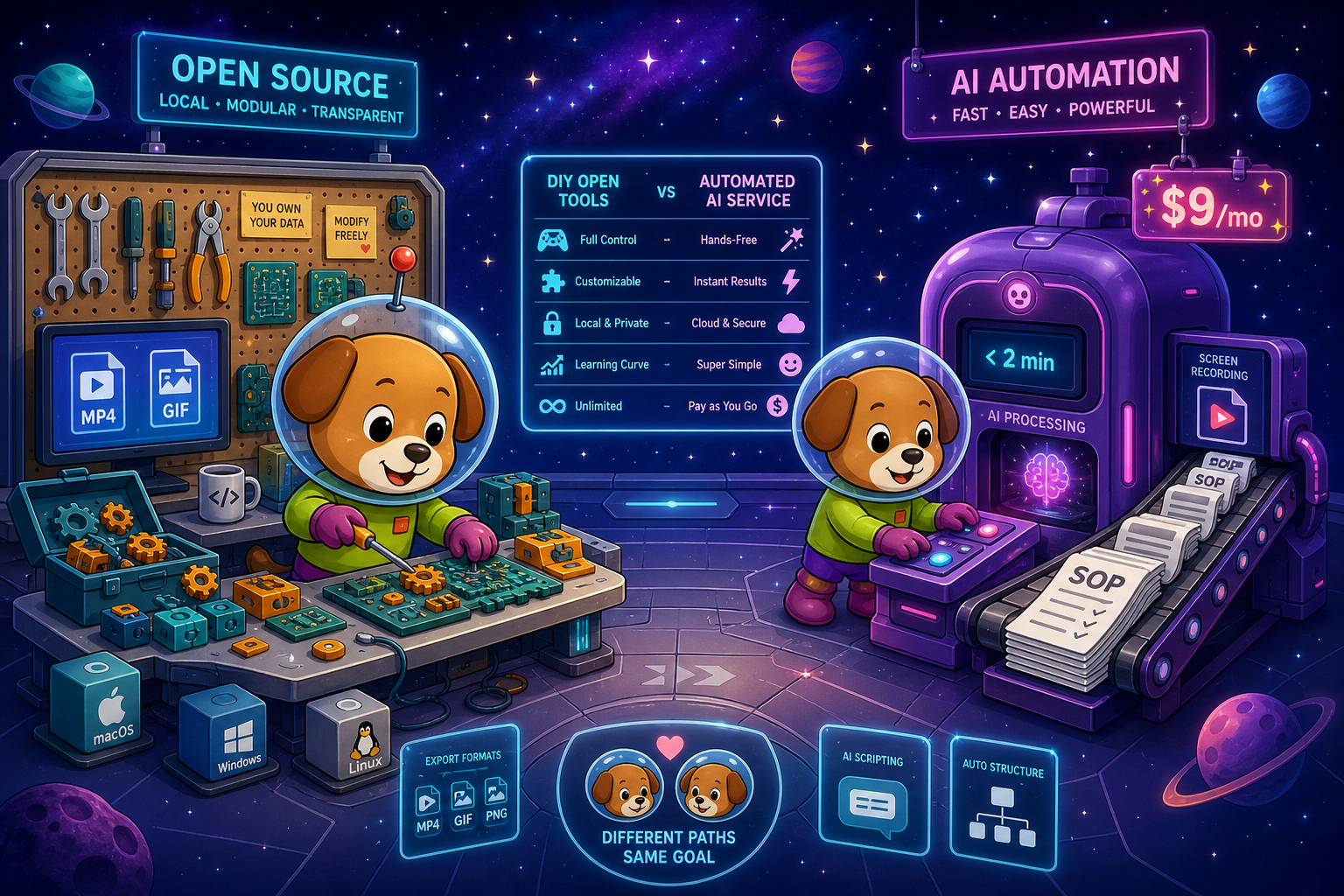
Docsie Recorder and Kommodo sit at different price points, but neither bundles video-to-docs with multi-tenant knowledge delivery the way Docsie does.
Feature Matrix
A side-by-side breakdown of recorder capabilities, editing features, export options, and documentation workflow features across both tools. Focus is on what each pricing tier actually delivers.
| Feature |
Docsie Recorder
Our Pick
|
Kommodo
|
|---|---|---|
| Free Desktop Recorder | ||
| Open-Source Recorder Base | ||
| Mac Support | ||
| Windows Support | ||
| Linux Support | ||
| Window and Full-Screen Capture | ||
| Microphone Capture | ||
| System Audio Capture | Platform-specific | |
| Webcam Overlay | ||
| Automatic or Manual Zoom | ||
| Cursor and Focus Polish | ||
| Backgrounds and Visual Effects | ||
| Crop, Trim, Speed Regions | ||
| Annotations and Blur Regions | ||
| Local MP4 Export | ||
| Local GIF Export | ||
| Project Save Format | .docsiescreen files | |
| Video-to-Docs Conversion | ||
| Markdown Export | ||
| DOCX Export | ||
| PDF Export | Via Docsie platform | |
| Knowledge Base Publishing | ||
| Versioned Documentation Management | ||
| Multi-Tenant Portal Delivery | ||
| SSO / Enterprise Auth | ||
| API Access | ||
| SOC 2 / ISO 27001 Compliance | ||
| Per-User Paid Pricing | $9–$15/user/month |
Data as of 2026. Docsie Recorder core is MIT-licensed and free; Video-to-Docs conversion uses Docsie AI credits. Kommodo pricing based on published plans. Confirm current plans with each vendor before purchasing.
Strengths & Weaknesses
Deep Dive
Cost is not just the monthly number. This analysis covers value for money at the recorder layer, how costs scale as your team grows, and the hidden costs and architectural limits that emerge when you need more than basic SOP generation.
Docsie Recorder delivers a full recorder and editor at $0, including zoom polish, cursor effects, backgrounds, crop, trim, speed regions, annotations, blur regions, and local MP4 and GIF export. You get Screen Studio-level editing capabilities without paying a subscription. Kommodo's free tier gives you 15 videos and basic capture with auto-screenshots, but no advanced editing and no local export. For teams that care about recorder quality and output control, Docsie Recorder provides dramatically more value before any money changes hands. The first dollar you spend on Kommodo buys you unlimited videos; the first dollar on Docsie buys Video-to-Docs conversion on top of an already capable free recorder.
Kommodo charges per user, so a team of 10 costs $90/month (yearly) or $150/month (monthly). A team of 50 costs $450–$750/month with no published enterprise discount path. Docsie Recorder stays free at every team size for the recording and editing layer. Video-to-Docs conversion scales by usage via AI credits rather than headcount, which is more favorable for teams with variable documentation workloads. As organizations grow into versioned knowledge bases, multi-tenant portals, and enterprise compliance, Docsie's platform handles that without forcing a migration to a different product. Kommodo has no published path for organizations that outgrow its SMB-oriented architecture.
Kommodo's hidden cost is its ceiling. There is no SSO, no API, no audit logs, no SOC 2, no version control, and no multi-tenant portal delivery. Teams that grow past 20 people or enter regulated industries will need to migrate their documentation library to a different platform entirely, paying migration costs and losing accumulated content history. Docsie Recorder has one explicit cost to understand: Video-to-Docs conversion uses AI credits, not a flat fee. But the recorder itself, all editing features, and local export carry no hidden charges. The Docsie platform's enterprise tier adds transparent licensing, not an architectural rebuild, making the upgrade path predictable rather than disruptive.
Pricing Breakdown
Compare what each tool charges and what you actually receive at every tier, from free plans through team and enterprise use cases.
Docsie Recorder wins on pricing structure for any team larger than one person. The recorder and editor are permanently free with no video cap on local export. Video-to-Docs conversion costs AI credits rather than a per-seat monthly fee, which scales more favorably as team size grows. Kommodo's $9/user/month is genuinely affordable for individuals, but the per-user model becomes expensive quickly and there is no upgrade path to enterprise features. Teams that anticipate needing version control, portals, SSO, or compliance capabilities will pay migration costs when Kommodo's ceiling is reached — costs that Docsie's platform architecture avoids entirely.
Our Recommendation
Docsie Recorder and Kommodo are in the same category — screen recorder plus AI-powered documentation generation — but they are built for different buyer profiles and carry very different long-term cost structures. Kommodo is a consumer-grade tool with an attractive entry price and a hard architectural ceiling. Docsie Recorder is a free, open-source recorder with a pay-per-conversion model that scales into a full enterprise knowledge platform without forcing a product migration.
Choose Docsie Recorder if you need...
Choose Kommodo if you need...
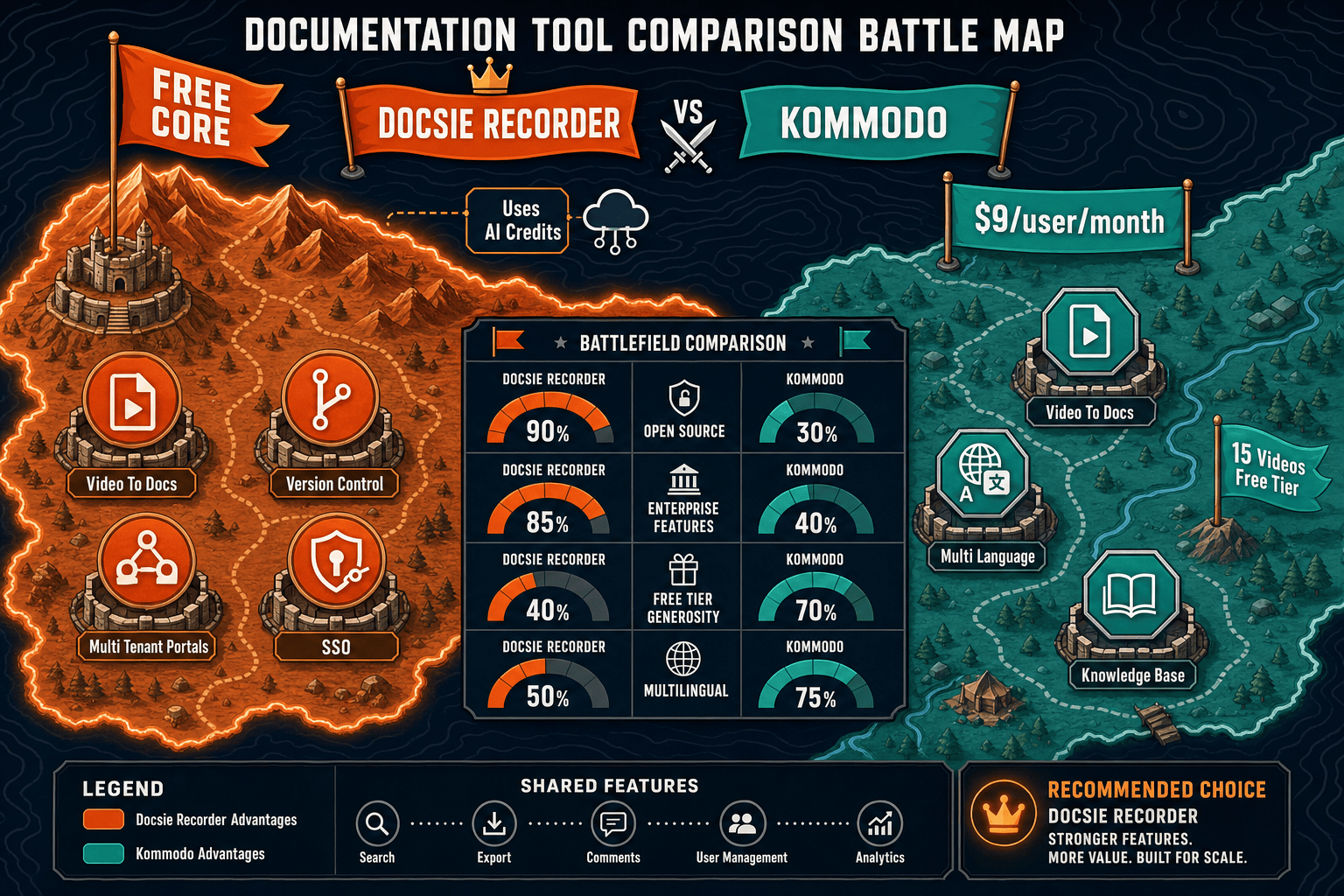
Winner: Docsie Recorder
Docsie Recorder is the better value at every scale beyond a single user. The recorder and editor are permanently free with no video count limit, and the open-source MIT core means no vendor dependency on the capture layer. When Video-to-Docs conversion is needed, AI credit pricing scales by usage rather than headcount. And when teams outgrow basic SOP generation, Docsie's platform adds version control, multi-tenant portals, SSO, and enterprise compliance without requiring a migration. Kommodo's $9/user ceiling buys unlimited SOPs but hits a hard architectural wall the moment a team needs API access, SSO, versioning, or regulated-industry compliance — costs that Docsie's architecture is designed to absorb from day one.
Decision Helper
A direct framework for picking between Docsie Recorder, Kommodo, and Docsie based on your specific needs.
Docsie's free browser-based recorder that pipes captures straight into Docsie SOPs.
AI screen recording that auto-generates step-by-step SOP videos.

Convert real video into searchable docs, then deploy via multi-tenant portals.
Common Questions
Q: Is Docsie Recorder really free, or is there a hidden subscription?
A: The recorder and editor are genuinely free with no subscription, no video cap on local export, and no account required to record and save MP4 or GIF files. The only cost is Docsie AI credits, which are consumed when you use the Video-to-Docs conversion feature to turn a recording into structured documentation. You can estimate credits before committing to a conversion, so there are no surprise charges.
Q: How does Kommodo's free tier compare to Docsie Recorder's free tier?
A: Kommodo's free tier is limited to 1 user and 15 videos total, with SOP guides capped at 10 steps. Docsie Recorder's free tier has no user cap and no limit on how many recordings you can capture and export locally. Kommodo's free tier keeps output inside its platform with no local export; Docsie Recorder exports MP4 and GIF directly to your machine with no account required.
Q: What does a team of 20 people pay for Kommodo versus Docsie Recorder?
A: A team of 20 on Kommodo's yearly plan pays $180/month ($2,160/year) with no enterprise features included. The same team using Docsie Recorder pays $0 for the recording and editing layer. Video-to-Docs conversion costs scale by the number and length of recordings converted, not by headcount, and Docsie's platform plans start at $199/month for team workspace features that include version control, portals, and collaboration — comparable in price but with significantly broader capabilities.
Q: If Kommodo is only $9/user/month, why would I pay for Docsie's platform at all?
A: Kommodo's $9/user/month buys you unlimited SOPs but no API access, no SSO, no audit logs, no version control, and no multi-tenant portals. When your team needs any of those features — which most teams beyond 20 people eventually do — there is no upgrade path inside Kommodo. You would need to migrate your documentation library to another platform. Docsie's recorder stays free while the platform grows with you, making the total cost of ownership lower over a two- to three-year horizon for most teams.
Q: Does Kommodo export files locally the way Docsie Recorder does?
A: Kommodo's output is a shareable link, PDF, or embedded view inside its platform. It does not export local MP4 or GIF files from the recorder in the way Docsie Recorder does. Docsie Recorder saves recordings locally as MP4 or GIF files and stores non-destructive project state in .docsiescreen files, giving you full ownership of the raw recording asset regardless of any cloud service.
Q: Can I use Docsie Recorder on Linux, and does Kommodo support Linux?
A: Docsie Recorder provides builds for macOS, Windows, and Linux, making it the stronger choice for engineering teams and organizations with mixed operating system environments. Kommodo does not publish Linux support. If your team includes Linux users, Docsie Recorder is the only option between these two tools.
Docsie Recorder is free, open-source, and cross-platform. Record, edit, and export locally — then send your recording to Docsie's Video-to-Docs pipeline when you're ready to turn it into structured documentation.
No account required to record, edit, and export MP4 or GIF. Docsie AI credits used only when you convert a recording to documentation.