
4.8
on G2
 Docsie Recorder
 FocuSee
Both Docsie Recorder and FocuSee offer auto-zoom, backgrounds, and polished screen recordings. The difference is what happens after you hit stop. Docsie Recorder is free, open-source, cross-platform, and connects directly to a Video-to-Docs pipeline. FocuSee produces polished video and stops there.
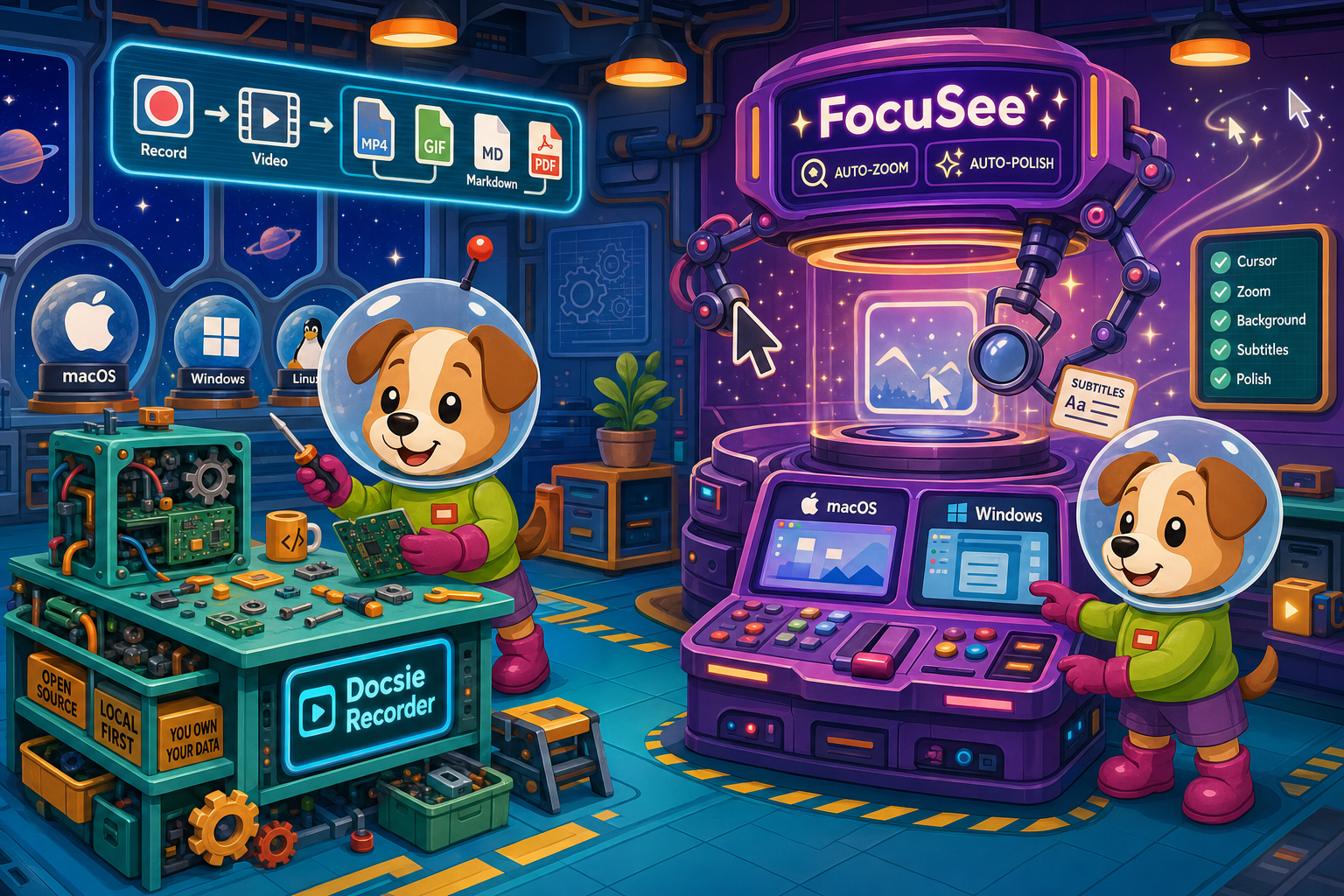
Docsie Recorder leads with free and open-source recorder/editor core built on openscreen (mit licensed); FocuSee leads with strong screen studio-style auto-zoom and cursor polish on mac and windows. Neither converts real video into docs and deploys multi-tenant portals; Docsie does both.
Feature Matrix
A feature-by-feature comparison of recording capabilities, editing tools, export formats, video-to-docs conversion, and downstream knowledge base publishing between Docsie Recorder and FocuSee.
| Feature |
Docsie Recorder
Our Pick
|
FocuSee
|
|---|---|---|
| Free Desktop Recorder | ||
| Open-Source Recorder Base | ||
| Mac Support | ||
| Windows Support | ||
| Linux Support | ||
| Window and Full-Screen Capture | ||
| Microphone Capture | ||
| System Audio Capture | Platform-dependent | |
| Webcam Overlay | ||
| Automatic Zoom | ||
| Manual Zoom | ||
| Cursor or Focus Polish | ||
| Backgrounds and Visual Effects | ||
| Crop, Trim, Speed Regions | ||
| Annotations and Blur Regions | ||
| AI Subtitles | ||
| AI Avatars | ||
| Local MP4 Export | ||
| Local GIF Export | ||
| Project Save Format | .docsiescreen project files | Proprietary project format |
| Video-to-Docs Conversion | ||
| Markdown Export | ||
| DOCX Export | ||
| PDF Export | ||
| Knowledge Base Publishing | ||
| Versioned Documentation Management | ||
| Multi-Tenant Portal Delivery | ||
| API Access | ||
| SSO (SAML/OAuth) | ||
| Enterprise Deployment Path |
Data as of 2026. Features based on publicly available information and vendor documentation. Confirm current FocuSee pricing and feature set at focusee.imobie.com before purchase.
Strengths & Weaknesses
Deep Dive
An in-depth analysis of recording capabilities, AI and automation features, enterprise readiness, and ecosystem integrations—starting with what each tool actually produces when you hit stop.
Both Docsie Recorder and FocuSee cover the core recording workflow well. Each supports window and full-screen capture, microphone audio, webcam overlay, auto-zoom, cursor polish, backgrounds, annotations, blur regions, and trim or crop editing. FocuSee adds AI subtitles and AI avatars for polished narrated tutorials. Docsie Recorder adds manual zoom, GIF export, and a project save format that preserves the full edit session locally. For pure video polish, FocuSee matches or edges ahead on AI cosmetic features. For cross-platform reach and open editing, Docsie Recorder is the stronger foundation.
FocuSee uses AI for subtitles, avatar generation, and auto-zoom curve calculations—all video-layer features designed to make tutorials look more professional. Docsie Recorder uses AI at the conversion layer through its Video-to-Docs pipeline. After recording, you can send the video to Docsie's API, which applies multimodal AI to generate structured Markdown with headings, numbered steps, and screenshots extracted from the recording. You can control doc style, language, rewrite instructions, and template before the job runs. FocuSee's AI stays inside the video; Docsie's AI turns the video into searchable documentation.
FocuSee has no enterprise feature surface. There is no SSO, no API, no audit logs, no data residency controls, and no multi-tenant delivery. It is a desktop recording tool sold on individual or team licenses. Docsie Recorder's open-source core is free with no account, but once recordings are routed through the Docsie platform, teams gain access to SSO via SAML and OAuth, versioned documentation, role-based access control, custom domains, and multi-tenant portal delivery for serving documentation to multiple client audiences from a single workspace. For any team with enterprise procurement requirements, only Docsie Recorder has a qualifying path.
FocuSee is self-contained. Its output is a video file or a project saved in its own format. There are no documented API integrations, webhook support, or downstream publishing destinations. Docsie Recorder is the entry point to a broader workflow. The Docsie bridge connects the recorder to the Video-to-Docs API, which feeds output into Docsie's documentation platform. From there, content can be published to knowledge base portals, reused as course material in Docsie's LMS layer, routed through compliance monitoring, or served through embeddable widgets. The recorder is the CREATE step; the Docsie ecosystem handles CONVERT, MANAGE, DELIVER, LEARN, AUTOMATE, and MONITOR.
Our Recommendation
Docsie Recorder and FocuSee are both legitimate Screen Studio alternatives with auto-zoom, backgrounds, and polished editing. FocuSee wins on AI cosmetic features like subtitles and avatars within the video layer. Docsie Recorder wins on price (free and open-source), platform reach (Linux included), and the downstream workflow that turns any recording into structured documentation published to a knowledge base. If your goal is a polished video file, both tools work. If your goal is documentation, only one of them gets you there.
Choose Docsie Recorder if you need...
Choose FocuSee if you need...
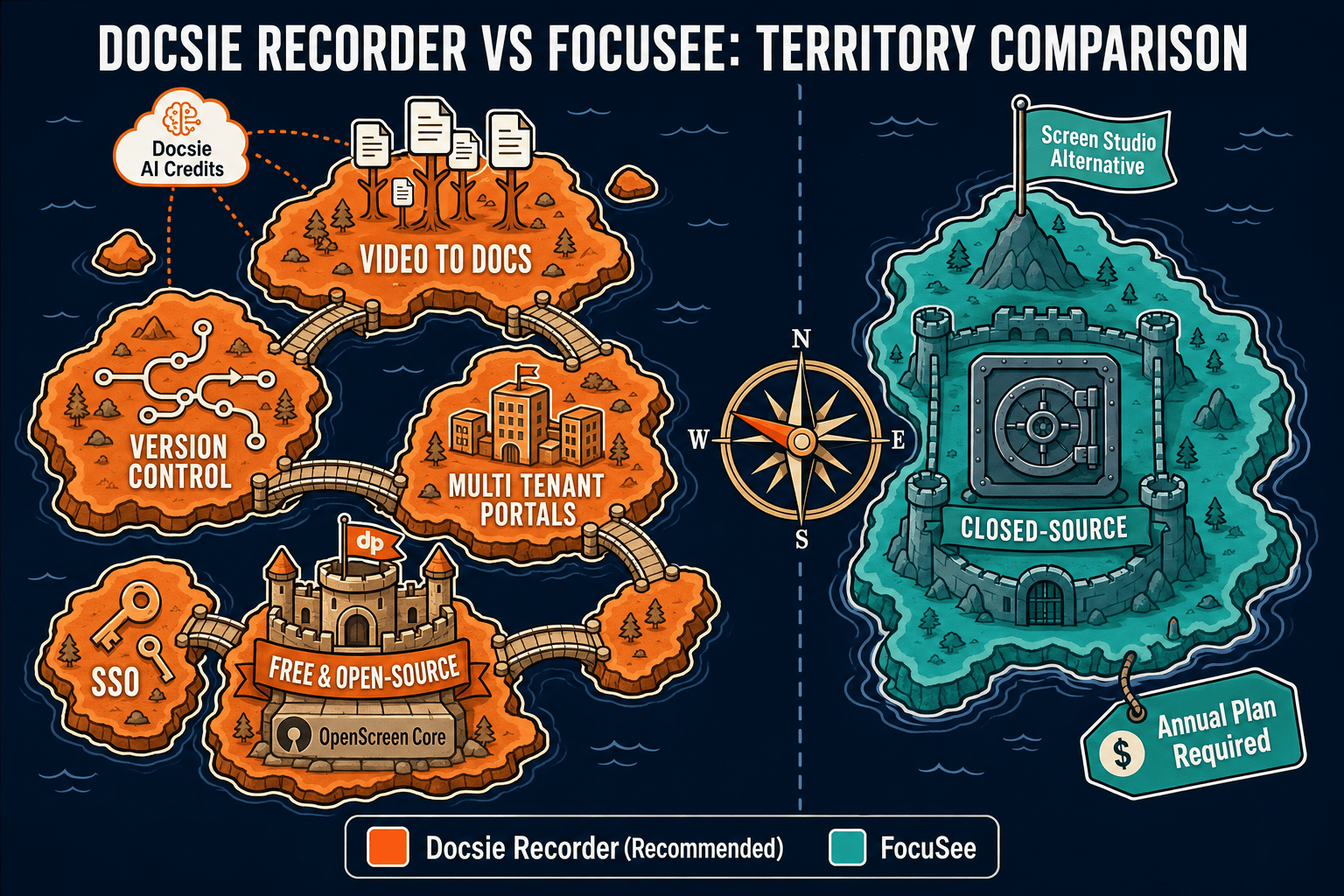
Winner: Docsie Recorder
Docsie Recorder is free, open-source, and cross-platform while matching FocuSee's core recording and editing feature set. More importantly, it is the only tool in this comparison that turns a screen recording into structured documentation. The CREATE workflow connects directly to Docsie's Video-to-Docs API, and from there into versioned knowledge base publishing, multi-tenant portal delivery, and enterprise compliance—a full-stack documentation workflow that FocuSee does not attempt to provide.
Decision Helper
A direct framework for picking between Docsie Recorder, FocuSee, and Docsie based on your specific needs.
Docsie's free browser-based recorder that pipes captures straight into Docsie SOPs.
Auto-zoom screen recording producing polished product demo videos.

Convert real video into searchable docs, then deploy via multi-tenant portals.
Common Questions
Q: Is Docsie Recorder actually free, or is there a hidden cost?
A: Docsie Recorder's desktop recorder and editor are genuinely free and open-source under an MIT license—no account, no subscription, and no watermark required to record and export MP4 or GIF locally. The only paid step is optional. If you want to use the Video-to-Docs conversion pipeline, that uses Docsie AI credits, which are part of a Docsie workspace plan. You can record and edit indefinitely without ever triggering a credit charge.
Q: Does FocuSee have a free plan or is a purchase required to use it?
A: FocuSee does not offer a free plan. It provides a free trial so you can test the tool, but continued use requires purchasing a Standard or Advanced plan on an annual or lifetime basis. Confirm current pricing at focusee.imobie.com before making a purchase decision, as third-party pricing pages are often out of date.
Q: Can FocuSee export to Markdown or publish to a knowledge base?
A: No. FocuSee's output is polished video. It does not generate Markdown, DOCX, PDF, or any structured text document from a recording, and it has no knowledge base publishing feature. If you need a recording to become a written doc or a searchable article, you would need a separate tool. Docsie Recorder handles both the recording and the conversion to structured documentation in one connected workflow.
Q: How does Docsie Recorder's auto-zoom compare to FocuSee's?
A: Both tools support automatic zoom driven by cursor telemetry and click detection. Docsie Recorder also supports manual zoom regions where you define exactly when and where to zoom in the edit timeline. FocuSee's auto-zoom is one of its flagship features and is considered very polished. For teams that want the most refined automatic zoom curves with AI-assisted smoothing, FocuSee has a slight edge in that specific area. For teams that want manual control alongside automation, Docsie Recorder is more flexible.
Q: Which tool should a support or enablement team use to create documentation from walkthroughs?
A: Docsie Recorder is the clear choice for support and enablement teams. Recording a product walkthrough and then manually writing a help article is a two-step process that most teams find time-consuming. Docsie Recorder closes that gap by letting you record the walkthrough, send it to the Video-to-Docs pipeline, and publish the resulting structured article directly into your knowledge base. FocuSee produces a polished video but leaves the documentation writing entirely to you.
Q: Is Docsie Recorder suitable for Linux users who want a Screen Studio alternative?
A: Yes. Docsie Recorder provides macOS, Windows, and Linux builds, making it one of the only Screen Studio-style recorders with native Linux support. FocuSee is available for Mac and Windows only. For engineering teams, DevOps practitioners, or any user on a Linux desktop who wants auto-zoom, backgrounds, and annotation editing without switching to a different OS, Docsie Recorder is the practical choice in this comparison.
Download Docsie Recorder for free, record your first walkthrough with auto-zoom and backgrounds, then connect to Docsie's Video-to-Docs pipeline to turn that recording into a structured knowledge base article—no subscription required to get started.
Free to record, edit, and export MP4 or GIF locally. No account required. Docsie AI credits used only when you convert a recording to docs.