
4.8
on G2
 Docsie Recorder
 FocuSee
FocuSee charges an annual or lifetime license for polished screen recordings with auto-zoom and cursor effects. Docsie Recorder gives you the same recording and editing capabilities for free — open-source, cross-platform, and with a direct pipeline to turn your recordings into structured documentation. This breakdown compares what you actually pay, what you get at each price point, and which tool delivers more value for teams that record to create.

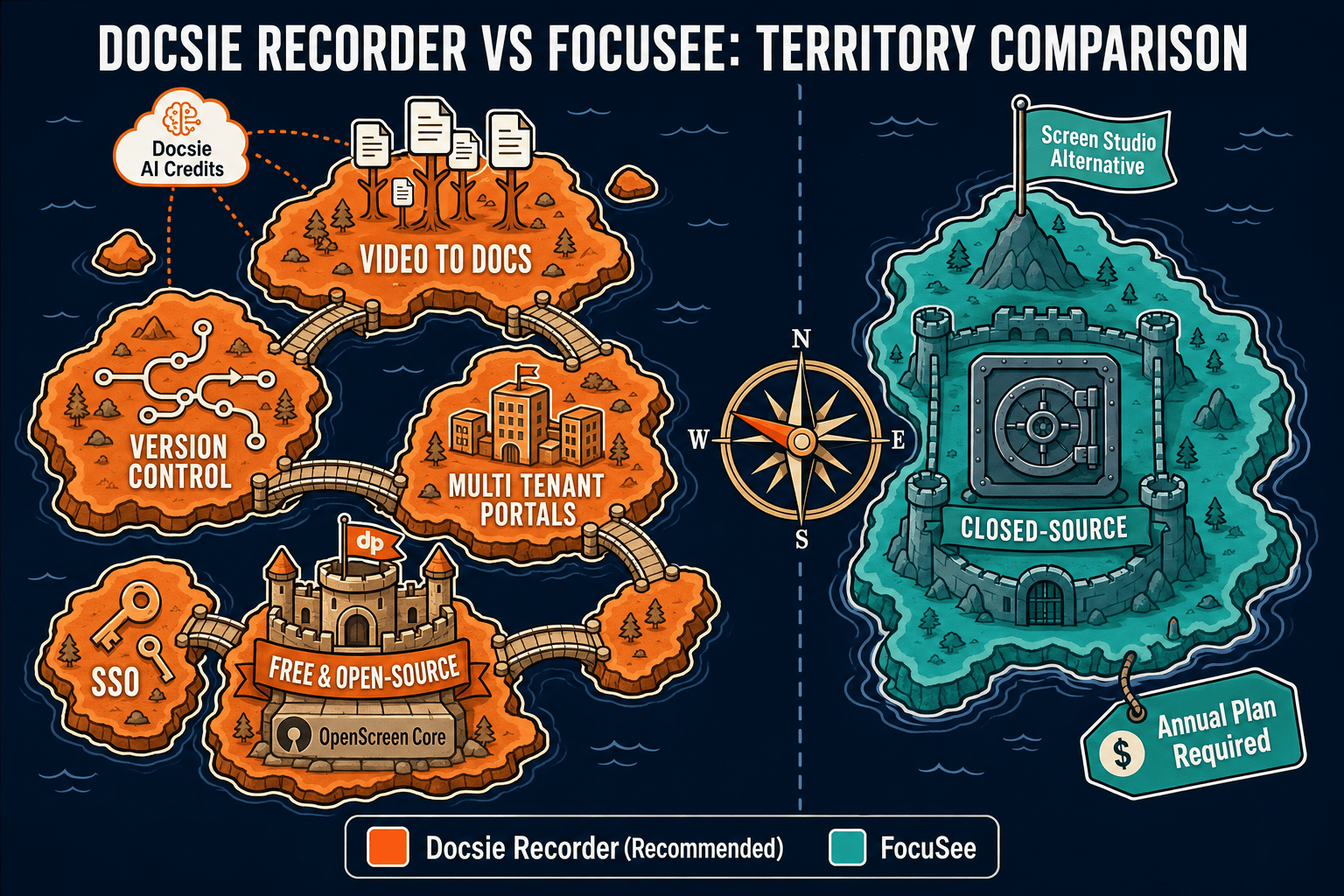
Docsie Recorder and FocuSee sit at different price points, but neither bundles video-to-docs with multi-tenant knowledge delivery the way Docsie does.
Feature Matrix
A side-by-side breakdown of recording capabilities, editing features, export options, and downstream documentation workflows — mapped to what each tool actually costs.
| Feature |
Docsie Recorder
Our Pick
|
FocuSee
|
|---|---|---|
| Free Desktop Recorder | ||
| Open-Source Recorder Base | ||
| Mac Support | ||
| Windows Support | ||
| Linux Support | ||
| Window and Full-Screen Capture | ||
| Microphone Capture | ||
| System Audio Capture | Platform-specific | |
| Webcam Overlay | ||
| Automatic or Manual Zoom | ||
| Cursor or Focus Polish | ||
| Backgrounds and Visual Effects | ||
| Crop, Trim, Speed Regions | ||
| Annotations and Blur Regions | Partial | |
| Local MP4 Export | ||
| Local GIF Export | ||
| Project Save Format | .docsiescreen project files | Proprietary project format |
| Video-to-Docs Conversion | ||
| Markdown Export | ||
| DOCX Export | ||
| PDF Export | ||
| Knowledge Base Publishing | ||
| Versioned Documentation Management | ||
| Multi-Tenant Portal Delivery | ||
| Enterprise Deployment Path |
Data as of 2026. Docsie Recorder core is free and MIT-licensed. Video-to-Docs conversion uses Docsie AI credits. FocuSee pricing requires verification at focusee.imobie.com/pricing.htm before purchase.
Strengths & Weaknesses
Deep Dive
Price is only part of the cost equation. This deep dive covers value for money at each tier, how costs scale as your team grows, and the hidden costs and limitations that surface after purchase.
Docsie Recorder's recording and editing core is free — you get auto-zoom, cursor polish, backgrounds, motion blur, annotations, crop, trim, speed regions, MP4 and GIF export, and a saved project format at $0. FocuSee requires a paid annual or lifetime license to access comparable features. For individual creators and teams that only need polished video output, FocuSee's one-time lifetime option can be reasonable. But for teams whose goal is documentation, Docsie Recorder's free tier delivers equivalent recording polish plus a direct bridge to structured docs, making the cost-per-output ratio dramatically lower.
FocuSee's per-seat or per-license model means costs grow linearly as your team expands. Each additional creator on the team needs their own license, and AI credits for advanced features layer on top. Docsie Recorder has no per-seat cost at the recording layer — the MIT-licensed core scales to any number of users. When teams need Video-to-Docs at scale, Docsie's AI credit model is consumption-based, so you pay for what you convert, not for how many people record. For teams with five or more people producing documentation regularly, the Docsie path is meaningfully cheaper to scale.
FocuSee's hidden cost is workflow incompleteness. After you pay for a license and export a polished video, you still need a separate tool to write, publish, version, and deliver documentation — adding subscription cost and context-switching overhead. There is no API, no SSO, and no enterprise deployment path, which forces larger teams toward additional tooling. Docsie Recorder's hidden consideration is that Video-to-Docs conversion requires AI credits through Docsie's cloud API, which is not fully local. Teams that require air-gapped or fully offline AI conversion should confirm the on-premise Docsie deployment options before committing to the full workflow.
Pricing Breakdown
Every plan, every tier, and what you actually unlock at each price point for both tools. Confirm current FocuSee pricing at focusee.imobie.com/pricing.htm before purchasing.
Docsie Recorder's recording and editing core costs nothing. FocuSee requires a paid license for equivalent recording polish. If your workflow ends at a video file, FocuSee's lifetime option is a reasonable one-time investment. If your workflow continues into documentation — writing, publishing, versioning, and delivering knowledge base content — Docsie Recorder delivers more total output per dollar because the same recording feeds both polished video and structured docs without a second tool subscription.
Our Recommendation
FocuSee and Docsie Recorder are both credible Screen Studio alternatives with auto-zoom, cursor polish, backgrounds, and editing tools. The pricing split is clear — FocuSee requires a paid license and delivers polished video output; Docsie Recorder is free and delivers polished video output plus a direct pipeline to structured documentation. For teams evaluating these tools on price and output value, the question is not which recorder is more polished. It is whether your workflow ends at a video file or continues into knowledge base content.
Choose FocuSee if you need...
Choose Docsie Recorder if you need...
Winner: Docsie Recorder
Docsie Recorder delivers equivalent recording and editing capabilities at $0 — matching FocuSee's auto-zoom, cursor polish, backgrounds, crop, trim, annotations, and MP4 export without a license fee. Beyond the recording layer, it adds a direct Video-to-Docs conversion pipeline, Markdown and DOCX export, knowledge base publishing, versioning, and multi-tenant portal delivery that FocuSee cannot match at any price point. For teams evaluating screen recorders that need to create documentation, Docsie Recorder provides better total value because it turns the same recording into both a polished video and a publishable knowledge base article.
Decision Helper
A direct framework for picking between Docsie Recorder, FocuSee, and Docsie based on your specific needs.
Docsie's free browser-based recorder that pipes captures straight into Docsie SOPs.
Auto-zoom screen recording producing polished product demo videos.

Convert real video into searchable docs, then deploy via multi-tenant portals.
Common Questions
Q: Is Docsie Recorder actually free, or is there a catch?
A: The recorder and editor core is genuinely free and MIT-licensed — you can download it, record, edit, and export MP4 or GIF files with no account and no payment. The only paid component is Video-to-Docs conversion, which uses Docsie AI credits when you choose to send a recording through the documentation pipeline. If you only need a free screen recorder with editing tools, you never need to pay anything.
Q: Does FocuSee have a free plan or free trial?
A: FocuSee does not have a permanent free plan but offers a free trial. After the trial, you need a paid Standard or Advanced license to continue using the full feature set. Confirm the current trial terms and pricing at focusee.imobie.com/pricing.htm, as third-party pricing pages are often outdated.
Q: How do Docsie AI credits work for Video-to-Docs conversion?
A: When you finish editing a recording in Docsie Recorder and choose to convert it to documentation, the Docsie bridge lets you estimate the credit cost before committing. You select quality tier, language, and doc style, then submit the job. Credits are consumed per conversion, not per seat, so teams pay for what they actually convert rather than a flat per-user fee.
Q: Which tool is cheaper for a team of ten people who record regularly?
A: Docsie Recorder is significantly cheaper at that scale. Ten users can all record and edit locally with zero license cost on the Docsie side. FocuSee requires ten separate licenses, and each renewal adds to annual costs. The only Docsie cost at team scale is AI credits when recordings are converted to documentation, which is consumption-based and not per-seat.
Q: If I already subscribe to a knowledge base tool, is FocuSee a better value than Docsie Recorder?
A: If you already pay for a separate knowledge base platform and your recording workflow genuinely ends at a polished video file, FocuSee's lifetime license option is a reasonable one-time investment for the recording layer. However, if your knowledge base tool charges separately for documentation creation, you are paying twice for what Docsie Recorder covers in one workflow — recording, editing, conversion to structured docs, and publishing.
Q: Can I use Docsie Recorder just as a free screen recorder without the Video-to-Docs features?
A: Yes, completely. Docsie Recorder functions as a standalone free screen recorder and editor — you can record, add zoom effects, polish the cursor, set backgrounds, crop, trim, annotate, and export to MP4 or GIF without ever connecting to Docsie's cloud. The Video-to-Docs pipeline is an optional downstream step, not a requirement for using the recorder itself.
Download Docsie Recorder for macOS, Windows, or Linux at no cost. Record, edit, and export polished videos locally. When you need documentation, send the same recording through Docsie's Video-to-Docs pipeline and publish directly to your knowledge base — no second tool required.
Free to download. MIT-licensed recorder core. No account required to record and export video.