
4.8
on G2
 Docsie Recorder
 FocuSee
Both Docsie Recorder and FocuSee help teams capture polished screen recordings, but only one is built for enterprise workflows. Docsie Recorder is free, open-source, cross-platform, and feeds directly into a knowledge base pipeline with SSO, audit logs, versioning, and compliance controls. FocuSee excels at polished video creation on Mac and Windows but stops at the video file with no enterprise controls downstream.

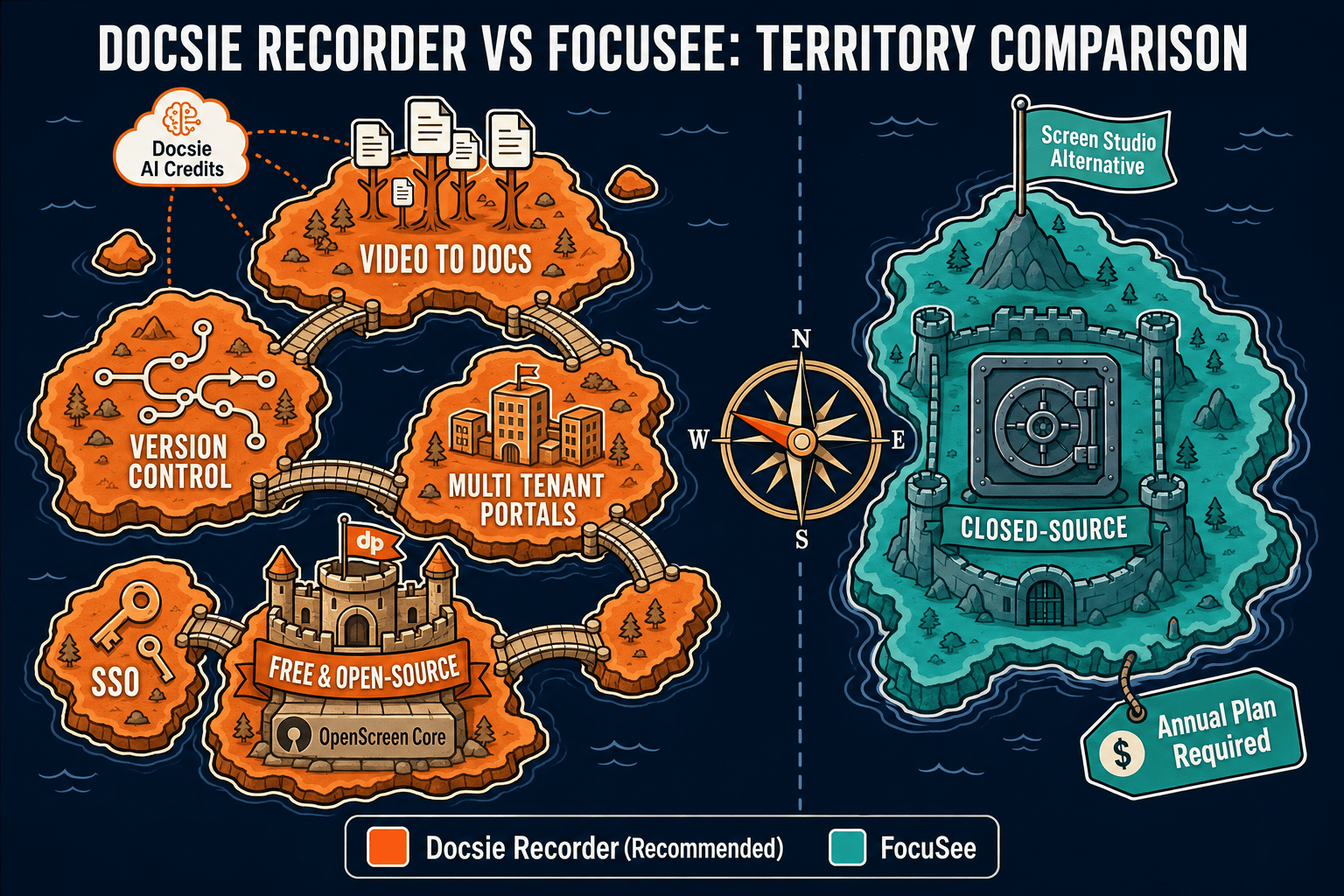
For enterprise buyers, Docsie Recorder and FocuSee cover narrow slices (free and open-source recorder core (mit license) with no account required to capture and export video and polished screen studio-style output with strong auto-zoom and cursor effects) while Docsie adds SSO, audit trails, multi-tenant portals, and compliance monitoring in one platform.
Enterprise Feature Matrix
A side-by-side comparison of recording capabilities, security controls, compliance features, administration, and downstream documentation workflows for enterprise teams evaluating both tools.
| Feature |
Docsie Recorder
Our Pick
|
FocuSee
|
|---|---|---|
| Free to use | ||
| Open-source recorder core | ||
| Mac support | ||
| Windows support | ||
| Linux support | ||
| Local MP4 export | ||
| Local GIF export | ||
| Auto zoom and cursor polish | ||
| Annotations and blur regions | ||
| Webcam overlay | ||
| Video-to-docs conversion | ||
| Markdown / DOCX / PDF export | ||
| Knowledge base publishing | ||
| Versioned documentation management | ||
| Multi-tenant portal delivery | ||
| SSO (SAML / OAuth / OIDC) | ||
| Role-based access control | ||
| Audit logs | ||
| API access | ||
| Custom domain support | ||
| GDPR compliance controls | ||
| Enterprise deployment path |
Data as of 2026. Features are based on publicly available information and vendor documentation. Confirm current FocuSee pricing and features at focusee.imobie.com before purchasing.
Strengths & Weaknesses
Enterprise Deep Dive
An in-depth analysis of security and compliance, scalability and performance, administration and control, and support and SLA for enterprise teams evaluating both tools.
Docsie Recorder's open-source core is fully auditable — enterprises can inspect the MIT-licensed codebase, fork it, or self-host the recorder binary without trusting a closed binary. The downstream Docsie platform adds SAML, OAuth, and OIDC SSO, GDPR-ready data residency options, role-based access control, and audit logs across documentation workflows. FocuSee is a closed-source desktop application from iMobie with no published compliance certifications, no SSO integrations, no audit trail, and no data residency controls. For regulated industries or security-conscious IT departments, FocuSee offers no enterprise security posture to evaluate — recordings and project files remain entirely outside any governed system.
Docsie Recorder is built for team-scale workflows. A single recording flows through a Video-to-Docs pipeline that generates structured content publishable to versioned knowledge bases served across unlimited multi-tenant portals. One source recording can produce documentation consumed by thousands of end users through Docsie's delivery infrastructure. FocuSee scales as a single-user desktop tool — each creator records, edits, and exports independently with no shared workspace, no centralized content library, and no scalable delivery mechanism. For organizations needing to produce and maintain documentation at scale across multiple teams or customer segments, FocuSee's architecture has no answer to that requirement.
The Docsie platform provides workspace-level administration including user provisioning, role assignments, content approval workflows, version inheritance, and publishing controls. IT administrators can manage recorder deployments through the open-source repository, review releases, and control which builds are distributed internally. FocuSee has no team administration layer. There are no shared workspaces, no centralized user management, no content governance features, and no IT-controlled deployment mechanism beyond standard software installation. Each FocuSee installation is independent, making it unsuitable for organizations that need centralized control over how recordings are created, stored, reviewed, or published.
Docsie provides documented enterprise support tiers through the Docsie platform, including dedicated support options, uptime SLA commitments, and a structured onboarding path for enterprise customers. The open-source recorder component is backed by a public GitHub repository with issue tracking, release notes, and community contribution. FocuSee support is provided by iMobie through standard consumer software channels. There is no published enterprise SLA, no dedicated enterprise support tier, and no documented uptime commitment. For enterprise procurement teams that require SLA documentation, named support contacts, or contractual support obligations, FocuSee cannot satisfy those requirements in its current form.
Enterprise Verdict
FocuSee is a capable Screen Studio alternative that delivers polished video output on Mac and Windows. For individual creators and small teams that only need well-produced tutorial videos, it competes effectively on recording and editing quality. However, FocuSee has no enterprise story. There are no security controls, no compliance features, no administration layer, no downstream documentation pipeline, and no SLA. Docsie Recorder starts from the same CREATE motion — capturing polished screen recordings — but extends through a complete enterprise workflow from recording to structured docs to governed knowledge base delivery. For any organization evaluating screen recorders against enterprise readiness criteria, the comparison is not close.
Choose Docsie Recorder if you need...
Choose FocuSee if you need...
Winner: Docsie Recorder
Docsie Recorder is the clear choice for enterprise readiness. It is free, open-source, cross-platform, and auditable — advantages that matter to IT procurement and security teams before a single feature comparison begins. Beyond the recorder itself, the downstream Docsie platform delivers every capability FocuSee lacks at the enterprise level: SSO, RBAC, audit logs, versioning, multi-tenant portals, API access, GDPR controls, and a documented enterprise support path. FocuSee produces better-looking videos in isolation; Docsie Recorder produces documentation, knowledge bases, and a governed content workflow. For enterprise evaluation, that distinction makes Docsie Recorder the only viable option between the two.
Decision Helper
A direct framework for picking between Docsie Recorder, FocuSee, and Docsie based on your specific needs.
Docsie's free browser-based recorder that pipes captures straight into Docsie SOPs.
Auto-zoom screen recording producing polished product demo videos.

Convert real video into searchable docs, then deploy via multi-tenant portals.
Common Questions
Q: Does FocuSee support SSO or SAML for enterprise identity management?
A: No. FocuSee has no SSO, SAML, OAuth, or any enterprise identity integration. Each installation is standalone with no centralized authentication. Docsie Recorder connects to the Docsie platform, which supports SAML, OAuth, OIDC, Azure AD, and Okta for enterprise identity management, making it compatible with standard IT provisioning and deprovisioning workflows.
Q: Can IT teams audit which recordings were created and when using either tool?
A: Docsie provides audit log capabilities through its platform for documentation and publishing activity. The Docsie Recorder's open-source codebase also allows IT teams to inspect and confirm recorder behavior directly. FocuSee has no audit log feature — there is no centralized record of recording activity, no export of usage history, and no integration with SIEM or compliance tooling.
Q: Is Docsie Recorder safe to approve for enterprise software deployment given its open-source status?
A: The MIT-licensed recorder core is fully auditable on GitHub, which is an advantage for enterprise security review rather than a concern. IT teams can inspect the source, review releases, and validate builds before distribution. The Docsie platform component follows a separate enterprise license boundary with standard enterprise security controls. FocuSee, by contrast, is closed-source with no code auditability available to enterprise security teams.
Q: How does Docsie Recorder fit into an enterprise documentation workflow compared to FocuSee?
A: Docsie Recorder is designed as the CREATE entry point for a full documentation pipeline. A recording made in Docsie Recorder can be sent through the Video-to-Docs API to generate structured Markdown, DOCX, or PDF, then published into a versioned Docsie knowledge base delivered through branded portals. FocuSee ends at the video file — there is no downstream workflow, no documentation generation, and no knowledge base integration available.
Q: Can FocuSee recordings be used with Docsie's Video-to-Docs pipeline?
A: Yes. Any MP4 exported from FocuSee can be uploaded to Docsie's Video-to-Docs pipeline for conversion into structured documentation. However, using Docsie Recorder directly is more efficient because the recording is already connected to the Docsie workspace, enabling one-click conversion without a separate upload step and keeping the source recording linked to the generated documentation.
Q: Which tool is better for teams that need to document software workflows for both internal and external audiences?
A: Docsie Recorder is purpose-built for this use case. One recording can be converted into structured documentation published to separate internal and customer-facing knowledge bases through Docsie's multi-tenant portal system, each with its own branding, access controls, and custom domain. FocuSee produces a single video file with no mechanism for managed multi-audience documentation delivery.
Download Docsie Recorder free, capture your first workflow, and send it through the Video-to-Docs pipeline to publish structured documentation into a governed enterprise knowledge base. No credit card required to record and export.
Free MIT-licensed recorder for Mac, Windows, and Linux. Video-to-Docs conversion uses Docsie AI credits. Enterprise platform features available on Docsie team plans.