
4.8
on G2
 Docsie Recorder
 Clueso
Both Docsie Recorder and Clueso convert screen recordings into documentation, but their enterprise stories diverge sharply. Docsie Recorder pairs a free open-source desktop recorder with the full Docsie platform — SSO, audit logs, multi-tenant portals, versioning, and API access. Clueso delivers polished AI video output with solid compliance certifications but stops short on SSO, audit logs, and administrative controls. This page compares both tools across Security & Compliance, Scalability & Performance, Administration & Control, and Support & SLA.
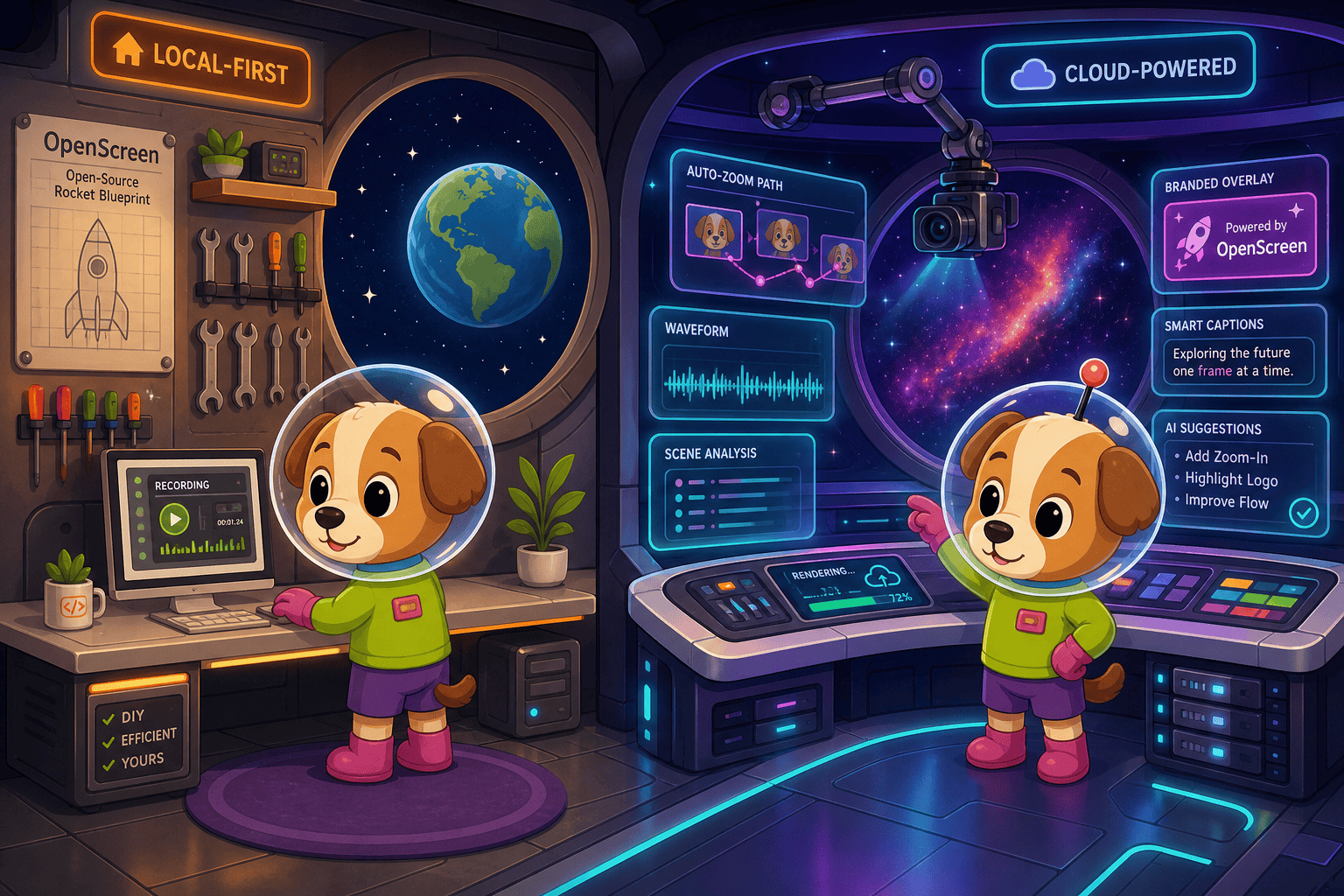
For enterprise buyers, Docsie Recorder and Clueso cover narrow slices (free and soc 2 type ii and iso 27001 certified) while Docsie adds SSO, audit trails, multi-tenant portals, and compliance monitoring in one platform.
Enterprise Feature Matrix
A focused comparison of enterprise-grade capabilities including security, compliance, administration, scalability, and support. Features are evaluated in the context of a screen recording and video-to-docs workflow evaluated by enterprise buyers.
| Enterprise Capability |
Docsie Recorder
Our Pick
|
Clueso
|
|---|---|---|
| Free Desktop Recorder | ||
| Open-Source Recorder Base | ||
| Mac / Windows / Linux Support | Mac & Windows only | |
| Video-to-Docs Conversion | ||
| Knowledge Base Publishing | ||
| Versioned Documentation Management | ||
| Multi-Tenant Portal Delivery | ||
| Custom Domain Support | ||
| API Access | ||
| SSO (SAML / OAuth / OIDC) | ||
| Role-Based Access Control | ||
| Audit Logs | ||
| SOC 2 Type II Compliance | ||
| ISO 27001 Certification | ||
| GDPR Compliance | ||
| Data Residency Options | ||
| Enterprise Deployment Path | Custom plan | |
| Dedicated Support / SLA | Enterprise plan only | |
| Local MP4 / GIF Export | ||
| Markdown / DOCX / PDF Export | Markdown & Rich Text |
Data as of February 2026. Features reflect publicly available information and vendor documentation. Docsie enterprise features apply to the Docsie platform tier connected downstream from the recorder. Confirm current SSO and compliance tier details with each vendor before purchase.
Strengths & Weaknesses
Deep Dive
Enterprise buyers evaluating screen recorders and video-to-docs tools need more than AI output quality. This section examines Security & Compliance, Scalability & Performance, Administration & Control, and Support & SLA for both tools.
Clueso holds SOC 2 Type II and ISO 27001 certifications, which gives procurement teams a credible compliance baseline. Docsie Recorder's downstream platform matches SOC 2 and GDPR coverage and adds audit logs, granular role-based access control, and SSO integrations (SAML, OAuth, OIDC, Azure AD, Okta) that Clueso does not offer at any tier. Critically, the recorder itself is local-first — raw video stays on-device until the user explicitly triggers a Video-to-Docs upload — reducing the data exposure surface that compliance officers care about. Clueso has no SSO and no audit logs, making it unsuitable for enterprises with identity governance requirements. For regulated industries, Docsie's full enterprise stack is meaningfully more complete.
Docsie Recorder is a free, open-source desktop application with no per-seat recorder licensing cost, which means enterprise device fleet deployment scales without incremental recording costs. The downstream Docsie platform uses workspace-based pricing with AI credits for Video-to-Docs conversion, avoiding per-creator fees. Clueso's entry tier costs $1,440 per year with export minutes that do not roll over — 6 hours per year on lower tiers is a hard ceiling that breaks at enterprise content volumes. Clueso's Enterprise plan removes export caps but requires custom pricing. Linux support in Docsie Recorder further reduces OS compatibility friction for mixed engineering-heavy organizations. Version control and content reuse in Docsie also reduce rework at scale.
Docsie Recorder connects to a Docsie workspace that provides administrators with SSO enforcement, role-based permissions, multi-tenant portal configuration, custom domains, API access, and versioned documentation lifecycle management. Enterprises can provision users through identity providers and enforce access policies centrally. Clueso has none of these administrative controls — there is no SSO, no audit trail, no RBAC, and no API for programmatic management. Content produced in Clueso also has no version history, making rollback and change tracking impossible. For IT and security teams evaluating administrative posture, Docsie's platform layer is the differentiator: the recorder is the capture wedge, but the downstream Docsie platform provides the control plane enterprises require.
Clueso offers dedicated support on its Enterprise plan with an enterprise SLA, but standard tiers receive priority support only. There is no published uptime SLA for non-enterprise customers. Docsie provides dedicated support and SLA commitments at enterprise tiers, including access to account management and integration assistance. The open-source nature of Docsie Recorder's MIT core also means enterprises can inspect, fork, and self-support the recorder independently of the Docsie cloud — a meaningful assurance for security-conscious IT teams. For teams that need Slack or Teams-based support channels, Clueso's Enterprise plan includes this; Docsie's enterprise tier provides equivalent escalation paths with the added benefit of a broader platform support scope covering the full CREATE-to-DELIVER workflow.
Our Recommendation
Clueso produces excellent AI-polished videos and holds strong compliance certifications, but it is fundamentally a video production tool — not an enterprise documentation platform. It lacks SSO, audit logs, RBAC, API access, versioning, and multi-tenant delivery. Docsie Recorder starts from the same place — converting screen recordings into useful content — but the downstream Docsie platform provides the full enterprise control layer that security, IT, and compliance teams require. The recorder itself is free and open-source, which removes per-seat licensing friction at deployment scale.
Choose Docsie Recorder if you need...
Choose Clueso if you need...
Winner: Docsie Recorder
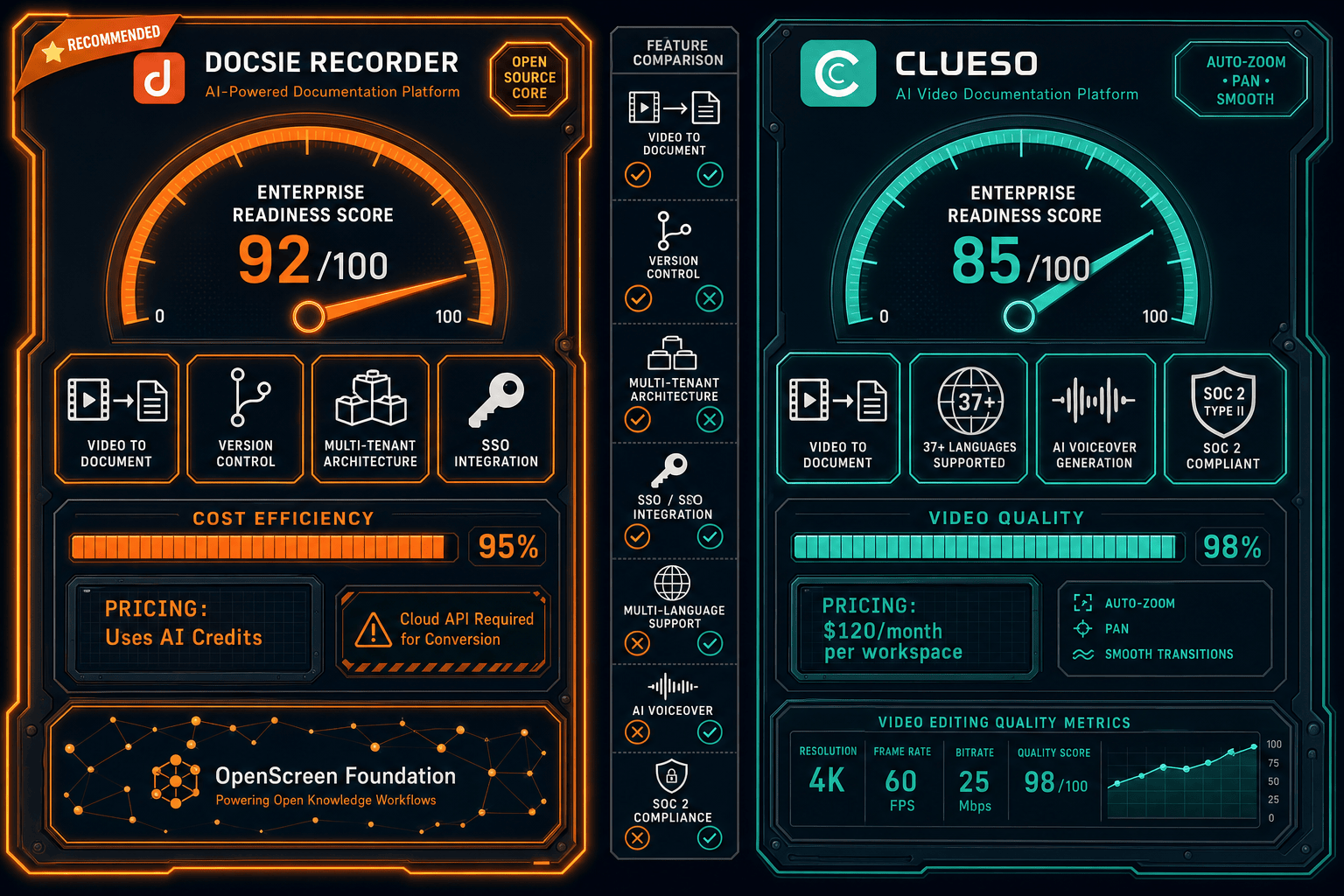
For enterprise buyers who need a screen recorder that fits inside a governed documentation workflow, Docsie Recorder is the only option in this comparison that delivers SSO, audit logs, RBAC, API access, versioned documentation, and multi-tenant portal delivery — all connected to the same recording. Clueso's compliance certifications are genuine, but the absence of identity governance controls, audit logs, and API access makes it unsuitable as an enterprise-grade documentation platform. Docsie Recorder's open-source MIT core also gives IT and security teams full recorder-level auditability, while the downstream Docsie platform handles the enterprise control plane.
Decision Helper
A direct framework for picking between Docsie Recorder, Clueso, and Docsie based on your specific needs.
Docsie's free browser-based recorder that pipes captures straight into Docsie SOPs.
AI screen-recording-to-video and step-by-step articles for SaaS customer education.

Convert real video into searchable docs, then deploy via multi-tenant portals.
Common Questions
Q: Does Clueso support SSO for enterprise identity management?
A: No. Clueso does not offer SSO at any plan tier — SAML, OAuth, and OIDC are all absent, including on the Enterprise plan as publicly documented. This is a significant gap for enterprises that require identity provider integration for user provisioning and access governance. Docsie Recorder's downstream Docsie platform supports SAML, OAuth, OIDC, Azure AD, and Okta SSO on enterprise tiers.
Q: Does Docsie Recorder keep recordings local, or does it upload them to the cloud?
A: Docsie Recorder is local-first — it captures and edits video entirely on-device, and local MP4 and GIF exports require no account or cloud connection. Only when a user explicitly triggers the Video-to-Docs conversion does the recording transfer to Docsie's cloud API. This means raw recordings are never uploaded without user intent, which reduces the data exposure surface that enterprise compliance teams evaluate.
Q: Which tool has stronger compliance certifications — Docsie or Clueso?
A: Clueso holds SOC 2 Type II and ISO 27001 certifications, which are strong baseline credentials. Docsie's platform matches SOC 2 and GDPR coverage and adds audit logs, role-based access control, and SSO — controls that compliance frameworks like SOC 2 evaluate as operational requirements, not just certifications. For enterprises that need both certifications and operational controls, Docsie's full stack is more complete even if ISO 27001 certification status should be checked directly with Docsie's sales team.
Q: Can Clueso be integrated into an enterprise automation pipeline via API?
A: No. Clueso does not expose a public API at any tier. This means content creation, export, and publishing cannot be triggered or orchestrated programmatically, which is a hard blocker for enterprises that need to route documentation into CI/CD pipelines, ITSM workflows, or content management automation. Docsie provides API access and webhooks that allow the full Video-to-Docs and publishing workflow to be automated.
Q: How does multi-tenant portal delivery work in Docsie Recorder's downstream platform?
A: After a screen recording is converted into structured documentation through Docsie's Video-to-Docs pipeline, the resulting content can be published into Docsie's multi-tenant portal architecture. Enterprises can configure separate portals for different departments, product lines, or external clients — each with custom branding, custom domains, and independent access controls — all managed from a single Docsie workspace. Clueso does not offer multi-tenant portals or custom domain support.
Q: Is Docsie Recorder free to deploy across an enterprise device fleet?
A: Yes. The recorder core is MIT-licensed and free to download, install, and run on macOS, Windows, and Linux with no per-seat licensing cost. Enterprises can deploy it across mixed OS fleets without incremental recorder fees. Video-to-Docs conversion and downstream Docsie platform features use Docsie AI credits and workspace-based pricing, but the recording and local export workflow itself carries no per-device cost.
Download Docsie Recorder at no cost, capture your first walkthrough locally, and connect it to Docsie's Video-to-Docs pipeline to publish structured documentation with SSO, audit logs, versioning, and multi-tenant portal delivery.
MIT-licensed recorder core. No account required to record and export locally. Docsie AI credits used only when converting video to docs.