
4.8
on G2
 Docsie Recorder
 Claquette
Both Docsie Recorder and Claquette record your screen and export video or GIF locally—but that is where the overlap ends. Docsie Recorder is a free, open-source, cross-platform recorder built to convert recordings into structured documentation and publish them to a knowledge base. Claquette is a lightweight Mac-only GIF and video utility with no docs workflow. If you searched for a Screen Studio alternative or a tool that turns recordings into docs, this comparison shows you exactly which tool fits that need.
Docsie Recorder leads with free and open-source recorder/editor core built on openscreen (mit license); Claquette leads with lightweight. Neither converts real video into docs and deploys multi-tenant portals; Docsie does both.
Feature Matrix
A comprehensive feature-by-feature comparison covering recording capabilities, editing tools, export formats, platform support, and downstream documentation workflow.
| Feature |
Docsie Recorder
Our Pick
|
Claquette
|
|---|---|---|
| Free desktop recorder | ||
| Open-source recorder base | ||
| Mac support | ||
| Windows support | ||
| Linux support | ||
| Window and full-screen capture | ||
| Microphone capture | ||
| System audio capture | Platform-specific | Limited public detail |
| Webcam overlay | Limited public detail | |
| Automatic or manual zoom | ||
| Cursor or focus polish | ||
| Backgrounds and visual effects | Wallpapers, gradients, custom | |
| Crop, trim, speed regions | ||
| Annotations and blur regions | ||
| Local MP4 export | ||
| Local GIF export | ||
| Project save format | .docsiescreen project files | App-native format |
| Video-to-docs conversion | ||
| Markdown export | ||
| DOCX export | ||
| PDF export | ||
| Knowledge base publishing | ||
| Versioned documentation management | ||
| Multi-tenant portal delivery | ||
| Enterprise deployment path |
Data as of 2026. Claquette features based on publicly available App Store and product page information. Confirm current Claquette in-app purchase options and audio capture capabilities before relying on this comparison.
Strengths & Weaknesses
Deep Dive
An in-depth analysis of the critical differences in recording and editing capabilities, AI and automation, enterprise readiness, and ecosystem integrations.
Docsie Recorder is built from the ground up to produce documentation, not just video files. After recording, you can push the clip through Docsie's Video-to-Docs pipeline to generate structured Markdown, DOCX, or PDF output, then publish directly to a Docsie knowledge base with version control. Claquette produces GIFs and video clips and stops there. It has no transcription, no step extraction, no structured text output, and no publishing workflow. For any team whose goal is documentation rather than a standalone clip, Docsie Recorder covers the full path from recording to published article.
Docsie Recorder connects to Docsie's Video-to-Docs API, which uses AI to transcribe audio, extract steps, and generate structured documentation with a Markdown preview from a single recording. You can choose quality tier, language, doc style, rewrite instructions, and template instructions before submitting a job, and poll the job until the structured output is ready. Claquette has no AI features whatsoever—no transcription, no step detection, no content generation. If your workflow includes any AI-assisted documentation step, Docsie Recorder is the only tool in this comparison that provides it.
Docsie Recorder's open-source core is MIT-licensed and auditable, which matters for security-conscious teams that cannot accept closed-source recorders. The downstream Docsie platform adds SSO (SAML, OAuth, OIDC, Azure AD, Okta), role-based access control, custom domains, multi-tenant portal delivery, versioned documentation management, and an enterprise deployment path including air-gap options. Claquette is a single-user Mac utility distributed through the App Store with no enterprise features, no SSO, no audit logs, no compliance posture, and no team or portal capabilities. Organizations with enterprise documentation requirements have a clear choice.
Docsie Recorder is the CREATE entry point for a full downstream workflow. After recording, a single bridge action routes the video to Docsie's Video-to-Docs API (CONVERT), generates a structured Markdown preview, publishes to Docsie documentation (MANAGE), serves through branded portals (DELIVER), reuses the same source as course material (LEARN), and routes into automation and compliance workflows (AUTOMATE/MONITOR). Claquette integrates with nothing. It is a standalone Mac app with no API, no webhooks, no platform connections, and no ecosystem. Teams that need the recorder to feed a broader content workflow will find no path forward with Claquette.
Our Recommendation
Docsie Recorder and Claquette overlap only at the surface—both record your screen and export a file. Claquette is a focused Mac GIF and video utility suited for designers or developers who need a lightweight clip tool with no broader workflow. Docsie Recorder is a free, open-source, cross-platform recorder designed to feed a complete documentation pipeline, turning a single recording into structured docs, versioned knowledge base articles, and published portals. If your goal is documentation, Claquette ends where Docsie Recorder begins.
Choose Docsie Recorder if you need...
Choose Claquette if you need...
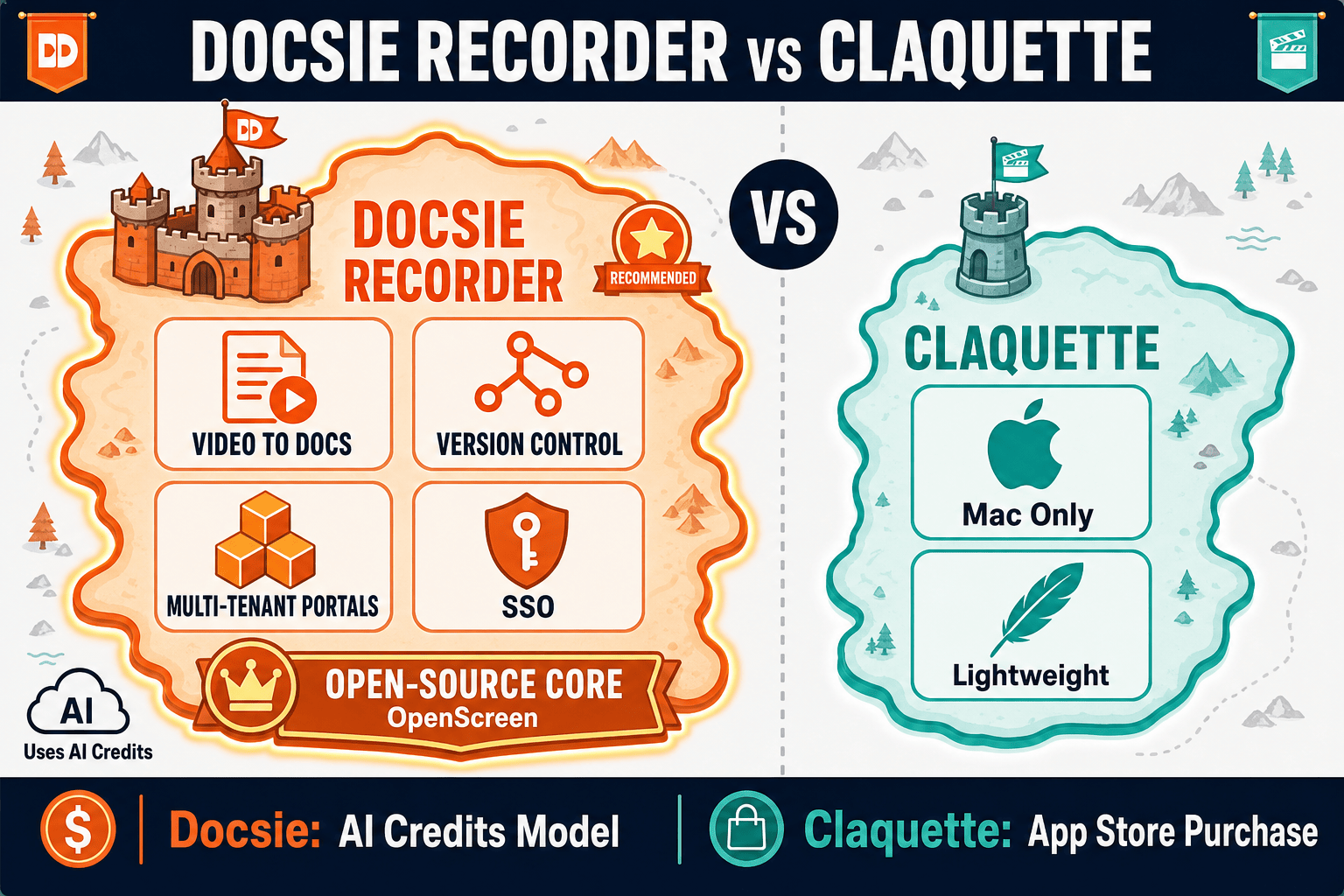
Winner: Docsie Recorder
Docsie Recorder wins on every dimension that matters to teams evaluating screen recorders as documentation tools. It is free, open-source, cross-platform, and packed with recorder-grade editing features that Claquette does not offer—including auto-zoom, cursor polish, backgrounds, motion blur, and annotations. More importantly, it is the only tool in this comparison that connects a recording directly to a Video-to-Docs pipeline, structured documentation output, and a full knowledge base publishing workflow. Claquette is a capable Mac GIF utility, but it is not a documentation tool. Docsie Recorder is both.
Decision Helper
A direct framework for picking between Docsie Recorder, Claquette, and Docsie based on your specific needs.
Docsie's free browser-based recorder that pipes captures straight into Docsie SOPs.
Mac screen recorder with native gif and video output.

Convert real video into searchable docs, then deploy via multi-tenant portals.
Common Questions
Q: Can Claquette convert screen recordings into documentation like Docsie Recorder?
A: No. Claquette records your screen and exports GIF or video files—that is the end of its workflow. Docsie Recorder adds a direct bridge to Docsie's Video-to-Docs pipeline, which transcribes the recording, extracts steps, and generates structured Markdown, DOCX, or PDF output that can be published to a knowledge base. If documentation is the goal, Claquette has no path to get there.
Q: Does Docsie Recorder work on Windows and Linux, or is it Mac-only like Claquette?
A: Docsie Recorder provides cross-platform builds for macOS, Windows, and Linux, so it is not limited to Mac. Claquette is a Mac-only utility distributed through the App Store and has no Windows or Linux support. For teams with mixed operating system environments, Docsie Recorder is the only option in this comparison.
Q: Does Docsie Recorder have the GIF export that Claquette is known for?
A: Yes. Docsie Recorder exports both local MP4 and GIF files with no watermark and no account required. If your only requirement is GIF export, both tools cover that use case. The difference is that Docsie Recorder also offers recorder-grade editing features and a downstream documentation workflow that Claquette does not provide.
Q: Is Docsie Recorder actually free, or does it require a paid plan?
A: The Docsie Recorder desktop app is completely free and open-source under an MIT license for the recorder and editor core—you can record, edit, and export MP4 or GIF locally with no account and no payment. The Video-to-Docs conversion step uses Docsie AI credits, which are separate. Recording and exporting video locally costs nothing.
Q: Which tool is better for a team creating support documentation from screen recordings?
A: Docsie Recorder is the clear choice for support documentation workflows. It records the screen, lets you edit and polish the clip, then routes the recording through Docsie's Video-to-Docs pipeline to generate structured articles that publish directly to a versioned knowledge base. Claquette produces a video file and stops there, requiring a completely separate documentation tool and manual copy-paste to create any written content.
Q: Can I use Claquette as a recorder and then send the video to Docsie for documentation?
A: Technically yes—you could export a video from Claquette and upload it to Docsie's Video-to-Docs API separately. However, Docsie Recorder already handles the recording step natively and connects directly to the conversion workflow without the extra export-and-upload step. Using Claquette as a feeder tool adds friction that Docsie Recorder eliminates by design.
Download Docsie Recorder for free, record your screen on Mac, Windows, or Linux, and convert your first recording into structured documentation with Docsie's Video-to-Docs pipeline. No credit card required to record and export.
Free open-source recorder. Local MP4 and GIF export with no account required. AI credits used only for Video-to-Docs conversion.