
4.8
on G2
 Docsie Recorder
 Claquette
Docsie Recorder is a free, open-source screen recorder that exports MP4 and GIF locally and connects to a Video-to-Docs pipeline. Claquette is a lightweight Mac utility for GIF and video capture with in-app purchases. This pricing breakdown shows what you actually get at every cost tier and which tool delivers more value for teams that need recordings to become documentation.
Docsie Recorder and Claquette sit at different price points, but neither bundles video-to-docs with multi-tenant knowledge delivery the way Docsie does.
Feature Matrix
A focused comparison of recording capabilities, editing features, export options, and downstream documentation workflows — the features that matter most when evaluating pricing value for a screen recorder.
| Feature |
Docsie Recorder
Our Pick
|
Claquette
|
|---|---|---|
| Free Desktop Recorder | ||
| Open-Source Recorder Base | ||
| Mac Support | ||
| Windows Support | ||
| Linux Support | ||
| Window and Full-Screen Capture | ||
| Microphone Capture | ||
| System Audio Capture | Platform-specific | Limited public detail |
| Webcam Overlay | Limited public detail | |
| Automatic or Manual Zoom | ||
| Cursor or Focus Polish | ||
| Backgrounds and Visual Effects | ||
| Crop, Trim, Speed Regions | Trim only | |
| Annotations and Blur Regions | ||
| Local MP4 Export | ||
| Local GIF Export | ||
| Project Save Format | .docsiescreen project files | App-native |
| Video-to-Docs Conversion | ||
| Markdown Export | ||
| DOCX Export | ||
| PDF Export | ||
| Knowledge Base Publishing | ||
| Versioned Documentation Management | ||
| Multi-Tenant Portal Delivery | ||
| Enterprise Deployment Path |
Data as of January 2026. Claquette features based on publicly available App Store listing and peakstep.com. Confirm current Claquette in-app purchase names and prices before relying on this comparison. Docsie Recorder features based on the open-source repository and Docsie platform documentation.
Strengths & Weaknesses
Deep Dive
Beyond the headline price, three factors determine which recorder delivers genuine long-term value — what you get for free, how costs grow with your team, and what limitations are hidden behind the paywall.
Docsie Recorder is fully free and open-source at the recording and editing layer. You get auto-zoom, cursor polish, backgrounds, motion blur, annotations, blur regions, trim, crop, speed regions, MP4 and GIF export, and project save files without spending a dollar or creating an account. Claquette offers a free download but gates full editing and export features behind in-app purchases. For teams that want polished recordings without a subscription, Docsie Recorder's MIT-licensed core delivers significantly more editing capability per dollar. The only paid component is Video-to-Docs conversion, which uses Docsie AI credits — an optional step that adds documentation value rather than unlocking core recorder features.
Claquette is a single-user Mac utility with no team pricing model. As your team grows, each member independently buys the app or in-app upgrades, and there is no shared workspace, centralized admin, or volume pricing. Docsie Recorder scales differently — the recorder itself stays free for every team member on any platform, and the downstream Docsie platform offers workspace-based pricing that covers documentation management, versioning, multi-tenant portals, and delivery for teams of 15 to 90 or more users under a single subscription. For growing teams, the total cost of owning Claquette multiplies per user while Docsie Recorder's cost scales at the platform level with shared documentation output rather than per-seat recording costs.
Claquette's most significant hidden cost is not monetary — it is capability ceiling. Because it has no Video-to-Docs pipeline, no knowledge base integration, no Markdown export, and no team publishing workflow, teams using Claquette for process documentation must pay separately for a documentation tool, a knowledge base platform, a translation service, and a version control system. Docsie Recorder bundles the recorder free and routes directly into a platform that handles all of those needs. The hidden cost of choosing Claquette for documentation-adjacent workflows is the stack of additional tools you still need to buy. Docsie consolidates that stack from a single workflow starting at the recorder.
Pricing Breakdown
A direct comparison of every pricing tier available for both tools, including what each tier unlocks and where the real costs begin.
Docsie Recorder delivers more recorder capability for free than Claquette unlocks at any paid tier, and then adds an optional Video-to-Docs pipeline that converts recordings into structured documentation. Claquette is a capable lightweight Mac utility for individual GIF and clip work, but it has no path to documentation, team workflows, or cross-platform use. For any team that needs recordings to become knowledge base content, Docsie Recorder offers dramatically better pricing value — the recorder is free, the docs pipeline is pay-per-job, and the platform scales at the workspace level rather than per seat.
Our Recommendation
Claquette is a lightweight, single-purpose Mac utility that does one thing reasonably well — capture short clips and GIFs on macOS. Its pricing model is simple because its capability ceiling is low. Docsie Recorder is a free, open-source cross-platform recorder with a more capable editing layer and a direct pipeline into structured documentation. For any team comparing these two tools on price, the question is not which recorder costs less — both have a free tier. The question is which free tier delivers more, and which tool has a growth path when your needs expand beyond a video file.
Choose Docsie Recorder if you need...
Choose Claquette if you need...
Winner: Docsie Recorder
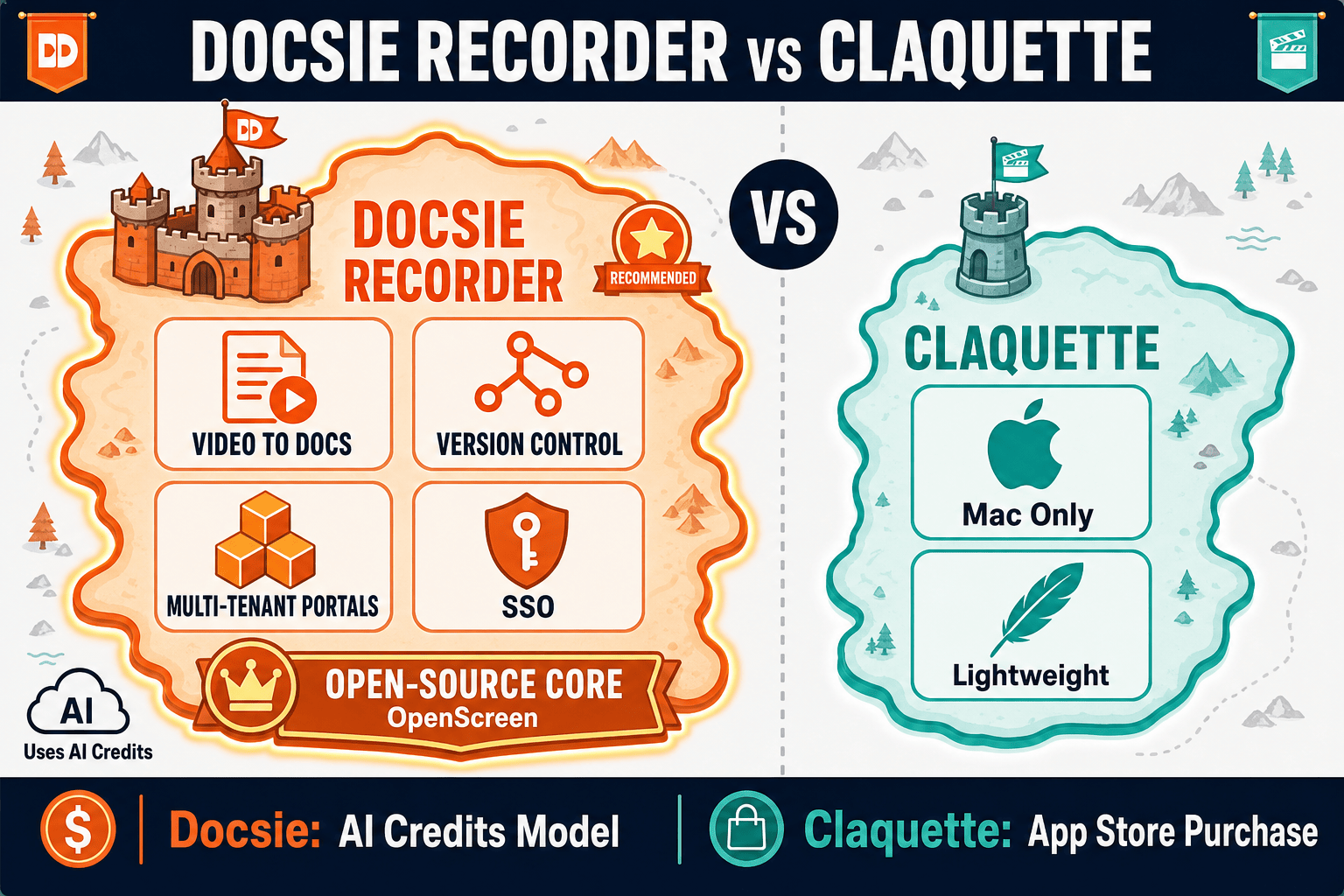
Docsie Recorder wins on pricing value because it delivers more recording and editing capability for free, works across macOS, Windows, and Linux, and includes an optional Video-to-Docs pipeline that turns recordings into structured documentation. Claquette is a capable Mac utility for lightweight GIF work, but it has no cross-platform support, no editing depth, no AI docs workflow, and no enterprise path. For teams evaluating screen recorders where recordings need to become knowledge base content, Docsie Recorder offers a better value at every price tier — including free.
Decision Helper
A direct framework for picking between Docsie Recorder, Claquette, and Docsie based on your specific needs.
Docsie's free browser-based recorder that pipes captures straight into Docsie SOPs.
Mac screen recorder with native gif and video output.

Convert real video into searchable docs, then deploy via multi-tenant portals.
Common Questions
Q: Is Docsie Recorder actually free, or is there a catch?
A: The recorder and editor core is genuinely free under an MIT open-source license. You can record, edit, and export MP4 and GIF files locally without creating an account or paying anything. The only paid component is the optional Video-to-Docs conversion step, which uses Docsie AI credits — credits you only spend if you choose to convert a recording into structured documentation. The recording workflow itself has no cost, no watermark, and no account requirement.
Q: How does Claquette's in-app purchase model work?
A: Claquette is distributed through the Mac App Store as a free download, but full features require in-app purchases for Standard or Pro tiers. The specific purchase names and prices should be checked directly in the App Store, as they may change. There is no team licensing, volume pricing, or subscription model — each user purchases individually, which means costs multiply as your team grows.
Q: What do Docsie AI credits cost for Video-to-Docs conversion?
A: Credit pricing and any free allowance should be checked directly in your Docsie account before relying on this comparison, as the exact rates depend on video length, quality tier, and current Docsie pricing. The Docsie Recorder app provides a credit estimate before you submit a conversion job, so you can review the cost before committing. The conversion step is entirely optional — you can use the recorder and export video without ever using credits.
Q: Does Claquette have a team or enterprise pricing tier?
A: No. Claquette is a single-user Mac utility with no team licensing, centralized admin, volume pricing, or enterprise deployment path. Each team member would need to purchase the app individually. Docsie Recorder by contrast scales through the Docsie platform, which offers workspace-based pricing covering teams of 15 to 90 or more users with shared documentation, versioning, portals, and SSO under a single subscription.
Q: If I only need GIF export, does Docsie Recorder replace Claquette?
A: Yes. Docsie Recorder exports GIF locally at no cost, works on macOS, Windows, and Linux, and adds editing features like annotations, blur regions, crop, trim, and speed regions that Claquette does not offer. If GIF export is your primary need and you are on macOS, Claquette works as a lightweight option. But if you want more editing capability, cross-platform support, or the option to eventually convert recordings into documentation, Docsie Recorder covers all of that without a separate purchase.
Q: What happens to my Claquette recordings if I switch to Docsie Recorder?
A: Claquette exports standard video and GIF files locally, so any recordings you have made are yours and are not locked to the app. You can upload those existing video files to Docsie's Video-to-Docs pipeline if you want to convert past recordings into documentation. Going forward, Docsie Recorder saves projects in .docsiescreen format for future editing while also exporting MP4 and GIF locally, giving you both a portable output and an editable project file.
Download Docsie Recorder and get a free, open-source recorder with auto zoom, annotations, backgrounds, and local MP4 and GIF export. When you are ready to turn recordings into structured documentation, the Video-to-Docs pipeline is one click away.
MIT open-source license. No account required to record and export. Video-to-Docs uses Docsie AI credits — estimate before you convert.