
4.8
on G2
 Docsie Recorder
 Cap
Cap
Both Docsie Recorder and Cap are open-source screen recorders built for teams tired of closed-source SaaS tools. The difference is what happens after you hit stop. Cap shares a polished video link. Docsie Recorder routes your recording into a Video-to-Docs pipeline that produces structured Markdown, DOCX, PDF, and a versioned knowledge base article—all from one capture.
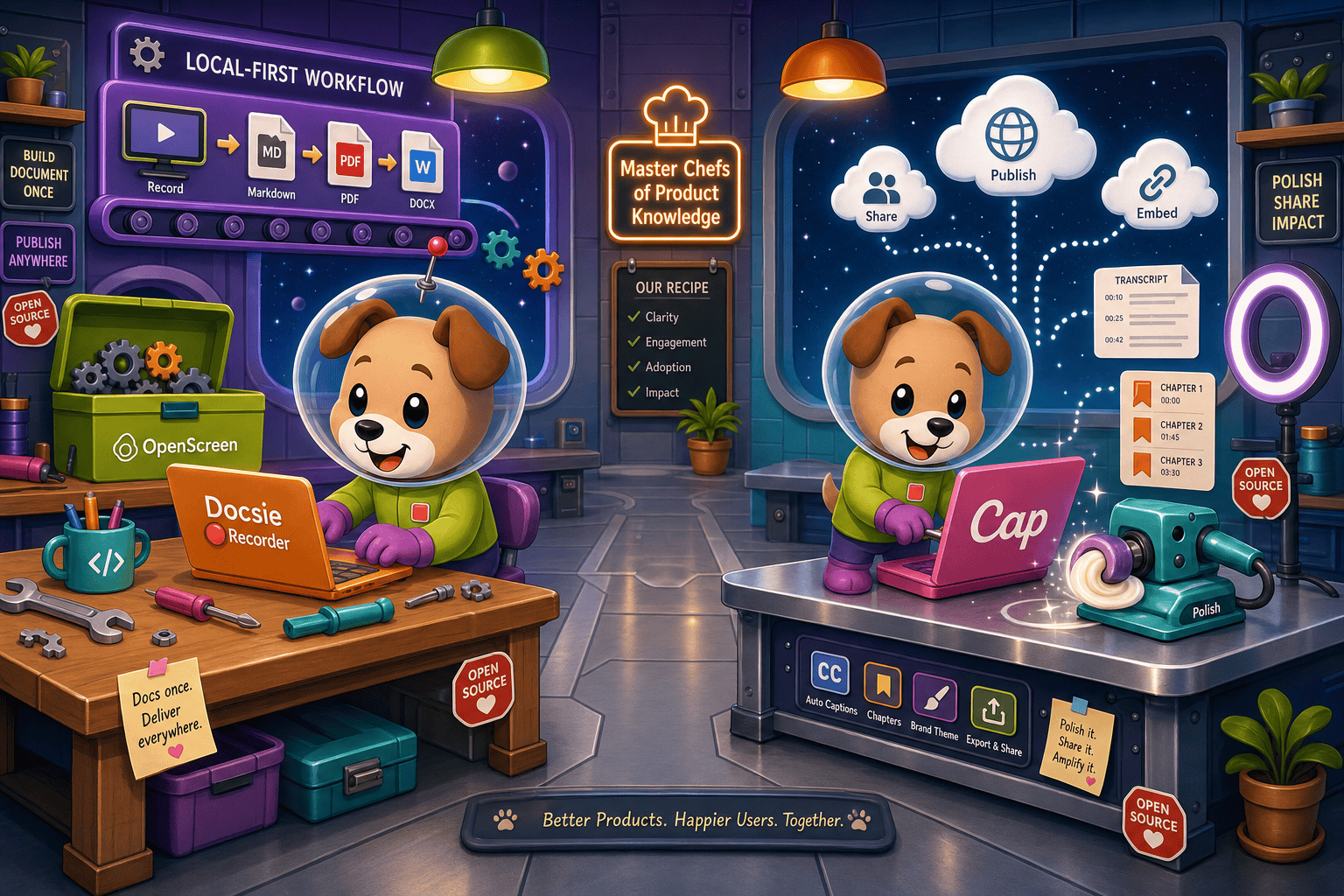
Docsie Recorder leads with free; Cap leads with strong open-source loom alternative with active developer community. Neither converts real video into docs and deploys multi-tenant portals; Docsie does both.
Feature Matrix
A comprehensive feature-by-feature comparison of recording capabilities, editing tools, export formats, AI features, and downstream documentation workflows for both tools.
| Feature |
Docsie Recorder
Our Pick
|
Cap
|
|---|---|---|
| Free Desktop Recorder | ||
| Open-Source Recorder Base | MIT (OpenScreen core) | AGPLv3 (main repo) |
| Mac Support | ||
| Windows Support | ||
| Linux Support | Support details vary by release | |
| Window and Full-Screen Capture | ||
| Microphone Capture | ||
| System Audio Capture | Supported (OS-dependent) | |
| Webcam Overlay | ||
| Automatic or Manual Zoom | Auto zoom only | |
| Cursor or Focus Polish | ||
| Backgrounds and Visual Effects | Wallpapers, gradients, solid colors, custom | |
| Crop, Trim, Speed Regions | Trim only (confirm) | |
| Annotations and Blur Regions | Text, arrows, images, blur regions | Partial |
| Local MP4 Export | ||
| Local GIF Export | ||
| Project Save Format | .docsiescreen project files | Cloud-linked project |
| AI Transcription | ||
| AI Summary and Chapters | ||
| Video-to-Docs Conversion | ||
| Markdown Export | ||
| DOCX Export | ||
| PDF Export | ||
| Knowledge Base Publishing | ||
| Versioned Documentation Management | ||
| Multi-Tenant Portal Delivery | ||
| Self-Hosting Option | ||
| Enterprise Deployment Path | Enterprise (custom) |
Data as of 2026. Based on publicly available information and vendor documentation. Confirm Linux support and Cap editing features before relying on this comparison.
Strengths & Weaknesses
Deep Dive
An in-depth analysis of the critical differences in recording and editing capabilities, AI and automation, enterprise readiness, and ecosystem integrations between Docsie Recorder and Cap.
Both tools deliver solid desktop screen recorders with webcam overlay, microphone capture, backgrounds, and Studio-style polish. Docsie Recorder goes further in the editing suite with manual and automatic zoom, cursor polish, crop, trim, speed regions, motion blur, annotations, blur regions, and both MP4 and GIF local export. Cap's editing is strong on Studio aesthetics and cloud-linked project state, but crop, speed regions, and granular annotation tools need verification. Docsie Recorder also saves work as portable .docsiescreen project files rather than cloud-linked sessions, keeping recordings fully local until the team chooses to convert.
Cap delivers AI transcription, auto-generated summaries, and chapter markers that make shared videos searchable and easier to navigate. These are solid AI features for a video-sharing workflow. Docsie Recorder matches on transcription and goes further by routing the recording through a Video-to-Docs API pipeline that produces structured Markdown, DOCX, and PDF output—not just a summary. Teams can configure quality tier, language, doc style, rewrite instructions, and template before the job runs. The output is a documentation article, not a video summary. That difference matters when the goal is a knowledge base, not a watch page.
Cap offers a self-hosting path, role-based access, and enterprise pricing with custom deployment options. SSO support is listed for enterprise but details need verification. Docsie Recorder's downstream platform adds SOC 2-ready compliance, SAML/OAuth SSO, audit logs, custom domains, and multi-tenant portal delivery. Versioned documentation management, approval workflows, and granular content permissions are all available once a recording moves through the Video-to-Docs pipeline into Docsie. For organizations that need their recordings to become auditable, versioned knowledge base articles rather than shared video files, Docsie Recorder's enterprise path is substantially deeper.
Cap integrates well with team collaboration workflows through its cloud sharing model and works with existing video consumers. Its open-source codebase allows self-hosted deployment and community extensions. Docsie Recorder's integration story is built around its pipeline: record locally, convert via the Docsie bridge, publish into a Docsie workspace, and serve through Docsie portals. Downstream integrations include helpdesk connectors, embeddable widgets, API access, webhooks, and Docsie's AUTOMATE and MONITOR pillars. Teams can reuse the same source recording and generated docs as course material through Docsie's LEARN capabilities, making one recording the seed for video, docs, and training content simultaneously.
Our Recommendation
Docsie Recorder and Cap both earn trust as open-source screen recorders, and both are credible alternatives to closed-source tools like Loom or Screen Studio. The decision comes down to what your team needs after the recording ends. If the goal is a polished shareable video link with transcripts and chapter markers, Cap is a capable and well-supported choice. If the recording needs to become structured documentation—Markdown, DOCX, PDF, or a versioned knowledge base article—Docsie Recorder is the only tool in this comparison that provides a native path from capture to published docs.
Choose Docsie Recorder if you need...
Choose Cap if you need...
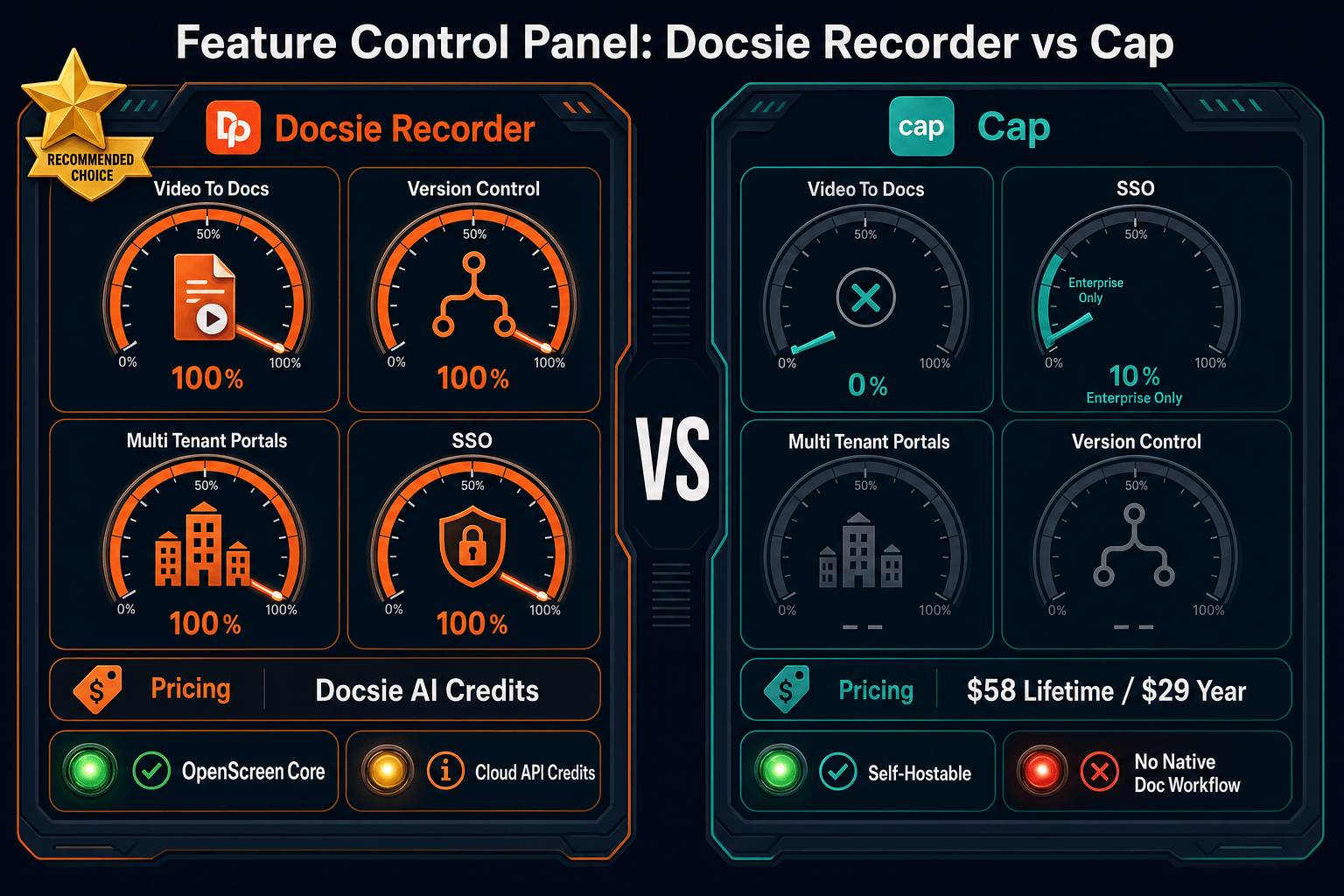
Winner: Docsie Recorder
For teams that record walkthroughs, product demos, or process documentation and need the output to become structured, versioned, publishable knowledge base content, Docsie Recorder is the clear choice. It matches Cap on open-source recorder trust and cross-platform support, then extends the workflow through a native Video-to-Docs pipeline that Cap does not offer. Cap is an excellent video-sharing tool. Docsie Recorder is a documentation creation tool that starts with video—and that difference is what most buyers searching for a Screen Studio or Loom alternative actually need.
Decision Helper
A direct framework for picking between Docsie Recorder, Cap, and Docsie based on your specific needs.
Docsie's free browser-based recorder that pipes captures straight into Docsie SOPs.
Open-source screen recorder with team workspaces and instant share links.

Convert real video into searchable docs, then deploy via multi-tenant portals.
Common Questions
Q: Both Cap and Docsie Recorder are open source—what is the actual license difference?
A: Docsie Recorder's recorder and editor core is built on OpenScreen and released under the permissive MIT license, meaning teams can use, modify, and distribute the recorder code with minimal restrictions. Cap's main repository uses AGPLv3, a copyleft license that requires derivative works to also be open-sourced under the same terms. For many internal tooling and enterprise deployment scenarios, the MIT-licensed core of Docsie Recorder is the more flexible choice.
Q: Can Cap convert a screen recording into a documentation article like Docsie Recorder?
A: No. Cap's AI features produce transcripts, summaries, and chapter markers attached to the shared video—useful for navigation, but the output is still a video page. Docsie Recorder routes the recording through a Video-to-Docs pipeline that generates structured Markdown, DOCX, and PDF content ready to publish into a knowledge base. If your goal is a written documentation article rather than a video with a summary, only Docsie Recorder provides that workflow natively.
Q: Does Docsie Recorder require an internet connection or a Docsie account to record?
A: No account is required to record, edit, and export MP4 or GIF files locally. The desktop recorder works fully offline for capture and editing. A Docsie account and API credits are only needed when you choose to send the recording through the Video-to-Docs conversion pipeline. Teams can evaluate the recorder independently before connecting it to the Docsie platform.
Q: How does Cap's self-hosting compare to Docsie Recorder's open-source path?
A: Cap's self-hosting lets teams run the Cap cloud sharing infrastructure on their own servers, which is useful for keeping shared video assets on private infrastructure. Docsie Recorder's open-source path is different—the MIT-licensed recorder and editor run locally on the user's machine with no server required. The downstream Docsie platform offers its own enterprise deployment options for teams that need the Video-to-Docs and knowledge base components on private infrastructure as well.
Q: Which tool is better for support or enablement teams building help documentation?
A: Docsie Recorder is the stronger fit for support and enablement teams. Recording a product walkthrough and then publishing it as a structured knowledge base article with versioning, search, and portal delivery is the core use case Docsie Recorder is built for. Cap is better suited for teams whose primary deliverable is the video itself—internal updates, async reviews, or customer-facing demo links—rather than written documentation that needs to be maintained over time.
Q: Can I use Docsie Recorder on Linux?
A: Yes. Docsie Recorder provides macOS, Windows, and Linux builds, which is a genuine cross-platform advantage over many polished recorder tools that are Mac-only or Mac-first. Cap's Linux desktop support should be checked on their current releases page before committing to it in a Linux-heavy engineering environment. If Linux support is a hard requirement, Docsie Recorder is the safer choice based on documented platform builds.
Download the free, open-source Docsie Recorder and turn your next screen recording into a structured knowledge base article—without rewriting a single word.
Free desktop recorder. No account required to record and export. AI credits used only when you choose to convert a recording into docs.