
4.8
on G2
 Confluence
 Zendesk Guide
Confluence is Atlassian's enterprise wiki built for internal collaboration at scale, while Zendesk Guide is a customer-facing help center bundled with Zendesk's support suite. Both carry enterprise credentials, but serve fundamentally different buyers. This comparison evaluates both tools across security, scalability, administration, and support to help enterprise teams choose wisely — and shows why Docsie addresses the gaps both leave open.
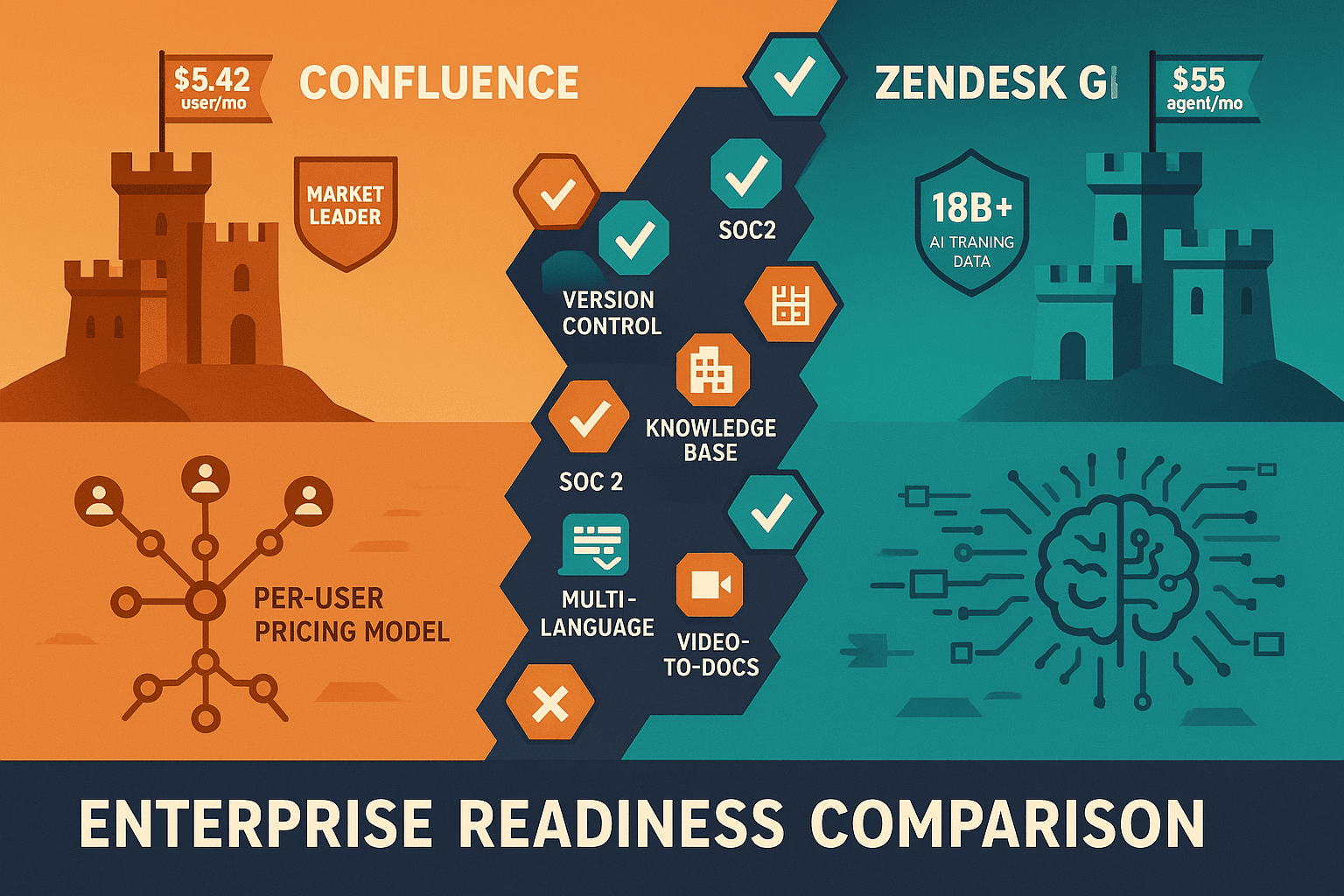
For enterprise buyers, Confluence and Zendesk Guide cover narrow slices (market-leading enterprise wiki trusted by thousands of large organizations globally and industry-leading ai trained on 18b+ customer interactions for superior intent detection) while Docsie adds SSO, audit trails, multi-tenant portals, and compliance monitoring in one platform.
Enterprise Feature Matrix
A head-to-head comparison of enterprise-critical capabilities across security, compliance, scalability, administration, and support.
| Enterprise Capability |
Confluence
|
Zendesk Guide
|
|---|---|---|
| SSO Support (SAML / OAuth) | SAML, Multiple IDPs | SAML (Suite Professional+) |
| Role-Based Access Control | ||
| Granular Space/Portal Permissions | ||
| SOC 2 Compliance | ||
| GDPR Compliance | ||
| ISO 27001 Certification | ||
| HIPAA Readiness | ||
| Audit Logs | ||
| Advanced Encryption | Enterprise plan only | Enterprise Plus only |
| Data Residency Options | ||
| Uptime SLA | 99.9% (Premium+) | 99.9% (Suite Professional+) |
| Dedicated Support | Premium & Enterprise | Suite Professional+ |
| 24/7 Support | Premium & Enterprise | Suite Professional+ |
| Scales to 150,000+ Users | ||
| Multi-Tenant Client Portals | ||
| Custom Domain | ||
| White-Label Branding | ||
| API Access | ||
| Automation / Workflow Engines | 100 runs/month (Standard) | Custom workflows (Professional+) |
| AI Included in Base Plan | Rovo AI (Standard+) | Add-on ($50/agent/month) |
| Multi-Language Support | Via Rovo AI agents | |
| Standalone Purchase |
Data as of February 2026. Features based on publicly available vendor documentation and pricing pages. Zendesk Guide is not sold standalone — it requires Zendesk Suite (starting at $55/agent/month).
Strengths & Weaknesses
Deep Dive Analysis
An in-depth analysis of the four enterprise-critical dimensions — security, scalability, administration, and support — where the two platforms diverge most significantly.
Confluence and Zendesk Guide both achieve SOC 2, GDPR, and ISO 27001 certification, covering baseline enterprise compliance requirements. Confluence adds advanced encryption and multiple IDP support at the Enterprise tier. Zendesk Guide's compliance posture is tied to the full Zendesk Suite infrastructure. Neither platform offers HIPAA readiness, air-gap deployment, or real-time compliance monitoring — significant gaps for regulated industries such as healthcare, defense, and financial services. Both tools also limit advanced encryption and data residency controls to their most expensive tiers, requiring significant investment to unlock full security posture.
Confluence holds a clear scalability advantage, supporting up to 150,000 users per site on its Enterprise plan — one of the highest published limits in enterprise documentation. Its 99.9% uptime SLA applies from the Premium tier onward. Zendesk Guide inherits Zendesk's infrastructure reliability and offers a 99.9% SLA on Suite Professional and above, but its per-agent pricing model makes scaling expensive. Neither platform supports multi-tenant architecture that allows one knowledge base to power separate, isolated documentation portals for multiple external clients — a critical gap for consulting firms and implementation partners managing dozens of customer organizations.
Confluence provides deep administrative capabilities including advanced space permissions, multiple identity provider support, granular role-based access, and audit logs — all essential for large IT governance frameworks. Zendesk Guide offers strong content administration features including approval workflows, team publishing, and content governance controls. However, Zendesk's admin complexity is compounded by the need to manage the full Suite, not just the documentation layer. Both platforms lack multi-tenant administration, meaning enterprises cannot centrally manage content delivery to multiple client organizations from a single admin dashboard without duplicating workspaces.
Confluence offers 24/7 dedicated support starting at the Premium tier ($10.44/user/month), with enterprise-level support escalation paths and Atlassian's established global support infrastructure. Zendesk Guide's support quality is notable — as a customer service company, Zendesk's own support practices are strong — but meaningful SLAs and dedicated support require Suite Professional ($115/agent/month) or Enterprise Plus ($249+/agent/month). For enterprise buyers, Confluence's support access at a lower per-user cost is an advantage, though Zendesk's deep support tooling creates a more comprehensive incident management experience for support-focused organizations.
Our Recommendation
Confluence and Zendesk Guide are both enterprise-grade platforms, but they serve fundamentally different buyers. Confluence is purpose-built for internal collaboration and engineering-team wikis within the Atlassian ecosystem, while Zendesk Guide is a customer support help center that requires the full Zendesk Suite to function. Choosing between them is less about feature parity and more about which team is the primary buyer — IT and product teams gravitate toward Confluence, while customer support organizations reach for Zendesk.
Choose Confluence if you need...
Choose Zendesk Guide if you need...
Choose Docsie if you need...
Winner: Docsie
Both Confluence and Zendesk Guide leave the same critical enterprise gaps unaddressed — no multi-tenant client portal delivery, no video-to-documentation conversion from existing content, no HIPAA or ITAR compliance readiness, and no autonomous documentation agents on private infrastructure. Docsie's six-pillar CONVERT → MANAGE → DELIVER → LEARN → AUTOMATE → MONITOR platform fills all of these gaps in a single workspace, making it the superior choice for enterprises — especially implementation partners, consulting firms, and compliance-heavy organizations — that need to produce, manage, and deliver documentation to multiple clients at scale.
Decision Helper
A direct framework for picking between Confluence, Zendesk Guide, and Docsie based on your specific needs.
Atlassian's team wiki, deeply tied to Jira and the Atlassian suite.
Help center add-on inside the Zendesk support suite for self-service docs.

Multi-tenant knowledge platform with video-to-docs and AI chatbot.
Common Questions
Q: Which tool has stronger security and compliance for regulated industries?
A: Both Confluence and Zendesk Guide meet baseline enterprise compliance requirements (SOC 2, GDPR, ISO 27001). Confluence adds advanced encryption and multiple IDP support at the Enterprise tier. However, neither platform offers HIPAA readiness, ITAR compliance, or real-time content compliance monitoring — leaving a gap for healthcare, defense, and financial services organizations. Docsie provides SOC 2 Type II, HIPAA-ready, SOX, and ITAR compliance with continuous frame-by-frame video compliance monitoring on private infrastructure.
Q: Can Confluence or Zendesk Guide scale to very large enterprise organizations?
A: Confluence explicitly supports up to 150,000 users per site on its Enterprise plan, making it one of the most scalable documentation platforms available. Zendesk Guide scales through Zendesk's infrastructure but its per-agent pricing ($55–$249+/agent/month) makes scaling financially prohibitive for very large organizations. Both tools handle organizational scale well in terms of infrastructure, but neither supports multi-tenant architecture for managing separate documentation portals across dozens of external client organizations simultaneously.
Q: Do Confluence and Zendesk Guide support single sign-on for enterprise identity management?
A: Yes, both platforms support SAML-based SSO. Confluence supports multiple identity providers at the Enterprise tier and offers more flexible IDP configuration. Zendesk Guide's SSO is tied to the Zendesk Suite plan level — SAML SSO requires Suite Professional or higher. For organizations running Azure AD, Okta, or Google Workspace, both tools integrate, though Confluence's multi-IDP support is more flexible for complex enterprise identity architectures.
Q: Is there a better alternative to both Confluence and Zendesk Guide for enterprise documentation?
A: Yes — Docsie is purpose-built to address the gaps both tools leave open. Confluence excels as an internal wiki but cannot deliver documentation to external clients through branded multi-tenant portals. Zendesk Guide requires purchasing the full support suite even if you only need documentation. Docsie provides a six-pillar platform (Convert, Manage, Deliver, Learn, Automate, Monitor) with multi-tenant portals, video-to-documentation conversion, built-in LMS, autonomous agents, and real-time compliance monitoring — all on private infrastructure with transparent workspace-based pricing starting at $199/month.
Q: Can Zendesk Guide be purchased without the full Zendesk Suite?
A: No. Zendesk Guide is not sold as a standalone product. It is bundled exclusively with Zendesk Suite plans, which start at $55/agent/month. If your primary need is documentation rather than customer support ticketing, you will be paying for a full support platform you may not use. Organizations that only need knowledge base or documentation capabilities will find Confluence or Docsie far more cost-effective options.
Q: Which platform is better for organizations serving multiple external clients with separate documentation?
A: Neither Confluence nor Zendesk Guide supports multi-tenant documentation delivery out of the box. Confluence is built for internal teams and has no mechanism for delivering separate branded portals to multiple external clients. Zendesk Guide supports one help center per Zendesk instance with custom branding, but not isolated multi-tenant portals from a single content source. Docsie is specifically designed for this use case — one knowledge base can power unlimited branded portals for different clients, each with their own domain, access controls, and content visibility rules.
Confluence locks you inside the Atlassian ecosystem with no external client portals, and Zendesk Guide forces you to buy a full support suite just to get documentation. Docsie does what neither can — convert any video or content into structured documentation, deliver it through unlimited branded client portals, monitor compliance in real time, and automate knowledge operations on private infrastructure. One platform. Six pillars. Built for enterprise teams that serve multiple clients at scale.
No credit card required. Free AI credits to convert a 10-minute training video included.