
4.8
on G2
 Clueso
 Tango
Tango
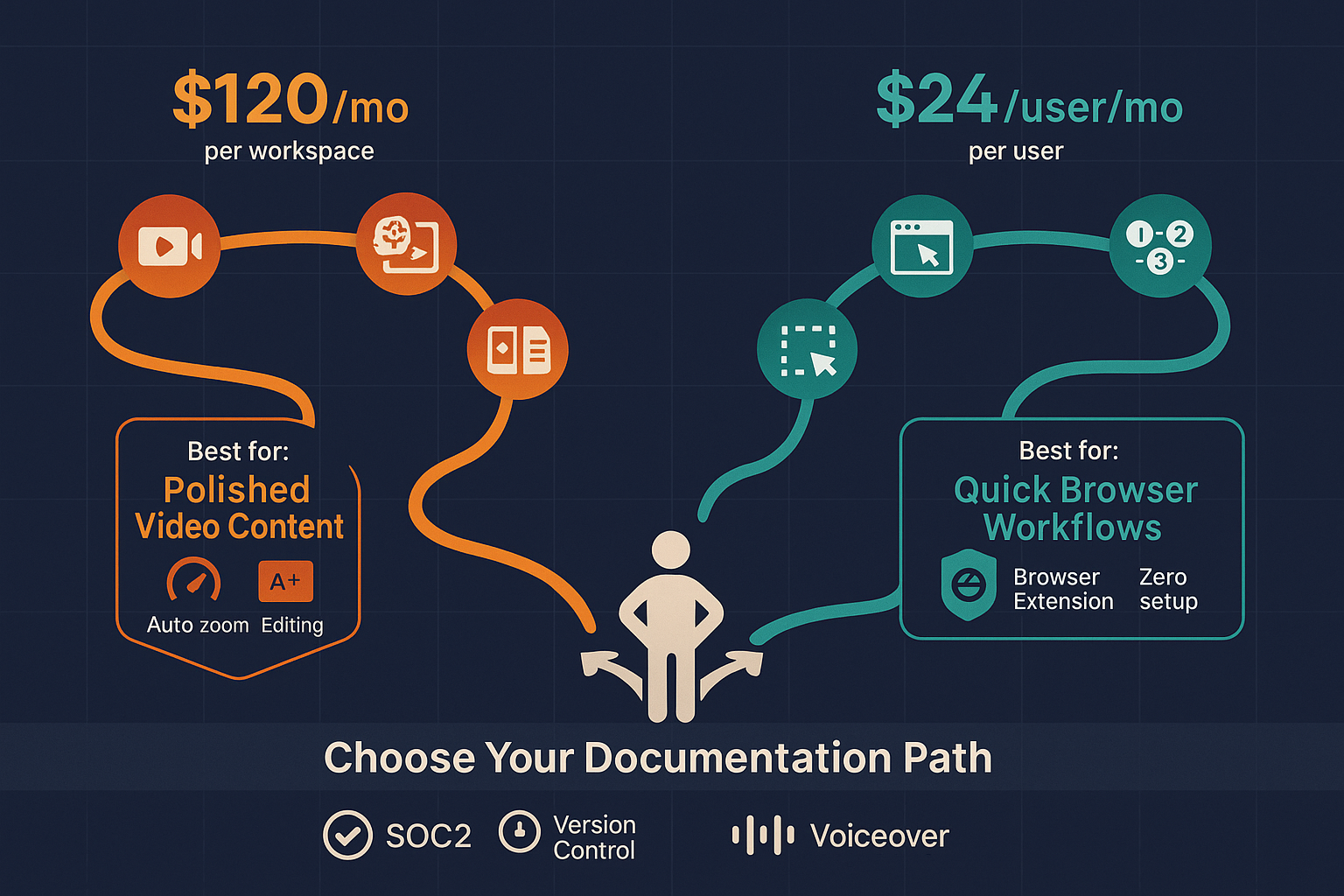
Clueso and Tango both help teams create documentation, but take fundamentally different approaches. Clueso transforms screen recordings into polished product videos with AI editing and voiceovers, while Tango captures browser workflows as screenshot-based step-by-step guides. Both are designed for creating new content, not converting existing training libraries.

Feature Matrix
A comprehensive comparison of capabilities between Clueso and Tango for documentation creation.
| Feature |
Clueso
|
Tango
|
|---|---|---|
| Content Input Type | Screen recordings | Browser capture only |
| Output Format | Polished video + text | Screenshot guides |
| Video Editing Capabilities | ||
| AI Auto-Zoom & Pan | ||
| AI Voiceover | ||
| Screenshot Capture | ||
| Browser Extension | ||
| Desktop Capture | Pro+ only | |
| Real-World Video Support | ||
| Existing Video Conversion | ||
| Multi-Language Support | 37+ languages | |
| Auto-Translation | ||
| Version Control | 14 days (Pro), 365 days (Enterprise) | |
| Knowledge Base Portal | ||
| Multi-Tenant Portals | ||
| Custom Domain | ||
| API Access | ||
| SSO | Enterprise only | |
| SOC 2 Compliance | ||
| Pricing Model | Per workspace | Per user |
| Free Plan | 7-day trial | Yes (15 workflows) |
Data as of February 2026. Features based on publicly available information from clueso.io and tango.us.
Strengths & Weaknesses
Deep Dive
An in-depth analysis of key areas where these tools differ and what that means for your documentation strategy.
Clueso is built for video-first content creation, transforming screen recordings into polished product demos with AI editing, voiceovers, and branded styling. Tango focuses on screenshot-based workflow documentation captured through browser activity. If your goal is professional video content for marketing or customer education, Clueso excels. If you need quick internal SOPs for web-based tools, Tango's screenshot approach is faster. Neither tool can convert existing video libraries—both require creating new content from scratch using their specific capture methods.
Clueso provides comprehensive multilingual support with 37+ languages and auto-translation, making it suitable for global customer education programs. You can create one video and distribute it in multiple languages with AI voiceovers. Tango offers no multilingual support, no translation features, and no language capabilities beyond English. For companies serving international markets or multi-language customer bases, Clueso has a decisive advantage. Tango is limited to English-speaking teams and audiences only.
Both tools lack true enterprise knowledge management capabilities. Clueso offers a basic knowledge base for publishing content but no multi-tenant portals, version control, or client-specific delivery. Tango provides minimal version history (14 days on Pro) and no knowledge base at all—it's built for internal team use only. Neither tool supports multi-client documentation delivery, custom domains, or the structured content management enterprises need. Teams with existing video libraries, multi-client delivery requirements, or complex versioning needs will find both tools insufficient.
Clueso uses per-workspace pricing starting at $120/month ($1,440/year) with strict export limits of 6 hours per year on lower tiers, and minutes don't roll over. Tango uses per-user pricing at $23-24/user/month, which scales expensively for large teams but offers a generous free tier (15 workflows, 10 users). For small teams creating occasional content, Tango's free plan is attractive. For video-intensive content creation at scale, both pricing models become prohibitive. Clueso's workspace model is better for teams with dedicated content creators; Tango's per-user model works for distributed teams documenting their own workflows.
Our Recommendation
Clueso and Tango serve fundamentally different documentation needs. Clueso creates polished product videos from screen recordings with AI editing, while Tango captures browser workflows as screenshot guides. Neither converts existing videos or delivers multi-tenant knowledge bases.
Choose Clueso if you need...
Choose Tango if you need...
Choose Docsie if you need...
Winner: Docsie
For teams with existing video libraries or multi-client documentation delivery needs, Docsie converts any video type into structured knowledge bases with enterprise portals, version control, and multilingual support—capabilities both Clueso and Tango lack entirely.
Common Questions
Q: Can Clueso or Tango convert existing training videos?
A: No. Both tools require creating new content using their specific capture methods. Clueso only processes screen recordings made through its platform, and Tango only captures live browser activity through its Chrome extension. Neither can convert existing MP4 files, Loom recordings, or training video libraries into documentation.
Q: Which tool is better for multilingual documentation?
A: Clueso offers 37+ language support with auto-translation and AI voiceovers, making it suitable for global audiences. Tango has zero multilingual capabilities—no translation, no language support beyond English. For international documentation needs, Clueso is the only option between these two.
Q: Do Clueso or Tango support multi-tenant knowledge delivery?
A: No. Neither tool supports multi-tenant portals or client-specific documentation delivery. Clueso has a basic knowledge base for internal publishing, and Tango has no knowledge base at all. Both are designed for single-organization use, not for consultancies or agencies serving multiple clients.
Q: Is there a better alternative to both Clueso and Tango?
A: Yes. Docsie converts any existing video (training recordings, product demos, real-world footage) into structured documentation and delivers it through multi-tenant portals with version control and 100+ language support. Unlike Clueso and Tango, Docsie handles existing content libraries and enterprise knowledge management, not just new content creation.
Q: Which is more cost-effective for large teams?
A: Clueso's per-workspace model ($1,440/year minimum) works better for centralized content teams but has strict export limits. Tango's per-user pricing ($23/user/month) scales expensively—a 50-person team costs $1,150/month. For large organizations, both become costly. Docsie's workspace-based pricing with AI credits offers better economics for documentation at scale.
Q: Can I use Clueso and Tango together?
A: Theoretically yes, but it's redundant. You could use Tango for quick browser workflows and Clueso for polished product videos, but you'd maintain two separate tools with no integration, no unified knowledge base, and duplicate costs. A unified platform like Docsie that handles both video conversion and documentation management eliminates this complexity.
Docsie converts your existing training videos, PDFs, and websites into structured knowledge bases with multi-tenant portals, version control, and 100+ language support—without the limitations of video-only or screenshot-only tools.
Free plan includes AI credits to convert a 10-minute video. No credit card required.
Start creating professional documentation that your users will love