
4.8
on G2
 Clueso
 Scribe
Clueso and Scribe both turn screen recordings into documentation, but they take radically different approaches. Clueso produces polished, branded product videos with AI editing and voiceovers. Scribe creates annotated screenshot guides for internal processes. Neither converts existing video libraries or offers enterprise knowledge management.

Feature Matrix
A comprehensive comparison of capabilities between Clueso and Scribe for documentation creation.
| Feature |
Clueso
|
Scribe
|
|---|---|---|
| Screen Recording Capture | ||
| Browser Extension | ||
| Output Type | Polished Video + Article | Screenshot Guide |
| Video Editing (Auto-Zoom/Pan) | ||
| AI Voiceover | ||
| Cursor Smoothing | ||
| Annotated Screenshots | ||
| Real-World Video Input | ||
| Existing Video Library Conversion | ||
| Audio Transcription | ||
| Version Control | ||
| Multi-Language Support | 37+ languages | Translation available |
| Knowledge Base Portal | ||
| Multi-Tenant Portals | ||
| Custom Domain | ||
| API Access | ||
| SSO | Enterprise only | |
| SOC 2 Compliance | ||
| Approval Workflows | Pro Team+ | |
| Pricing Model | Per workspace | Per user |
| Free Plan |
Data as of February 2026. Both tools focus on screen recording capture but cannot process existing video libraries or real-world footage.
Strengths & Weaknesses
Deep Dive
An in-depth analysis of the key differences between these two screen recording documentation tools.
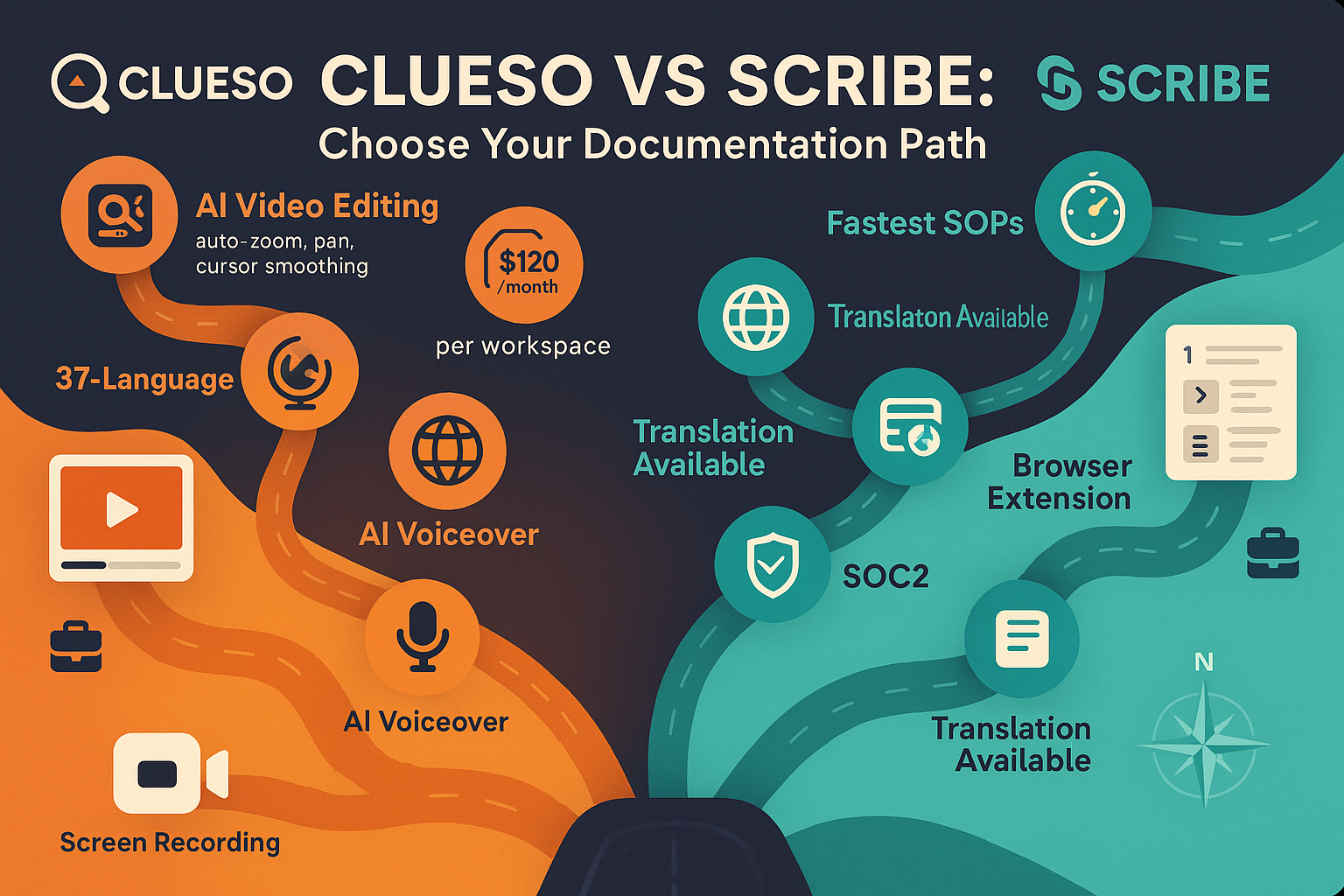
This is where Clueso and Scribe diverge most dramatically. Clueso produces cinema-quality product videos with AI-driven auto-zoom, cursor smoothing, professional voiceovers, and branded intros—ideal for customer-facing tutorials and marketing demos. Scribe outputs annotated screenshot guides with text descriptions—perfect for internal SOPs and step-by-step process documentation. If you need polished videos, choose Clueso. If you need quick internal guides, choose Scribe. Neither converts existing video content into documentation.
Clueso targets SaaS companies creating professional product education videos for customers, with emphasis on brand polish and production quality. Scribe serves internal operations teams documenting browser-based workflows for onboarding, IT, HR, and process standardization. Clueso's output is customer-facing and marketing-ready; Scribe's is internal-facing and operations-focused. Neither tool offers multi-tenant portals or customer knowledge base delivery—both are limited to single-organization use cases.
Clueso charges per workspace starting at $1,440/year with strict export minute limits (6 hours/year) that don't roll over. Scribe uses per-user pricing: free for basic use, $29/user/month for Pro Personal, or $15/seat/month (minimum 5 seats) for teams. For small teams, Scribe may be more affordable. For video-heavy workflows, Clueso's export limits become expensive quickly. Both lack transparent enterprise pricing—Scribe's Enterprise tier reportedly costs $18,000+ annually. Neither offers AI credit-based pricing or unlimited output.
Clueso offers SOC 2 Type II and ISO 27001 certification with GDPR compliance, but no SSO, no API access, and no role-based access controls. Scribe provides SOC 2, GDPR, and HIPAA-ready compliance (PHI redaction at Enterprise tier), plus SAML/SCIM SSO and approval workflows on Pro Team and Enterprise plans. Both lack version control, multi-tenant architecture, and content reuse capabilities. Neither provides comprehensive knowledge management or documentation governance tools needed for enterprise-scale documentation operations.
Our Recommendation
Clueso and Scribe solve different problems for screen recording documentation. Clueso creates polished marketing videos; Scribe creates quick internal process guides. Both are limited to new screen recordings only and lack enterprise knowledge management capabilities.
Choose Clueso if you need...
Choose Scribe if you need...
Choose Docsie if you need...
Winner: Docsie
Both Clueso and Scribe only work with new screen recordings—neither can convert existing video libraries or handle real-world footage. Docsie uses multimodal AI to convert any video (training recordings, product demos, real-world processes) into structured, searchable documentation, then delivers it through branded multi-tenant portals with enterprise-grade version control, security, and governance. For organizations with existing video content or needing customer-facing knowledge bases, Docsie solves problems neither competitor addresses.
Common Questions
Q: What's the main difference between Clueso and Scribe?
A: Output format. Clueso produces polished videos with AI editing, voiceovers, and branded styling—ideal for customer-facing tutorials. Scribe creates annotated screenshot guides with text steps—perfect for internal SOPs. Clueso is for marketing and customer education; Scribe is for internal process documentation.
Q: Can either tool convert existing training videos into documentation?
A: No. Both Clueso and Scribe only work with new screen recordings captured through their platforms. Neither can process existing video libraries, pre-recorded training content, or real-world footage. This is a critical limitation for organizations with existing video assets.
Q: Which tool is better for enterprise documentation?
A: Neither is ideal for enterprise knowledge management. Clueso lacks SSO, API access, and version control. Scribe lacks multi-tenant portals and customer-facing delivery. Both are single-organization tools without comprehensive documentation governance. For enterprise needs, consider a full knowledge orchestration platform like Docsie.
Q: Is there a better alternative to both Clueso and Scribe?
A: Yes. Docsie converts any video (not just screen recordings) into structured documentation using computer vision and multimodal AI, then delivers it through multi-tenant branded portals with version control, 100+ language translation, and enterprise security. Docsie handles both the video-to-docs conversion Clueso and Scribe focus on, plus enterprise knowledge management they lack.
Q: Can I use Clueso or Scribe for customer-facing documentation portals?
A: Not effectively. Clueso has a basic knowledge base but no multi-tenant architecture or custom domains for per-client branding. Scribe is purely internal with no portal capabilities. For customer documentation delivery, you need a platform with multi-tenant portals, SSO, and white-labeling like Docsie.
Q: Which is more cost-effective for a 20-person team?
A: Depends on usage. Clueso charges per workspace ($1,440-$2,400/year) regardless of team size. Scribe charges per user ($15/seat/month for teams = $3,600/year for 20 users). For documentation-heavy workflows, Clueso's export limits become restrictive. For large teams, Scribe's per-seat pricing inflates costs. Docsie's workspace pricing with AI credits scales more economically.
Docsie converts any video—not just screen recordings—into structured documentation, then delivers it through multi-tenant branded portals with enterprise governance. Get version control, 100+ language translation, API access, and full knowledge orchestration that neither Clueso nor Scribe provides.
No credit card required. Free AI credits to convert a 10-minute training video. See the difference in 5 minutes.
Start creating professional documentation that your users will love