
4.8
on G2
 Clueso
 Guidde
Both Clueso and Guidde turn screen recordings into polished tutorial videos with AI voiceovers and step-by-step guides. Clueso focuses on professional video editing quality with auto-zoom and cursor smoothing, while Guidde offers quick browser-based capture with extensive voice options. This comparison helps you understand which tool fits your workflow and whether a full documentation platform might serve you better.

Feature Matrix
A comprehensive comparison of capabilities between these two screen recording and video documentation tools.
| Feature |
Clueso
|
Guidde
|
|---|---|---|
| Screen Recording | ||
| Browser Extension | ||
| Desktop Capture | Business+ only | |
| Real-World Video Support | ||
| AI Voiceover | ||
| Voiceover Quality | 37+ languages | 400+ studio voices |
| Auto-Zoom & Pan | ||
| Cursor Smoothing | ||
| Script Rewriting (Filler Removal) | ||
| Dual Output (Video + Text) | ||
| Branded Video Player | ||
| Version Control | ||
| Knowledge Base Portal | ||
| Multi-Tenant Portals | ||
| Custom Domain | ||
| API Access | ||
| SSO | Enterprise only | |
| SOC 2 Compliance | ||
| Free Plan | 25 videos | |
| Starting Price | $120/month | $20/creator/month |
Data as of February 2026. Both tools focus exclusively on screen recording workflows and cannot process existing video libraries.
Strengths & Weaknesses
Deep Dive
An in-depth analysis of the key areas where these video documentation tools differ.
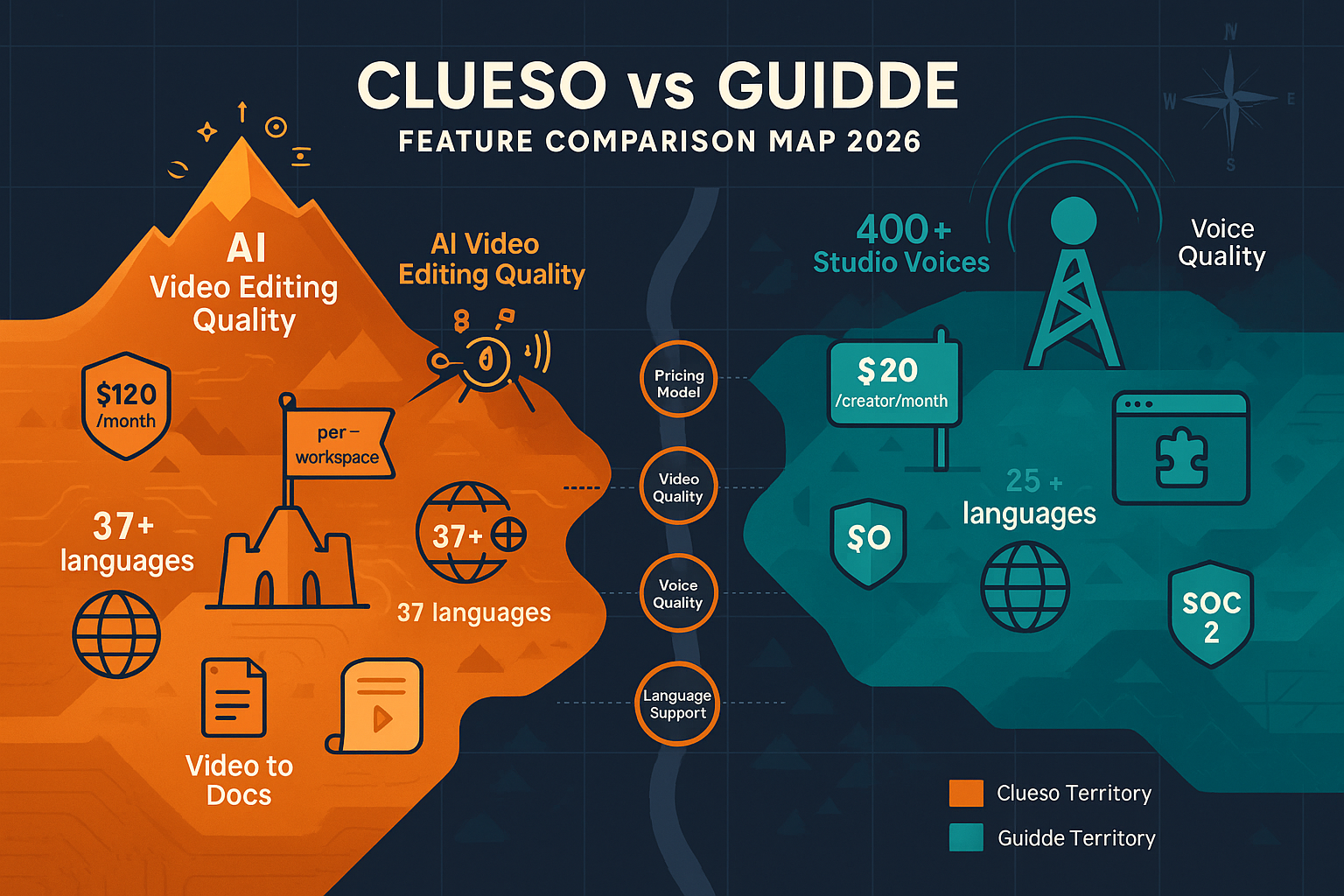
Clueso delivers superior video editing quality with AI-powered auto-zoom, cursor smoothing, and pan effects that make recordings look professionally produced. It also removes filler words automatically through script rewriting. Guidde focuses on speed over polish, offering quick capture with AI voiceover but without advanced editing features like auto-zoom or cursor smoothing. For teams where video quality is paramount, Clueso provides noticeably more polished results. For teams prioritizing speed and simplicity, Guidde's streamlined workflow wins.
Guidde excels in voiceover quality and variety, offering 400+ studio-quality voices on Enterprise plans and Magic Mic for recording narration while capturing. Clueso supports 37+ languages for voiceover but has fewer voice options overall. Both tools generate voiceovers automatically, but Guidde's extensive voice library and Magic Mic feature give content creators more flexibility. If authentic-sounding narration is critical to your customer education strategy, Guidde's voiceover capabilities are industry-leading.
Clueso charges per workspace starting at $120/month ($1,440/year) with strict export limits that don't roll over. Guidde uses per-creator pricing starting at $16-20/month with a generous free tier of 25 videos. For individual users or small teams, Guidde is significantly more affordable. However, Guidde's Business plan caps at 5 creators, forcing teams to jump to Enterprise pricing. For larger teams, Clueso's workspace model may be more cost-effective despite the higher entry price. Both tools lack transparent Enterprise pricing, requiring custom quotes for scaling.
Guidde offers tighter integration with knowledge management tools like Notion, Confluence, and Zendesk through its browser extension, making it easy to embed videos directly into existing documentation. Clueso provides embeddable widgets and knowledge base publishing but lacks the deep third-party integrations Guidde offers. Neither tool provides API access for custom workflows. For teams already invested in tools like Notion or Confluence, Guidde's native integrations create a smoother content creation workflow. Clueso works better as a standalone video production tool with its own publishing destination.
Our Recommendation
Clueso and Guidde are both excellent for creating tutorial videos from screen recordings, but they optimize for different priorities. Clueso delivers superior video quality with professional editing, while Guidde offers faster workflow with better voiceover options and integrations.
Choose Clueso if you need...
Choose Guidde if you need...
Choose Docsie if you need...
Winner: Docsie
While Clueso and Guidde excel at creating new tutorial videos from screen recordings, neither can convert existing video libraries into structured documentation, deliver content through multi-tenant portals, or serve as a comprehensive knowledge management platform. Docsie processes any video type using computer vision and audio transcription, then delivers it as searchable documentation across branded portals in 100+ languages—making it the superior choice for teams with established video content or complex documentation delivery needs.
Common Questions
Q: Can Clueso or Guidde convert my existing training videos into documentation?
A: No. Both Clueso and Guidde are designed exclusively for creating new content from screen recordings. Neither can upload or process existing video libraries. If you have 50+ hours of training footage you need to convert into structured documentation, you'll need a platform like Docsie that uses computer vision and audio transcription to process any video type.
Q: Which tool has better video editing quality?
A: Clueso delivers superior editing quality with AI-powered auto-zoom, cursor smoothing, and script rewriting that removes filler words. Guidde prioritizes speed over polish. If your videos represent your brand to customers and need to look professionally produced, Clueso's editing capabilities are significantly more advanced.
Q: How do Clueso and Guidde pricing compare for a team of 10?
A: Guidde's Business plan caps at 5 creators, forcing teams of 10 to Enterprise pricing (custom quote). Clueso charges per workspace starting at $120/month regardless of team size. Without transparent Enterprise pricing from either vendor, exact comparison is difficult, but Guidde's per-creator model typically becomes expensive faster as teams grow.
Q: Do either Clueso or Guidde support multi-tenant documentation portals?
A: No. Neither tool offers multi-tenant portals for delivering documentation to multiple clients from one system. Both provide basic knowledge base publishing, but lack the enterprise portal capabilities needed for consulting firms, implementation partners, or agencies serving multiple customers. Docsie's multi-tenant architecture allows one knowledge base to power unlimited client-branded portals.
Q: Is there a better alternative to both Clueso and Guidde?
A: If you need more than just screen recording-to-video conversion, Docsie offers a complete documentation platform. Unlike Clueso and Guidde, Docsie converts any video type (existing training footage, real-world processes, screen recordings) into structured searchable documentation, manages content with version control and 100+ language translation, and delivers it through multi-tenant enterprise portals with SSO and API access. For teams outgrowing simple video creation tools, Docsie provides the full Convert → Manage → Deliver workflow in one platform.
Q: Can I export videos from Clueso or Guidde and upload them to Docsie?
A: Yes. Both Clueso and Guidde export MP4 video files that Docsie can process using its multimodal AI. This workflow would let you create polished screen recordings with Clueso or Guidde, then convert them into structured, searchable documentation with Docsie's computer vision and audio transcription capabilities. However, Docsie can process raw screen recordings directly, potentially eliminating the need for a separate video creation tool.
While Clueso and Guidde excel at creating new tutorial videos from screen recordings, they can't convert existing video libraries, deliver documentation through multi-tenant portals, or provide enterprise knowledge management. Docsie processes any video type using AI and delivers it as structured documentation across branded portals in 100+ languages.
Free AI credits to convert a 10-minute video. No credit card required.
Start creating professional documentation that your users will love