
4.8
on G2
 Archbee
 Slab
Slab
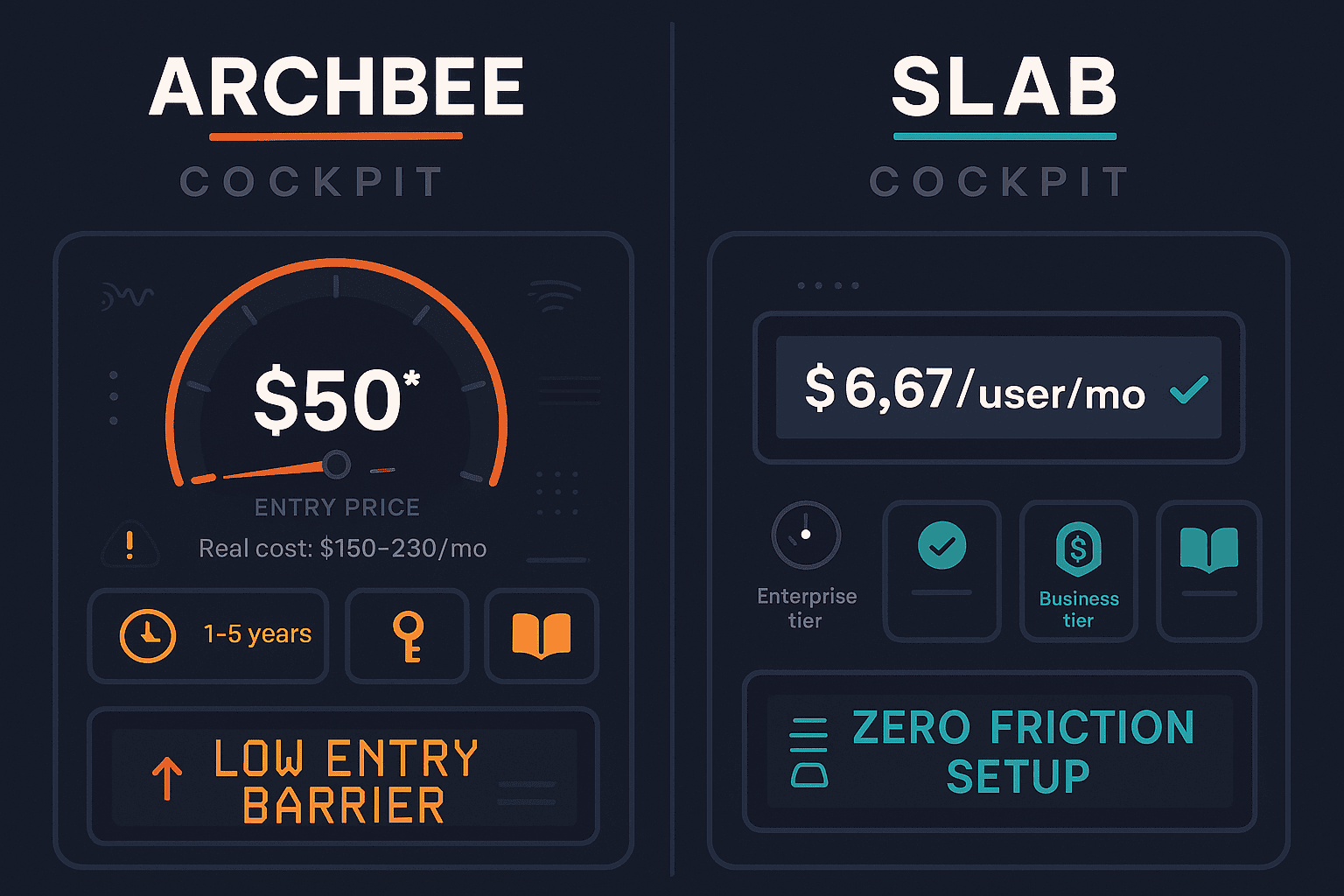
Archbee advertises a $50/month base price but quickly reaches $150–$230/month once you add AI, analytics, API access, and app embedding. Slab offers the cheapest paid tier in the category at $6.67/user/month — but has no AI features at all. This comparison breaks down what each tool actually costs and what you get at every price point.
Archbee and Slab serve different buyers at different price points.
Feature vs Price Matrix
A detailed feature comparison focused on what is and is not included at each pricing tier — including which Archbee features require paid add-ons on top of the base plan.
| Feature / Pricing Factor |
Archbee
|
Slab
|
|---|---|---|
| Free Plan | Up to 10 users | |
| Starting Price | $50/month (3 users) | $6.67/user/month (annual) |
| Free Trial | 14 days | |
| Pricing Model | Base + paid add-ons | Per user |
| AI Writing Assistance | Add-on ($20/month extra) | |
| Analytics / Insights | Add-on ($80/month extra) | Startup+ tier |
| API Access | Add-on ($80/month extra) | |
| Embeddable App Widget | Add-on ($80/month extra) | |
| Print to PDF | Add-on ($80/month extra) | |
| Custom Domain | ||
| Custom Branding | ||
| SSO | Enterprise only | Business tier only |
| Version History | 1–5 years by tier | 90 days (Free), unlimited (Startup+) |
| Real-Time Collaboration | ||
| OpenAPI / Swagger Support | ||
| Multi-Language Support | ||
| External Documentation Delivery | ||
| Multi-Tenant Client Portals | ||
| SOC 2 Compliance | ||
| Fully-Featured Real Cost Estimate | $150–$230/month | $6.67/user/month |
Data as of February 2026. Archbee add-on prices are per their publicly listed pricing. Slab pricing based on annual billing. Features verified against vendor documentation.
Strengths & Weaknesses
Deep Dive
An in-depth look at the three dimensions that matter most when evaluating these two tools on price — value for money, scalability costs, and hidden costs and limitations.
Slab wins on raw cost efficiency — $6.67/user/month is genuinely the cheapest paid tier in the documentation category. For a team of 10 users already on the free plan, upgrading to Startup costs just $66.70/month for unlimited version history and analytics. Archbee's advertised $50/month looks competitive until you realize it covers only 3 users and excludes AI, analytics, API access, and app embedding. A team that actually uses those features will pay $150–$230/month. Slab delivers more per dollar for simple internal wikis; Archbee offers richer features but at a significantly higher real-world cost than the headline price suggests.
Slab's per-user pricing is predictable but compounds at scale — a 50-person team on the Startup plan costs $333/month ($4,000/year). Enterprise pricing is custom and opaque. Archbee's Growth and Enterprise tiers are both custom-quoted, making cost forecasting difficult for growing teams. The add-on model also means each new capability — AI, analytics, API — adds a fixed fee regardless of team size, making the per-feature cost relatively more efficient at scale. However, teams that need most add-ons will consistently pay a significant premium over the advertised price. Neither tool offers transparent enterprise pricing, which complicates budgeting for larger organizations.
Archbee's hidden cost problem is well-documented: the $50 base excludes the features most teams consider standard in 2026. Paying $80/month each for analytics and API access — on top of a $50 base — means these "add-ons" individually cost more than the base plan itself. Slab's hidden costs are structural rather than monetary. The platform intentionally omits AI, external delivery, and custom domains — capabilities that aren't available at any price point. Teams that outgrow basic internal wiki needs face a platform migration, not just a tier upgrade. Both tools create situations where the apparent value at entry level does not reflect the realistic cost of a complete, production-grade documentation workflow.
Pricing Breakdown
Side-by-side comparison of every pricing tier, what is included, and the realistic total cost of ownership for teams that need a complete documentation workflow.
Slab is the clear winner on pure cost — $6.67/user/month is the cheapest paid tier in the category, and the free plan covers 10 users with real collaboration. Archbee's $50 base is misleading; the realistic cost for a team that uses AI, analytics, and API access is $150–$230/month. However, cost efficiency only matters if the tool does what you need. Slab's low price comes with fundamental capability gaps — no AI, no external delivery, no custom domains — that can force a complete platform migration as teams grow. Archbee at least delivers a feature-rich documentation platform once add-ons are accounted for, making it better suited to technical teams despite the higher real cost.
Our Recommendation
Archbee and Slab serve different buyers at different price points. Archbee is a developer-focused documentation platform with a deceptively low entry price that climbs quickly once you add the features most teams need. Slab is the most affordable internal wiki on the market — genuinely simple and cheap — but it lacks AI entirely and cannot deliver documentation to external audiences at any price.
Choose Archbee if you need...
Choose Slab if you need...
Choose Docsie if you need...
Winner: Docsie
Both Archbee and Slab leave significant gaps that enterprises and growing teams will hit quickly. Archbee's add-on model means a fully functional setup costs $150–$230/month and still lacks video-to-docs, multi-tenant portals, and multilingual support. Slab is affordable but has no AI at all and cannot serve external audiences. Docsie's $170/month Premium plan includes 15 users, AI content generation, analytics, API access, embeddable widgets, 100+ language translation, and multi-tenant portal delivery — with a built-in LMS and autonomous agents as teams scale — making it the better value and more complete platform for organizations serious about knowledge management.
Decision Helper
A direct framework for picking between Archbee, Slab, and Docsie based on your specific needs.
Developer documentation platform with native OpenAPI/Swagger support.
Modern team wiki with strong search and integrations.

Convert real video into searchable docs, then deploy multi-tenant portals.
Common Questions
Q: Why does Archbee's real cost differ so much from the advertised $50/month?
A: Archbee's $50/month Starter plan covers only 3 users and excludes AI Write Assist, analytics, API access, the embeddable app widget, and Print to PDF — each of which is a separate paid add-on costing $20–$80/month. A team that needs even two of these features will pay $130–$230/month, making the advertised base price significantly misleading. Always calculate total cost including the add-ons your team will actually use before comparing Archbee to other platforms.
Q: Is Slab's free plan genuinely useful or a limited trial?
A: Slab's free plan is genuinely useful for small teams — it supports up to 10 users, includes unlimited posts, real-time collaboration, and basic integrations with Slack, GitHub, Jira, and Google Drive. The main limitation is a 90-day version history cap. For a small team with simple internal wiki needs, the free plan can serve as a long-term solution rather than just a trial. The critical gaps are structural — no AI, no external delivery — not tier-based.
Q: How does Slab pricing scale for larger teams?
A: Slab charges $6.67/user/month on the Startup plan (annual billing), which is straightforward to calculate. A 20-person team pays $133/month; a 50-person team pays $333/month ($4,000/year). Business tier pricing is custom. The per-user model is predictable but can become expensive compared to workspace-based pricing models like Docsie's at larger team sizes — particularly once you factor in that Slab still lacks AI at any price point.
Q: Does Archbee include AI on any paid plan without an add-on?
A: No. As of 2026, AI Write Assist and Ask AI remain a separate $20/month add-on for all Archbee plans including Starter and Growth. It is not bundled into any tier by default. This is a meaningful distinction from platforms like Docsie where AI capabilities are included in the base plan price rather than charged separately on top of it.
Q: Is there a better alternative to both Archbee and Slab?
A: Yes — Docsie addresses the core limitations of both tools. Archbee's add-on pricing model means a complete setup costs $150–$230/month and still lacks video-to-docs, multi-tenant portals, and multilingual support. Slab is affordable but has no AI features and cannot serve external audiences at any price. Docsie's $170/month Premium plan includes 15 users, built-in AI, analytics, API access, 100+ language translation, and multi-tenant portal delivery for multiple clients — covering the full CONVERT → MANAGE → DELIVER workflow that neither Archbee nor Slab provides in one platform.
Q: Which tool is better for a technical team building developer documentation?
A: Archbee is the stronger choice for developer and API documentation. It supports OpenAPI/Swagger, integrates with GitHub, Linear, and Figma, and has a clean UI optimized for technical content. Slab is an internal wiki without API documentation features or code-centric tooling. If your primary need is developer-facing documentation with API references, Archbee — despite its add-on costs — is better suited than Slab. Teams needing broader documentation capabilities including external delivery should also evaluate Docsie.
Docsie gives you AI-powered documentation, multi-tenant client portals, 100+ language auto-translation, and a built-in LMS — all in one platform, without the add-on pricing games of Archbee or the feature gaps of Slab. The $170/month Premium plan includes 15 users, analytics, API access, and embedded widgets. No per-feature surcharges. No missing AI.
Free plan includes AI credits to convert a 10-minute video. No credit card required.