
Docsie vs Scribe: Feature Comparison 2026
You've accumulated hundreds of training videos. Your team records Loom walkthroughs daily. Consultants deliver Salesforce implementation guides as screen recordings. Meanwhile, your support team scrambles to convert all of it into documentation that customers can actually search, translate, and use.
The documentation tool you choose will determine whether that content becomes a strategic asset or remains locked in video files. Docsie and Scribe both promise to streamline documentation creation, but they approach the problem from fundamentally different angles—and serve very different organizational needs.
What is Docsie?
Docsie is an Agentic Knowledge Orchestration Platform that converts training videos, PDFs, and websites into structured knowledge bases using multimodal AI. The platform handles the complete CONVERT → MANAGE → DELIVER workflow: it processes any video type (not just screen recordings), structures the content into searchable documentation, and delivers it through branded portals, AI chatbots, and embedded widgets across 100+ languages.
The platform's multi-tenant architecture lets organizations manage one central knowledge base while delivering customized, white-labeled portals to unlimited clients—each with their own domain, branding, and access controls. This makes Docsie particularly valuable for consulting firms, software vendors, and service providers who need to deliver customer-facing documentation at scale.
What is Scribe?
Scribe is a browser extension that automatically captures screen actions and generates step-by-step guides with annotated screenshots. Install the extension, click record, perform your workflow, and Scribe outputs a clean, screenshot-based guide with arrows, boxes, and text annotations highlighting each step.
It's designed for speed and simplicity—primarily for internal process documentation. HR teams use it for onboarding guides. IT departments create support documentation. Operations teams document SOPs. The tool integrates with Notion, Confluence, and SharePoint, making it easy to embed guides directly into existing knowledge management systems.
Core Capability Comparison
Video and Content Processing
This is where the two platforms diverge most dramatically.
Docsie processes any video format: real-world training videos, screen recordings, Loom captures, customer implementation guides, even instructor-led training sessions. The multimodal AI extracts speech, analyzes on-screen text, identifies UI elements, and structures everything into searchable documentation. If you've recorded a 45-minute SAP workflow explanation or a Workday configuration tutorial, Docsie converts it into organized documentation with sections, steps, and searchable content.
This matters when you're sitting on a library of existing training content. Most enterprise organizations have accumulated years of implementation guides, product training videos, and customer success recordings. Docsie transforms that dormant video library into an active knowledge asset.
Scribe, by contrast, has zero video capability. It only captures live screen actions as you perform them. You cannot feed Scribe an existing video file. It doesn't process audio. It doesn't handle voice narration. The tool is fundamentally a real-time screen capture solution that generates screenshot-based guides.
If your documentation need is "convert our 200-hour video training library into searchable content," Scribe cannot help. If your need is "quickly document this 5-minute internal process I'm about to demonstrate," Scribe excels.
Knowledge Base Management and Delivery
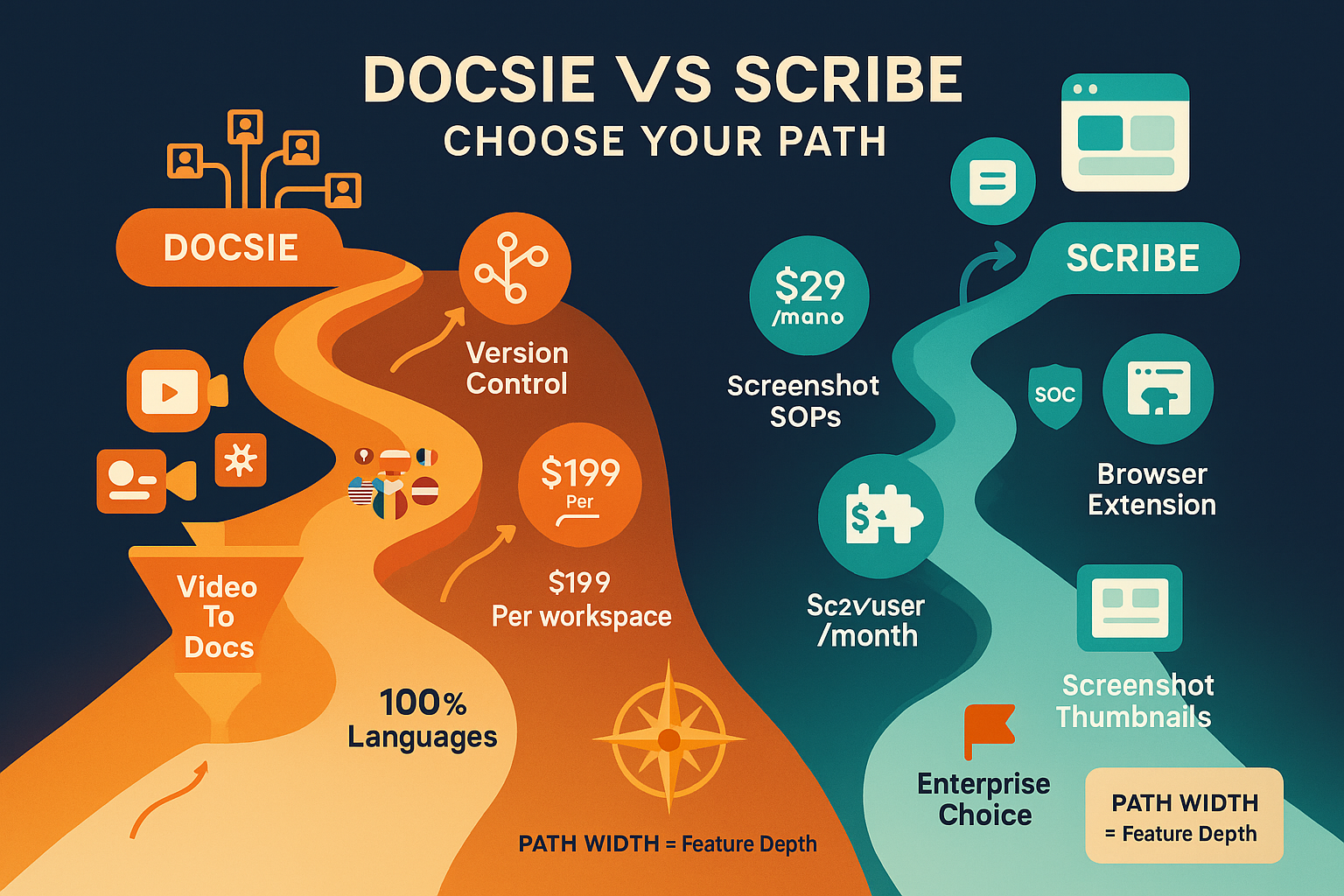
Docsie provides a complete knowledge management system with version control, multi-language translation, and deployment infrastructure. You can maintain different versions of documentation, track changes, and publish updates across all client portals simultaneously. The platform translates content into 100+ languages using context-aware AI (not just word-for-word translation), which is critical for global enterprise deployments.
The multi-tenant architecture is particularly powerful: you build one master knowledge base, then deploy it as unlimited branded portals—each customized for different clients, partners, or customer segments. Each portal can have its own domain, color scheme, logo, and access controls. For consulting firms delivering implementation documentation to 50 different clients, this eliminates the nightmare of maintaining 50 separate documentation systems.
Docsie also delivers content through AI chatbots (using agentic AI with tool calls, not just RAG retrieval) and embeddable widgets. The chatbot can answer questions by actually executing searches and combining information across documents, rather than simply retrieving the nearest semantic match.
Scribe generates individual guides that you then export to other platforms. It doesn't provide a hosted knowledge base or customer-facing delivery infrastructure. You create the guide, then manually embed it in Notion, Confluence, Google Docs, or your own website. There's no version control across a content library, no translation capability, no multi-tenant delivery, and no AI chatbot functionality.
Scribe is designed to create documentation artifacts that live elsewhere. Docsie is designed to be the complete documentation platform from creation through delivery.
Enterprise Features and Compliance
For organizations with security, compliance, or governance requirements, platform architecture matters.
Docsie offers SOC 2 Type II certification, HIPAA-ready infrastructure, and configurable data residency. Enterprise customers can control where content is processed and stored—critical for organizations handling sensitive training content about proprietary systems, customer data, or regulated processes. The platform includes role-based access controls, audit logging, and SSO integration through standard enterprise identity providers.
Scribe functions as a browser extension that captures screen content locally, then uploads guides to Scribe's cloud platform. For internal SOP documentation, this is typically sufficient. For customer-facing documentation containing proprietary implementation details or regulated information, the security model becomes more complex to evaluate.
Use Case Alignment
The tools serve fundamentally different documentation workflows:
Docsie's workflow: 1. Upload existing training videos, screen recordings, or content 2. AI processes and structures content into searchable documentation 3. Build and customize knowledge base with sections and organization 4. Deploy as branded portals to multiple clients or audiences 5. Deliver through web portals, chatbots, or embedded widgets 6. Update centrally, publish globally
Scribe's workflow: 1. Install browser extension 2. Record screen actions in real-time 3. Review auto-generated screenshot guide 4. Export to Notion, Confluence, or other platform 5. Maintain guides individually in destination system
Who Should Choose What?
Choose Docsie If You Need...
Comprehensive video conversion capability. If you have substantial training video libraries—SAP implementations, Salesforce configurations, Workday training, product demos, customer success recordings—Docsie converts all of it into structured, searchable documentation. This is valuable for consulting firms, software vendors, and enterprise training departments with years of accumulated video content.
Multi-tenant customer delivery. Service providers, MSPs, consulting firms, and SaaS vendors who need to deliver customized documentation portals to multiple clients benefit from Docsie's architecture. Build once, deploy everywhere, with each client seeing their own branded experience.
Customer-facing documentation. When documentation is a product feature or service deliverable—not just an internal resource—you need hosting, custom domains, white-labeling, translation, and professional presentation. Docsie provides the complete delivery infrastructure.
Enterprise compliance requirements. Organizations in healthcare, financial services, or regulated industries need SOC 2, HIPAA-ready infrastructure, data residency control, and audit capabilities that Docsie provides.
Complete knowledge platform consolidation. Teams tired of stitching together separate tools for content creation, translation, hosting, search, and chatbots can consolidate the entire stack into Docsie's unified platform.
Choose Scribe If You Need...
Quick internal SOPs from screen captures. If your primary need is rapidly documenting internal processes—HR onboarding flows, IT support procedures, software usage guides—and screenshot-based instructions work well for your audience, Scribe's simplicity is valuable.
Non-technical team adoption. When you need every team member (regardless of technical skill) to easily document processes, Scribe's browser extension requires virtually no training.
Integration with existing platforms. If you're committed to Notion, Confluence, or SharePoint as your knowledge management system and just need a tool to create better process guides to embed there, Scribe serves that specific need.
No video conversion requirements. If you don't have existing video libraries to convert and don't anticipate needing that capability, Scribe's limitations won't affect you.
The Verdict: Docsie for Comprehensive Knowledge Operations
For organizations evaluating documentation platforms in 2026, the decision hinges on a fundamental question: Are you creating occasional internal guides, or are you orchestrating knowledge as a strategic asset?
Scribe excels at its specific use case—rapid screen capture SOPs for internal use. If that's your entire requirement, its simplicity is a genuine advantage. Install, capture, done.
But for most enterprise organizations, documentation needs extend far beyond screen capture:
- You have existing training videos that need conversion
- You need to deliver documentation to customers, not just internal teams
- You require translation for global audiences
- You manage documentation for multiple clients or business units
- You need enterprise security, compliance, and governance
- You want AI-powered search and chatbot capabilities
Docsie addresses these comprehensive requirements in a single platform. The ability to convert any video type—not just live screen captures—unlocks value from your existing content library. Multi-tenant delivery solves the proliferation problem that plagues growing service organizations. Agentic AI search provides more accurate answers than basic keyword matching or RAG retrieval.
The platform is particularly compelling for consulting firms, software implementation partners, SaaS vendors, and enterprise training departments where documentation isn't just an internal artifact—it's a deliverable, a product feature, or a strategic differentiator.
See the detailed feature comparison between Docsie and Scribe for a complete breakdown of capabilities, pricing, and use cases.
Ready to Convert Your Video Library into Structured Knowledge?
If you have training videos, screen recordings, or implementation guides sitting in folders or scattered across platforms, start a free trial of Docsie to see how quickly multimodal AI can convert them into searchable, deliverable knowledge bases.
The platform processes your first videos during onboarding, so you'll see actual results with your content—not just demo examples. Upload a few training videos, configure a portal, and experience the complete CONVERT → MANAGE → DELIVER workflow that transforms documentation from a burden into a strategic asset.